How to Protect Your Computers From Power Surges and Brownouts During Storms
TL;DR: A cheap power strip will not save your computer. Use a real surge protector at minimum, a UPS (battery backup) for any PC you care about, and unplug everything during a direct lightning threat. Back up your files too, because no gadget makes a power event harmless.
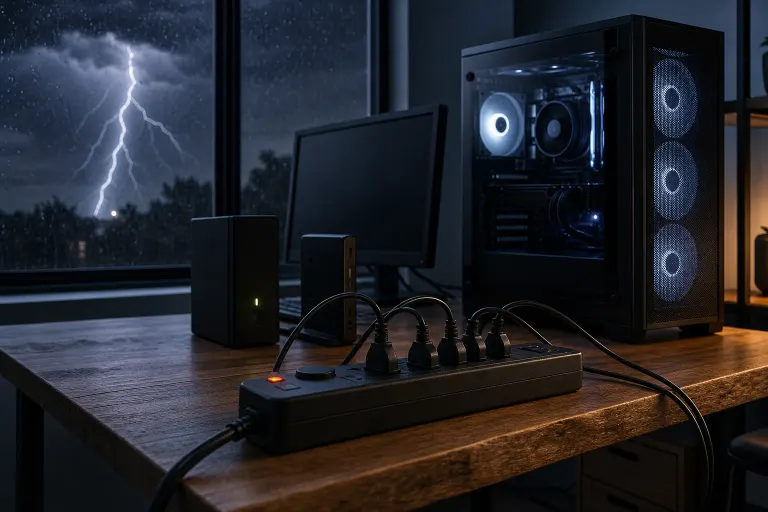
I've watched people drop $1,500 on a PC and then plug it into a $6 strip from the checkout aisle. (That strip is an extension cord with a light on it. Nothing more.) Storm season in South Florida punishes that kind of thinking. Surges, flickers, and brownouts all hurt electronics, and they do it in different ways.
What you need
- A surge protector with a joules rating and a protected-equipment guarantee. Look for a UL 1449 listing on the box. Higher joules generally means it can absorb more before wearing out. Treat it as a consumable, not a lifetime fixture.
- A UPS (uninterruptible power supply) for desktops, routers, and anything holding unsaved work. A UPS gives you battery runtime during an outage and smooths out voltage dips. Sizing is by watts, not just VA, so check your PC's real draw.
- Your PC's power supply wattage. It's on the label on the power supply unit, or in the spec sheet for your build.
- A backup you actually trust. An external drive or cloud backup, tested at least once.
- A marker and some masking tape. For dating your gear. You'll see why below.
Step 1: Know what you're protecting against
Three different problems hide under "storm power trouble":
- Surge or spike: A burst of too-high voltage. Lightning nearby, the grid switching, or power coming back on all cause these. Surges can kill a motherboard or power supply outright, or wear parts down slowly.
- Brownout (sag): Voltage drops low for a while. Lights dim, PCs reboot, hard drives and SSDs can corrupt files mid-write. A plain surge protector does nothing for this. A UPS does.
- Blackout: Power's just gone. Same risk to unsaved work and file systems, plus the surge when it returns.
So a surge protector covers one of the three. If you only buy that, you've covered a third of the problem. (A direct lightning strike can beat any consumer gear. Nothing on a store shelf is a guarantee against that, no matter what the box says.)
Step 2: Pick the right protection for each device
Here's how I'd decide:
| Device | Minimum | Better |
|---|---|---|
| Desktop PC with work or files you care about | UPS with surge protection | UPS sized with headroom, plus tested backup |
| Gaming PC with a high-wattage power supply | UPS rated for the load | Pure sine wave UPS if your power supply is active PFC (check the manual) |
| Laptop on the charger | Quality surge protector | Same, and unplug during bad storms |
| Router, modem, network gear | Surge protector or small UPS | Small UPS so the network stays up through short dips |
| TV, game console, printer | Quality surge protector | Unplug the printer when not in use, honestly |
A laptop has a battery, so a brownout is less scary for the machine itself. The charger and the cable lines are the weak points.
If you're a small business, this multiplies fast. Servers, a network switch, a router, and the front-desk PC all need thought. That's the kind of planning our managed IT and business networking work covers.
Step 3: Size the UPS correctly
This is where people get burned. Don't buy by price alone.
- Find your PC's actual draw. A power supply label says what it can deliver, not what your system pulls. A mid-range office PC often pulls well under the label number. A gaming PC under load can pull a lot more. A wattage meter that plugs into the wall will show you the real number.
- Add your monitor and anything else going on the battery-backed outlets.
- Pick a UPS whose watt rating comfortably exceeds that total. Leave headroom rather than running it near the limit.
- Decide what you want from the battery. For most people, the goal is not "keep gaming through the outage." It's "get a few minutes to save and shut down cleanly." That needs far less capacity.
A hypothetical example: say your desktop and one monitor pull around 200 watts at the wall. A UPS rated well above that, with a few minutes of runtime at that load, gives you time to save and shut down. Check the manufacturer's runtime chart for your model rather than trusting the box headline. Your numbers will differ, so measure.
Step 4: Set it up properly
A good UPS plugged in wrong is a waste of money.
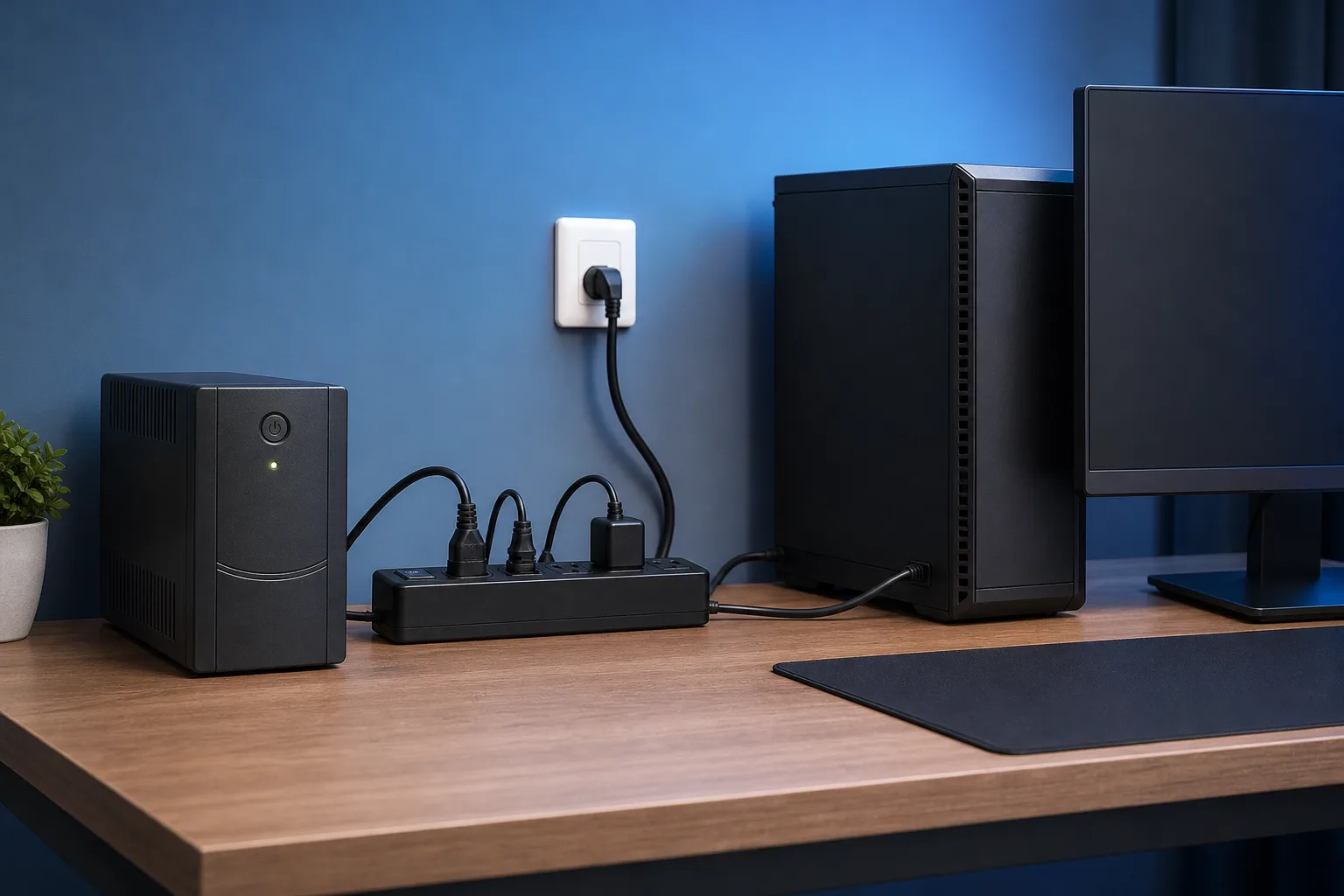
- Plug the UPS directly into the wall outlet. Not into a power strip, and not daisy-chained off another surge protector. Many manufacturers say not to, and it can void protection.
- Use the battery-backed outlets for the PC and monitor. Use the surge-only outlets for printers and other gear that doesn't need battery power. Laser printers especially can overload a small UPS.
- Protect every line that enters the building. Surges also ride in on coax, phone, and Ethernet lines. If your modem connects by coax, plug that through the protector's coax ports if it has them.
- Keep it ventilated. Don't bury a UPS in a closet or under a pile of cables. Heat shortens battery life.
- Run the manufacturer's software or USB link if provided. It can trigger an automatic safe shutdown when you're away from the desk.
- Check the outlet. If your wall outlet is ungrounded or the building wiring is old, the best surge protector in the world can't do its job. A licensed electrician fixes that, not a computer shop.
Computer acting up? Get a real diagnosis. Book a diagnostic
Step 5: Build a storm-day routine
Gear helps, habits finish the job.
- When a storm watch gets serious, save and back up. Don't wait for the lights to flicker.
- If lightning is close or the forecast is nasty, shut down and unplug. Pull the power cable, the Ethernet cable, and the coax line. A surge protector is not a force field. Unplugging is the only certain protection, since a disconnected device can't receive a surge.
- Don't use the PC on battery power during an outage unless you need to. Save, shut down, and let it ride out the storm off.
- After an outage, wait before reconnecting. Power often flickers on and off as crews restore the grid. Plugging in during that stutter is when many surges hit. Let it stay stable for a few minutes first.
- Date your protection. Write the purchase date on a piece of tape on the surge protector. Most have a protection indicator light. If it's off or flashing a fault, the protection is gone even though the outlets still work. Replace it. Many people also replace them every few years or after a major surge event, since the protective parts wear out. Check your model's manual for its guidance.
Step 6: Protect the data, not just the hardware
A fried power supply is annoying. A corrupted drive with the only copy of your files is a disaster. Hardware is replaceable. Your photos, tax records, and business files are not.
- Keep at least one backup that is not plugged in to the same outlet strip during a storm. An external drive sitting next to your PC takes the same hit.
- Follow the 3-2-1 idea: three copies, two types of storage, one offsite or in the cloud.
- Test a restore once. A backup you've never opened is a hope, not a plan.
Businesses should treat this as part of continuity planning. Our backups and disaster recovery service exists for exactly the "storm took the office" scenario.
Step 7: After a surge, check before you panic
Sometimes the damage is obvious. Sometimes it's sneaky. If your PC went through a bad power event, work through this:
- Don't keep slamming the power button. Disconnect it and let it sit.
- Look and smell. Burn smell, scorch marks, or a dead power supply fan means stop. Don't power it on repeatedly.
- Reconnect everything through a known-good protector and try once.
- Watch for delayed symptoms: random reboots, USB ports acting up, drives disappearing, graphics glitches, or a PC that works for ten minutes and dies. Surge damage can show up days later.
- Back up immediately if it boots, before it decides to quit.
- Check the other gear. Routers, switches, external drives, and monitors take hits too, and people forget them.
If it won't power on, or acts flaky after an event, that's when a proper diagnosis helps. We handle computer repair at the shop on Okeechobee Blvd. A computer diagnostic is $60, credited toward the repair, and we disclose charges and timing for your approval before any work begins. If you'd rather start with a conversation, you can schedule a repair or contact us.
Keep in mind that insurance may cover storm damage in some cases. Policies vary, so check yours and photograph the damage before you toss anything.
Common mistakes
- Buying a power strip and calling it protection. Many strips have no surge protection at all. Check for the joules rating and the UL 1449 listing.
- Trusting an old surge protector forever. The protective components wear out. A strip that has been through years of South Florida storms may be an ordinary extension cord now.
- Plugging a surge protector into a surge protector. Daisy-chaining can defeat protection and create a fire risk.
- Using a UPS for everything. Laser printers, space heaters, and similar loads can overload it. Put them on a surge-only outlet or a separate circuit.
- Ignoring the coax and Ethernet lines. Surges love those paths.
- Leaving a PC running unattended in an active storm. If you're leaving town, unplug it.
- Relying on a backup that sits beside the PC. Same outlet, same fate.
- Skipping the electrician when outlets are old or ungrounded. No gadget fixes bad wiring.
Bottom line
For most home users, a quality surge protector is the floor, and a properly sized UPS on your main PC is the smart upgrade. Unplug during close lightning, back up your files, and replace worn-out protection before storm season, not after. Gear lowers your risk, it doesn't erase it, which is why the unplugging habit and the backup matter as much as the box you buy.
If a storm already got to your machine, or you run a small business and want the office set up right, we're at 10140 Okeechobee Blvd, Suite B in West Palm Beach, 561-819-9999. Hours are Monday through Friday 9 a.m. to 6 p.m. and Saturday 9 a.m. to 5 p.m.
Computer acting up? Get a real diagnosis.
Fix My PC Store has repaired thousands of machines across West Palm Beach. Honest pricing, no upsell games, and a free diagnostic for new customers with our email coupon.