What to Look for When Buying a Refurbished PC in South Florida
TL;DR: A refurbished PC can deliver solid performance at a real discount, but South Florida's heat and humidity add extra risk factors most buying guides skip. Check the CPU generation, storage type, RAM, warranty terms, and physical condition before buying. When in doubt, have a local tech take a look.
Refurbished PCs are everywhere right now, from big-box liquidators to Facebook Marketplace to certified programs from Dell, HP, and Lenovo. The price is tempting. But a bad refurb can cost you more in repairs than you saved on the purchase. Here is what to actually check.
1. CPU Generation: Don't Get Stuck on a Dead Platform
This is the single biggest spec trap. A processor from 2014 looks fine on paper but may not support Windows 11, modern security features, or the apps you actually need.
Minimum useful baseline right now:
- Intel: 8th Gen Core (Coffee Lake) or newer
- AMD: Ryzen 2000 series desktop CPUs (Zen+, e.g., 2600/2700) or newer; note that Ryzen 2000G APUs and 2000-series laptop chips are not on Microsoft's Windows 11 supported list, so for those look for Ryzen 3000 series or newer
Anything older is risky for longevity. Check the CPU model on CPU-Z or the system info panel before or immediately after purchase.
2. Storage Type: HDD vs SSD Is Not a Minor Detail
A refurb running a spinning hard drive is going to feel slow today. Full stop. If the listing does not specify SSD, assume it has a hard drive.
Decision table:
| Storage type | Boot time | Worth buying? |
|---|---|---|
| HDD only | 60-120 seconds | Only if you plan to swap it |
| SATA SSD | 15-25 seconds | Yes, solid daily driver |
| NVMe SSD | Under 10 seconds | Yes, fastest option |
An SSD upgrade on a refurb is usually straightforward, but factor that cost into your budget. If you need help with the swap, laptop and desktop repair is available at the shop.
3. RAM Amount and Upgrade Headroom
8 GB is the floor for a usable Windows machine today. 16 GB is comfortable. More important: check whether the RAM slots are upgradeable or soldered.
- Desktop refurbs almost always have open slots. Easy upgrade.
- Small form factor and all-in-one refurbs sometimes solder RAM. No upgrade path.
- Laptops vary wildly. Look up the exact model before assuming.
Also check the RAM speed. DDR3 is old but functional. DDR4 is the current sweet spot. DDR5 is in newer systems only.
4. Windows License: Retail, OEM, or Gray Market Key?
This matters more than most buyers realize. A legitimate refurb should include a valid Windows license tied to the hardware, not a $3 key from a sketchy site.
What to look for:
- A Microsoft Authorized Refurbisher (MAR) Certificate of Authenticity label or other proof of a genuine license
- The Windows activation status under Settings > System > Activation
- "Activated with a digital license" is the phrase you want to see
An unactivated or gray-market license can cause update blocks and security gaps down the road.
Computer acting up? Get a real diagnosis. Book a diagnostic
5. Physical Condition, Especially in South Florida
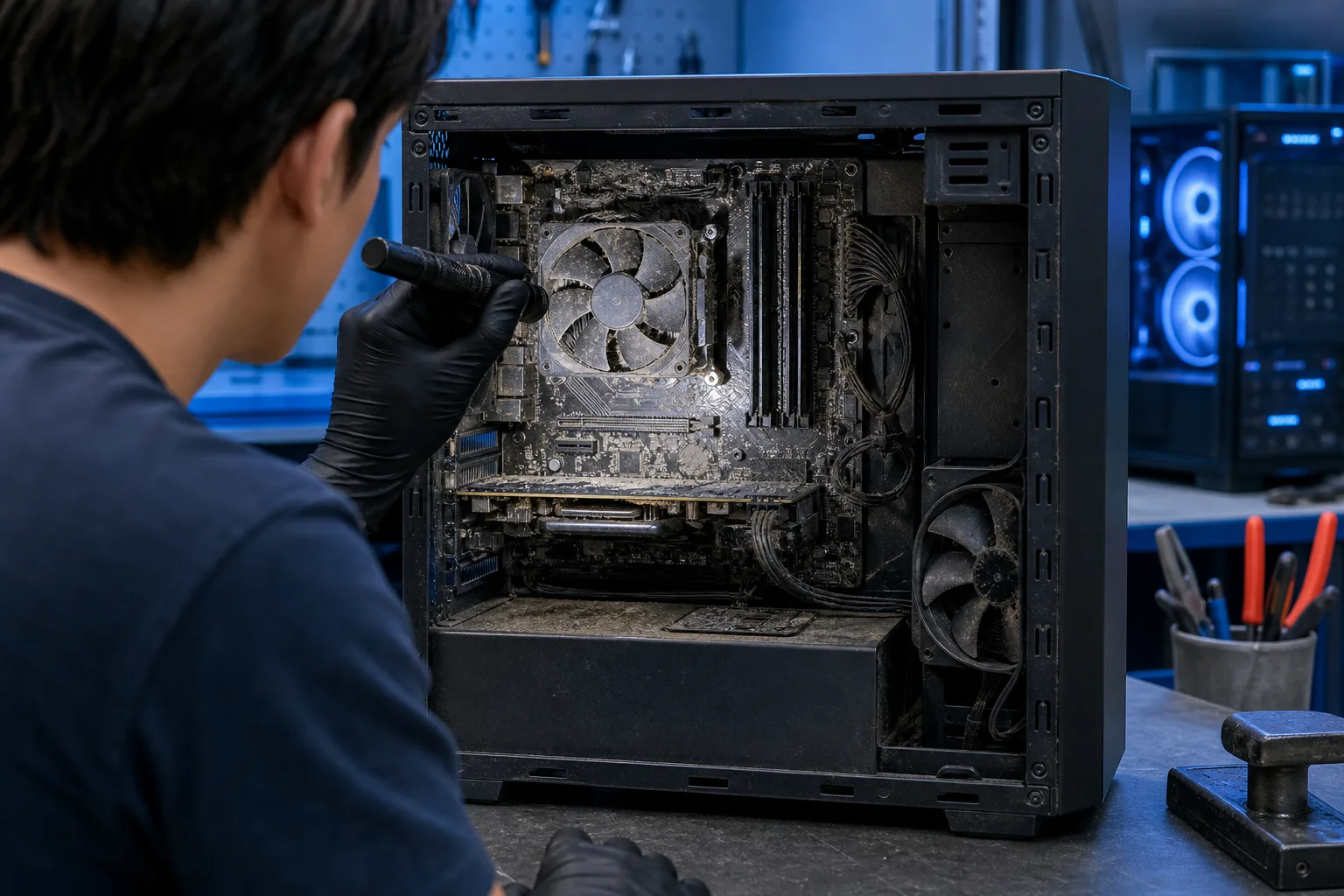
Heat and humidity are real enemies of used hardware here. A PC that sat in a garage or storage unit in Palm Beach County may have corrosion on the motherboard, clogged vents packed with Florida dust, or degraded thermal paste that causes immediate overheating.
What to inspect physically:
- Vents and fan grilles: heavy dust is a red flag
- Ports: corrosion or green residue means moisture exposure
- Case interior if possible: look for rust on the chassis or capacitor bulge on the motherboard
- Keyboard and screen on laptops: stains, dead pixels, or key chatter all add repair cost
If you cannot inspect it in person before buying, that is a significant risk.
6. Warranty and Return Policy
A legitimate refurbisher stands behind their product. A private seller usually does not.
- Manufacturer certified programs (Dell Outlet, Apple Certified Refurbished, etc.) typically offer 1-year warranties and are the lowest-risk option.
- Third-party refurbishers vary widely. Look for at least a 90-day return window and a written warranty.
- Private sales (eBay, Marketplace) carry the most risk. Inspect before paying or use buyer protection.
No warranty and no return policy is a signal to walk away or negotiate the price down hard.
7. Run a Quick Diagnostic Before the Return Window Closes
Do not wait a month to discover a problem. As soon as you have the machine, run these free checks:
- Windows Memory Diagnostic (search in Start menu): catches bad RAM
- CrystalDiskInfo (free download): shows SSD/HDD health and reallocated sector count
- HWMonitor (free): check CPU and GPU temps under sustained load, normal idle temps should be well under 50°C, and anything over 85°C under load warrants investigation
- Check Event Viewer for recurring critical errors in the last 30 days
If something flags during this sequence, you are still in a position to return or negotiate while the window is open.
Bottom Line
Refurbished PCs are legitimate value, but the homework is not optional. CPU generation, storage type, RAM headroom, license validity, physical condition, and warranty terms are the six things that actually separate a smart buy from an expensive mistake. In South Florida, add heat and humidity damage to that checklist because plenty of used hardware around here has lived in garages.
If you pick up a refurb and want a pro to run diagnostics, check for hidden damage, or swap in an SSD, the team at Fix My PC Store on Okeechobee Boulevard can take a look. A $60 diagnostic fee applies and is credited toward the repair, or the diagnostic is free with the coupon our website emails when you join the list. Book a time or stop in Monday through Friday 9 a.m. to 6 p.m. or Saturday 9 a.m. to 5 p.m.
Computer acting up? Get a real diagnosis.
Fix My PC Store has repaired thousands of machines across West Palm Beach. Honest pricing, no upsell games, and a free diagnostic for new customers with our email coupon.