






Repair
Hardware faults found on the bench before anything is quoted.
- Screens and display cables
- Keyboards, including liquid spills
- Hinges and cracked housings
- Charging ports and batteries
$60 computer diagnostic, free with our email coupon.
Overheating, loud fans, cracked screens, dead keys, broken hinges and charging problems, diagnosed on the bench at our West Palm Beach shop. $60 computer diagnostic, free with our email coupon.

Diagnose
Pick the closest match for quick checks you can try first, and the right next step.
Try this first
Bring it in if it still runs hot, a fan grinds or rattles, or it shuts off mid-game. Dust, dried thermal paste and worn fans need the bench.
This one needs hands on the hardware at our Okeechobee Boulevard shop.
Try this first
Bring it in if the screen stays black, or an external monitor works but the built-in screen doesn't. That points to the panel, its cable or the graphics.
This one needs hands on the hardware at our Okeechobee Boulevard shop.
Try this first
Bring it in if the panel is cracked, shows lines or dead areas, or flickers. Gaming laptops use specific panels and refresh rates, so we match the part to your model before quoting.
This one needs hands on the hardware at our Okeechobee Boulevard shop.
Try this first
Bring it in if keys still fail, or anything was spilled on it. Liquid can reach the board under the keyboard.
This one needs hands on the hardware at our Okeechobee Boulevard shop.
Try this first
Bring it in if the hinge is loose, cracked or getting harder to move. Waiting usually damages the housing and the screen cable too.
This one needs hands on the hardware at our Okeechobee Boulevard shop.
Try this first
Bring it in if it won't charge, the plug is loose, the battery drains fast or looks swollen. Stop using a laptop whose battery is swelling.
This one needs hands on the hardware at our Okeechobee Boulevard shop.
Crashes or driver errors? If Windows starts and stays online, game crashes and driver problems can often be checked remotely first.Crash checks
What we do
Every job starts with a diagnosis and ends with a written estimate before any chargeable work.
Hardware faults found on the bench before anything is quoted.
$60 computer diagnostic, free with our email coupon.
For laptops that run hot, throttle or sound like a jet.
More storage and memory where your model allows it.
How it works
Pick a symptom and book, call, or walk in with the laptop and its charger.
We open it up and find the actual fault.
You get a written estimate. Nothing chargeable starts until you approve.
We do the work at the shop and test it before pickup.
We walk you through what we did and what to watch for.
Before you bring it in
Many gaming laptops use a high-wattage charger, and we need it to test the repair.
Save game files and captures that aren’t in the cloud, and keep your BitLocker recovery key handy if you use one.
Screens, keyboards, fans and hinges are model-specific. We confirm availability and timing on the estimate.
In-store computer diagnostics are $60, and the fee is credited toward your repair if you approve it. Join our email list and we'll email you a coupon for a free in-store diagnostic (up to a $60 value) for new customers. Phone and tablet diagnostics are $35. Data recovery, onsite visits, expedited work and other advanced services are quoted separately, and every charge is disclosed before chargeable work begins.
Qualifying repairs include a 90-day limited warranty on the covered parts and labor. Coverage varies by service and part and excludes unrelated failures, accidental or liquid damage, misuse, and customer-supplied parts. The written work order controls if its terms differ.
Same-day service is available for many eligible repairs when the required parts and technician capacity are available. Complex repairs, data recovery, board-level work, and special-order parts can take longer; the shop provides a case-specific estimate after evaluation.
Crashes, no display, heat, low FPS or power problems on a tower: start with the gaming PC symptom checker.
Google reviews
The newest 4- and 5-star Google reviews move continuously. Hover, focus, or use Pause for more time to read.
Good to know
Quick answers before you bring it in.
Talk to a real person at our West Palm Beach shop.
Gaming laptops pack a fast CPU and GPU into a thin case. Over time dust clogs the fans and fins and the thermal paste dries out, so temperatures climb and the laptop slows itself down. A cooling service usually brings it back.
In-store computer diagnostics are $60, and the fee is credited toward your repair if you approve it. Join our email list and we'll email you a coupon for a free in-store diagnostic (up to a $60 value) for new customers. Phone and tablet diagnostics are $35. Data recovery, onsite visits, expedited work and other advanced services are quoted separately, and every charge is disclosed before chargeable work begins.
Yes. We match the panel to your model, including its refresh rate and connector, and confirm availability and timing on the written estimate before ordering.
Often. Many gaming laptops have an open M.2 slot and some have memory slots; others have memory soldered to the board. We check your exact model first.
Turn it off right away, unplug the charger, don't turn it back on, and bring it in as soon as you can. Drying it out on its own doesn't stop corrosion on the board.
Not at this time. We work on gaming laptops and gaming PCs.
Palm Beach County
West Palm Beach, Royal Palm Beach and Wellington are our three primary local markets. Nearby Palm Beach County communities are served from the same Okeechobee Boulevard shop.

Debating a GPU upgrade or a full gaming PC rebuild? Hardware Hank breaks down the real-world pros, cons, and value for Palm Beach County gamers in 2026.
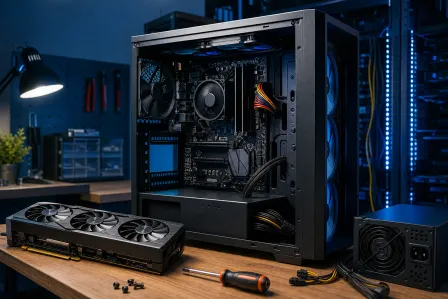
A new GPU should mean more FPS, not a dead-screen panic. If your gaming PC will not boot after a graphics card upgrade, work through power, PCIe fitment, BIOS, and...
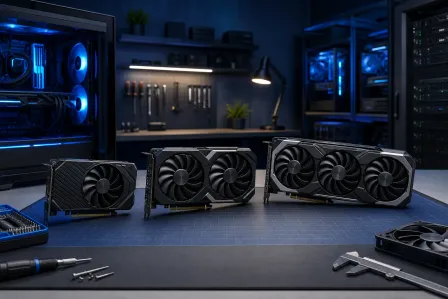
Buying a GPU without matching it to your actual game library is how you waste hundreds of dollars on power you'll never use, or bottleneck a system that deserves better...