How to Prevent and Fix Slow Computer Performance (2025 Guide)
Listen to this article
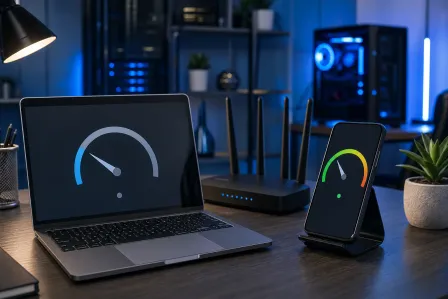
Is your computer running slow or freezing just when you need it most? If you're in Palm Beach County and tired of slow computer performance hampering your productivity in 2025, you're not alone. At Fix My PC Store, our trusted computer repair experts help hundreds of local residents and businesses resolve sluggish performance issues every year. Let's explore why computers slow down, actionable steps to prevent it, and proven fixes to restore speed and reliability.
Why Does Your Computer Become Slow?
Understanding the root causes of slow computer performance is the first step in solving the issue. Typical reasons include:
- Too many startup programs and background processes
- Insufficient RAM or older hardware
- Malware or viruses affecting performance
- Fragmented or nearly full hard drive
- Outdated operating system and drivers
- Overheating due to dust buildup or poor airflow
Recognizing these common culprits can guide you to the right troubleshooting and repair steps.
Preventing Slow Computer Performance in 2025
1. Keep Software and Drivers Updated
Updates are crucial for both security and performance. Ensure your Windows or MacOS is regularly updated. Microsoft provides convenient guides for updates on Windows 10/11 that apply in 2025 as well.
2. Manage Startup Programs
Many programs launch automatically at startup, consuming precious resources. Disabling unnecessary startup items can dramatically reduce boot times and improve daily speed. Access the 'Task Manager' in Windows or 'Login Items' in MacOS to adjust these settings.
3. Regular Malware and Virus Scans
Malicious software can run in the background, slowing everything down. Schedule frequent scans using solutions like Windows Defender or Malwarebytes. For professional removal, check out our virus removal services.
4. Cleanup Hard Drive Space
When storage is almost full, performance drops. Delete unused files, uninstall old applications, and use built-in disk cleanup utilities. Consider moving large files to external drives or cloud storage for better speeds.
5. Optimize System Health Regularly
- Defragment traditional hard drives (not SSDs)
- Run built-in troubleshooting tools
- Consider a fresh system reinstall if issues persist
Technician diagnosing slow computer performance issues at Fix My PC Store, West Palm Beach, 2025
How to Fix a Slow Computer: Step-by-Step Troubleshooting
1. Restart and Check Resource Usage
Start by restarting your system. Then, open Task Manager (Windows: Ctrl+Shift+Esc, Mac: Activity Monitor) to check for apps using excessive CPU, RAM, or disk.
2. Remove Unwanted Programs
Uninstall software you rarely use. This can free resources and space, often boosting speed instantly. For guidance, read our post on the best ways to uninstall programs in 2025.
3. Scan and Remove Malware
Run a comprehensive scan using tools like Malwarebytes. Persistent infections may require professional virus removal help from our West Palm Beach store.
4. Upgrade Hardware for Long-Term Speed
Sometimes, hardware upgrades are the best solution. Consider:
- Increasing RAM (memory) for better multitasking
- Switching from a hard drive to a solid-state drive (SSD)
- Cleaning inside your PC for dust and ensuring proper airflow (overheating can slow your system!)
5. Restore or Reinstall the Operating System
If software troubleshooting fails, restoring Windows or MacOS to factory settings can resolve stubborn performance problems. Always back up your files first. Learn about our data recovery services if data loss is a concern.
When to Seek Professional Computer Repair in Palm Beach County
Some slow computer issues demand expert attention. If you experience:
- Frequent freezing, blue screens, or system crashes
- Signs of virus/ransomware that antivirus can’t remove
- Hardware-related noise or overheating
- Critical data loss or inability to start your PC
Don’t wait—visit our West Palm Beach computer repair shop or use convenient remote support services for immediate help.
Virus removal service repairing slow laptop at Fix My PC Store, Palm Beach County, FL
Frequently Asked Questions (FAQ)
Can you fix a slow computer remotely?
Yes! Our remote support technicians can diagnose and repair many slow computer issues over a secure connection—perfect for quick fixes in Palm Beach County and beyond.
Is upgrading RAM or SSD worth it?
Absolutely. Upgrading RAM or switching to an SSD is often the most cost-effective way to boost an aging computer’s speed and reliability in 2025.
How often should I do maintenance?
Monthly system checks, disk cleaning, and malware scans are recommended. For optimal performance, schedule a professional tune-up at least once a year with Fix My PC Store.
Additional Tips to Maintain Top Computer Performance
- Install reliable antivirus and keep it updated
- Don’t ignore system warnings or regular performance drops
- Use power settings for best performance mode when on AC power
- Keep your work area dust free and maintain proper ventilation
SSD upgrade increasing PC performance in West Palm Beach computer repair shop
Serving West Palm Beach & All Palm Beach County
Fix My PC Store proudly provides local computer repair and IT services in West Palm Beach, Jupiter, Boynton Beach, Lake Worth, Delray Beach, and throughout Palm Beach County, Florida. Business and residential customers receive fast diagnostics, quality repairs, and expert guidance—both in-store and remotely.
Need Expert Computer Support?
Get professional help from Palm Beach County's trusted computer repair specialists.
Get Help Today