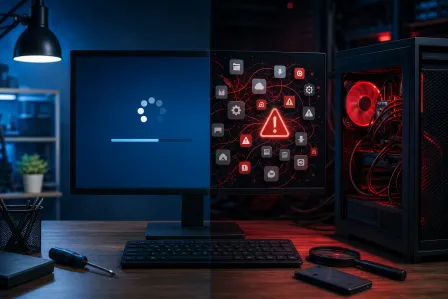
Performance baseline
We review startup behavior, memory use, storage health, available space, updates, and relevant error indicators.
Find out why the computer is slow before installing another cleaner, deleting the wrong files, or buying upgrades it does not need.
Service details reviewed July 2026

Quick answer
Fix My PC Store provides computer tune-ups and slow-PC diagnostics in West Palm Beach and Palm Beach County. We evaluate startup load, storage health, software conflicts, updates, malware indicators, memory pressure, and thermal conditions. We do not promise a fixed speed increase; findings determine whether maintenance, repair, an upgrade, or replacement makes sense.
Slow computer service
Performance problems often have several causes. A tune-up should identify them, not hide them behind a temporary cleanup.
Request serviceLong startup or shutdown times
Freezing when opening ordinary programs or browser tabs
Low storage warnings and unclear large files
Fans running loudly or the computer becoming hot
Too many startup items, pop-ups, or background utilities
A computer that works but feels worse after updates or software changes
Scope before promises
The approved scope follows the diagnosis and the way you use the computer.
We review startup behavior, memory use, storage health, available space, updates, and relevant error indicators.
We identify unnecessary startup load, abandoned utilities, update conflicts, and obvious unwanted-software indicators.
We evaluate drive health signals, free space, cooling behavior, dust access, and whether hardware service is justified.
We explain what was changed and whether repair, malware removal, RAM, SSD, backup, or replacement is the sensible next move.
A tune-up is useful when the system still operates but has become slow, cluttered, unstable, or difficult to maintain. It is not a substitute for replacing a failing drive, repairing overheating, removing a serious infection, or moving away from unsupported hardware.
For an older computer, we compare the likely improvement with the cost and remaining support life. Sometimes cleanup is enough. Sometimes an SSD or RAM upgrade is justified. Sometimes protecting the data and replacing the system is the better value.
We use diagnostic findings and supported operating-system tools rather than promising a one-click optimization. Registry cleaners, driver-updater bundles, and aggressive deletion can create new problems and are not a responsible default.
Back up irreplaceable files before service when possible. If storage health is poor or data is already missing, we may recommend stopping tune-up work and moving to backup or data-recovery options to reduce additional risk.
What to expect
We confirm the equipment, risk, and approved scope before making changes.
Call or request service with the model, symptoms, and the outcome you want.
We confirm whether the equipment should come to the shop or needs an onsite visit.
We explain findings, limits, parts or accounts needed, pricing, and likely timing.
Only approved work proceeds, followed by testing and a practical handoff.
Local help
Visit our storefront for evaluation or ask whether an onsite visit is appropriate. Availability, travel charges, equipment access, parts, and serviceability are confirmed for each request.
Monday–Friday 9 AM–6 PM · Saturday 9 AM–5 PM · Sunday closed
Nearby service areas
Continue your research
Straight answers about scope, compatibility, cost factors, and realistic outcomes.
Call the West Palm Beach shop or send the service request. We will confirm the right intake path and what to bring before you make the trip.