Office Network Cabling: When Wi-Fi Is Not Enough
TL;DR: Wi-Fi is excellent for phones, laptops, guests, and flexible workspaces. It is not automatically the best choice for every business device. Wired Ethernet is usually the safer bet for fixed workstations, servers, VoIP phones, cameras, access points, and anything where a dropped connection is more than a minor annoyance.
The strongest office setup is usually a hybrid: structured cabling for permanent, high-priority equipment, plus properly designed Wi-Fi for mobility. No need to turn the office into a 1998 cubicle farm. Just give critical gear a dependable path home.
At a glance
| Factor | Wi-Fi | Wired Ethernet cabling |
|---|---|---|
| Best for | Laptops, phones, tablets, guests, flexible seating | Desktops, docks, printers, servers, phones, cameras, access points |
| Mobility | Excellent | Limited to the cable location |
| Stability | Can vary with distance, walls, interference, and client load | Generally consistent when properly installed |
| Speed consistency | Shared and affected by signal conditions | Dedicated physical link per connected device |
| Latency | Usually fine for normal work, but can fluctuate | Typically lower and more predictable |
| Security control | Requires strong wireless security and segmentation | Physical access is required, though network controls still matter |
| Installation effort | Lower for basic coverage | Higher upfront, especially in finished spaces |
| Long-term scalability | Good with thoughtful access point placement | Excellent when runs terminate in a labeled rack or panel |
| Power options | Devices need local power or batteries | Can power supported devices through Ethernet with PoE |
The choice is not really Wi-Fi versus cabling. It is about matching the connection to the job. A salesperson moving between meeting rooms needs Wi-Fi. A front-desk desktop handling calls and payments should not have its network experience depend on whether someone shut a closet door or microwaved lunch nearby. Tiny detail. Big irritation.
Why Wi-Fi alone can fall short in an office
A modern Wi-Fi network can be fast and reliable. That part is true. The myth is that a strong signal icon means every connected device will perform equally well. It does not.
Wi-Fi is a shared radio environment. Devices compete for airtime, and performance can change with distance, building materials, nearby networks, device age, and the number of active clients. An office can have full bars and still experience slow file transfers, delayed calls, or a video meeting that suddenly turns into a slideshow.
That is especially relevant in busy West Palm Beach and South Florida offices. Multi-tenant buildings often have many neighboring wireless networks. Concrete, metal framing, tinted glass, storage areas, and interior walls can complicate radio coverage. It is not always a dead-zone issue. Sometimes coverage is present, but the connection is simply not consistent enough for a business-critical task.
Wi-Fi also has a practical capacity limit. A few laptops browsing the web are easy. Add cloud backups, video calls, wireless printers, smart TVs, tablets, guest devices, security cameras, door systems, and a conference room full of phones. Suddenly the network is doing cardio it did not train for.
None of this means Wi-Fi is bad. It means Wi-Fi deserves a realistic role. It is a convenience layer and, when designed well, a highly capable work layer. But it should not be forced to carry every fixed device just because running cable feels inconvenient today.
For offices dealing with broader connectivity problems, business networking services can help identify whether the bottleneck is wireless coverage, switching capacity, cabling, internet service, or plain old network clutter.
Option 1: Wi-Fi-only office networking
A Wi-Fi-only office is appealing because it is quick to deploy and easy to rearrange. There are no wall plates to plan, no desks tethered to a specific location, and fewer visible cables. For a small team with mostly laptop-based work, it can be perfectly reasonable.
Where Wi-Fi-only makes sense
Wi-Fi-first setups tend to work well when employees are mobile and the network workload is modest. Think consultants, small professional offices, shared workspaces, training rooms, or teams that primarily use cloud apps, email, web tools, and occasional video calls.
It also makes sense for devices that are designed to roam. Smartphones, tablets, guest laptops, barcode scanners, and many mobile point-of-sale devices obviously cannot live on an Ethernet cord. Even I cannot defend cables for a phone. That would be mobile-tech villain behavior.
A Wi-Fi-only approach can also be practical in leased spaces where opening walls or ceilings is restricted. If the office layout changes often, wireless gives the business flexibility without re-cabling every time a desk moves six feet to the left.
The tradeoffs of Wi-Fi-only
The main compromise is predictability. Wireless performance depends on conditions that can change throughout the day. A video call may work beautifully at 8:30 a.m. and struggle at 2 p.m. when the office is full, guest traffic rises, and several people are moving large files.
Wireless devices also share available airtime. A slow or distant client can consume more airtime than a nearby, capable one. Older laptops and bargain-bin Wi-Fi adapters can be especially rude to the rest of the network. Your newest laptop should not have to wait behind a device that thinks 2014 was peak technology.
Wi-Fi-only networks can also create support headaches around fixed equipment. A desktop, network printer, phone system, camera recorder, or conference room appliance may appear connected but still be unstable enough to cause intermittent problems. Those are the fun ones. They work just long enough to make troubleshooting awkward.
Security is another consideration. Properly secured business Wi-Fi can be safe, but it needs intentional configuration. Staff devices, guest devices, smart devices, and business systems should not all be tossed onto one flat network because “the password is complicated.” Strong authentication, network segmentation, firmware updates, and access controls matter. Our business cybersecurity services address the bigger picture beyond simply setting a better Wi-Fi password.
Best use of Wi-Fi-only
Choose Wi-Fi-only when mobility is the priority, your device count is controlled, and outages or momentary performance shifts would be inconvenient rather than disruptive. It is a reasonable starting point for some small offices, but it should be designed as a business network, not a consumer router placed wherever there happened to be an outlet.
Option 2: Wired Ethernet cabling
Wired Ethernet gives a device its own physical connection back to the network switch. That creates consistency. The cable does not care how many phones entered the conference room, whether the suite next door installed three access points, or whether someone put a large metal filing cabinet in an unfortunate spot.
For fixed devices and high-priority workflows, that boring reliability is exactly the point.
Where wired cabling is the better choice
Start with equipment that stays put and needs dependable access. Desktop computers, docking stations, reception workstations, printers, servers, network storage, phone systems, camera recorders, and conference room systems are common candidates.
Wired connections are also valuable for staff who regularly transfer large files, work with media, access shared databases, use remote desktop tools, or spend all day on voice and video calls. A wired link does not guarantee that an internet provider issue disappears, of course. It does remove local wireless variability from the equation.
Cabling is especially important for network infrastructure itself. Wireless access points should generally have wired backhaul when practical. If the access point is relying on a wireless mesh link, it can be useful in hard-to-wire areas, but it is still sharing radio resources to communicate upstream. A wired access point can devote more of its wireless capacity to client devices.
Many offices also use Power over Ethernet, commonly called PoE. With compatible switches and devices, the Ethernet cable can carry both network data and power. That is useful for access points, VoIP phones, security cameras, and some access-control equipment. It can reduce the need for electrical outlets at each device location and makes backup power planning simpler when the network equipment is protected by a UPS.
The tradeoffs of wired cabling
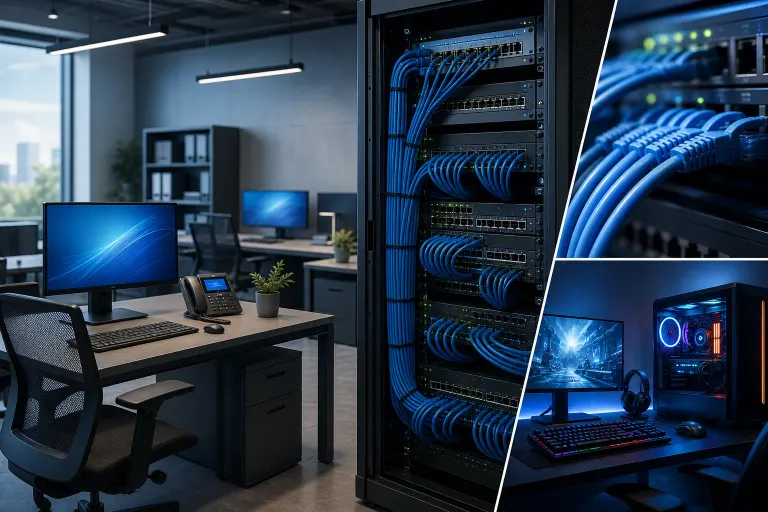
Cabling takes planning. A professional installation may involve pathways above ceilings, wall plates, floor routing, patch panels, a network rack or cabinet, labeling, and coordination with the building. In a finished office, the neatest route is not always obvious.
There is also an upfront cost in labor and materials. Cheap, improvised cable runs can create more pain later, so this is not a great place for a “my cousin has a crimping tool” strategy. Poor terminations, unlabeled cables, unsupported runs, and mystery switches under desks can turn a small network issue into an archaeological dig.
Wired devices are less flexible physically. If an employee shifts to a new workstation, they need a nearby network jack or a new run. That is why cabling plans should account for growth, spare ports, meeting areas, printer locations, and likely furniture changes.
Best use of wired Ethernet
Use Ethernet for equipment that is fixed, business-critical, bandwidth-heavy, or expected to work without drama. A cable is not glamorous. Neither is a seatbelt. Both are pretty appreciated when something goes sideways.
Tired of IT that breaks at the worst time? Talk to our business IT team
Option 3: A hybrid wired and Wi-Fi network
For most Palm Beach and Treasure Coast businesses, a hybrid design is the practical winner. It puts wired connections where reliability, capacity, and power delivery matter most, while keeping Wi-Fi available where people need freedom to move.
A typical hybrid office might use Ethernet for desks, printers, phones, cameras, network storage, access points, and meeting-room equipment. Staff laptops can use Wi-Fi for day-to-day mobility and plug into wired docks when working at a desk. Guests get a separate Wi-Fi network. Critical systems stay off the guest network entirely. Revolutionary? No. Sensible? Very.
What a strong hybrid layout includes
The exact layout depends on the space and workflow, but several design principles apply almost everywhere.
First, establish a central network location. This is where internet equipment, firewall, switches, patch panels, and backup power can be organized. It should be accessible to authorized staff or IT support, protected from casual tampering, and ventilated. A locked closet packed with cleaning supplies is less than ideal.
Second, run structured cabling to permanent locations. That usually includes workstations, reception areas, printers, conference rooms, camera locations, phone locations, and wireless access point locations. Add spare capacity where possible. An extra cable run is much easier to install during a project than after the ceiling is closed and the office is full of people.
Third, separate device types logically. Business workstations, guest Wi-Fi, cameras, phones, and smart devices may need different network segments depending on the equipment and business requirements. Segmentation limits unnecessary access between systems and can make troubleshooting cleaner. It is also a key layer of a sensible security plan.
Fourth, document everything. Cables should be labeled at both ends. Switch ports should be identified. Wi-Fi networks and network segments should have a clear purpose. Documentation sounds dull until a printer stops working on a Friday afternoon and nobody knows which unlabeled cable feeds it. Then it becomes a love letter to your future self.
Supporting hybrid networks over time
Networks are not install-it-and-forget-it equipment. Devices need firmware updates, backups of configurations, access review, monitoring, and occasional cleanup. As the business adds staff, cloud tools, cameras, or a second office, the network should be reviewed before performance starts grumbling.
A managed approach can help businesses without an in-house IT department keep those basics from slipping. Managed IT services can provide ongoing oversight for networks, endpoints, security, and support rather than waiting for the next surprise outage.
Devices that should usually be wired
Not every device needs a cable, but these are strong candidates in most offices:
- Desktop PCs and permanent laptop docks: Stable connection for daily work, calls, and file access.
- Wireless access points: Wired backhaul provides stronger, more consistent Wi-Fi capacity.
- VoIP desk phones: Ethernet can support reliable calls and may provide power through PoE.
- Network printers and scanners: Reduces dropouts and makes them easier to locate and manage.
- Servers and network-attached storage: Important for shared files, backups, and line-of-business systems.
- Security cameras and NVRs: PoE can simplify placement while providing a dependable connection.
- Conference room systems: Video bars, room PCs, and presentation equipment benefit from stability.
- Payment terminals and business-critical appliances: Follow the provider's requirements, but reliability and segmentation matter.
For data that must be protected, network design should work alongside a tested recovery plan. See business backups and disaster recovery for the safeguards that matter after hardware failure, ransomware, accidental deletion, or an extremely untimely Florida power event.
How to decide whether your office needs more cabling
Ask a few direct questions.
Do staff experience intermittent call quality problems, slow shared-file access, or devices randomly dropping off the network? Are key systems connected through consumer-grade extenders or a chain of small unmanaged switches? Does the office rely on wireless mesh links for equipment that never moves? Do you have cameras, VoIP phones, access points, printers, or conference-room gear that must work consistently?
If the answer to any of those is yes, cabling should be part of the conversation. Not necessarily a complete rebuild. Often, wiring the right handful of devices and improving switch, firewall, and access point placement makes a noticeable difference.
Also consider upcoming changes. New hires, a move, a remodel, a camera system, a phone-system upgrade, or a larger conference room are all ideal times to plan cabling. Waiting until after the furniture, drywall, and employees arrive tends to make every option more expensive and more annoying.
The right first step is an on-site assessment of the office layout, current equipment, device count, internet service, and business priorities. Fix My PC Store can help local companies plan and support a network that fits the work being done. When you are ready to discuss your setup, contact our West Palm Beach team.
Verdict
Wi-Fi alone is enough for some small, mobile-first offices. It is not enough as the sole foundation for most growing businesses with fixed workstations, phones, printers, cameras, conferencing equipment, or shared resources.
Choose Wi-Fi-only when flexibility matters most and network demands are light to moderate. Choose wired Ethernet for fixed, critical, bandwidth-heavy, or PoE-powered devices. Choose a hybrid network for the best balance, which is where most offices land.
Give mobile devices the freedom of Wi-Fi. Give essential equipment a cable. Your office network will be easier to manage, more dependable under load, and far less likely to develop a mysterious personality at the worst possible moment.
Tired of IT that breaks at the worst time?
We run managed IT, backups, and security for South Florida businesses so you can stop thinking about it.