Antivirus vs. Endpoint Protection: What's the Difference and Which Do You Need?
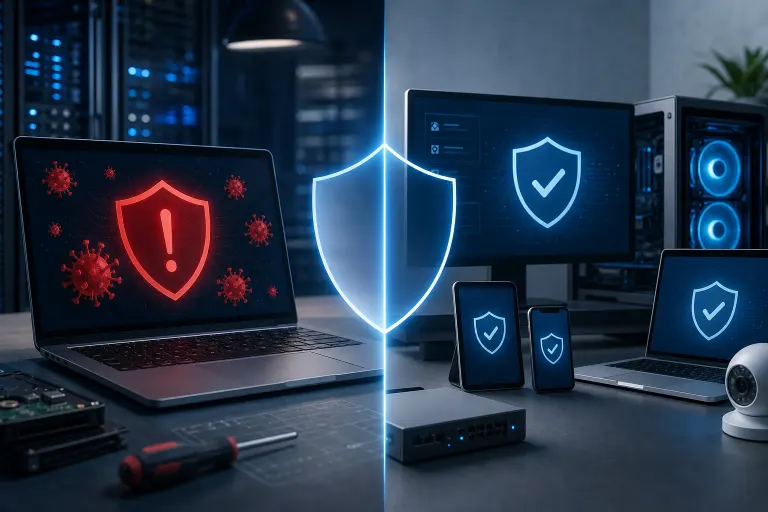
TL;DR: Antivirus scans for known malware signatures. Endpoint protection platforms (EPP) wrap antivirus inside a broader security stack that includes behavioral detection, firewall controls, device management, and often centralized monitoring. For a single home PC, antivirus may be enough. For any business, endpoint protection is the more appropriate tool.
At a Glance
| Feature | Traditional Antivirus | Endpoint Protection |
|---|---|---|
| Signature-based malware detection | Yes | Yes |
| Behavioral / heuristic detection | Sometimes, limited | Yes |
| Ransomware rollback | Rarely | Common |
| Firewall integration | Rarely | Often |
| Centralized management console | No | Yes |
| Device policy enforcement | No | Yes |
| Threat hunting / EDR | No | Advanced tiers |
| Best fit | Home users, single devices | Businesses, multiple devices |
What Traditional Antivirus Actually Does
Antivirus software works by comparing files and processes against a database of known threat signatures. When a file matches a known bad signature, the software blocks or quarantines it.
That approach works well against established, documented malware. It does not work well against threats that have never been seen before, threats that mutate to evade detection, or attacks that never drop a file at all (fileless attacks).
Most modern consumer antivirus tools have added some heuristic or cloud-based detection on top of signature scanning, which helps. But the core model is still reactive rather than proactive.
Good fit for: A personal laptop, a home desktop, a family PC that browses the web and does light productivity work.

What Endpoint Protection Actually Does
Endpoint protection, often called an endpoint protection platform (EPP), starts with antivirus and builds a layered security architecture around it.
Key layers typically include:
- Behavioral analysis. Instead of only matching signatures, the platform watches how programs behave. Something that starts encrypting hundreds of files rapidly looks suspicious even if its signature has never been catalogued.
- Ransomware detection and rollback. Some platforms snapshot recent file states so that if ransomware triggers, recent changes can be reversed.
- Firewall and web filtering integration. Traffic policies are enforced at the device level, not just the network perimeter.
- Centralized management. An IT admin or managed service provider can see the security posture of every device in the organization from one dashboard, push policy changes, and respond to alerts remotely.
- EDR (Endpoint Detection and Response). Higher-tier solutions add forensic logging and threat hunting, so you can trace exactly how an attacker moved through a network after the fact.
The centralized management piece is what makes endpoint protection essential for businesses. A solo antivirus install on each machine gives you no visibility across those machines. Endpoint protection gives you a unified picture.
Good fit for: Any business with more than one device, organizations handling sensitive customer data, regulated industries, remote workforces.
Worried your business is one click from a breach? Get a security review
The Core Tradeoffs
Antivirus is simpler and cheaper. Install it, forget it, renew it annually. For a home user with basic habits, that simplicity is a feature, not a flaw.
Endpoint protection requires management. The console is powerful, but someone has to read the alerts, respond to incidents, and enforce policies. If no one is watching the dashboard, the investment is wasted. That is why most small businesses pair endpoint protection with a managed IT provider rather than running it in-house.
Performance overhead is roughly comparable between modern antivirus and lightweight endpoint agents, but enterprise-grade EDR tools can be heavier. Worth testing on older hardware before deploying broadly.
Licensing costs scale with the number of devices and the feature tier. Entry-level endpoint protection for a small team is not dramatically more expensive than good consumer antivirus multiplied across the same machines.
A Common Misconception Worth Squashing
A lot of small business owners believe that because they have antivirus on every PC, they are covered. They are not covered in the same way. Antivirus tells you a threat landed. Endpoint protection tells you a threat landed, what it tried to do, whether it succeeded, and what every other device on your network was doing at the same time.
The difference becomes clear after an incident. Antivirus might quarantine a file. Endpoint protection with EDR can show you the full attack chain so you understand the scope of exposure and can close the actual gap.
Verdict
If you are securing a personal device, a reputable antivirus with behavioral detection enabled is a reasonable baseline. Windows Defender, which ships with Windows 10 and 11, has improved significantly and is not embarrassing for home use.
If you are securing a business, even a small one, antivirus alone is not the right tool. You need centralized visibility, behavioral detection, and ideally someone monitoring alerts. That is what endpoint protection platforms are designed to deliver.
Not sure what your current setup actually covers? Fix My PC Store helps South Florida businesses evaluate and strengthen their security posture. Start at business cybersecurity or contact the team to talk through what makes sense for your situation.
Worried your business is one click from a breach?
Get a straight-talk security review from a local team that has cleaned up the aftermath more times than we'd like.