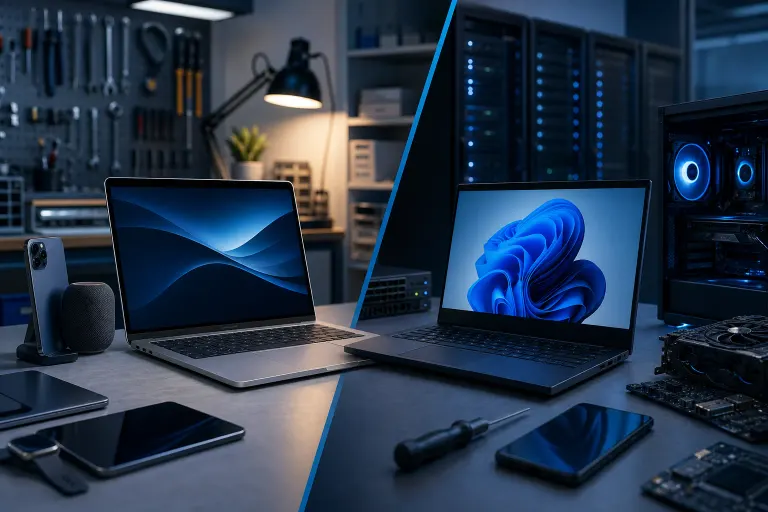
Mac vs. Windows Laptop for Work: Honest Tradeoffs
TL;DR: Macs hold their value, run cool, and have excellent build quality, but they cost more upfront and fight you on software compatibility in certain industries. Windows laptops give you more hardware choices and better business software integration, but quality varies wildly by brand and price point. Neither is universally better. The right answer depends on your actual workflow.
At a Glance
| Factor | Mac (Apple Silicon) | Windows Laptop |
|---|---|---|
| Upfront cost | Higher ($999 minimum for anything decent) | Wide range, $400 junk to $2,500+ premium |
| Build quality | Consistently excellent | Inconsistent, brand and budget dependent |
| Software compatibility | Strong for creative work, weak for some business/industry apps | Broad, especially for enterprise and specialized software |
| IT support ecosystem | Limited, requires Apple-specific expertise | Huge, most MSPs and IT shops handle it natively |
| Repairability | Poor, getting worse every generation | Varies, some brands better than others |
| Security | Strong baseline, not invincible | Strong with proper configuration, more attack surface |
| Longevity | 5-7 years typical | 3-5 years typical, depends heavily on brand |
That table is the short version. Here is the longer, less comfortable version.
The Mac Argument (and Where It Actually Holds Up)
Apple Silicon changed the Mac conversation significantly. The M-series chips are genuinely fast, run cool without a noisy fan most of the time, and the battery life on a MacBook Air or Pro is hard to argue with. If you are doing video editing, audio production, graphic design, or anything in that creative bucket, the Mac has real, practical advantages. Final Cut Pro alone justifies the platform for a lot of video people.
Build quality is real too. The aluminum unibody construction is not a marketing gimmick. I have seen five-year-old MacBook Pros come in looking nearly new on the outside. Meanwhile I have seen some budget Windows laptops feel like a toy after eighteen months. (Not all of them. I will get to that.)
MacOS is also a reasonably tight operating system. Fewer attack vectors than Windows by default, partly because of market share and partly because Apple locks things down hard. That is a double-edged sword, but from a basic security standpoint, a Mac user who does nothing special is still in a better starting position than a Windows user who does nothing special.
If your work is browser-based, Google Workspace, creative tools, or you are a solo operator who stays in the Apple ecosystem, the Mac earns its price.
Where the Mac Argument Falls Apart
Enterprise software. I cannot stress this enough. If your company uses specialized vertical software, anything from medical records systems to construction estimating tools to certain accounting platforms, there is a real chance it does not run natively on MacOS. You will be running Windows in a virtual machine or using some half-supported web wrapper. That is not ideal.
Active Directory integration is workable but clunky compared to Windows. If you have an IT-managed business environment, adding Macs to a predominantly Windows network creates extra overhead for whoever manages your systems.
And repairability. This one genuinely aggravates me. Apple has soldered RAM and storage onto the logic board for years now. If your M2 MacBook Air's SSD fails, you are not swapping a drive, you are potentially looking at a logic board replacement. When we see those at our Mac repair shop, the repair estimate sometimes makes people wince. AppleCare helps, but it is not free and it is not forever.
The Windows Argument (and Where People Get It Wrong)
The biggest mistake people make with Windows laptops is treating the category as monolithic. A $450 HP from a big box store and a $1,800 Lenovo ThinkPad X1 Carbon are both Windows laptops the same way a Kia and a BMW are both cars. Comparing a cheap Windows machine to a MacBook Pro and declaring Windows inferior is not a fair test.
At equivalent price points, the better Windows business laptops, ThinkPads, Dell XPS and Latitude lines, HP EliteBooks, are genuinely solid machines. Business-class Windows laptops often have better repairability than Macs too. Replaceable RAM in some models, swappable storage in others. That matters when something goes wrong three years in.
Software compatibility is a real advantage that does not get enough credit. Microsoft 365 runs better on Windows. Period. The Mac version of Office is good but it is not identical, and there are edge cases in Excel and Outlook that still behave differently. If your team is deep in Microsoft 365, Windows is the native environment. You are not fighting the platform.
Windows also integrates more naturally with most business IT infrastructure. If you have a managed IT provider, Active Directory, group policies, enterprise endpoint management tools, all of that was designed with Windows first. Your IT support bills may actually be lower on a Windows-centric setup because the tooling is more mature.
Where Windows Gets Messy
Bloatware on consumer models is a genuine problem. New machines from some manufacturers come loaded with trial software, adware-adjacent nonsense, and manufacturer utilities that run in the background and accomplish nothing useful. (I have cleaned up a lot of new machines for people who wondered why their brand-new laptop felt slow.)
Windows update management requires active attention. Not catastrophic attention, but attention. If you are a small business owner with no IT support, you need a real backup strategy before updates run, because occasionally they cause issues. Speaking of which, if you do not have a solid backup and recovery plan in place, that is a problem regardless of which platform you choose.
Security on Windows requires configuration. Out of the box, Windows 11 is meaningfully more secure than older versions, but it still has a much larger malware target on its back simply due to market share. Proper endpoint security, good user habits, and ideally some professional cybersecurity guidance matters more on Windows than Mac.
Computer acting up? Get a real diagnosis. Book a diagnostic
The Real Cost Comparison
People look at the sticker price and stop there. That is the wrong approach.
A $999 MacBook Air M2 will very likely run well for six or seven years with basic care. If you amortize that cost over the lifespan, it is not outrageous. The resale value also stays higher than most Windows machines. A four-year-old MacBook Pro is worth something. A four-year-old mid-range Windows laptop is worth almost nothing.
But a $1,200 Lenovo ThinkPad might give you five solid years with actual upgradeability along the way. And if something breaks on it, laptop repair is often cheaper and more straightforward than equivalent Mac repairs because parts are more accessible.
If someone hands you a $500 Windows laptop and tells you it is a great deal compared to the Mac, ask them to show you the build specs and the warranty terms. The cheap ones are not competing with the Mac. They are competing with each other.
Software: The Deciding Factor Nobody Wants to Sit Down and Evaluate
Sit down and actually evaluate it. Make a list of every piece of software your work depends on. Then look up the Mac version of each one.
If everything on your list has a solid Mac version or runs well in a browser, the Mac is viable. If two or three things on your list are Windows-only or have a clearly inferior Mac version, that is your answer right there. No amount of good build quality or battery life makes up for not being able to run the tools your job requires.
Same test in reverse. If you are buying a Windows machine primarily because it is cheaper and then spending the first week fighting to get your creative workflow set up, you may have made the wrong call.
If you run a small business and you are not sure how this shakes out, getting a quick IT consultation before you spend $1,000 or more is not a crazy idea.
Remote Work Considerations
One thing that rarely gets discussed: remote support access. If your IT team or IT provider needs to get into your machine remotely to fix something, both platforms support it. We do remote support for both Macs and Windows machines regularly. But the tooling on the IT side is generally richer for Windows, meaning faster resolution on complex issues.
If you are a solo remote worker who handles your own tech, either platform is fine. If you are part of a team with centralized IT management, ask your IT team which platform they prefer managing before you decide.
Verdict
Here is my honest take after seeing both platforms come through the shop for years.
Buy a Mac if: you do creative work, you are already in the Apple ecosystem, your software stack is compatible, and you will keep the machine for five-plus years. You will likely be happy.
Buy a quality Windows laptop if: your industry software is Windows-dependent, you work in a managed business IT environment, you need specific hardware configurations, or your budget cannot stretch to a Mac without buying something underpowered.
Do not buy a cheap Windows laptop thinking you are getting a good deal against the Mac. You are usually not. The comparison only makes sense at equivalent price and quality tiers.
And whichever you choose, back your data up properly, keep the OS updated, and do not wait until something breaks to figure out your support options. That last part applies to everyone, regardless of what logo is on the lid.
Computer acting up? Get a real diagnosis.
Fix My PC Store has repaired thousands of machines across West Palm Beach. Honest pricing, no upsell games, and a free diagnostic for new customers with our email coupon.