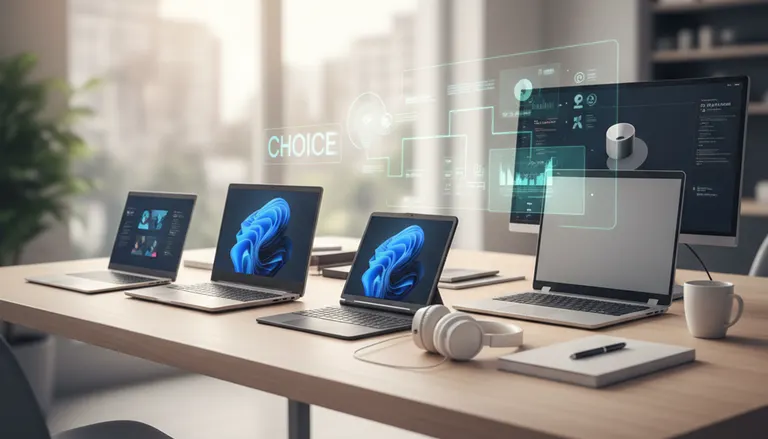
Choosing the Right Laptop for Your Needs in 2025: Complete Buying Guide
Listen to this article
Looking to purchase a new laptop in 2025? Whether you’re working remotely, gaming, studying, or running a small business in Palm Beach County, finding the right laptop has never been more crucial. The rapid progress in tech means today’s models deliver more power, security, and mobility. To help you make an informed decision, the experts at Fix My PC Store have put together this comprehensive laptop buying guide for 2025, featuring top hardware recommendations, must-have features, and key considerations for every user.
Laptop Buying Guide 2025: Key Factors to Consider
Before you commit to a purchase, evaluate how you intend to use your laptop in 2025. The right choice hinges on your needs, work environment, and budget. Here are the essentials:
Performance: CPU and RAM
- Processor (CPU): For most users, Intel’s 14th Gen Core i5/i7 or AMD Ryzen 8000-series CPUs provide a great balance of performance and battery life. Creative professionals or advanced gamers may prefer Intel i9/Ryzen 9 for heavy multitasking and rendering.
- Memory (RAM): 16GB is today's sweet spot for most users, ensuring smooth multitasking in Windows 12 and macOS Sonoma. Power users or those running virtual machines should consider 32GB or more.
Storage Options: SSDs and Beyond
- Solid State Drives (SSDs): NVMe SSDs (at least 512GB) deliver rapid boot and file access. Opt for 1TB or higher if you handle large files or plan to store lots of media.
- Tip: Avoid traditional HDDs for your primary drive—they’re slower and less reliable.
If you accidentally lose precious data, check out our data recovery services for fast local help.
Display Quality and Screen Size in 2025 Laptops
Display technology has improved dramatically. Consider these factors:
- Resolution: 1920 x 1080 (Full HD) remains the standard. Power users may prefer 2.5K/4K OLED screens for superior sharpness and color.
- Refresh Rate: 90Hz is now common, 120Hz+ for gaming laptops provides ultra-smooth visuals.
- Screen Size: 13-14" for portability; 15-16" for multitasking and immersive work.
Touchscreen, 2-in-1, and Content Creation Laptops
- If you need tablet functionality or stylus support, choose a 2-in-1 convertible design. Graphic artists benefit from high-brightness OLED touch panels.

Close-up view of a technician comparing laptop CPUs, RAM modules, and SSDs for optimal 2025 laptop hardware configuration
Close-up view of a technician comparing laptop CPUs, RAM modules, and SSDs for optimal 2025 laptop hardware configuration
Ports, Build Quality, and Mobility Considerations
Port selection and chassis design directly impact usability and durability:
- Essential Ports: At least two USB-C/Thunderbolt 4 ports, HDMI output, and a headphone jack. SD card slots benefit photographers.
- Build: Premium laptops use magnesium alloy or CNC aluminum for enhanced drop-resistance.
- Weight: Laptops under 3.5 pounds are ideal for students and professionals on the move.
Battery Life and Charging Speed
- Look for 60Wh+ batteries rated for 10+ hours of mixed use, as hybrid work and remote classes are standard in 2025.
- USB-C fast charging gets you back to full battery within 90 minutes.
Operating System and Security: Windows 11 vs. macOS Sonoma
Both major platforms offer feature-rich, secure environments in 2025:
- Windows 11: Widely compatible, with tight integration to Microsoft 365. If you need help with system updates, our remote PC support team can assist you.
- macOS Sonoma: Seamless for iPhone users and creative pros. Robust native malware defense.
For additional security, keep anti-virus up to date—see the Malwarebytes blog for the latest malware trends in 2025. If you suspect infection, our virus removal specialists are ready to help in West Palm Beach.

Technician performing laptop diagnostics with advanced diagnostic tools connected to a 2025 laptop motherboard and NVMe SSD
Technician performing laptop diagnostics with advanced diagnostic tools connected to a 2025 laptop motherboard and NVMe SSD
Top Laptop Recommendations for 2025
Here are Fix My PC Store’s expert picks for different users:
Best for Everyday Productivity
- Dell XPS 14 (2025): 14” 2.5K OLED, Intel Core i7-1460U, 16GB RAM, 1TB NVMe SSD, Thunderbolt 4, fingerprint reader.
- Apple MacBook Air M4: 13” Retina, Apple M4 chip, 16GB unified memory, 512GB SSD. Lightweight and long battery life.
Best for Students on the Go
- Lenovo Yoga Slim 7i (2025): 14” FHD+, Intel Core i5-1450U, 16GB RAM, 512GB SSD.
Best for Power Users & Creatives
- HP Spectre x360 16: 16” 4K OLED, Intel Core i9-14900H, 32GB RAM, 2TB SSD, convertible chassis, stylus support.
- Apple MacBook Pro 16 M4 Max: Unmatched speed for music/video editing and 3D design.
Best for Gaming
- ASUS ROG Zephyrus G16: Intel Core i9-14900HX, NVIDIA RTX 5080 GPU, 32GB RAM, 2TB SSD, 240Hz QHD+ display.
Regular maintenance is the key to extending your device’s lifespan—explore our computer repair services in West Palm Beach for affordable upgrades or tune-ups.
Local Experts Recommend: Laptop Warranty and Support Tips
Always verify that your provider offers at least a one-year hardware warranty, with optional onsite or accidental coverage. We recommend local support—Fix My PC Store serves West Palm Beach, Palm Beach Gardens, Boynton Beach, Jupiter, and surrounding Palm Beach County communities for quick diagnostics and warranty repairs.
If you need remote troubleshooting, our remote tech support is just a click away—no matter where you are in South Florida.

Expert using data recovery software to restore files from a malfunctioning SSD inside an open laptop
Expert using data recovery software to restore files from a malfunctioning SSD inside an open laptop
How to Protect Your New Laptop in 2025
- Keep system and security updates current: Rely on Microsoft Support for update best practices and troubleshooting.
- Regularly scan for malware: The threat landscape in 2025 remains dynamic; use trusted anti-malware tools and educate your family/staff via reputable security blogs.
- Consider data backup and recovery options: Our data recovery experts can help set up reliable backup solutions to protect your files.
Conclusion: Get the Most From Your Laptop in 2025
The best laptop in 2025 fits your needs, budget, and planned usage—don’t overspend on features you won’t use, but never skimp on RAM or SSD quality. Remember, local service matters: dependable computer repair and upgrades in West Palm Beach can dramatically extend the life and value of your device.
Ready to choose your next laptop or need expert advice? Contact Fix My PC Store for personalized support—on-site, in-store, or remotely anywhere in Palm Beach County.
Need Expert Computer Support?
Get professional help from Palm Beach County's trusted computer repair specialists.
Get Help Today