Fix a Computer Near You: 6 Things to Look For
TL;DR: When you search "fix computer near me," the first result isn't always the best one. Look for transparent diagnostics, honest pricing, local accountability, and techs who explain what they found. Those six factors below separate a shop worth trusting from one worth avoiding.
Your laptop died. Your desktop won't boot. Your kid spilled something on the keyboard and now half the keys type the wrong letters. You open your phone, type "fix computer near me," and get a wall of results, ads, and star ratings with no real way to compare them.
The problem isn't that there are too many options. It's that most of the signals people use to choose a repair shop, star ratings, proximity, a slick website, have almost nothing to do with whether the shop will actually fix your machine correctly, charge you fairly, or stand behind the work afterward. A shop with 4.8 stars and a two-mile drive can still take your money, swap a part that didn't need swapping, and hand your computer back in worse shape than when you brought it in.
So instead of guessing, use this list. Here's what actually matters.
1. They Run a Real Diagnostic Before Quoting You
Any shop worth walking into does a proper diagnostic before they name a price. Not a five-second "looks like the hard drive" glance. An actual, systematic assessment of what is wrong and why, one that checks the components most likely to cause the symptoms you're describing, rules out secondary issues, and produces a clear answer before anyone opens a parts drawer.
Why does this matter so much? Because symptoms lie. A computer that won't turn on might have a bad power supply, a failed capacitor on the motherboard, a dead RAM stick, or a shorted GPU. Those four problems have four completely different repair costs and timelines. A shop that quotes you $200 for a power supply swap without actually testing the board first is guessing, and they're guessing with your money. If they're wrong, you'll find out when the machine still won't boot after the swap, and you'll be starting the diagnosis from scratch, minus whatever you already paid.
A real diagnostic takes time. It involves running the machine through stress tests, pulling error logs, checking voltages, swapping known-good components to isolate the fault, and sometimes simply letting the machine sit powered on long enough for an intermittent problem to reveal itself. That process isn't glamorous, but it's the difference between a repair that holds and one that sends you back to the same shop two weeks later.
At Fix My PC Store, every computer repair starts with a full diagnostic so you know exactly what you're paying for before you commit to anything. No surprises on pickup.
2. They Give You a Written Estimate Before Touching Anything
Verbal quotes are worth exactly nothing. A good shop gives you something in writing, whether that's a printed work order, an emailed estimate, or a signed ticket, before any work begins. This isn't bureaucratic overhead. It's the most basic protection you have as a customer.
Here's why it matters in practice: repair jobs sometimes reveal additional problems once a machine is open. A screen replacement job might expose a cracked mounting bracket underneath. A hard drive swap might uncover a failing cooling fan that was masked by the original symptom. That's normal. What isn't normal is a shop that fixes those additional items without calling you first and then adds them to your bill at pickup.
A reputable shop will always stop, contact you, explain what they found, give you a revised estimate, and wait for your approval before doing anything extra. That phone call or email is the checkpoint that keeps you in control of what you're spending. Shops that skip it aren't just being sloppy, they're betting that you won't push back when you're standing at the counter and just want your machine back.
Ask directly before you leave your machine: "Will I get a written estimate before you start, and will you call me if anything changes?" If they hesitate, give a vague answer, or say something like "we'll figure it out when it's done," take your machine somewhere else.
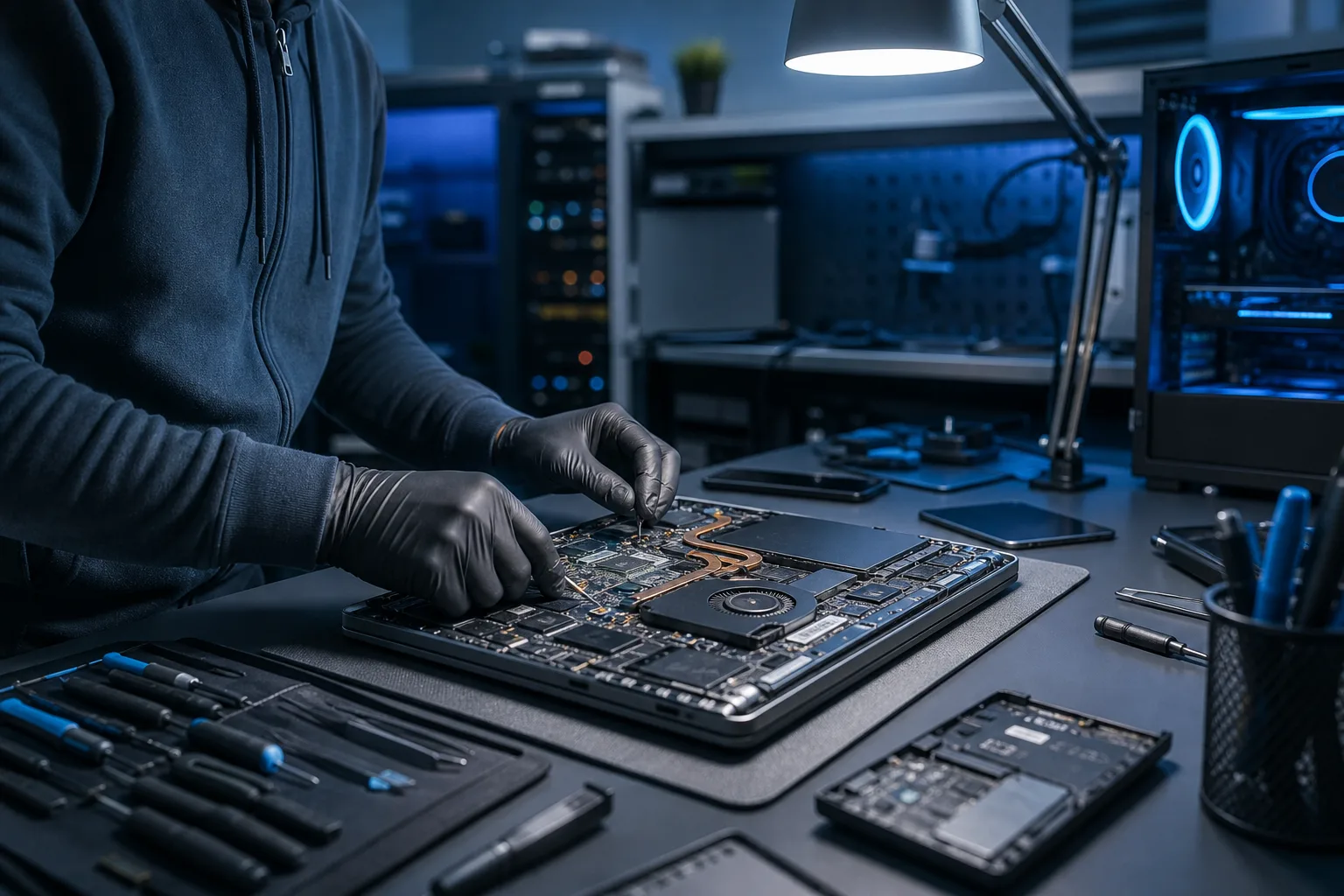
3. They Work on Both PCs and Macs (Without Specialty Upcharges)
Some shops quietly specialize in one platform and awkwardly fumble through the other. The tell is usually in how they talk about the machine you brought in, lots of hedging, longer-than-normal timelines, or an unexplained price bump for a repair that should be straightforward.
You want a place that handles Windows machines and Macs with equal confidence, because the repair approaches, tools, and parts are genuinely different enough that platform familiarity matters. A tech who spends ninety percent of their time on Windows boxes will treat a MacBook like a slightly weird PC, and that's where mistakes happen.
Mac repair in particular requires specific experience. Apple uses proprietary Pentalobe screws, soldered RAM and storage on most post-2013 models, T2 and M-series security chips that can lock a machine during certain repair procedures, and MagSafe and USB-C configurations that behave differently from what you'd find on a comparable Dell or Lenovo. Liquid damage on a MacBook Pro requires microsoldering skills that most general repair shops simply don't have. A shop that knows both platforms isn't just more versatile, it's more honest about what each job actually requires, because they've done it enough times to know where the landmines are.
We handle Mac repair and laptop repair for both platforms, including liquid damage, screen replacements, battery swaps, and board-level repairs. No platform upcharge, no "we don't really do Macs" shrug.
4. Fix Computer Near Me Means Actually Near You, With Local Accountability
This one sounds obvious, but it isn't. "Near you" matters more than the map distance suggests.
A local shop has genuine skin in the game. The owner shops at the same grocery stores you do. Their technicians might go to the same gym, the same church, the same school events. Their business runs on word of mouth from your neighbors, your coworkers, your family members, and they know that. If they do bad work, you can walk back in and ask them to make it right, and they know that too. That accountability changes how a shop operates, in ways that don't show up in their Google listing but absolutely show up in how they treat your machine.
Contrast that with a big-box chain that sends your laptop to a regional depot where an anonymous technician you will never meet handles it alongside hundreds of other machines on an assembly-line timeline. Or a mail-in service, which works fine for simple, clearly diagnosed issues but is a nightmare when the problem is intermittent, the diagnosis is unclear, or something goes wrong during shipping. For a laptop with a cracked screen, a desktop that needs hands-on component testing, or any machine where the problem hasn't been clearly identified yet, local is almost always better.
We are in West Palm Beach, serving Palm Beach County and the Treasure Coast. If something goes wrong after your repair, if the screen starts flickering a week later, if the machine runs slower than expected, if anything at all feels off, you can come back in and we will look at it. That's not a marketing line. It's just how local businesses work when they intend to still be here next year.
Computer acting up? Get a real diagnosis. Book a diagnostic
5. They Offer Remote Support for the Stuff That Doesn't Need a Drive
Here's something most people don't think about until they need it: a good repair shop should also be able to help you remotely when the problem is software, not hardware.
Slow performance caused by startup bloat or a misconfigured update. Malware that hijacked your browser and won't let go. A driver conflict that's causing your external monitor to flicker. Windows refusing to activate after a hardware change. A printer that worked perfectly last Tuesday and now refuses to be seen by any application. These are some of the most common problems people search "fix computer near me" to solve, and none of them require a screwdriver. A technician with proper remote access tools can connect to your machine, see exactly what's happening in real time, and fix the majority of software issues in under an hour without you leaving your house.
A shop with real remote support capabilities is telling you something important about how they operate: they're focused on solving your problem by the fastest available route, not on getting your hardware through the door so they can log a repair ticket. That flexibility is a sign of a competent, modern operation. It also means that when you have a question after a repair, something doesn't feel quite right, you're not sure if a setting is correct, they can check it remotely instead of asking you to drive back in.
If a shop's answer to every problem is "bring it in," they're missing a significant part of the toolkit.
6. They Can Handle Business IT if You Ever Need It
Most people who search "fix computer near me" are looking for help with a personal machine. But if you own a small business, work as a freelancer, or run any kind of operation from home where your equipment is directly tied to your income, you need more than a break-fix consumer repair shop.
Here's a scenario that plays out more often than it should: a small business owner takes their office laptop to a consumer repair shop for what seems like a simple fix. The tech resolves the immediate problem but doesn't notice that the machine is running outdated firmware with a known vulnerability, that the backup software hasn't successfully completed a backup in three months, or that the network the machine connects to has an open port that shouldn't be open. Those issues aren't visible to a tech who's focused on fixing the one thing you brought the machine in for. They require someone who thinks about IT as a system, not as a series of individual hardware problems.
A shop that also does business IT, cybersecurity, and managed IT brings a different lens to every machine they touch. And it means that when your office network goes down at 8 AM, when ransomware locks your files, or when you need to onboard a new employee and set up their machine correctly, you have one trusted contact who already knows your setup, not three vendors who don't talk to each other and will spend your crisis time pointing fingers.
This matters even for solopreneurs. If your one laptop is your entire business, it deserves professional-grade attention from people who understand what's at stake when it stops working.
Bonus: Check That They Actually Explain What They Found
This isn't a formal item on the list, but it should be. After the repair, a good technician tells you what was wrong, what they did to fix it, and whether there's anything you should watch for going forward. Not a jargon dump designed to make you feel like you couldn't possibly understand. Plain language, the kind you'd use to explain something to a smart friend who isn't a tech person.
"Your hard drive had several bad sectors in the area where Windows stores its boot files. We cloned the drive to a new SSD, verified the clone, and confirmed the machine boots cleanly. The old drive is in this bag if you want it back. Keep an eye on performance over the next few weeks, if anything feels slow or strange, come back in."
That's what a good post-repair explanation sounds like. Compare it to the shop that hands you your machine back with a receipt that says "system repaired" and a technician who's already looking past you at the next customer. The explanation matters because it tells you what happened to your own equipment, gives you the information you need to watch for recurring problems, and demonstrates that the tech is confident enough in the work they did to describe it clearly.
A tech who can't explain the repair in plain language either doesn't fully understand what they did or isn't sure they did the right thing. Neither is a good sign.
Want to understand the full process before you book? Our complete computer repair guide walks you through exactly what to expect from the moment you bring your machine in to the moment you pick it up.
Bottom Line
When you need to fix a computer near you, the search results are not a merit ranking. A high position in Google means a shop spent money on SEO or ads. A high star rating means they asked happy customers to leave reviews. Neither of those things tells you whether they'll diagnose your machine correctly, charge you fairly, or back up the work they did.
The six things that actually matter are real diagnostics, written estimates, platform versatility, local accountability, remote support options, and the ability to scale with you if your needs grow beyond a single consumer repair. A shop that checks all six boxes isn't just more capable, it's more trustworthy, because each of those qualities reflects a deliberate choice about how to run an honest operation.
All six of those boxes get checked here. We are a West Palm Beach shop that has been doing this for real people and real businesses across Palm Beach County and the Treasure Coast, handling everything from a single cracked screen to full managed IT contracts for small businesses.
Ready to get your machine looked at? Schedule a repair or contact us and we'll figure out the fastest path to fixed.
Computer acting up? Get a real diagnosis.
Fix My PC Store has repaired thousands of machines across West Palm Beach. Honest pricing, no upsell games, and a free diagnostic for new customers with our email coupon.