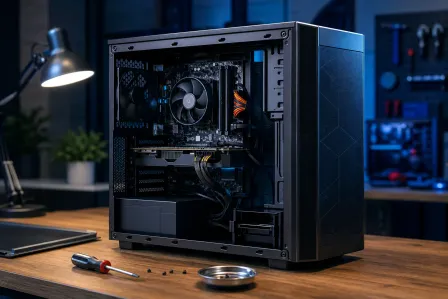
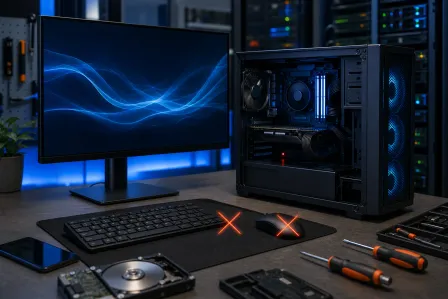
Computer repair guide · 2026 Computer repair guide. Fix it or call us?
Diagnosis, common fixes, repair-or-replace decisions and costs, explained by the Fix My PC Store team so you know what to try and when to bring it in.
Call 561-819-9999Before you read
- $60 computer diagnostic, free with our email coupon
- Same-day options for eligible repairs
- 90-day limited warranty on qualifying repairs
Updated for 2026
- 1. Signs You Need Computer Repair
- 2. Common Computer Problems & Solutions
- 3. Hardware Repairs Explained
- 4. Software Issues & Fixes
- 5. Repair vs. Replace Decision Guide
- 6. DIY vs. Professional Repair
- 7. Preventive Maintenance Tips
- 8. Computer Repair Cost Guide
- 9. How to Choose a Repair Shop
- 10. Frequently Asked Questions
Local Repair Help
Need this fixed instead of diagnosed?
If your computer will not boot, runs painfully slow, keeps overheating, or shows virus warnings, bring it to our West Palm Beach shop or request service online. We will inspect it, explain the problem, and quote the repair before work begins.
Popular Service Areas
Local pages with city-specific repair details, directions, and service options.
Quick links
Quick Links to Our Services
Explore our computer repair services and find the solution you need
Browse all computer repair services, featured blog posts, and service areas
View Computer Repair HubBook an appointment for your computer repair - convenient online scheduling
Schedule NowScreen replacement, keyboard repair, battery service, and more
Learn MoreProfessional data recovery from failed drives and corrupted storage
Learn MoreSigns You Need Computer Repair
Recognizing early warning signs can prevent minor issues from becoming major problems. Here are the most common indicators your computer needs professional attention:
• Extremely slow startup or shutdown
• Frequent freezing or crashing
• Programs taking forever to load
• Unresponsive to commands
• Strange noises (clicking, grinding)
• Overheating or excessive fan noise
• Screen flickering or display issues
• Won't power on or random shutdowns
• Persistent error messages
• Blue screen of death (BSOD)
• Programs crashing repeatedly
• Operating system won't load
• Virus or malware detection
• Unexpected pop-ups or ads
• Browser redirects to unknown sites
• Unfamiliar programs running
Common Computer Problems & Solutions
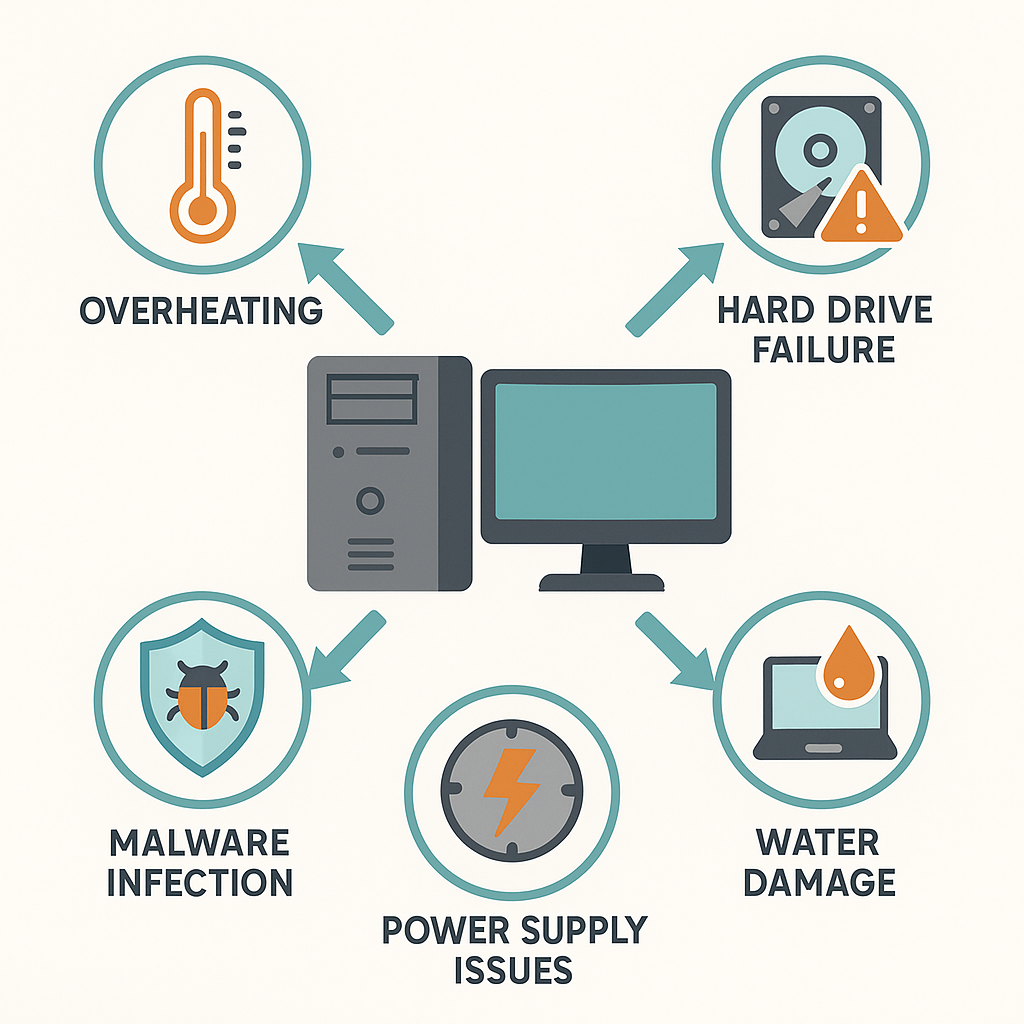
1. Computer Won't Turn On
Symptoms: No lights, no fans, completely unresponsive
Possible Causes: Power supply failure, motherboard issues, loose connections, dead battery (laptops)
Solutions:
- Check power cable and outlet
- Test with different power supply
- Remove and reseat RAM modules
- Professional diagnosis for motherboard issues
2. Slow Performance
Symptoms: Sluggish response, long load times, delayed actions
Possible Causes: Insufficient RAM, failing hard drive, malware, too many startup programs
Solutions:
- Upgrade to SSD for dramatic speed improvement
- Add more RAM (8GB minimum, 16GB recommended)
- Remove unnecessary startup programs
- Run virus scan and malware removal
- Clean temporary files and optimize disk
3. Overheating
Symptoms: Hot to touch, loud fan noise, random shutdowns
Possible Causes: Dust buildup, failing cooling fan, dried thermal paste, blocked vents
Solutions:
- Professional cleaning of internal components
- Replace thermal paste on CPU/GPU
- Repair or replace cooling fans
- Ensure proper ventilation around computer
4. Blue Screen of Death (BSOD)
Symptoms: Blue screen with error code, automatic restart
Possible Causes: Driver conflicts, hardware failure, corrupted system files, RAM issues
Solutions:
- Note error code for diagnosis
- Update or rollback recent drivers
- Run memory diagnostic test
- Check for Windows updates
- Professional diagnosis if persists
5. No Internet Connection
Symptoms: Can't connect to WiFi, "No Internet" message, limited connectivity
Possible Causes: Network adapter issues, driver problems, router issues, settings misconfiguration
Solutions:
- Restart router and modem
- Update network adapter drivers
- Reset TCP/IP stack
- Run Windows Network Troubleshooter
- Check for hardware failures
Hardware Repairs Explained

Hard Drive / SSD Replacement
Hard drive failure is one of the most common hardware issues. Modern SSDs are significantly faster and more reliable than traditional hard drives.
Upgrade Recommendation: If your computer uses a mechanical hard drive, ask whether a compatible SSD would improve startup and application load times for your workload.
Quote factors: Drive capacity, interface, data-transfer scope, encryption, and the condition of the original drive.
Timing factors: Parts availability and the amount and health of data being transferred.
RAM Memory Upgrade
Adding more RAM is the most cost-effective upgrade for improving multitasking and overall performance. We recommend 16GB for modern usage.
Quote factors: Memory type, capacity, available slots, and whether the laptop requires disassembly.
Timing: Confirmed after compatibility and stock are checked.
Screen Replacement (Laptops)
Cracked or damaged laptop screens can often be replaced. The exact panel must be matched by model, connector, resolution, refresh rate, and mounting design.
Quote factors: Panel specification, bezel or hinge damage, part source, and current availability.
Timing: Provided after the correct panel and any related damage are identified.
Power Supply Replacement
Failed power supplies are a common cause of computers not turning on. We use high-quality replacement units with proper wattage ratings.
Quote factors: Form factor, wattage, efficiency, connector requirements, and part availability.
Timing: Confirmed after testing rules out the outlet, cable, motherboard, and other power faults.
Motherboard Repair/Replacement
Motherboard issues are complex and often require professional diagnosis. Depending on the computer's age and value, replacement may or may not be economical.
Quote factors: Board availability, component-level versus full-board work, data risk, and the labor required to transfer components.
Timing: Provided after diagnosis and supplier availability are confirmed.
Software Issues & Fixes
Virus & Malware Removal
Professional virus removal includes deep scanning, removal of infected files, browser cleanup, and preventive measures to avoid reinfection.
- Complete system scan with professional tools
- Removal of trojans, spyware, adware, and ransomware
- Browser cleanup and extension review
- Security software installation and configuration
- Education on safe browsing practices
Quote factors: Infection severity, account recovery needs, data backup, and whether the operating system must be repaired or reinstalled.
Timing: Confirmed after the initial scan; eligible cases may have a same-day option when capacity allows.
Operating System Reinstallation
A fresh Windows installation can resolve persistent software issues and significantly improve performance. We backup your data, reinstall Windows, and restore your files.
Quote factors: Backup and restore scope, licensing, drivers, updates, account setup, and application reinstallation.
Timing: Depends on data volume, update downloads, and the software that must be restored.
Data Backup & Recovery
Professional data recovery may recover files from failing drives, accidental deletion, or corruption. Feasibility varies by the media, damage, encryption, prior attempts, and files needed.
Important: If you suspect drive failure, stop using the computer immediately. Continued use can make data unrecoverable.
Quote factors: Media type, physical versus logical damage, encryption, required capacity, and whether specialist recovery is needed.
Timing: Case-specific because imaging and recovery attempts must protect the original media.
Software Installation & Setup
Professional installation ensures software is properly configured, licensed, and optimized for your specific needs.
- Microsoft Office & productivity software
- Adobe Creative Suite and design software
- Antivirus and security software
- Accounting and business applications
- Printer and peripheral drivers
Repair vs. Replace Decision Guide
Deciding whether to repair or replace your computer depends on several factors. Use this guide to make an informed decision:
- ✓ A single, identifiable component needs repair
- ✓ The written quote is reasonable relative to a suitable replacement
- ✓ Only one component needs replacement
- ✓ Performance meets your current needs
- ✓ Contains important data or custom software
- ✓ Simple upgrades (RAM, SSD) will solve issues
- ✓ High-end or specialized equipment
- ✗ Hardware no longer supports required software or security updates
- ✗ The repair quote approaches the total cost of a suitable replacement
- ✗ Multiple major components failing
- ✗ Too slow for modern software needs
- ✗ Repeated repairs in past year
- ✗ Obsolete and can't run current OS
- ✗ Cheaper than equivalent new model
Compare Total Value, Not Age Alone
Compare the written repair quote with the replacement purchase, data migration, software setup, warranty, expected performance, and remaining support life. A repair can be worthwhile when it solves a focused problem; repeated failures or an unsupported platform may make replacement the better long-term choice.
DIY vs. Professional Repair
- • Cleaning dust from vents
- • Installing RAM (desktops)
- • Replacing desktop hard drive/SSD
- • Installing software updates
- • Running virus scans
- • Cleaning up temporary files
- • Uninstalling unused programs
- • Laptop screen replacement
- • Motherboard repairs
- • Data recovery from failed drives
- • Liquid damage repair
- • Advanced virus removal
- • Power supply replacement
- • Network infrastructure setup
Risk Warning
Attempting complex repairs without proper knowledge and tools can result in further damage, voided warranties, or permanent data loss. When in doubt, consult a professional. Most standard in-store repairs include a free initial evaluation; any advanced diagnostic fee is disclosed before chargeable work begins.
Preventive Maintenance Tips
Regular maintenance can prevent most computer problems and extend your computer's lifespan significantly:
Daily Best Practices
- Shut down properly (don't force power off)
- Use a surge protector
- Keep liquids away from your computer
- Don't block ventilation vents
- Practice safe browsing habits
Weekly Maintenance
- Restart your computer at least once
- Check for and install Windows updates
- Empty recycle bin and temp files
- Run quick antivirus scan
- Check available disk space and follow the operating system or application's current guidance
Monthly Maintenance
- Run full antivirus scan
- Update all software and drivers
- Check for unusual programs or processes
- Clean keyboard and screen
- Backup important files
Annual Maintenance
- Professional cleaning of internal components
- Replace thermal paste on CPU (for optimal cooling)
- Check all physical connections
- Test battery health (laptops)
- Review and update backup strategy
Professional Tune-Up Service
We offer tune-up services that can include cleaning, startup and storage review, applicable security updates, and performance testing. The useful result depends on the device's hardware condition, support status, workload, and the cause of the slowdown.
Schedule Tune-UpComputer Repair Cost Guide
Repair prices change with the exact device, parts market, damage, and data scope. Use these factors to compare written estimates on the same basis instead of relying on a generic price range.
| Service | What Changes the Quote | What to Confirm |
|---|---|---|
| Diagnostic | Depth of testing, disassembly, data risk, and specialist equipment | Whether an evaluation fee applies and when it is authorized |
| Virus Removal | Infection severity, account recovery, backups, and operating-system repair | Data backup scope, security steps, and the case-specific turnaround estimate |
| Tune-Up/Optimization | Root cause, storage health, startup software, updates, and cleanup scope | Measured symptoms and which changes are included |
| SSD Upgrade & Data Transfer | Drive type and capacity, cloning difficulty, encryption, and data volume | Part model, data-transfer scope, and recovery plan if the source drive is failing |
| RAM Upgrade | Memory specification, capacity, available slots, and disassembly | Compatibility, installed capacity, stock, and timing before approval |
| Screen Replacement (Laptop) | Panel specification, touch support, hinges, bezel damage, and availability | Exact panel, part condition, warranty terms, and expected arrival |
| Power Supply Replacement | Form factor, wattage, efficiency, cable requirements, and stock | Diagnostic result, replacement specification, and labor included |
| Data Recovery | Media type, logical versus physical damage, encryption, and required capacity | Evaluation limits, destination media, privacy handling, and specialist escalation |
| OS Reinstallation | Backup, licensing, drivers, updates, accounts, and application setup | What data and software will be restored and what credentials are required |
| Motherboard Work | Board availability, component-level work, model complexity, and data risk | Repair-versus-replacement options, part source, and written warranty terms |
Why Choose Fix My PC Store?
- Evaluation Terms: Any diagnostic fee is disclosed before chargeable work
- Limited Warranty: Qualifying repairs include 90-day coverage
- No Hidden Fees: Transparent pricing before work begins
- Experienced Technicians: Local service with an evaluation and quote before repair
Ready for a Local Quote?
For an exact repair quote, schedule an evaluation or call the shop with your computer model and symptoms.
How to Choose a Computer Repair Shop

Choosing the right repair shop ensures quality work, fair pricing, and data security. Here's what to look for:
Essential Qualifications
- Relevant hands-on experience for the device and issue
- Established local business with physical location
- Warranty on repairs and parts
- Transparent pricing policy
- Positive online reviews and ratings
Red Flags to Avoid
- No written explanation of evaluation fees or estimate terms
- Pressure to make immediate decisions
- Vague or confusing pricing
- No warranty or guarantee offered
- Consistently negative reviews
Questions to Ask Before Committing
- What evaluation fees can apply, and when are they authorized?
- What is your estimated turnaround time?
- Do you provide a written estimate before starting work?
- What warranty do you offer on repairs?
- What hands-on experience do you have with this device and issue?
- How do you handle data security and privacy?
- What if the issue isn't fixable - do I still pay?
- Do you offer pickup and delivery services?
Frequently Asked Questions
How much does computer repair cost?
Computer repair cost depends on the diagnosis, device model, part specification, damage, data-transfer scope, and supplier availability. Ask for a written quote that separates parts, labor, optional work, evaluation terms, and warranty coverage. In-store computer diagnostics are $60, and the fee is credited toward your repair if you approve it. Join our email list and we'll email you a coupon for a free in-store diagnostic (up to a $60 value) for new customers. Phone and tablet diagnostics are $35. Data recovery, onsite visits, expedited work and other advanced services are quoted separately, and every charge is disclosed before chargeable work begins.
How long does computer repair take?
Turnaround depends on the diagnosis, parts availability, data-transfer needs, and current shop capacity. We provide a case-specific timing estimate before approved work begins; eligible repairs may have a same-day option when parts and capacity allow.
Should I repair or replace my computer?
Compare the repair quote with the total replacement cost, data migration, software setup, warranty, performance, and remaining support life. A focused repair may be worthwhile when the computer still meets your needs; repeated failures or unsupported hardware can favor replacement.
Can I repair my computer myself?
Simple tasks like cleaning, adding RAM to a desktop, or updating software can be done yourself if you're comfortable with technology. However, complex repairs involving laptop disassembly, motherboard work, liquid damage, or data recovery should be handled by professionals to avoid further damage or data loss.
Is my data safe during repair?
Reputable repair shops take data security seriously. We maintain strict privacy policies, use secure facilities, and never access personal files unless necessary for diagnosis. However, we always recommend backing up important data before any repair as a precaution.
What warranty do you offer on repairs?
Qualifying repairs include a 90-day limited warranty on the covered parts and labor. Coverage varies by service and part and excludes unrelated failures, accidental or liquid damage, misuse, and customer-supplied parts. The written work order controls if its terms differ.
Do you offer emergency or same-day repair?
Same-day options are available for eligible repairs when the required parts and technician capacity are available. Call us at (561) 819-9999 to discuss your urgent repair needs and get a case-specific estimate.
What brands do you service?
We service all major computer brands including Dell, HP, Lenovo, ASUS, Acer, Apple (Mac), Microsoft Surface, and custom-built PCs. We maintain relationships with parts suppliers to ensure quick turnaround on repairs.
Need Professional Computer Repair?
Serving Palm Beach County since 2008. Evaluation terms, expected timing, and limited-warranty coverage are confirmed for your repair before work begins.