How Dust and Humidity Destroy Computers in South Florida
TL;DR: South Florida's humidity and dust are a slow-motion disaster for computers. They cause overheating, corrosion, and electrical shorts. Clean your machine every few months, control your indoor climate, and don't ignore thermal warning signs.
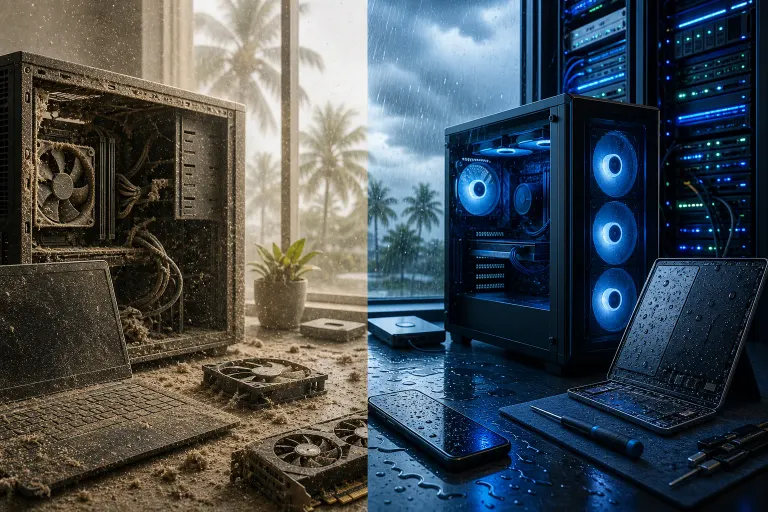
Living in West Palm Beach or anywhere along the Treasure Coast means you get gorgeous weather most of the year. Your computer does not share your enthusiasm. The same warm, humid air that makes February here feel like a vacation is actively working against the hardware sitting on your desk or floor.
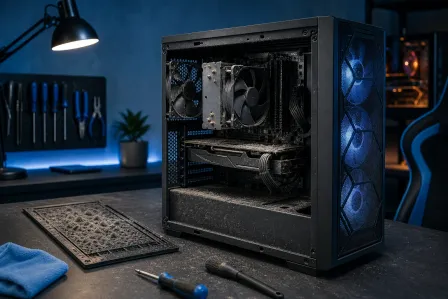
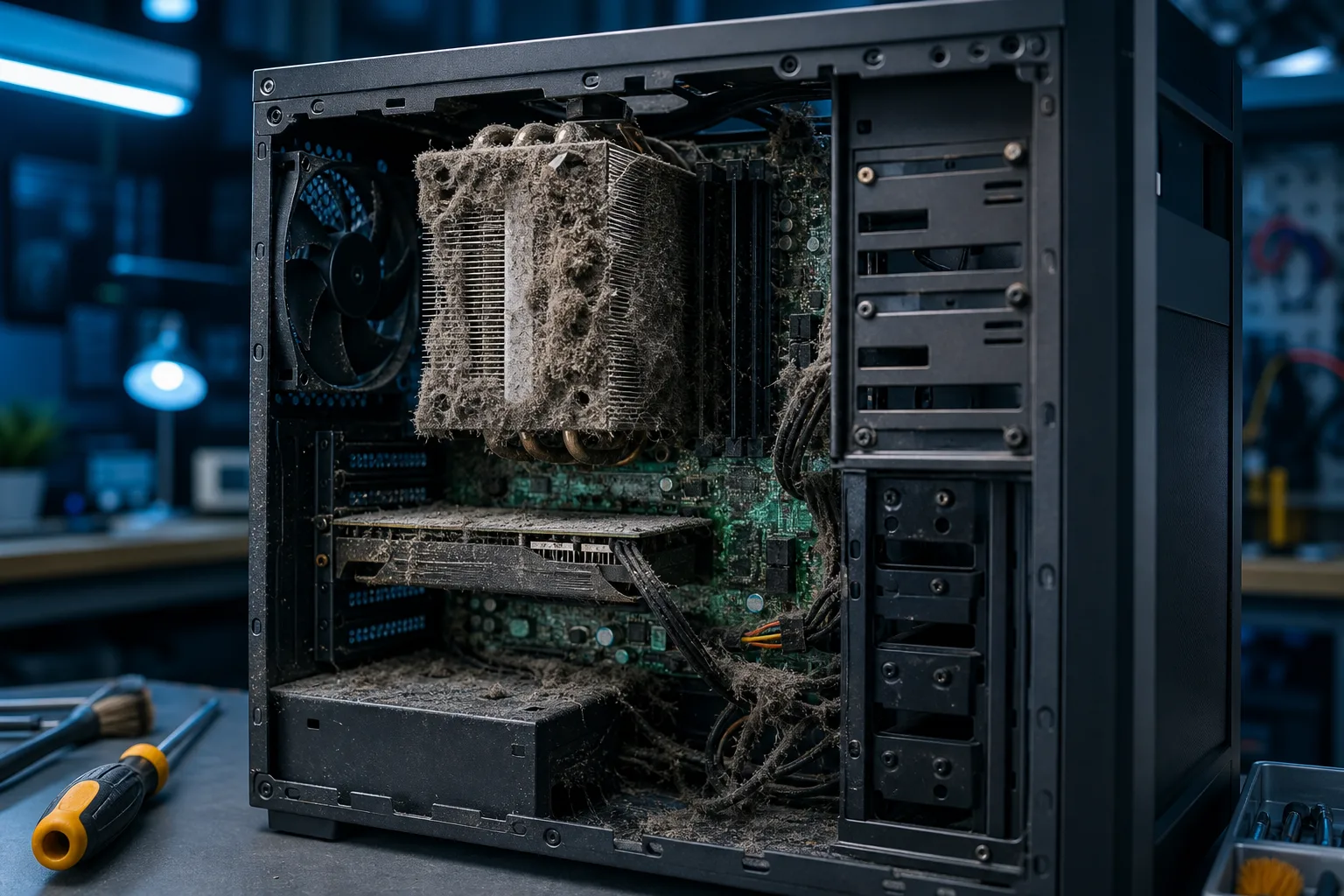
This isn't theoretical. At Fix My PC Store, we pull in machines every week that have been quietly destroyed by the local climate. Corroded motherboards, fans clogged with a felt-like layer of dust and pet hair, thermal paste baked into a chalk-dry crust. Most owners had no idea anything was wrong until the machine stopped working.
Here's exactly what's happening, and what you can do before it gets that bad.
1. Dust Buildup Turns Your PC Into an Oven
Every computer has at least one fan moving air through the case. That airflow is the only thing keeping your CPU and GPU from hitting temperatures that cause permanent damage. The problem is that fans don't just pull in air. They pull in everything floating in that air: dust, pet dander, pollen, and in South Florida, a fine layer of sand-like particles from outside.
Over time, that material packs into the heatsink fins and fan blades. It acts like insulation. The CPU can no longer shed heat efficiently, so temperatures climb. Modern processors will throttle their own performance to avoid burning out, which is why a dusty PC often starts feeling sluggish before it actually fails.
In a typical northern climate, serious dust buildup might take 12-18 months to cause noticeable issues. Down here, with open windows, AC cycling on and off, and the general airborne grit of coastal living, you can see significant accumulation in three to four months.
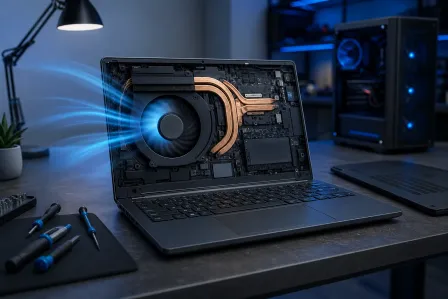
What to do: Open your desktop case every three to four months and blow it out with compressed air. Always do this outside. Laptops are trickier since they need to be partially disassembled to clean the heatsink properly. If your laptop fan sounds like a tiny helicopter and the bottom gets uncomfortably hot, it's probably time for a professional laptop cleaning.
2. Humidity Causes Corrosion on Circuit Boards
This one is less visible and more insidious. South Florida's relative humidity regularly sits above 70% for much of the year. Indoors with AC running it's better, but most homes and offices cycle between air-conditioned and not, especially overnight or on weekends when offices are closed.
That repeated cycling of humid air across circuit boards causes oxidation on solder joints, connector pins, and exposed copper traces. It shows up as a greenish or grayish film on the board. Over time, it increases electrical resistance at connections, causes intermittent errors, and eventually kills components entirely.
Machines stored near exterior walls, in garages, or in rooms where AC doesn't run consistently are especially vulnerable. If you've ever pulled out an old laptop from a closet down here and found it simply wouldn't boot despite being fine when you stored it, corrosion is likely the culprit.
What to do: Keep computers in climate-controlled spaces whenever possible. If you're storing a machine long-term, sealed containers with silica gel desiccant packs help significantly. For business environments where server rooms or network closets are involved, proper humidity control isn't optional. It's infrastructure. Our business IT and networking team handles exactly these kinds of environment assessments.
3. Salt Air Accelerates Metal Degradation
The closer you are to the coast, the worse this gets. Salt particles in the air are hygroscopic, meaning they attract and hold moisture. When they settle on metal components inside your computer, they create a localized environment that's perpetually damp and chemically reactive.
This shows up on fan blade shafts, power supply internals, port contacts, and heatsink fins. Coastal corrosion can degrade components that would otherwise last years in just a few months. Port contacts on laptops start failing, fans seize up, power supply internals oxidize.
If you live within a few miles of the water in Palm Beach, Jupiter, Juno Beach, or anywhere along the barrier islands, this is a real factor. Even with good AC, salt air finds its way in.
What to do: More frequent cleaning intervals, maybe every two to three months instead of four. Contact cleaner spray on ports and connectors can help. And honestly, investing in a higher-quality case with better filtration makes a noticeable difference for desktops.
Computer acting up? Get a real diagnosis. Book a diagnostic
4. Heat Degrades Thermal Paste Faster
Thermal paste sits between your CPU or GPU and its heatsink. It fills microscopic gaps to transfer heat efficiently. Fresh thermal paste works extremely well. Aged, dried-out thermal paste works about as well as a thin layer of chalk.
In most climates, thermal paste on a desktop might last three to five years before it needs replacing. In South Florida, where ambient temperatures are higher and machines often run warmer due to dust and humidity, you can see significant degradation in two to three years. Laptops are worse because they run hotter to begin with.
Signs of dried thermal paste: the CPU temperature spikes quickly under any load, the fan runs constantly even during light tasks, and the machine throttles performance or shuts down unexpectedly during normal use.
What to do: Thermal paste replacement is a straightforward repair, but it does require disassembly. For desktops it's a DIY-friendly job if you're comfortable. For laptops and Macs it gets more involved, and a botched job can make things worse. If you're not confident, bring it in and we can handle it as part of a full cleaning service.
5. Power Fluctuations Make Everything Worse
This one's climate-adjacent. South Florida's summer storm season is real, and the power grid here reflects that. Voltage fluctuations, brownouts during peak AC demand hours, and outright outages during storm season put serious stress on power supplies and, by extension, every component connected to them.
A marginal power supply that's already been weakened by heat and humidity is much more likely to fail catastrophically during a power event. And a failed PSU doesn't always just fail silently. It can take out the motherboard, storage drives, or GPU with it.
What to do: A quality UPS (uninterruptible power supply) is not optional down here, it's basic protection. It conditions incoming power and provides a clean shutdown window during outages. For businesses, this matters even more. If you're running any kind of local server or critical workstation, pair your UPS with a solid backup and disaster recovery plan. Losing hardware is one thing. Losing data is another.
6. Macs Aren't Immune (Sorry, Mac People)
There's a persistent myth that Macs are somehow immune to physical environment problems. They are not. Apple's tight engineering actually makes thermal management more sensitive, not less. A MacBook Pro with a dust-clogged heatsink will throttle aggressively and run hot just like any Windows laptop.
The difference is that Macs are harder to clean and service. Most newer MacBook models require specific tools and careful disassembly to access the heatsink at all. iMacs are even more involved. Ignoring the problem because it's an Apple product is how you end up with a very expensive dust brick.
If your Mac is running loud, hot, or slow, a Mac cleaning and thermal service is worth doing before you assume it needs a hardware upgrade or replacement.
Bottom Line
South Florida is genuinely one of the harder climates for consumer electronics. The combination of heat, humidity, salt air, dust, and storm-season power issues creates conditions that shorten hardware life noticeably compared to drier, cooler regions.
The good news is that most of this damage is preventable with consistent maintenance. Clean your machine on a schedule. Keep it in a climate-controlled space. Use a UPS. Replace thermal paste before it fails, not after.
If your machine is already running hot, sluggish, or making noise it didn't used to make, don't wait for it to die. Book a diagnostic and find out where things stand before you're dealing with data loss or a full replacement. We're local, we know this climate, and we've seen exactly what it does to machines when people ignore the warning signs.
Computer acting up? Get a real diagnosis.
Fix My PC Store has repaired thousands of machines across West Palm Beach. Honest pricing, no upsell games, and a free diagnostic for new customers with our email coupon.