Computer Repair Near Lake Worth: Services and How to Book
TL;DR: Fix My PC Store handles computer repair for Lake Worth residents from its West Palm Beach location. Repair time depends on diagnosis, parts, and current workload. Drop in, book online, or use remote support from home.
What Is Computer Repair in Lake Worth, Really?
Lake Worth Beach sits right next to West Palm Beach, which means Fix My PC Store is genuinely close by, not a "near me" stretch. The shop is at 10140 Okeechobee Blvd, Suite B, West Palm Beach. Check the route and current hours before visiting.
So when you search for computer repair in Lake Worth, you are not looking at a long haul. You are looking at a quick trip over the bridge or down the road, with repair timing confirmed after diagnosis.
Here is a quick look at what the shop covers.
PC and Laptop Repair
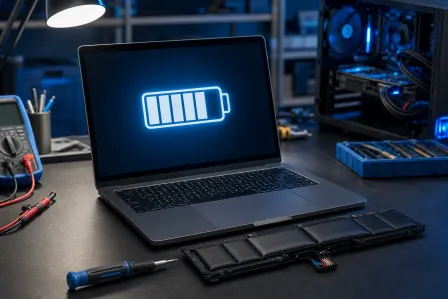
Laptop repair is one of the most common requests. Broken hinges, cracked screens, keyboards that stopped working, batteries that die in 20 minutes. Repairability and timing depend on the model, part availability, and damage.
Desktop PCs get the same treatment. Slow startup, random shutdowns, blue screen errors, overheating fans. The team diagnoses the root cause first, then explains the proposed work and cost before you approve a repair; advanced diagnostics may have a disclosed fee.
Mac Repair
Mac owners in Lake Worth often feel stuck because Apple stores are not always close or convenient. Mac repair at Fix My PC Store covers MacBooks, iMacs, and Mac Minis. Common fixes include logic board issues, failed SSDs, and macOS problems that make the machine crawl.
Virus and Malware Removal
This one comes up constantly. Pop-ups that will not stop. A browser that redirects to weird sites. A computer that is suddenly slow for no obvious reason. These can indicate malware but also have other causes; diagnosis matters.
Ask what was found, what was removed, and what steps can reduce recurrence. That last part matters more than most people realize.
Data Recovery
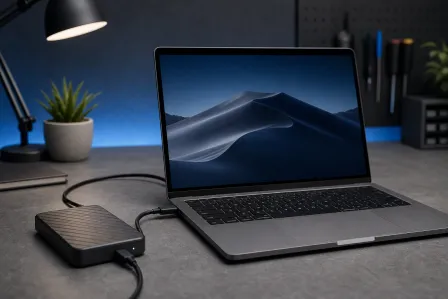
A failed hard drive does not always mean your files are gone forever. Data recovery options depend on the type of failure. Ask for an assessment and any advanced diagnostic or recovery charges before authorizing work.
Hardware Upgrades
Sometimes your computer is not broken. It is just old and slow. An SSD or compatible RAM upgrade can improve some slow computers. Compare the upgrade quote with the cost and benefits of replacement for your specific device.
Why Computer Repair in Lake Worth Matters to Your Everyday Life
A broken computer is not just an inconvenience. For a lot of people, it means missed work, lost income, or being cut off from school assignments, medical records, or family communication.
The difference between a shop that is close and one that requires shipping your device somewhere or waiting two weeks for an appointment is real. Fast, local repair keeps your life moving.
For small business owners in Lake Worth, this is even more true. A point-of-sale system that crashes, a laptop that will not connect to the company server, or a workstation hit by ransomware, these problems have direct dollar costs every hour they go unresolved.
Fix My PC Store also offers business IT support for Lake Worth area companies that want more than just break-fix help. That includes managed IT, cybersecurity, and cloud services.
Remote Support Is an Option Too
Not every problem requires dropping off a device. Software issues, slow performance, configuration problems, and many virus situations can be handled over a secure remote session while you stay home.
Remote support is available for both individuals and businesses. With your permission, a technician can assess suitable software issues remotely and explain whether an in-person repair is needed.
Computer acting up? Get a real diagnosis. Book a diagnostic
What We Do Not Know Without Looking at Your Device
Here is the honest part.
Many repairs need diagnosis before a final quote, though some standard services may have a set price. Ask what is included and what could change the estimate.
Fix My PC Store says its initial check is free for most standard in-store repairs; advanced diagnostics or data recovery may have a disclosed fee. The tech looks at what is actually wrong, then tells you the repair cost before starting any work. You decide whether to move forward. No surprises.
A few things genuinely are unpredictable until the machine is opened.
- Physical damage that looks minor on the outside can be more extensive inside.
- Data recovery success depends on how the drive failed and how far the damage has progressed.
- A virus infection sometimes reveals underlying hardware problems that were already developing.
Ask for the findings, estimate, and approval terms before repair work begins.
What Affects the Cost
A reliable estimate depends on the device, diagnosis, parts, data migration needs, and labor. Ask for a written quote that separates parts from labor and identifies any advanced diagnostic fee. Fix My PC Store says initial checks are free for most standard in-store repairs; confirm the policy for your case.
For business-level issues like network problems or cybersecurity incidents, costs depend heavily on scope. A consultation call is the right first step.
What to Do About It: Getting Your Computer Repaired in Lake Worth
This part is simple. Here is how to move forward.
Step 1: Figure out what is happening. Write down the symptoms before you call or come in. When did it start? What changed? Does it happen every time or randomly? This can help the technician investigate the issue.
Step 2: Decide: drop off or remote. If your computer turns on and connects to the internet, remote support might solve the problem without a trip. If it will not boot, has physical damage, or needs a hardware replacement, drop-off is the way to go.
Step 3: Book your visit or session. Use the online booking page to reserve a drop-off time, or reach out through the contact page if you have questions first. Check current walk-in availability and hours; booking can help you plan the visit.
Step 4: Get the diagnostic. The tech will look at the device, identify the problem, and give you a price. You have no obligation to proceed. Ask questions. A good shop wants you to understand what you are paying for.
Step 5: Pick up your machine or reconnect. Ask for a current completion estimate and how the shop will notify you; remote-session length varies by issue.
If You Are a Business in Lake Worth
Single-device repairs are fine, but if your business has more than a couple of computers, you might benefit more from a managed IT relationship than from calling for help after something breaks.
Managed IT services may include monitoring, updates, and response under an agreed scope. Ask which devices and hours a plan covers, and compare its cost with your business needs.
Backups and disaster recovery are part of that conversation too. If your business data is not backed up properly, a ransomware attack or a hard drive failure is not just an inconvenience. It can be a business-ending event.
Fix My PC Store works with businesses across Palm Beach County, including Lake Worth, on exactly these kinds of setups.
Computer repair in Lake Worth does not have to be complicated. The West Palm Beach shop can assess your device and explain a repair estimate so you can decide whether repair or replacement makes sense.
If you have questions before booking, the contact page is the fastest way to get a real answer.
Computer acting up? Get a real diagnosis.
Fix My PC Store has repaired thousands of machines across West Palm Beach. Initial checks are free for most standard in-store repairs; ask about any advanced diagnostic fee before work begins.