Computer Repair: When to DIY and When to Call a Pro
TL;DR: Whether to repair a computer yourself depends on the exact fault, the device’s service instructions, your tools and experience, and the value of the data. Start with reversible checks. Stop before risky disassembly, drive recovery attempts, or security changes you do not understand. A professional diagnosis can be useful when the fault is uncertain.
Decide what is at stake
Before opening a case or installing a “fix,” ask three questions. Is the computer under warranty or a service plan? Are important files backed up and restorable? Is the device managed by an employer or used for sensitive business work? These answers change the safe path. Save error messages and the device model. If it still runs, back up important files before changing hardware or reinstalling software.
The Federal Trade Commission warns against blanket claims that independent repair or opening a device automatically voids a U.S. warranty. That does not mean damage caused during a repair must be covered. Read the written terms and manufacturer service guide. Some devices are designed for user access; others require specialized steps or tools.
For a work computer, contact the organization’s IT team before changing security settings, replacing storage, or giving an outside technician access. The company may have encryption keys, data-handling rules, and approved vendors. A competent employee can still do approved basic troubleshooting; “business computer” alone is not a reason to prohibit every DIY step.
Low-risk checks to try first
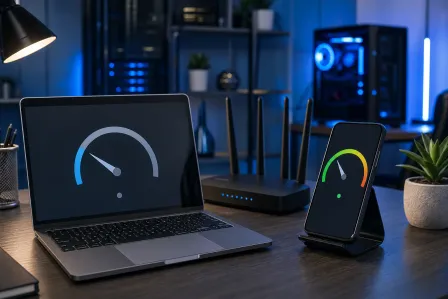
Record when the problem occurs and any exact error. Check power, monitor input, cables, and network status. If the device responds, restart normally. Check supported operating-system updates, available storage, and whether an unfamiliar background application is using resources. On Windows, Microsoft recommends built-in performance and storage tools. Remove unused software only if you know what it is; do not delete folders or install a random “repair all” utility.
If you suspect malware, use the existing trusted security tool. Windows Security offers quick, full, custom, and offline scans. A scan is a diagnostic step, not proof that the computer or accounts are clean. If files are encrypted, a ransom message appears, or business credentials may be exposed, disconnect according to your incident process and ask IT or a qualified responder. Do not erase evidence or log into sensitive accounts from a potentially compromised device.
These checks are generally reversible, but every situation has exceptions. If a mechanical hard drive is clicking or the computer is repeatedly shutting off, repeated restarts can make recovery harder. Preserve the data and ask for help before running more tests.
Opening a computer: model instructions matter
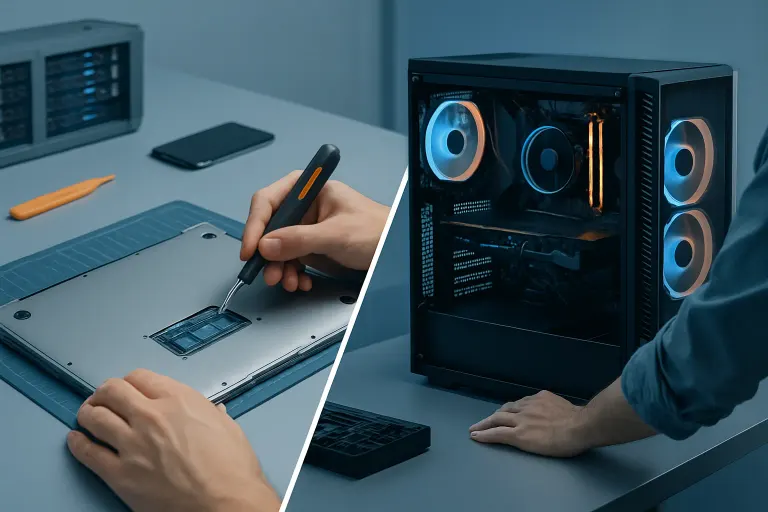
A desktop RAM or storage upgrade can be manageable if the exact model allows it, the part is compatible, and the owner can follow the manufacturer’s guide. Unplug the device and follow its electrostatic-discharge instructions. Never open a power-supply unit: unplugging a desktop does not remove hazardous charge inside it. Keep track of screws and connectors. A laptop or all-in-one may use adhesive, delicate cables, or soldered memory; do not assume a desktop tutorial applies.
Cleaning external vents may be a reasonable homeowner task if you follow the device maker’s instructions. Internal fan cleaning and thermal-paste service are different procedures. Dell’s fan-troubleshooting guidance discusses checking vents and safe cleaning. Do not hold a can upside down, force a fan to spin excessively, or spray liquid into the case. Avoid removing a heatsink merely because the computer is old. Diagnose fan operation, dust, workload, and cooling contact first.
A cracked laptop display, charging port, or liquid-damaged board is more model-specific. Some skilled owners can replace a documented part. Others would face fragile cables, battery safety concerns, or hidden corrosion. Compare the cost of the correct part and tools with a written shop quote before deciding. If liquid entered a powered device, disconnect external power if safe, stop using it, and seek model-specific advice; do not repeatedly turn it on to “see if it works.”
Treat data recovery separately from repair
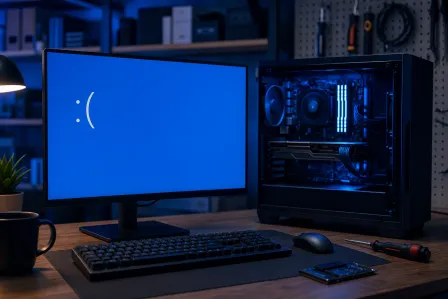
A computer that will not start is not necessarily a failed storage drive. The screen, battery, firmware, or operating system could be responsible. Conversely, a drive that makes repeated clicks, disappears from the system, or reports serious errors may need a data-first approach. If files are irreplaceable and the drive may be physically failing, stop using it and consult a recovery specialist. Installing recovery software onto the same drive can overwrite recoverable data. No shop can promise recovery before diagnosis.
If your files are backed up, a drive replacement is a different decision. Ask whether the backup has been tested and whether encryption, passwords, or application licenses are needed to restore work. A backup plan reduces the stakes of both DIY and professional repair.
Know what a remote session can and cannot do
Remote support can help when a computer boots and can make a trusted connection. It may help review settings, software errors, updates, or the next diagnostic step. It cannot physically replace a fan or assess liquid corrosion. Some hardware symptoms can be discussed remotely, but an accurate diagnosis may require inspection. Confirm the technician’s identity and the session method before granting access, especially if someone called you unexpectedly.
If an outside repair shop is needed, ask what the diagnostic includes, whether there is a fee, what the written estimate covers, and whether the work could erase data. Ask who handles replaced storage and whether the laptop will leave the location. At Fix My PC Store, initial checks are free for most standard in-store repairs; advanced diagnostics and data recovery may have a disclosed fee. Confirm the policy for your device before authorizing work.
Compare cost, time, and risk honestly
A DIY attempt is not automatically cheaper, and a professional service is not automatically faster. Add parts, tools, shipping, your time, risk of further damage, and any downtime. A shop’s quote should state the diagnosed fault, part, labor, likely timing after stock is confirmed, and warranty terms. If diagnosis is uncertain, ask what will be tested before you pay for a major replacement.
For a business, include productivity impact and data obligations. A simple approved software check may be faster in-house; an uncertain board or security fault may call for specialist help. For home users, confidence and the value of the files matter just as much as the apparent price of a part.