Computer Repair for Boynton Beach: What to Expect and How Costs Work
TL;DR: Computer-repair cost and timing depend on the device, diagnosis, parts, and work approved. Ask for a written estimate and repair-specific turnaround before authorizing service. Knowing what to ask, what to expect, and what your repair actually costs before you hand over your machine will save you money and frustration.
What Happens When You Bring Your Computer In for Repair
Most people searching for computer repair in Boynton Beach have already tried turning it off and on again. They're past that. So let's skip the basics and talk about what the actual repair process looks like when you walk into a competent shop.
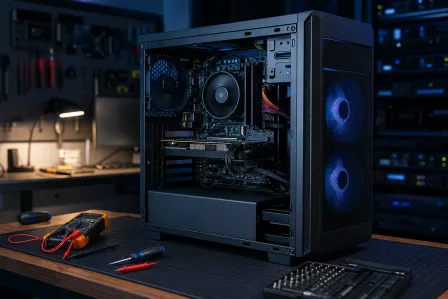
Step 1: Intake and diagnosis. A tech will ask you to describe the symptom, not guess the cause. Diagnostic policies vary. At Fix My PC Store, initial checks are free for most standard in-store repairs; advanced diagnostics and data-recovery work may have a fee disclosed before work begins. Ask any shop what is included before leaving your device.
Step 2: Written estimate before any work starts. If a shop won't give you a written or emailed quote before touching your hardware, that's your cue to leave. You should know the cost ceiling before you say yes.
Step 3: Repair, bench testing, and return. A professional repair includes bench testing after the fix, not just handing the machine back and hoping. Ask whether they test under load, especially for anything heat-related.
If you want to see what a thorough repair intake looks like, you can schedule a repair with Fix My PC Store directly, or contact us first if you have questions before committing.
Why Computer Repair Costs in Boynton Beach Vary So Much
Pricing for computer repair is not arbitrary, but it can feel that way if you don't know what drives it. Here's what actually moves the number.
Labor Rate vs. Flat Rate
Some shops charge hourly and others use flat rates. Ask how labor and parts will appear on the estimate. Flat rates are easier to budget. Hourly rates are fine when the scope is clear. The problem is when hourly shops start a job without giving you a time estimate. Always ask: "What's your best-case and worst-case time on this?"
Parts Availability
Part availability varies by model and supplier, even for common components. If a part has a long lead time, ask for the supplier and timing estimate. That timeline occasionally makes sense for older or niche hardware, but it should come with an explanation.
Common Repairs and What Changes the Quote
These examples show what affects scope, not a market price list. Your quote depends on the model, parts, data needs, and diagnosis.
- Slow computer: The quote depends on whether the cause is software, storage, memory, or failing hardware.
- Malware removal: Scope depends on the infection and whether files or accounts also need recovery.
- Drive replacement or SSD upgrade: Price depends on the drive, compatibility, data migration, and labor.
- RAM upgrade: Check whether memory is replaceable and what capacity the model supports.
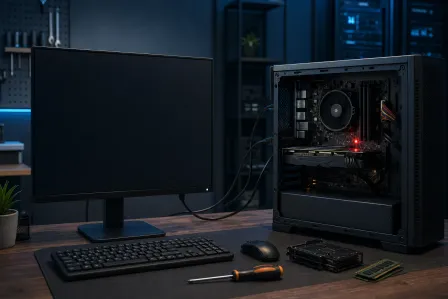
- Screen, power, or motherboard repair: Model-specific parts and additional damage can change cost and timing.
Request an itemized estimate instead of relying on a generic price range.
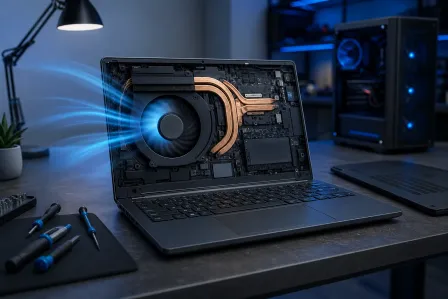
For laptop-specific issues, our laptop repair page covers what's typically fixable and what isn't. Mac owners should check the Mac repair page, since Apple hardware has its own diagnostic process and parts ecosystem.
Computer acting up? Get a real diagnosis. Ask about an initial check
Why It Matters That You Pick the Right Shop
This is where I'll be direct. Not every computer repair shop in Boynton Beach or anywhere else is operating with the same standards. The difference between a good experience and a bad one usually comes down to three things: transparency, competence, and honesty about scope.
Transparency means they tell you what they found, what they recommend, and what it costs before they act. If a shop is vague about pricing until the machine is already apart, that's a structural problem.
Competence is harder to assess from the outside, but there are signals. Ask whether they've seen your specific issue before. Ask how they test after the repair. Ask if they guarantee their work and for how long. Ask what warranty applies to the specific repair and have the shop explain exclusions.
Honesty about scope means a good shop will tell you when a repair isn't worth doing. If an older laptop has a costly motherboard issue, compare the written repair quote with the value of replacement and your data needs. They'll lose that one job, but they'll earn your referrals for a decade.
One thing that trips people up: shops that advertise cheap diagnostics or free estimates and then pressure you into unnecessary repairs. "Your computer needs a full reload" is not always wrong, but it should come with evidence. Ask to see what they found.
For business owners in Boynton Beach who are dealing with multiple machines or ongoing IT headaches, a single repair visit isn't always the right answer. Managed IT services exist precisely to prevent the cycle of reactive fixes. Worth a conversation if you're on your third hardware issue this year.
What We Don't Know Yet (And What That Means for You)
A few things are genuinely unpredictable in any computer repair situation, and any shop that pretends otherwise is overselling certainty.
Hidden damage. Opening a machine sometimes reveals secondary issues that weren't visible from the outside or detectable during initial diagnosis. A reputable shop will call you before proceeding if the scope changes. They will not just fix it and charge you extra without approval.
Data integrity. No tech can guarantee your data is intact until they've tested it. Before you bring any machine in for repair, back up what you can, even if that means copying files to a USB drive. If the machine won't boot, ask whether the shop can attempt a data pull before the repair begins.
Parts lead times. Certain components, particularly for older machines or recent MacBook models, can have unpredictable availability. Ask at intake whether your parts are in stock locally.
Whether the repair will hold. Some machines have underlying issues that make one repair a temporary fix. A cracked screen caused by a structural hinge problem, for example, may crack again if the hinge isn't also addressed. Ask your tech whether the repair they're proposing addresses the root cause or the symptom.
If your data situation is uncertain or you've never had a backup strategy, that's worth fixing before the next hardware failure. Our backups and disaster recovery page explains how to set up something that actually works, not just a once-a-year USB copy that's already six months out of date.
What to Do About It: A Structured Approach to Getting Your Computer Fixed
Here's the process that prevents most of the frustration people run into when looking for computer repair in Boynton Beach.
Write down the symptoms, not your guess at the cause. "It shuts off after 20 minutes" is useful. "I think it's the GPU" may or may not be accurate. Let the tech diagnose.
Back up anything you can access before you go. Even a partial backup beats none. Copy documents, photos, and anything irreplaceable to a USB drive or cloud storage.
Ask for a written estimate before work begins. If they won't provide one, leave.
Ask about the warranty on parts and labor. Coverage varies by shop, part, and repair. Ask what the warranty covers specifically.
Ask how they test after the repair. "We power it on" is not the same as running it under load for 30 minutes. For heat-related failures especially, stress testing matters.
Get a realistic turnaround estimate. Some repairs may qualify for same-day service; parts and job complexity affect timing. Ask at intake, not after you've left the machine.
Consider remote support for software issues. If your problem is slowness, malware, software errors, or configuration issues, you may not need to bring the machine anywhere. Remote support can handle a significant number of issues without you leaving the house.
For business machines, think about prevention. One repair is fine. Three repairs in a year is a pattern. Talk to someone about business IT support that catches problems before they become downtime.
Fix My PC Store welcomes Boynton Beach customers at its West Palm Beach storefront, 10140 Okeechobee Blvd, Suite B. Ask about remote or on-site options for the specific issue. If you're ready to get your machine looked at, book a repair or reach out first with questions. We'd rather you come in informed than come in guessing.
Computer acting up? Get a real diagnosis.
Fix My PC Store has repaired thousands of machines across West Palm Beach. Initial checks are free for most standard in-store repairs; advanced diagnostics and data recovery may have a disclosed fee.