Personal data protection

    Personal Computer Backup Setup in West Palm Beach

    Protect photos, documents, and everyday files before a drive failure, theft, spill, or mistaken deletion turns into a recovery emergency.

    Service details reviewed July 2026

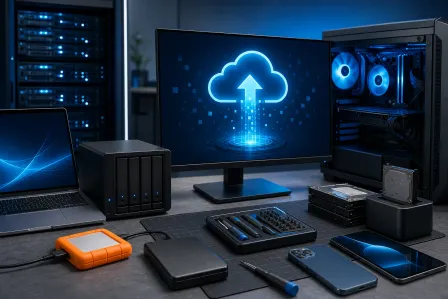
    Laptop sending personal files to an external drive, home storage device, and cloud backup
    Service illustration: useful backup keeps more than one current copy and verifies that files can be restored. Original service illustration; no customer equipment is shown.

    Quick answer

    Fix My PC Store sets up personal computer backups in West Palm Beach and Palm Beach County. We help identify important files, configure compatible local and cloud destinations, automate a practical schedule, and perform a sample restore check. No backup is infallible, so we explain account ownership, capacity, retention, and ongoing checks.

    Personal data protection

    Why set up backup before something breaks

    Data recovery begins after loss and may not succeed. Backup is the less stressful, less uncertain step taken while the files are still readable.

    Request service

    Family photos or documents exist on only one computer

    An external drive is connected but no one knows whether it is current

    Cloud storage is syncing, but deleted files or account access are not understood

    A new computer needs a clear file-protection plan

    Important folders are scattered across desktops, downloads, email, and removable drives

    No one has tested whether a file can actually be restored

    Scope before promises

    A backup plan you can understand and keep using

    The right plan depends on the files, available internet, storage size, account ownership, and how much manual work is realistic.

    1

    File and risk review

    We identify priority folders, current copies, likely data volume, account access, and the events the backup should protect against.

    2

    Local backup setup

    We can configure a compatible external drive or supported home storage destination and explain when it must remain connected.

    3

    Cloud backup setup

    When selected, we help configure a supported cloud service owned by the customer and explain capacity, subscription, sync, and retention differences.

    4

    Restore verification

    We perform a sample restore or verification supported by the chosen system and show the owner how to check backup status.

    Cloud sync is useful—but it is not always a complete backup

    A sync service keeps files available across devices, but deletions, account compromise, storage limits, and retention rules can affect recovery. A local drive is fast and private but can be lost with the computer or left disconnected.

    A practical personal strategy often combines the working copy with a separate local copy and an off-site or cloud copy. We tailor the plan instead of claiming one product protects every file and failure scenario.

    Backup prevention versus data recovery

    Backup setup is for readable files and working storage. If a drive clicks, disappears, reports errors, or contains already-missing files, stop using it and ask about data recovery before running a backup that could overwrite or stress the media.

    The customer owns the storage devices, cloud account, passwords, encryption recovery information, and subscription. We document what was configured, but ongoing monitoring is not included unless a separate managed service is agreed. Business servers and company continuity needs belong with our business backup service.

    What to expect

    A clear path from symptom to next step

    We confirm the equipment, risk, and approved scope before making changes.

    1. Tell us the goal

      Call or request service with the model, symptoms, and the outcome you want.

    2. Bring it in or plan onsite

      We confirm whether the equipment should come to the shop or needs an onsite visit.

    3. Review the recommendation

      We explain findings, limits, parts or accounts needed, pricing, and likely timing.

    4. Approve and verify

      Only approved work proceeds, followed by testing and a practical handoff.

    Local help

    One West Palm Beach shop serving Palm Beach County

    Visit our storefront for evaluation or ask whether an onsite visit is appropriate. Availability, travel charges, equipment access, parts, and serviceability are confirmed for each request.

    10140 Okeechobee Blvd, Suite B
    West Palm Beach, FL 33411

    Monday–Friday 9 AM–6 PM · Saturday 9 AM–5 PM · Sunday closed

    Questions people ask before booking

    Straight answers about scope, compatibility, cost factors, and realistic outcomes.

    Ready for a clear recommendation?

    Call the West Palm Beach shop or send the service request. We will confirm the right intake path and what to bring before you make the trip.