Why Is My Router Warm or Hot to the Touch?
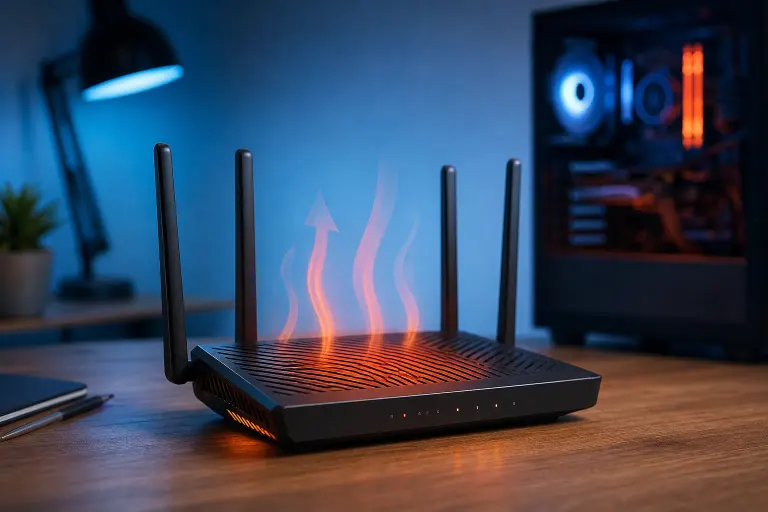
TL;DR: Routers generate heat as a side effect of running 24/7, so warm is expected. Scalding hot, combined with dropped connections or random reboots, is not. Follow the steps below to diagnose and fix the problem before your router fails.
What you need
- A clear, ventilated surface to place the router
- A can of compressed air (optional but helpful)
- Five minutes to check placement and settings
- Your router's admin page login (usually printed on the bottom label)
Step 1: Decide whether the heat is normal or excessive
Touch the router with the back of your hand. Warm, like a cup of tea, is fine. If you pull your hand away quickly, that is a problem.
Also ask yourself:
- Is the router dropping Wi-Fi every few hours?
- Does it reboot on its own?
- Is the internet speed suddenly slower than usual?
If you answered yes to any of those, the heat is likely causing real harm. If the router just feels warm and everything works, keep reading for maintenance tips but do not panic.
Step 2: Check the placement
This is the most common cause of overheating. Routers need airflow around all sides.
Move the router away from:
- Enclosed cabinets or entertainment centers with no ventilation
- Direct sunlight from a window
- Other heat-generating devices like cable boxes, gaming consoles, or modems stacked on top
- Thick carpet or fabric surfaces that block the bottom vents
Place it on a hard, flat surface with at least a few inches of open space on every side. Elevated positions, like a shelf, often help because warm air rises away naturally.
Step 3: Clean the vents
Dust acts like insulation. Even six months of normal use can pack enough dust into the vents to raise internal temperatures significantly.
- Power the router off.
- Hold it over a trash can.
- Use compressed air to blow through every vent opening. Short bursts work better than long ones.
- Wipe the exterior with a dry cloth.
- Power it back on.
Do this every three to six months as routine maintenance.
Tired of IT that breaks at the worst time? Talk to our business IT team
Step 4: Check the router's age
Internal components degrade over time. Capacitors and thermal paste (on routers that use it) lose effectiveness after several years. An aging router may run hotter simply because its hardware is wearing out.
A router that is five or more years old and consistently overheating is likely near the end of its usable life. Replacing it is more cost-effective than troubleshooting indefinitely.
Note: Older routers also lack modern security protocols. Overheating is a practical reason to upgrade, but outdated firmware support is an equally important one. The Cybersecurity and Infrastructure Security Agency (CISA) recommends keeping router firmware current and replacing end-of-life devices.
Step 5: Update the firmware
Outdated firmware can cause the processor to work harder than necessary, which raises heat output.
- Open a browser on any device connected to your network.
- Type the router's admin IP into the address bar. Common addresses are
192.168.1.1or192.168.0.1. Check your router label if unsure. - Log in with the admin credentials (also on the label if you never changed them).
- Look for a Firmware Update or Software Update section.
- Apply any available update and let the router reboot.
Many modern routers update automatically, but it is worth confirming.
Step 6: Consider airflow accessories as a last resort
If placement and cleaning did not solve the problem and the router is relatively new, a small USB fan placed nearby can help move air across the unit. This is a workaround, not a fix, so combine it with the steps above.
Do not cover the router with anything to "protect" it. That traps heat and makes things worse.
Common mistakes
- Ignoring it because the internet still works. Chronic overheating shortens hardware lifespan even when drops are not noticeable yet.
- Placing the router inside a decorative basket or box. It looks tidy but acts like an oven.
- Stacking devices. A modem, router, and cable box piled together share and amplify each other's heat.
- Skipping firmware updates. Many people never log into the admin panel after initial setup.
- Assuming a hot router just needs a restart. Rebooting addresses the symptom for a few hours. It does not fix the root cause.
Bottom line
Warm is normal. Hot enough to cause discomfort or hardware symptoms is not. Start with placement and cleaning because those two steps resolve the majority of router overheating problems. If the router is old or the heat persists after every fix, replacement is the practical answer.
If your network issues go beyond one overheating router, like unreliable connectivity across an office or multiple access points behaving strangely, that is a good time to get a professional look. Fix My PC Store handles business networking for South Florida businesses and can help you set up something that actually works long-term. You can also reach us through remote support for quick configuration questions.
Tired of IT that breaks at the worst time?
We run managed IT, backups, and security for South Florida businesses so you can stop thinking about it.