Two-Factor Authentication: Why 2FA Alone Won't Save You
TL;DR: Two-factor authentication is one of the most effective basic security tools available, and you should absolutely use it. But SIM swapping, phishing kits, and push-bombing attacks can all defeat common 2FA methods. Knowing the gaps helps you pick stronger options and avoid a false sense of security.
What Happened
For years the advice was simple: turn on two-factor authentication and sleep easy. Password stolen? No problem, the attacker still needs your phone. For a long time, that was mostly true.
Then the attackers caught up.
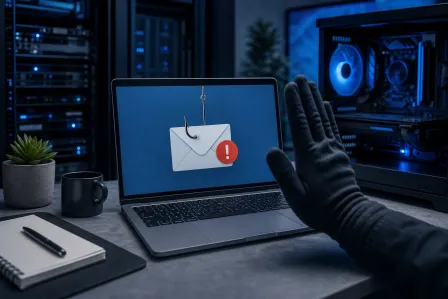
Phishing kits that capture one-time codes in real time have been widely available since at least 2019. SIM-swap fraud, where a criminal convinces your carrier to move your number to their SIM card, has been used to drain crypto wallets, email accounts, and bank logins. Push notification fatigue attacks, sometimes called MFA bombing, involve sending a target dozens of authentication prompts until they hit "approve" just to make it stop. A former Uber contractor did exactly that in the 2022 Uber breach.
None of this means 2FA is useless. It means the weakest forms of 2FA are no longer the finish line they once were.
And most people are still using the weakest forms.
Why It Matters
Let's back up and make sure we are on the same page about what two-factor authentication actually does.
Authentication factors fall into three buckets: something you know (password), something you have (a phone or hardware key), and something you are (biometrics). Two-factor authentication means you need at least two of those buckets to get in. One factor being compromised is not enough on its own.
That is genuinely powerful. Google published research suggesting that adding any second factor blocks the vast majority of automated credential-stuffing attacks. So do not let this article talk you out of using 2FA. That would be like skipping a seatbelt because airbags are not perfect.
The problem is not 2FA itself. It is which kind you are using.
SMS codes are the most common form. They are also the weakest. Text messages were not designed with security in mind. SIM swapping can redirect them to an attacker. So can SS7 protocol vulnerabilities, which are weaknesses baked into the global phone network infrastructure that carriers use. Sophisticated attackers can intercept SMS codes without ever touching your SIM card.
Authenticator apps (Google Authenticator, Authy, Microsoft Authenticator) are meaningfully better. They generate time-based one-time codes on your device and are not tied to your phone number. But a convincing phishing page can still prompt you to type that code in real time, and the attacker uses it within the 30-second window before it expires. These are called adversary-in-the-middle attacks, and ready-made toolkits for running them are not hard to find.
Push notifications are convenient but introduced a new attack surface. MFA bombing works because humans are fallible. After the fifteenth "did you just try to sign in?" prompt at 2am, a surprising number of people hit approve.
Hardware security keys (like a YubiKey) and passkeys are the current gold standard for consumer-grade 2FA. They use public-key cryptography and are bound to the specific website you registered them with. A phishing site cannot capture what was never transmitted as a code. This is a real technical distinction, not marketing fluff.
For businesses especially, the gap between SMS-based 2FA and hardware key or passkey authentication is enormous. If your team is handling sensitive client data, financial records, or anything you would not want on the front page of a newspaper, the authentication method matters. Our business cybersecurity services can help you figure out where your current setup actually stands.
Account recovery is the backdoor everyone ignores
Here is a detail that does not get enough attention. Your 2FA is only as strong as your account recovery options.
If an attacker can reset your password by answering "what was your childhood pet's name?" or by verifying a phone number they now control through a SIM swap, your hardware key does not matter. They walk right around it.
Social engineering attacks on customer support are also well documented. Attackers call carriers or service providers, pretend to be the account holder, and talk their way into account changes. This is how many high-profile account takeovers happen, not through technical magic but through a very confident phone call.
The password problem is still underneath all of this
Two-factor authentication is supposed to protect you when your password fails. But if you are reusing passwords across sites, a breach at one service hands attackers a working credential list for everything else you use. They just need to get past the second factor, and now they have methods to do it.
A strong, unique password for every account plus 2FA plus a good password manager is a much stronger baseline than 2FA on top of weak or reused passwords. These things compound. Security layers are called layers for a reason.
For anyone running a business in South Florida, all of this matters more than it might seem. Ransomware groups and credential-theft operations do not skip small and mid-sized businesses. They often target them specifically because defenses tend to be thinner. If you are on Microsoft 365 with SMS-based 2FA and shared passwords on some accounts, that is a real exposure. Not hypothetical.
Worried your business is one click from a breach? Get a security review
What We Don't Know Yet
Passkeys are being pushed hard right now by Apple, Google, and Microsoft. They are technically superior to almost everything else in common use. But adoption is uneven and the user experience across different platforms and browsers is still inconsistent enough that a lot of people give up and fall back to passwords.
It is not clear yet whether passkeys will reach the kind of ubiquity needed to meaningfully reduce credential-based attacks at scale, or whether the interoperability issues get sorted out before people lose patience with the friction.
AI-assisted phishing is also a variable nobody has a firm handle on. Phishing emails that were obviously fake a couple of years ago are getting harder to spot as language models get better at generating convincing text. Whether that changes the 2FA bypass calculus significantly is still playing out.
Quantum computing gets brought up in security conversations sometimes as a future threat to current encryption schemes. That is real but distant enough that it should not affect your decisions right now. Focus on the threats that are already working.
What to Do About It
Here is the practical list, ordered by impact.
Upgrade your 2FA method. If you are using SMS codes, switch to an authenticator app at minimum. If you can use a hardware key or passkeys for your most important accounts (email, banking, work accounts), do that.
Lock down your account recovery options. Remove old phone numbers. Use an email address you control tightly as a recovery option. Disable security questions if possible; they are just passwords with public answers.
Use a password manager and unique passwords everywhere. This is not negotiable at this point. It closes the credential-stuffing gap that 2FA is trying to cover.
Train yourself to pause on push notifications. If you get an authentication prompt you did not initiate, deny it and change your password immediately. Do not approve pushes out of convenience or frustration.
For businesses: do an honest audit. Which accounts have 2FA? Which kind? Who has admin access and how is it protected? Are backup codes stored somewhere sensible? Our managed IT team helps South Florida businesses work through exactly this kind of assessment without turning it into a compliance lecture.
If your business also needs to think about what happens after an account is compromised, backups and disaster recovery need to be part of that same conversation. Authentication protects the front door. Backups matter when someone finds a window.
And if any of this surfaced questions about your personal devices, whether your phone is set up securely or your accounts are properly protected, you can always reach out to us directly. We are in West Palm Beach and we work with real people, not just businesses.
Two-factor authentication is not broken. The version most people use just has more gaps than the name suggests. Knowing the difference is what actually keeps you safer.
Worried your business is one click from a breach?
Get a straight-talk security review from a local team that has cleaned up the aftermath more times than we'd like.