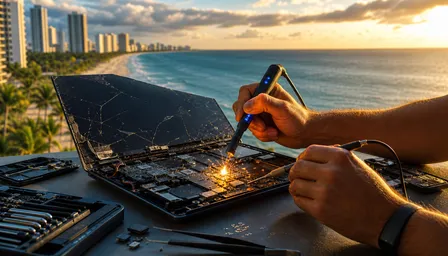
Samsung Galaxy S25 Edge Screen Repair in 2026
Listen to this article
TL;DR: Samsung Galaxy S25 Edge screen repair in 2026 is doable, but the ultra-thin 5.8mm body and wraparound display make it far less forgiving than a standard Galaxy screen swap. Plan on a careful diagnosis, professional tools, and about 1 to 3 hours for a proper repair workflow, or less time if you wisely hand it to someone who does not think a butter knife is a precision tool.
If your Galaxy S25 Edge cracked screen is showing green lines, dead touch zones, black patches, or that lovely spiderweb pattern nobody asked for, this guide will show what techs look for, why this ultra-thin phone screen replacement is tricky, and how Palm Beach County owners can decide between repair, Samsung Care+, carrier insurance, or replacement. Let me save you a headache: the thinner the phone, the less room there is for mistakes.
What you'll need for Samsung Galaxy S25 Edge screen repair
Before we talk tools, let us talk expectations. The Galaxy S25 Edge is not the old flip phone hiding in my retro collection that could survive a parking lot drop and still make calls. This is a slim, tightly bonded Android flagship with a curved AMOLED display, strong adhesive, layered sensors, and very little internal breathing room.
For a proper samsung galaxy s25 edge screen repair workflow, you need:
- Skill level: Advanced DIY at minimum, professional repair recommended for most owners.
- Tools: ESD-safe mat, precision drivers, plastic opening picks, suction tool, heat plate or controlled heating pad, isopropyl alcohol, adhesive remover, spudger, tweezers, clamps, and fresh display adhesive.
- Parts: A compatible Galaxy S25 Edge screen assembly from a reputable supplier. For curved AMOLED repairs, cheap mystery panels are where good phones go to become regret.
- Software prep: Recent backup, battery below 25 percent, screen lock credentials, and time to test touch, fingerprint, brightness, proximity, and cameras afterward.
- Realistic mindset: Water resistance may not be factory-level after any opening unless sealing is handled correctly.
If this already sounds like too much, that is not failure. That is your brain doing tech support. Fix My PC Store offers Samsung phone and tablet repair in Palm Beach County for owners who would rather not turn one cracked screen into three extra problems.
1. Inspect the Galaxy S25 Edge cracked screen before opening it
The first step is not heat. It is not prying. It is not watching one heroic online video and declaring yourself the surgeon general of Android. The first step is inspection. I see this all the time: someone assumes the outer glass is the only issue, then discovers the AMOLED, digitizer, frame, or battery took a hit too.
What to do
Check the display under bright light. Look for cracks near the curved edges, black spots, vertical green or pink lines, flickering, touch lag, ghost touches, and dead zones. Test swipe gestures along both edges because the S25 Edge wraparound display makes edge damage especially sneaky. Also inspect the frame for bends. On a 5.8mm ultra-slim chassis, even a small twist can pressure the new panel after installation.
Why it matters
Curved display repair in 2026 is not just about replacing glass. The display stack includes OLED layers, touch sensors, adhesive, and alignment points. If the frame is bent, a new screen can crack again or lift at the edges. If the battery is swollen, opening pressure can become a safety issue.
What success looks like
You should know whether the problem is cosmetic glass damage, full display failure, touch failure, frame damage, or a combination. A good diagnosis prevents wasted money. Your screen time report may still be horrifying, but at least your repair plan will be solid.
2. Choose screen assembly replacement instead of risky glass-only repair
With the Galaxy S25 Edge, the big decision is whether to replace the full display assembly or attempt glass-only separation. Here is the blunt bench truth: glass-only repair sounds cheaper, but on modern curved AMOLED phones it can become expensive fast. The curved edges, thin panel, and aggressive adhesive leave little margin for error.
What to do
For most cracked Galaxy S25 Edge repairs, choose a full screen assembly replacement that includes the OLED and digitizer. If the frame is also damaged, consider a service part that includes the display pre-mounted to a frame, when available from reputable channels. Confirm compatibility by model number and region before buying parts, because Android models love making tiny variations just to keep everyone humble.
Why it matters
Separating curved glass from AMOLED requires specialized lamination equipment, vacuum tools, and high skill. Without that, you can damage the OLED, introduce dust, create touch issues, or leave bubbles that look like your phone developed aquarium problems. Full assembly replacement costs more upfront but usually lowers risk.
What success looks like
You have the right part, the right adhesive, and a repair method that protects the display quality. If you want to compare mobile screen repair risk across devices, our guide on Cracked iPad Screen: DIY Risks vs. Pro Repair Results explains why big glass and tight adhesives are a spicy combo across the whole mobile world.
3. Back up data, power down, and reduce battery risk
Before any ultra-thin phone screen replacement, protect the data first. Phones are personal little rectangles of chaos: photos, banking apps, messages, two-factor codes, and probably 47 screenshots you swore you would organize. I am not judging your 8-hour screen time report. Okay, maybe a little.
What to do
Back up the Galaxy S25 Edge using Samsung Cloud, Google backup, or a local computer backup if the screen still responds. If touch is dead but the display works, try a USB-C hub with a mouse. If the screen is black, data recovery may still be possible if the device powers on and unlock methods are available, but do not keep forcing it if the phone gets hot.
Power the phone off completely. Ideally, discharge the battery below 25 percent before opening. Remove the SIM tray. Work on an ESD-safe surface and keep screws organized by location.
Why it matters
Lithium-ion batteries do not enjoy being flexed, punctured, overheated, or surprised. A thin phone gives techs less internal clearance, so careful battery safety matters more. Data backup matters because any repair has risk, even when performed correctly.
What success looks like
Your data is backed up, the phone is powered down, and the repair area is clean. If the phone is too damaged to back up, stop and get help from a pro before turning a screen job into a data-loss story.
4. Open the ultra-thin chassis with controlled heat and patience
This is where slim phone repairability gets real. The Galaxy S25 Edge profile is gorgeous in the hand, but on the repair bench it means less internal space, more fragile flex areas, and adhesive that must be softened without cooking the device. Thin phones are like sports cars: beautiful, expensive, and deeply offended by potholes.
What to do
Apply controlled heat around the rear cover or display entry path according to the service method for the part being replaced. Use plastic picks, not metal blades, and work slowly around adhesive zones. Keep picks shallow to avoid slicing flex cables or stressing the AMOLED. If the display is shattered, tape the glass first to reduce loose shards and keep suction more stable.
Why it matters
Heat softens adhesive, but too much heat can damage the battery, display layers, back cover finish, or internal seals. Too little heat leads to force, and force is how frames bend and cables tear. This is especially important on curved display repair in 2026 because adhesive wraps around complex edges and corners.
What success looks like
The device opens without frame distortion, cable tears, or battery stress. Adhesive separates cleanly, and internal components remain in place. If you hear cracking that is not already-broken glass, pause. That sound is your wallet clearing its throat.
5. Disconnect, remove, and align the curved AMOLED display carefully
Once the phone is open, the screen replacement becomes a precision job. Samsung makes excellent AMOLED panels, and Android users love that vivid display until one corner kiss with tile flooring turns it into modern art. The challenge is removing the damaged display and installing the new one without pinching cables or misaligning the curved edges.
What to do
Disconnect the battery first whenever the repair path allows. Then disconnect the display flex cable and any related sensor connectors. Remove old adhesive residue from the frame using safe solvent and plastic tools. Dry fit the replacement screen before final adhesive placement. Confirm the panel sits flush, especially along the wraparound sides, top speaker area, and corners.
Why it matters
A curved AMOLED panel that is off by a fraction can lift later, create pressure points, or interfere with touch response near the edges. Adhesive residue can prevent proper seating. Flex cables are delicate, and a tiny crease can cause intermittent display failure after the phone warms up during normal use.
What success looks like
The replacement screen aligns evenly, connectors seat cleanly, and no cable is trapped under the panel. If you also own Apple gear, yes, iPhone users get their own repair quirks too. We handle both through professional iPhone repair services, because Android vs iOS can wait until after the glass stops cutting your thumb.
6. Re-seal the phone and run post-repair display checks
After the screen is connected, do not just slap the phone shut and celebrate. This is the phone repair equivalent of putting the engine back together and never checking if it starts. Post-repair testing is where good repairs separate themselves from “well, it turned on once.”
What to do
Power the Galaxy S25 Edge on before final sealing if safe and practical. Test brightness, color uniformity, edge touch, multi-touch, keyboard accuracy, proximity sensor, front camera, speaker, microphone, charging, and wireless charging if the repair involved rear access. Re-register the under-display fingerprint sensor after the screen replacement. Then install fresh adhesive, clamp evenly, and allow proper curing time.
Why it matters
AMOLED issues can show as lines, tint, uneven brightness, or touch drift. The fingerprint sensor relies on optical or ultrasonic interaction through the display, so a new panel may require re-registration. Fresh adhesive helps restore dust resistance and supports water-resistance integrity, but it does not magically guarantee factory IP68 performance.
What success looks like
The display looks clean, responds across the full curved surface, fingerprint unlock works, and the screen sits flush with no lifting edges. For general device repair options across phones and tablets, start with our smart device repair services.
7. Compare repair cost, Samsung Care+, and replacement in Palm Beach County
Now for the money question. Should you repair the Galaxy S25 Edge cracked screen, file an insurance claim, or replace the phone? The answer depends on part cost, deductible, warranty status, device financing, and how badly the frame is damaged. Fun, right? Almost as fun as reading app privacy settings.
What to do
Check three numbers before deciding: local repair quote, Samsung Care+ or carrier insurance deductible, and replacement cost after trade-in or payoff. In Florida markets like West Palm Beach, Palm Beach Gardens, Lake Worth Beach, Boynton Beach, Wellington, and Boca Raton, pricing can vary based on part availability and whether the repair uses original or high-quality compatible parts. Also ask whether the repair includes adhesive resealing, fingerprint testing, and any warranty on the replacement screen.
Why it matters
Insurance can make sense for severe damage, multiple repairs, or loss and theft coverage, but it may involve deductibles, claim limits, refurbished replacements, or mail-in delays. A local repair can be faster and may preserve your existing data and settings. Samsung's official support and protection options are worth reviewing through Samsung Support, while community teardown context from iFixit repair resources can help you understand repair complexity.
What success looks like
You choose the path with the best mix of cost, speed, warranty, and data preservation. For many Palm Beach County owners, local android screen repair palm beach service is the sweet spot when the phone is otherwise healthy.
Common pitfalls and troubleshooting for Galaxy S25 Edge screen repair
The Galaxy S25 Edge is repairable, but it punishes shortcuts. The most common mistake is assuming thinner means simpler. Nope. Thinner usually means tighter adhesive, less frame tolerance, and more delicate cable routing. My flip phone collection is judging all of us from a simpler time.
Touch works in the middle but not on the edges
This usually points to poor panel alignment, pressure from the frame, a defective replacement part, or an improperly seated flex connector. Reopen only if you have the tools and adhesive to do it safely. Otherwise, let a repair shop test the panel before more damage happens.
Fingerprint unlock fails after screen replacement
Delete old fingerprints and re-register them after repair. Clean the display and update the phone if an update is available. If it still fails, the panel, sensor calibration path, or connector may need professional inspection.
Screen lifts after a few days
That usually means old adhesive was not fully removed, the frame is bent, or curing pressure was uneven. A lifted screen invites dust and moisture. And no, pressing it down with a heavy book overnight is not a repair strategy. It is a cry for help.
Water resistance after repair feels uncertain
Any opened phone needs new adhesive and careful sealing. Even then, do not treat post-repair water resistance like a dare. IP ratings are lab conditions, not permission to film underwater pool videos for social media.
Display shows lines or color tint
Test brightness, refresh behavior, and color modes. Lines can indicate panel damage, connector issues, or pressure points. If lines appeared after installation, stop using the phone and get it inspected before heat and pressure make it worse.
When to call a pro for ultra-thin phone screen replacement
Call a pro if the frame is bent, the display is black, the battery looks swollen, the back cover is cracked, the phone was exposed to water, or you need the phone back quickly without gambling your data. I am all for confident DIY. I am less enthusiastic about “I saw a 90-second video and now my phone has extra screws.”
Professional repair techs have controlled heat tools, part testing methods, adhesive systems, and experience with fragile AMOLED panels. They also know when a repair is not financially smart. Sometimes the best advice is repair it. Sometimes it is file the claim. Sometimes it is stop using the phone until the battery is checked. That last one is not dramatic. It is safety.
For Palm Beach County customers, local service also means you can ask specific questions before committing: Is the replacement a full assembly? Is the curved edge tested? Is fingerprint re-registration included? What warranty covers the part? Will water-resistance adhesive be replaced? If you need tablet help too, our iPad screen and tablet repair team handles the bigger glass rectangles that somehow also find tile floors.
Fix My PC Store helps customers in West Palm Beach, Palm Beach Gardens, Lake Worth Beach, Boynton Beach, Wellington, Royal Palm Beach, Jupiter, and nearby areas make the practical call. Android or iOS, I will fix them both. I may have opinions, but I keep them professional until the repair is done.
Need Expert Mobile Device Repair?
Get professional iPhone, iPad, and Samsung repair from Palm Beach County's trusted mobile device specialists.
Get Device Help