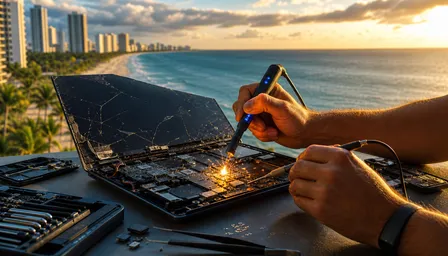
MacBook Trackpad Not Clicking? Repair Options 2026
Listen to this article
TL;DR: If your MacBook trackpad not clicking problem showed up suddenly, plan on 10 to 20 minutes of safe diagnosis before you start blaming macOS like it stole your lunch money. Software settings can cause weird behavior, sure, but a swollen battery pushing against the trackpad is the big ugly warning sign you do not ignore.
Back in my day, a mouse had a ball in it and collected enough desk grime to start a compost pile. Now your MacBook has a glass Force Touch trackpad that pretends to click using motors and sensors. Fancy? Yes. Magical? No. When the click stops working, something physical, electrical, or software-related is usually hollering for attention.
What you'll need
Before you go prying anything open with a steak knife (do not do that), gather the boring stuff that keeps you from making a small problem expensive.
- Skill level: Beginner for software checks, intermediate for visual inspection, professional for opening modern MacBooks.
- Time: About 10 to 20 minutes for diagnosis, longer if hardware repair is needed.
- Tools: External mouse, clean microfiber cloth, flashlight, charger, and a calm brain. That last one is optional for some folks, apparently.
- Helpful extras: Recent backup, Apple Diagnostics instructions, and a repair shop you trust before panic-shopping parts online.
If you suspect a swollen battery trackpad issue, do not press harder, do not keep charging it overnight, and do not stick it in a hot car while you think about it. Florida heat and lithium batteries get along about as well as a VCR and a peanut butter sandwich.
Step 1: Confirm the MacBook trackpad not clicking problem
First, figure out what kind of failure you actually have. People say "not clicking" when they mean three different things: the trackpad does not physically move, the cursor will not respond, or Tap to Click stopped working. Those are not the same problem. That is like telling the mechanic "the car is broken" and expecting him to smell the transmission fluid from across town.
What to do
Connect an external mouse. Move the pointer, click around, and open System Settings > Trackpad. Test regular clicking, Tap to Click, secondary click, tracking speed, and Force Click if your Mac supports it. Clean the trackpad with a dry microfiber cloth. No glass cleaner, no mystery spray, no rubbing it like you are trying to polish a 1980s CRT.
Why it matters
If the external mouse works fine, the Mac itself is probably responding and the issue is local to the trackpad system. If both the built-in trackpad and external mouse act strange, you may have a frozen app, overloaded system, Bluetooth weirdness, or deeper macOS trouble.
Success looks like
You can describe the failure clearly: no physical click, no cursor movement, intermittent click, or settings confusion. That one sentence saves time and money during MacBook trackpad repair.
Step 2: Check for swollen battery trackpad warning signs
Look, I am not going to sugarcoat this. A swollen battery pushing up on the trackpad is one of the most misdiagnosed MacBook problems I see in repair conversations all the time. Folks assume it is a software glitch because the pointer still moves. Meanwhile, the battery is puffing up under the deck like bread dough in a hot kitchen.
What to do
Shut the MacBook down. Unplug it. Set it on a flat table and look from the side. Does the bottom case sit unevenly? Is the trackpad raised, stiff, tilted, or harder to click near one edge? Does the lid not close quite right? Do you see a gap near the bottom cover? If yes, stop testing and stop charging.
Why it matters
MacBook batteries sit close to the trackpad in many models. When the battery swells, it can press upward and block the click mechanism or sensor area. In Palm Beach County, heat and humidity do not help. Leaving a MacBook in a car in West Palm Beach, Lake Worth Beach, Delray Beach, Jupiter, or Boca Raton can speed up battery stress. Lithium batteries do not enjoy Florida summer temperatures. Nobody does, but batteries are worse at complaining safely.
Success looks like
If the case is perfectly flat and the trackpad surface is level, swelling is less likely. If you see lifting or pressure, the successful diagnosis is simple: stop using it and get it inspected. That is not drama. That is safety.
Step 3: Rule out macOS settings, Tap to Click, and Force Click confusion
Now we check the boring software stuff. Boring is good. Boring is cheap. Back in the Windows XP days, half the repair counter was people who had unchecked one box and then acted like the computer had become haunted. Macs are cleaner than that, but settings still cause mischief.
What to do
Go to System Settings > Trackpad. Turn Tap to Click on and off. Adjust tracking speed. If your model supports Force Click and haptic feedback, toggle those settings and test again. Restart the MacBook afterward. Also check whether an external Bluetooth mouse, drawing tablet, or accessibility setting is changing pointer behavior.
If the trackpad responds but the physical click feels dead, remember that many modern MacBook models use Force Touch. The trackpad surface may not actually depress like an old button. It creates a click feeling using haptic feedback. When that system fails, users describe it as a force touch trackpad failure because the "click" illusion disappears. That is not you imagining things. Apple made the microwave beep into a philosophy.
Why it matters
Settings problems are safe to test and cost nothing. They also help separate a software issue from a hardware issue before someone sells you a trackpad you do not need.
Success looks like
If toggling settings brings back normal clicking, you are done. If the click remains stiff, dead, or uneven, move on.
Step 4: Restart, update, and reset the controller logic safely
Do not start with a screwdriver. Start with a restart. I know, I know. "Have you tried turning it off and on again?" sounds like lazy advice until it fixes the thing. Computers are tiny bureaucracies. Sometimes a restart makes the clerks stamp the right forms again.
What to do
Restart the MacBook normally. If your cursor barely works, use an external mouse or keyboard shortcuts. Install available macOS updates for your supported version, including macOS Sequoia if your Mac supports it. For Intel-based MacBooks, an SMC reset may help with trackpad, power, charging, and sleep issues. For Apple silicon MacBooks, shutting down, waiting, and starting back up handles many controller-level resets automatically.
You can also run Apple Diagnostics. Apple keeps official instructions here: Apple Diagnostics for Mac. Follow the model-specific startup steps, then note any reference codes. Do not treat a clean diagnostic result as a royal pardon. Diagnostics can miss intermittent flex cable issues or early battery swelling.
Why it matters
The trackpad talks to the system through firmware, controllers, and internal connectors. Corruption or stuck power-management behavior can make an Apple trackpad not responding problem appear out of nowhere.
Success looks like
After restart, update, or reset, the click returns and stays consistent. If it works for five minutes then fails again, you still have work to do.
Step 5: Inspect for flex cable damage and liquid history
Modern MacBooks use internal flex cables that are thin, flat, and about as forgiving as cassette tape after your little cousin pulled it out of the shell. If a cable is torn, kinked, corroded, or partially disconnected, the trackpad can stop clicking, stop moving the pointer, or behave like it had three cups of gas station coffee.
What to do
Think about recent events. Did the MacBook get dropped? Did someone spill coffee, wine, or that sticky energy drink nonsense near the keyboard? Did a repair happen recently? Did the bottom case take a hit? You do not need to open the machine to answer those questions. If there was liquid, power it down and do not keep testing. If you need files urgently, ask about Mac data recovery options before repeated power cycles make things worse.
Look around the trackpad edges for residue, uneven gaps, or crunchy movement. Try clicking all four corners. A flex cable or connector problem may cause total failure, intermittent failure, or one section of the pad acting different from the rest.
Why it matters
The trackpad itself is not always the bad part. Sometimes the cable or connector is the culprit. Replacing the wrong part is how repair bills get fat.
Success looks like
You identify a possible event tied to the failure. Drop, spill, recent repair, or case pressure points toward hardware diagnosis.
Step 6: Decide whether a DIY MacBook trackpad fix is safe
There is a time for DIY. Replacing a desktop mouse? Sure. Cleaning a keyboard? Fine. Opening a modern MacBook with a suspected swollen battery? That is how people turn a repair into a campfire story. Back in my day, you could swap parts in a beige tower with a Phillips screwdriver and a sandwich. These newer machines are glued, clipped, layered, and designed with the patience of a watchmaker.
What to do
Keep DIY to software settings, restarts, external mouse testing, cleaning, and visual inspection. Do not puncture, press, bend, or remove a swollen battery. Do not order the cheapest trackpad from a random marketplace and hope. Do not keep charging a machine that is bulging. If your click feels mechanically blocked, treat it as hardware until proven otherwise.
If you are comfortable with electronics but unsure, use remote Mac support for software troubleshooting first. Remote help can verify settings, updates, and diagnostics without pretending it can magically fix a battery through Wi-Fi. I wish it could. I would have retired next to a very quiet lake by now.
Why it matters
A safe DIY check can save you a visit. Unsafe DIY can damage the battery, trackpad, keyboard, logic board, or your fingers.
Success looks like
You know whether this is software-safe or hardware-risky. If swelling, liquid, or physical damage is involved, you stop poking and call someone with proper tools.
Step 7: Compare repair options and 2026 cost factors
Once you know the likely cause, pick the repair path that matches the problem. You do not need the newest thing. You need the thing that works. A MacBook click not working issue may need a battery replacement, trackpad replacement, flex cable repair, connector service, cleaning after liquid exposure, or just settings correction.
What to do
Ask any shop what they are diagnosing before they quote parts. If they immediately say "new trackpad" without checking the battery, flex cable, and settings, raise an eyebrow. Maybe both eyebrows. In 2026, parts pricing can be touchy because component availability and tariff-driven cost changes affect consumer electronics repairs. That does not mean every repair should cost a fortune. It means diagnosis matters more than guesswork.
For Palm Beach County customers, local same-day diagnosis can beat waiting around for an Apple Store appointment, especially if the Mac is your work machine. Fix My PC Store helps with MacBook and laptop computer repair in West Palm Beach, including trackpad-related hardware checks. If pop-ups, redirects, or suspicious software are also causing input weirdness, we can separate that from hardware through Mac malware and virus removal service. Yes, Macs can get junk software. No, buying three cleaner apps is not a personality trait.
Why it matters
The right repair fixes the root cause. The wrong repair replaces shiny parts while the swollen battery keeps pushing underneath like an angry microwave door.
Success looks like
You receive a clear diagnosis, a sensible quote, and a repair plan that explains the cause, not just the symptom.
Common pitfalls / troubleshooting
Do not press harder. If the trackpad is physically blocked, forcing it can crack internal parts or add pressure to a swollen battery. A MacBook is not an old TV. Smacking it on the side is not a troubleshooting method, even if it worked once in 1987.
Do not assume it is always software. Software glitches happen, but a stiff or raised trackpad is usually hardware. If the bottom case is bulging, treat the device like a battery safety issue.
Do not ignore heat. Florida heat makes marginal batteries worse. If you suspect swelling, shut down the MacBook, unplug it, keep it on a nonflammable surface, and do not leave it in a hot car. Apple has battery service guidance at Apple Mac repair and service, and a qualified local shop can inspect it safely too.
Do not buy random parts first. The trackpad may not be the failed part. A flex cable, connector, battery, or controller issue can mimic trackpad failure. Guessing with parts is like changing all four tires because the gas gauge is empty.
Do not forget your data. If the MacBook still turns on, back up important files before repair when safe. If it smells hot, swells, or shows liquid damage, stop and ask for help. If you do not have a backup, you do not have data. You are just borrowing it.
For more detail on the diagnosis side, read our related guide: MacBook Trackpad Not Clicking? Diagnosis & Repair Guide 2026. If you are tempted to crack open another Apple device yourself, this warning applies there too: Cracked iPad Screen: DIY Risks vs. Pro Repair Results.
When to call a pro
Call a professional when the trackpad is raised, the bottom case bulges, the click is physically stuck, liquid was involved, the MacBook was dropped, or the external mouse works while the built-in trackpad fails. Also call if you ran the software checks and nothing changed. That is the point where guessing turns into billable regret.
Here in Palm Beach County, we help customers from West Palm Beach, Palm Beach Gardens, Lake Worth Beach, Wellington, Royal Palm Beach, Delray Beach, Boca Raton, and nearby areas figure out whether the problem is a swollen battery, damaged flex cable, Force Touch failure, or software confusion. A good repair visit should answer three things: what failed, why it failed, and what it costs to fix properly.
And if the battery is swollen, do not wait around for the machine to get worse. Batteries are not like old car tires where you can say, "I will get another week out of it." A swollen lithium battery deserves immediate attention, especially in Florida heat. Bring it in, have it inspected, and stop gambling with a laptop that is literally changing shape.
Need Expert Computer Support?
Get professional help from Palm Beach County's trusted computer repair specialists.
Get Help Today