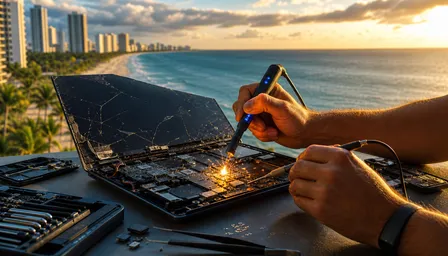
MacBook Trackpad Not Clicking? Diagnosis & Repair Guide 2026
Listen to this article
TL;DR: A MacBook trackpad that stops clicking is almost never just bad luck - it has a specific cause, and most of them are diagnosable in under 30 minutes. This guide walks you through every major culprit (yes, including that sneaky swollen battery), the software fixes that are safe to try yourself, and the clear warning signs that mean it is time to stop poking around and call a pro. Budget about 20-30 minutes for the DIY triage steps.
Look, I fix mobile devices and laptops for a living. I have seen MacBooks come in with cracked screens, liquid damage, keyboards that look like they hosted a full dinner party, and trackpads so swollen they could pass for a speed bump. And I will tell you right now - a MacBook trackpad not clicking is one of the most misdiagnosed issues I see. People spend hours reinstalling macOS when the real problem is a battery that looks like it swallowed a sandwich. Let me save you that headache.
What You Will Need Before You Start
- Your MacBook (obviously) and a power adapter
- Skill level: Beginner to intermediate for software steps; hardware inspection is read-only - no tools required for diagnosis
- macOS Sequoia or your current macOS version - make sure you know which version you are running
- A backup - seriously, before you do anything, back up your data. Use Time Machine or iCloud. Our data recovery team is good, but let's not make their job necessary, okay?
- A flat, hard surface to place the MacBook on during physical inspection
- About 20-30 minutes of uninterrupted time
- An external USB or Bluetooth mouse (optional but helpful if the trackpad is completely unresponsive)
Hardware tools like screwdrivers are NOT recommended for DIY users. If the diagnosis points to internal hardware, stop and bring it in. More on that below.
Step 1: Understand the Real Causes of MacBook Trackpad Not Clicking
Before you fix anything, you need to know what you are actually dealing with. There are four main reasons a MacBook trackpad stops clicking, and they are not all created equal.
Swollen Battery Pressing Against the Trackpad
This is the big one. On most MacBook models, the battery sits directly below the trackpad. When a lithium battery starts to degrade and swell - and trust me, Florida heat absolutely accelerates this process - it pushes upward against the trackpad from below. The trackpad physically cannot travel down to register a click. This is not a software problem. This is a physical obstruction caused by a battery that is slowly turning into a pillow. And a swollen lithium battery is not just an inconvenience - it is a safety hazard. I see this all the time in Palm Beach County, where the heat and humidity put extra stress on laptop batteries year-round.
Force Touch Sensor Failure
Modern MacBooks use Force Touch trackpads, which simulate a physical click using haptic feedback rather than a traditional mechanical hinge. If the Force Touch sensor or the Taptic Engine fails, you lose that simulated click entirely. The trackpad surface may still move your cursor just fine, but clicking feels like pressing on a dead button.
Liquid Intrusion
Even a small amount of liquid - a coffee splash, a humid environment, or one of South Florida's legendary afternoon thunderstorms condensing on a cold laptop surface - can corrode the trackpad flex cable or the connector board underneath. Liquid damage is sneaky. It does not always show up immediately.
Software Miscalibration
Sometimes macOS updates shift trackpad settings, corrupt preference files, or confuse the System Management Controller. This is the best-case scenario because it is usually fixable without opening the laptop at all.
Step 2: Do the Physical Inspection First - Check for a Swollen Battery
I know everyone wants to jump straight to software fixes. Resist that urge. If your MacBook has a swollen battery, no software fix on earth will restore your trackpad click - and continuing to use a swollen battery laptop is genuinely dangerous.
How to Check for Battery Swelling Without Opening the Laptop
Place your MacBook on a flat, hard surface like a desk or table. Gently try to press down on the center of the trackpad. If it feels unusually stiff or like something is pushing back from underneath, that is a red flag. Now look at the bottom of the MacBook. If the casing is slightly bowed or the rubber feet on the bottom are not sitting flush with the surface, that is a very strong indicator of battery swelling. You can also try spinning the MacBook like a top on a flat surface - if it spins freely, the bottom is not flat, which often means swelling. If any of these signs are present, stop here. Do not charge the laptop. Do not try software fixes. Bring it in for professional MacBook repair immediately.
According to Apple's official MacBook battery service information, a swollen battery should be treated as a safety issue requiring immediate professional service.
What Success Looks Like
If the bottom sits perfectly flat, there is no bowing, and the trackpad surface does not feel physically blocked, you can rule out swelling and move on to software diagnosis.
Step 3: Run Apple Diagnostics to Check for Hardware Failures
Apple built a diagnostic tool directly into every Mac, and it is genuinely useful. This is one of those situations where the built-in tools actually earn their keep.
How to Run Apple Diagnostics
For Macs with Apple Silicon (M1, M2, M3, M4 series and their Pro and Max variants): Shut down the MacBook completely. Hold the power button until you see the startup options screen, then hold Command + D to launch diagnostics. For Intel-based MacBooks: Restart the laptop and immediately hold the D key until the diagnostics screen appears. The test takes a few minutes. When it finishes, you will see reference codes if hardware issues are detected. Any code beginning with PPT relates to the battery. Codes referencing the trackpad or input devices indicate a hardware-level problem that software will not solve.
Check the Apple Diagnostics guide on Apple Support for a full list of reference codes and what they mean.
What Success Looks Like
If diagnostics come back clean with no error codes, the hardware is likely intact and you are dealing with a software issue. If error codes appear, document them and bring them to your repair technician - they are extremely helpful for diagnosis.
Step 4: Reset Trackpad Preferences and Delete Corrupted PLIST Files
PLIST files are preference files that macOS uses to remember your settings. They can get corrupted after an update or a forced shutdown, and a corrupted trackpad PLIST can cause all kinds of weird behavior including a non-responsive click.
How to Delete the Trackpad PLIST Files
Open Finder and press Command + Shift + G to open the Go To Folder dialog. Type ~/Library/Preferences/ and press Enter. Look for files named com.apple.AppleMultitouchTrackpad.plist and com.apple.driver.AppleBluetoothMultitouch.trackpad.plist. Move both files to the Trash. Restart your MacBook. macOS will regenerate these files fresh on startup. This takes about two minutes and has zero risk of data loss.
What Success Looks Like
After restart, your trackpad click should respond normally. If it does, you were dealing with a corrupted preference file - the most painless possible diagnosis. If nothing changes, move to the next step.
Step 5: Check and Adjust Trackpad Settings in System Settings
Sometimes the fix is embarrassingly simple. macOS has a setting called Force Click and haptic feedback under trackpad settings, and if this gets toggled off or misconfigured, the trackpad can feel completely dead for clicks even though nothing is actually broken.
How to Check Trackpad Settings
Open System Settings (or System Preferences on older macOS versions), then navigate to Trackpad. Make sure Force Click and haptic feedback is enabled. While you are there, check the Click sensitivity slider - if it is set to the firmest setting, it may require more pressure than you expect. Try adjusting it to Medium. Also look at the Tap to Click option. Enabling this lets you tap instead of press, which works around a failed physical click mechanism while you figure out the root cause.
What Success Looks Like
Enabling Tap to Click and adjusting sensitivity restores usable trackpad function. If Force Click was simply disabled, re-enabling it may restore full click behavior immediately.
Step 6: Reset the SMC - The MacBook's Hardware Brain
The System Management Controller handles a surprising range of hardware functions on a MacBook, including power management, thermal management, and yes - trackpad behavior. Resetting it is the Mac equivalent of the classic tech support advice to turn it off and on again, except it actually has a specific technical effect.
How to Reset the SMC
For Apple Silicon Macs (M1 through M4 series): There is no manual SMC reset. Simply shut down the MacBook completely, wait 30 seconds, and restart. Apple Silicon manages these functions automatically. For Intel MacBooks with a T2 chip: Shut down. Hold Control + Option + Shift on the left side of the keyboard for seven seconds, then add the Power button and hold all four for another seven seconds. Release, wait a few seconds, then press Power to start up normally. For older Intel MacBooks without T2: Shut down, then hold Shift + Control + Option + Power for ten seconds, release, and restart.
What Success Looks Like
After the SMC reset, the trackpad click returns to normal function. This works more often than people expect, especially after power-related events or macOS updates that nudged hardware settings out of alignment.
Step 7: Reset NVRAM and Update macOS
NVRAM stores certain system settings that persist across restarts. Corrupted NVRAM can cause input device weirdness. Resetting it is quick and harmless.
How to Reset NVRAM
For Intel Macs: Restart and immediately hold Command + Option + P + R for about 20 seconds until you hear the startup chime twice (or see the Apple logo appear and disappear twice on newer models). For Apple Silicon Macs: NVRAM resets automatically during normal startup; no manual reset is needed.
Update macOS While You Are At It
Go to System Settings, then General, then Software Update. If an update is available, install it. Apple frequently pushes firmware and driver fixes in minor updates that directly address trackpad behavior. Running macOS Sequoia on a supported machine gives you the best chance of having all known software-side trackpad bugs patched. This is also a good time to check if the issue started right after a recent update - if so, mention that to your technician, because it is a useful diagnostic clue.
What Success Looks Like
Post-update, the trackpad click behavior normalizes. If a macOS update caused the issue, Apple often patches it in the next point release.
Common Pitfalls and Troubleshooting
Do Not Put It in Rice
I know, I know. My flip phone collection is judging everyone who has ever put a device in rice. Rice does not fix liquid damage inside a laptop. It does not absorb moisture from internal components. It just makes you feel like you did something while corrosion continues to do its thing. If you suspect liquid intrusion, bring it in for professional cleaning and inspection.
Do Not Force the Trackpad
If the trackpad feels physically stiff or blocked, pressing harder is not the answer. If a swollen battery is underneath, forcing the trackpad down can puncture the battery. That is a very bad day for everyone involved.
Do Not Assume It Is Always Software
The guides that list eleven software fixes and bury the hardware causes at the bottom are doing you a disservice. In my experience at Fix My PC Store, the majority of MacBook trackpads that stop clicking have a physical cause - usually battery swelling. Always rule out hardware first.
Do Not Ignore the Warning Signs
If your MacBook is running unusually hot, the battery is draining faster than normal, or the laptop bottom feels warm even when idle, those are battery health warning signs. Combine that with a trackpad that is getting stiffer over time, and you have a swollen battery situation developing. Do not wait until it fails completely.
When to Call a Pro - And Why Palm Beach County Owners Should Not Wait
Here is the honest truth: if you have worked through every step above and the MacBook trackpad is still not clicking, or if you spotted any physical signs of battery swelling in Step 2, it is time to stop DIY-ing and bring it in. This is not a defeat. This is knowing when a problem requires proper tools, parts, and experience.
Here is something the big-box competitors will not tell you: Apple's out-of-warranty pricing for trackpad and battery service can run $400 to $600 or more depending on your MacBook model. At Fix My PC Store in West Palm Beach, our pricing is significantly more competitive, and we give you a clear quote before any work starts. No surprises.
And here is the Florida-specific reality that none of the generic guides address: South Florida's heat and humidity genuinely accelerate battery degradation compared to cooler, drier climates. If you are a college student at FAU or Palm Beach Atlantic, a remote worker grinding through the summer, or anyone who has owned their MacBook for three or more years in Palm Beach County, your battery is working harder than it would be in, say, Denver. Annual hardware checkups are genuinely worth it here.
The other thing worth knowing: Apple Store appointments in the South Florida metro area can mean waiting several days just to get seen. We offer same-day and next-day turnaround on most MacBook trackpad and battery repairs. When your laptop is your work machine, that difference matters enormously.
If you are curious about how hardware diagnostics work across different laptop platforms, our coverage of Snapdragon X Elite Laptop Repair in 2026 gives you a good look at how modern hardware diagnosis has evolved. And if your MacBook has been running hot alongside the trackpad issues, our Thermal Paste Replacement: Hot PC Fix Guide explains how thermal management ties into overall hardware health - it is more connected than you might think.
Our professional MacBook repair service covers everything from Force Touch trackpad replacement to battery swaps, liquid damage cleaning, and full hardware diagnostics. If you are not sure what you are dealing with, our remote support team can help you walk through the software steps and assess whether an in-person visit is needed before you drive anywhere.
MacBook Trackpad Giving You Grief?
Get same-day MacBook diagnosis and repair from Palm Beach County's trusted Apple hardware specialists at Fix My PC Store in West Palm Beach.
Get Help Today