Cracked iPad Screen: DIY Risks vs. Pro Repair Results
Listen to this article
TL;DR: If your iPad screen is cracked, skip the DIY kit and get it professionally repaired. The layers inside an iPad display are fragile, tightly bonded, and genuinely unforgiving of amateur attempts. Professional repair at a local shop like Fix My PC Store in Palm Beach County costs less than Apple's service, gets done same-day, and actually fixes the problem without creating three new ones.
At a Glance: DIY Repair vs. Professional iPad Screen Repair
| Factor | DIY Repair Kit | Professional Repair (Fix My PC Store) | Apple Official Service |
|---|---|---|---|
| Cost | $30-$80 (plus risk of further damage) | $80-$280 depending on model | $149-$599+ out of warranty |
| Turnaround Time | Hours to days (if it works) | Same-day, often a few hours | 3-5 business days minimum |
| Risk Level | High - flex cable tears, battery damage, LCD failure | Low - trained technicians with proper tools | Low - but expensive and slow |
| Parts Quality | Aftermarket, variable quality | Quality replacement parts with warranty | Apple genuine parts |
| Warranty on Repair | None | Yes | Yes |
| Convenience (Palm Beach) | You're on your own | Local, walk-in, same-day | Nearest Apple Store may require a drive |
What Is Actually Broken in Your Cracked iPad Screen
Here's something most people don't realize until it's too late: "the screen" on your iPad is not one thing. It's a layered assembly, and which layers are damaged completely changes the cost, complexity, and approach to repair. I see this all the time - someone comes in thinking they just cracked the glass, and we discover the damage goes deeper.
Layer 1: The Outer Glass
This is the hard protective surface you touch every day. When you drop your iPad face-down on a tile floor (we've all been there), this is usually what shatters. Cracks in the outer glass can range from a single hairline fracture to a full-on spider web that looks like modern art. The glass itself does not control touch input - that's the next layer's job.
Layer 2: The Digitizer
The digitizer is the invisible touch sensor bonded to the underside of the glass. It's what translates your finger taps into commands. On most current iPad models, the glass and digitizer are fused together into one bonded unit - which means if the glass is cracked badly enough, the digitizer is compromised too. Signs of digitizer damage include ghost touches, unresponsive areas on the screen, or sections of the display that simply stop registering input. This is where ipad digitizer replacement becomes part of the conversation.
Layer 3: The LCD Panel
The LCD (liquid crystal display) is the actual image-producing layer underneath everything else. When you see dark blotches, ink-like spreading, lines across the screen, or a completely black display after a drop, that's LCD damage. This is the most expensive layer to replace, and it's also the most commonly damaged by - you guessed it - people attempting DIY repairs without the right tools. One slip of a pry tool and your $100 glass repair becomes a $250 LCD replacement.
For newer iPad Pro models with OLED displays, the stakes are even higher. OLED panels are significantly more expensive to replace than traditional LCD assemblies, which is worth factoring into your repair-vs-replace math.
DIY iPad Screen Repair: What the Kit Sellers Don't Tell You
Look, I get it. You see a $35 screen repair kit on a popular retail site and think "how hard can it be?" I have seen the aftermath of that thought process more times than I can count. Let me save you a headache - and possibly a lot of money.
The Adhesive Problem
Apple uses industrial-strength adhesive to bond the screen assembly to the iPad chassis. Removing it safely requires a heat gun or professional heat mat to soften the adhesive evenly. Too little heat and you're prying against a bond that doesn't want to budge. Too much heat and you risk warping the frame, damaging internal components, or - in a worst-case scenario - causing the battery to swell. The little "opening picks" in a $35 kit are not remotely up to this task.
Flex Cable Nightmares
Inside your iPad, thin ribbon-like flex cables connect the display assembly to the logic board. These cables are short, fragile, and positioned right where your pry tool is going to be working. Tearing a flex cable during a DIY repair is incredibly common and turns a screen repair into a much more expensive logic board or cable replacement job. Professional technicians know exactly where these cables run on each iPad model and work around them deliberately.
The Florida Heat Factor - A Risk Your DIY Guide Ignores
Here's something that national repair guides completely skip over, and it matters a lot if you're in South Florida. Our heat and humidity are genuinely brutal on cracked screens. Once the outer glass is compromised, moisture from Florida's humid air starts working its way into the digitizer layer. This causes touch sensitivity failures that seem to appear out of nowhere - your iPad starts registering phantom touches or dead zones days after the initial crack.
Even worse, the adhesive holding your screen assembly softens significantly in extreme heat. Leave a cracked iPad on your car seat in a West Palm Beach parking lot in the summer, and you may come back to find the screen has started to delaminate - the layers physically separating from each other. This is a region-specific risk that makes quick professional repair even more important for Palm Beach County residents than it might be for someone in, say, Minnesota.
Aftermarket Parts and Display Quality
The parts in most DIY kits are aftermarket components that vary wildly in quality. You might get a screen that works fine for six months, or you might get one with washed-out colors, poor touch sensitivity, or a brightness that makes your eyes water. iFixit's repairability scores for iPad models make it clear that even with the right tools, iPad repairs are rated as genuinely difficult - and that's from a site that enthusiastically supports DIY repair.
Professional iPad Screen Repair: What the Process Actually Looks Like
A professional iPad screen repair at Fix My PC Store is not some mysterious black-box process. Here's what actually happens when you bring your cracked tablet in.
Diagnosis First
A technician examines the damage to determine which layers are affected. This matters because glass-only damage and full LCD assembly damage have different repair approaches and costs. We check for touch responsiveness, LCD integrity, and any signs of internal damage before quoting a price. No surprises.
Safe Disassembly with Proper Tools
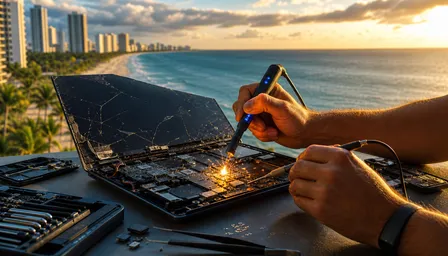
Professional shops use calibrated heat mats to soften adhesive evenly, precision suction cups, and model-specific opening tools. Technicians who work on iPads regularly know the exact location of every flex cable and connector for every model - knowledge that takes time and repetition to build, not a YouTube video to acquire.
Digitizer-Only vs. Full LCD Assembly Replacement
This is a cost-saving distinction that matters a lot for budget-conscious customers, including the many small business owners and school tablet users we see in Palm Beach County. If your LCD is intact and only the glass and digitizer are damaged, a skilled technician can sometimes perform a digitizer-only replacement rather than swapping the entire display assembly. This is more labor-intensive but can reduce parts costs significantly. It requires proper equipment to separate the bonded layers safely - something no $35 kit can accomplish. Ask your repair technician whether your specific model and damage level qualifies for this approach.
Testing Before You Leave
A quality repair shop tests touch sensitivity across the entire display, checks LCD uniformity, verifies brightness levels, and confirms all functions work before handing your iPad back. That's the difference between a professional repair and hoping for the best.
What to Do Immediately After Cracking Your iPad Screen
Before you bring your iPad in for repair, here's the immediate action plan - especially important in our Florida climate.
Back Up Your Data Right Now
Seriously. Do this before anything else. Enable iCloud backup or connect to a computer for a local backup. A cracked screen can fail completely with the next tap, the next drop, or the next time it sits in a hot car. If your touch still works, use it while you can. Data loss on top of a cracked screen is a genuinely miserable combination.
Stabilize the Crack Temporarily
Apply a piece of clear packing tape over the cracked area. This serves two purposes: it keeps glass fragments from further separating (and from cutting your fingers), and it slows moisture intrusion - which, again, is a real concern in South Florida's humidity. This is a temporary measure only. It is not a repair.
Avoid Charging if You See LCD Damage
If you notice dark spreading blotches, ink-like stains, or complete blackout areas on the screen near the crack, avoid charging the device until it's been inspected. This type of visual damage can sometimes indicate that the crack has reached internal components, and charging a compromised device introduces unnecessary risk.
Head-to-Head Verdict: DIY vs. Pro vs. Apple Service
DIY Repair Kit
Performance: Inconsistent. Works occasionally on older, simpler models with minor damage. Fails more often than it succeeds on current iPads.
Reliability: Low. Aftermarket parts, no warranty, high risk of creating additional damage.
Price: Lowest upfront, but hidden costs when things go wrong are substantial.
Best for: Honestly? Almost no one. Maybe someone with electronics repair experience working on an old iPad that's already nearly worthless.
Professional Local Repair (Fix My PC Store)
Performance: Excellent. Trained technicians, proper tools, quality parts, full testing.
Reliability: High. Warranty on repairs, same-day service, diagnosis before pricing.
Price: Mid-range. Significantly less than Apple's out-of-warranty pricing in most cases.
Best for: The vast majority of iPad owners in Palm Beach County who want their device fixed correctly, quickly, and affordably.
Apple Official Service
Performance: Excellent. Genuine Apple parts, certified technicians.
Reliability: High. Apple warranty on repairs.
Price: Highest. Out-of-warranty iPad screen repairs through Apple range from $149 to over $599 depending on the model. Apple's official iPad repair pricing page lists current rates, but prepare yourself.
Best for: Devices still under AppleCare+ where the service fee makes financial sense, or users who specifically require Apple-certified parts for warranty or enterprise compliance reasons.
Tablet Screen Repair Cost: When Repair Makes Sense vs. Replacement
Here's the honest math. If your iPad is a current model (iPad 10th generation, iPad Air, iPad mini 6, or any iPad Pro) and is otherwise functioning well, repair almost always makes financial sense. These devices hold their value and cost significantly more to replace than to fix.
If your iPad is more than five years old and showing other signs of aging - slow performance, degraded battery, outdated iOS support - the repair-vs-replace calculation shifts. A cracked screen on an old iPad that Apple no longer supports with software updates might not be worth a $200 repair investment. In that scenario, we'll tell you honestly rather than take your money.
For small business owners and schools in Palm Beach County managing multiple tablets, the economics are even clearer. Repairing a fleet of iPads professionally at $100-$150 per device beats replacing them at $400-$800 each. This is a conversation we have regularly with local businesses who bring us their device fleets for smart device repair.
Who Should Choose What
Choose Professional Local Repair If...
Your iPad is a current or recent model. The LCD shows any damage. You rely on the device for work, school, or daily use. You're in Palm Beach County and want same-day service. You want a warranty on the repair. You've looked at the inside of an iPad and thought "absolutely not."
Consider Apple Service If...
You have AppleCare+ and the service fee is low. Your device needs Apple-certified parts for enterprise or insurance compliance. You have time to wait 3-5 business days without your iPad.
Consider DIY Only If...
You have genuine electronics repair experience. Your iPad is old enough that its replacement value is under $100. You have access to a proper heat mat and professional opening tools. You understand that you might make things worse and you're okay with that outcome.
While you're thinking about device maintenance, it's worth knowing that the same careful approach applies to other devices too. Our team handles everything from iPhone screen and battery repairs to Samsung tablet and phone repairs - all with the same same-day turnaround that makes a real difference when you need your device back fast.
And if you're the type who likes to understand device repair at a deeper level, we've covered similar repair-vs-professional debates in our guide on MacBook Trackpad Not Clicking: Diagnosis and Repair Guide 2026 - the same principle applies: knowing when to hand it to a professional saves you time, money, and frustration.
Final Recommendation
Cracked iPad screens are one of the most common repairs we handle at Fix My PC Store, and the verdict is consistent: professional repair wins on every meaningful metric except upfront sticker price of the DIY kit - and even that advantage disappears the moment something goes wrong during a home repair attempt.
The layers inside an iPad display are precision components bonded with industrial adhesive. Florida's heat and humidity make a cracked screen more urgent, not less. And the same-day turnaround at a local Palm Beach County repair shop beats Apple's 3-5 day wait without even breaking a sweat.
Back up your data, tape over the crack, and bring it in. We'll have it sorted.
Need Expert Mobile Device Repair?
Get professional iPhone, iPad, and Samsung repair from Palm Beach County's trusted mobile device specialists.
Get Device Help