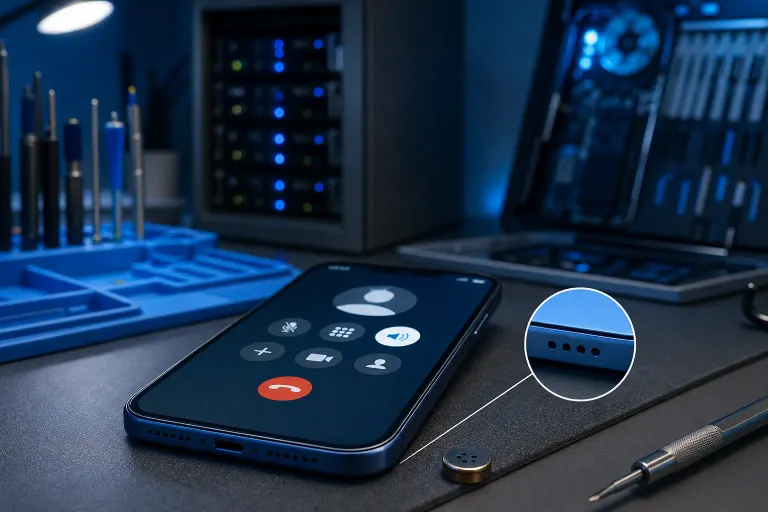
Phone Microphone Not Working on Calls but Fine on Speaker: Why
TL;DR: Most phones have two or three microphones. Regular calls use the bottom mic. Speakerphone often switches to a different one. If only one mic is blocked, damaged, or failed, that explains exactly this symptom. Work through the steps below before assuming you need a new phone.
What you need
- A soft toothbrush or dry toothpick
- A voice recorder app (built into most phones)
- A second phone or someone to call
- Good lighting so you can actually see the mic holes
Step 1: Understand which mic does what
Bottom mic: sits near the charging port. This is the primary mic for regular phone calls when you hold the phone to your ear.
Top or rear mic: used for speakerphone, video recording, and sometimes noise cancellation. On many Android phones this is on the back. On iPhones it can be near the rear camera.
So if speakerphone sounds fine to the other person but a regular call does not, the bottom mic is the suspect. Almost every time.
Step 2: Inspect the mic port physically
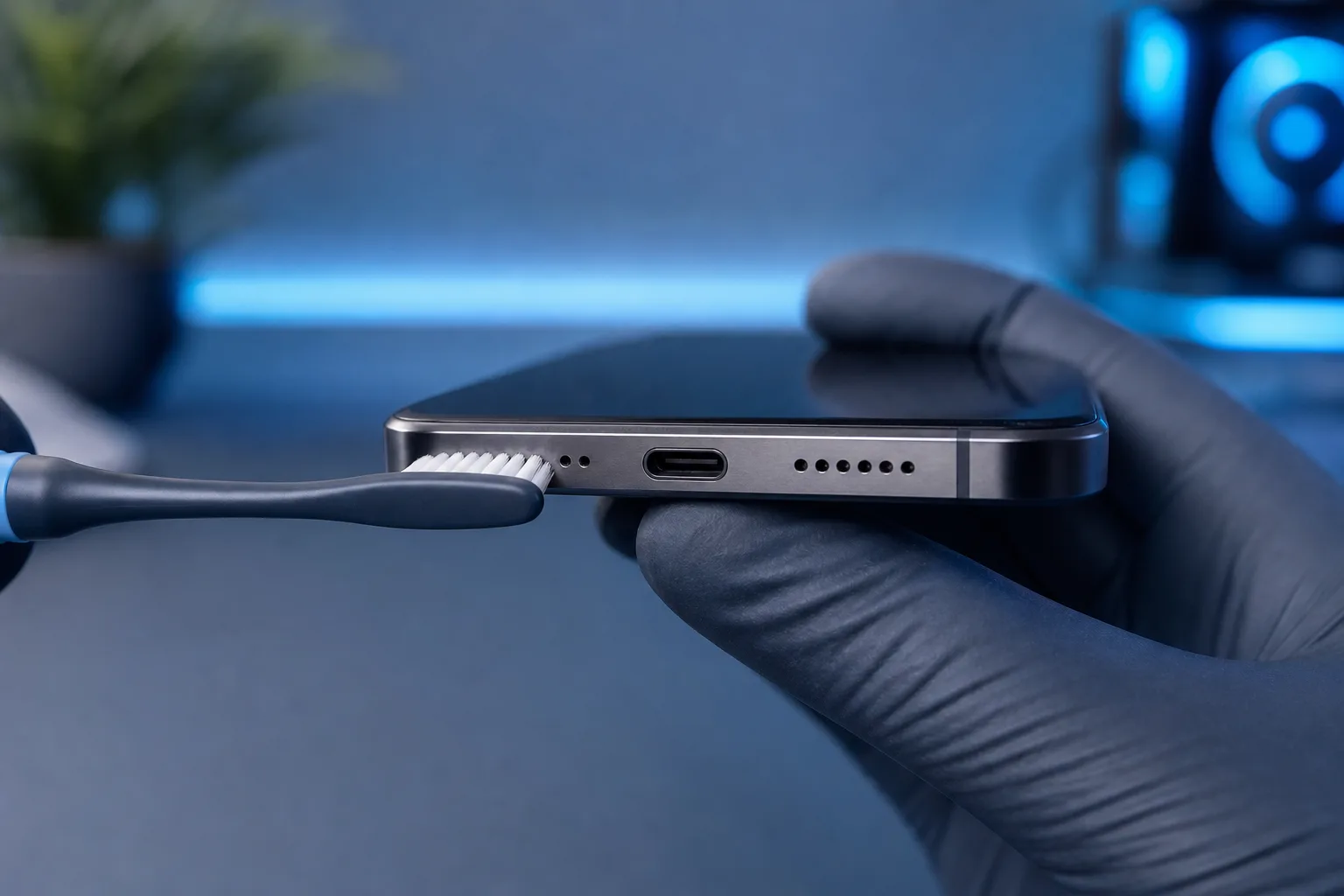
Look at the bottom of your phone near the charging port. There is a small pinhole or a row of tiny holes. That is your call mic.
Lint, debris, and pocket gunk pack into those holes surprisingly fast, especially in South Florida humidity. The blockage acts like a physical mute button.
Take a dry toothbrush and gently brush across the holes. Do not blow compressed air directly into it at high pressure. Do not poke anything metal in there. A soft bristle brush dislodging surface debris is enough in many cases.
Step 3: Test with the voice recorder app
Open your built-in voice recorder (or any free recording app). Hold the phone normally, bottom mic close to your mouth. Record ten seconds of speech. Play it back through the speaker.
If the recording sounds clear, the hardware mic is probably fine and the problem is software or call-routing. If the recording is muffled or silent, you have a hardware issue.
Cracked screen or a phone that won't hold a charge? Get a repair quote
Step 4: Check for software and permissions causes
If the mic tests fine in the recorder app but fails on calls, run through this:
- Restart the phone. (Yes, really. Do it before anything else.)
- Check mic permissions for your phone app. On Android: Settings > Apps > Phone > Permissions > Microphone. On iOS: Settings > Privacy & Security > Microphone. Make sure it's enabled.
- Check Bluetooth. If a Bluetooth headset or earbuds are connected, the phone may be routing call audio to those instead of the internal mic. Disconnect all Bluetooth devices and test again.
- Update the OS. A known mic routing bug may already be patched in a recent update.
- Test in safe mode (Android). Boot into safe mode and make a call. If the mic works, a third-party app is intercepting the audio.
Step 5: Rule out the case and accessories
Some thick cases or cheap cases cover the bottom mic hole partially. Pull the case off completely. Make a test call without it. (I've seen this exact problem blamed on failing hardware when it was a $9 case from a gas station.)
Same logic applies to screen protectors that wrap around the edges.
Step 6: Evaluate the hardware damage scenarios
If none of the above fixes it, you are likely looking at one of these:
| Cause | Likely fix |
|---|---|
| Debris deep in the mic port | Professional cleaning under magnification |
| Water damage to the mic element | Mic replacement |
| Physical drop damage to solder joint | Board-level repair or mic replacement |
| Failed mic component (age or defect) | Mic replacement |
Mic replacement on a phone is a real repair, not a reason to bin the phone. It is usually a small component soldered or connected to the board. Complexity and cost vary by model, but it is almost always cheaper than a new phone.
Common mistakes
Blowing hard into the mic port. Pushes debris deeper and can damage the membrane. Use a brush.
Assuming it's the earpiece speaker. Callers can't hear you. You can hear them fine. Those are two separate things. The speaker is not the problem here.
Ordering replacement parts before diagnosing. Software or a $9 case might be the culprit. Spend ten minutes ruling that out first.
Ignoring Bluetooth as a cause. This one gets people constantly. A connected device the owner forgot about silently reroutes the mic.
Waiting too long after water exposure. If the phone got wet and the mic issue appeared shortly after, do not wait weeks hoping it resolves. Corrosion spreads.
Bottom line
The speakerphone-works-but-calls-don't symptom points almost directly at the bottom mic. Start with physical cleaning, run the recorder test to confirm hardware vs. software, check Bluetooth and permissions, and ditch the case temporarily.
If the recorder test shows a dead or muffled mic and cleaning didn't help, that mic needs professional attention. It is a repairable component.
If you are in West Palm Beach or the surrounding area and the mic is not responding to any of these steps, bring it in. Fix My PC Store handles mobile device repairs at 10140 Okeechobee Blvd, Suite B, West Palm Beach. Initial checks are free for most standard in-store repairs. Call 561-819-9999 or schedule a repair to bring it in Monday through Saturday.
Cracked screen or a phone that won't hold a charge?
Bring it in. Most phone and tablet repairs are same-day, with parts that actually last.