Why Does My Phone Battery Swell or Feel Warm Near the Back?
TL;DR: Heat near the back of your phone usually means the battery is working harder than it should, a charger is pushing too much current, or a background process is running wild. A physical bulge is more serious. That is a swollen lithium cell and it needs to come out soon. Do not charge it, do not leave it on a surface that can burn, and do not ignore it.
What Happened
Lithium-ion and lithium-polymer batteries power every modern smartphone. They store energy through a chemical reaction between layers of material inside a sealed pouch or cylinder. When that chemistry goes wrong, gas builds up inside the cell.
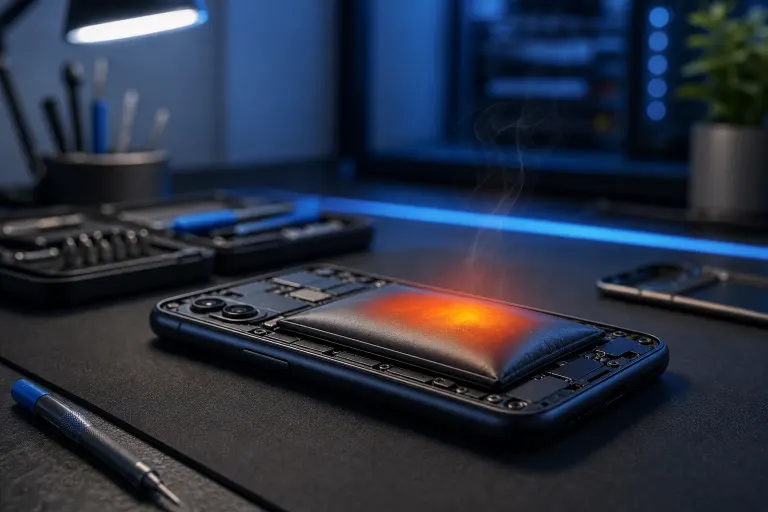
That gas has nowhere to go, so the battery expands. You notice the back panel bowing outward, a screen that suddenly pops up at one corner, or a phone that rocks on a flat surface when it never used to.
Warmth without swelling is a different, usually milder story. Charging produces heat. Heavy processing produces heat. A warm back panel after a video call or a fast-charge session is normal. A phone that stays warm for hours, gets hot to the touch while idle, or runs warm in your pocket for no obvious reason is telling you something is wrong.
Why It Matters
Lithium batteries that are venting gas are unstable. Puncture or compress a swollen cell and it can ignite. This is not a scare tactic. It is the reason airlines restrict damaged lithium batteries in checked luggage and why repair technicians treat them with specific handling procedures.
Beyond the fire risk, a swollen battery physically damages the phone around it. Screens crack from the pressure. Logic boards flex. Connectors separate. What starts as a battery problem becomes a much more expensive repair.
For warmth without swelling, the risks are lower but still real. Sustained heat degrades battery capacity faster, throttles the processor (you will feel it as slowness), and over time can damage the display or adhesive seals that keep water out.
Common causes at a glance
| Symptom | Likely cause | Urgency |
|---|---|---|
| Back panel bowing or screen lifting | Swollen cell, gas venting | High, stop charging now |
| Hot during charging only | Charger mismatch or fast-charge protocol issue | Moderate |
| Warm during heavy use (gaming, video) | Normal load heat, check ventilation | Low if brief |
| Warm while idle, battery drains fast | Runaway background process or failing cell | Moderate to high |
| Hot and warm all the time | Battery cell failing or software loop | High |
Cracked screen or a phone that won't hold a charge? Get a repair quote
What We Don't Know Yet
A swollen battery tells you the cell is failing. It does not tell you why without more investigation. Possible triggers include:
- Overcharging over time. Leaving a phone plugged in at 100% for months stresses the cell.
- Heat exposure. Florida summers and hot cars accelerate lithium degradation. Leaving a phone on a dashboard in West Palm Beach heat is genuinely bad for the battery.
- Cheap or counterfeit chargers. These can push incorrect voltage and skip the safety handshake that fast-charge protocols rely on.
- Age. Most lithium cells are rated for 500 to 1,000 full charge cycles, though this varies by manufacturer and device. After that, capacity drops and swelling risk rises.
- A manufacturing defect. Less common but it happens, and some batches have been subject to recalls.
- Physical damage. A drop that dented the battery internally can cause delayed swelling weeks later.
Without opening the phone and testing the cell, it is impossible to know which of these applies to your situation.
What to Do About It
If the battery is visibly swollen:
- Stop charging it immediately.
- Do not put it in a pocket or a bag where pressure could compress it.
- Set it on a non-flammable surface, away from anything that can catch fire.
- Back up your data if the phone is still functional. Use a cable, not wireless charging.
- Do not attempt to remove the battery yourself unless you have the right tools and experience. Puncturing a swollen cell is dangerous.
- Get it to a repair shop as soon as possible.
If the phone is just running warm:
- Close all background apps and check which apps are consuming battery in your settings.
- Switch to a manufacturer-approved charger if you are using a third-party one.
- Reboot the phone. A software loop causing heat will usually clear on restart.
- Let the phone cool down before charging again.
- Check your battery health. On iPhone, go to Settings, Battery, Battery Health and Charging. Android health reporting varies by manufacturer but most have a battery section under Settings, Device Care or About Phone.
If warmth persists after trying those steps, or if your battery health reads below 80%, a replacement is worth considering before the cell gets worse.
Fix My PC Store handles phone and tablet battery replacements at the shop on Okeechobee Boulevard in West Palm Beach. Initial checks are free for most standard in-store repairs, and the scope and price are explained before any work begins. You can book a time or ask a question at the contact page. Shop hours are Monday through Friday 9 a.m. to 6 p.m. and Saturday 9 a.m. to 5 p.m.
Cracked screen or a phone that won't hold a charge?
Bring it in. Most phone and tablet repairs are same-day, with parts that actually last.