Why Is My Phone Screen Responding to Touches I Never Made?
TL;DR: Unsolicited touches on your phone screen, commonly called ghost touch, most often trace back to a damaged or failing digitizer layer, moisture under the glass, a loose display connector, or a problematic app or OS bug. A structured diagnostic sequence will tell you which category you are dealing with before you spend money on anything.
What Happened
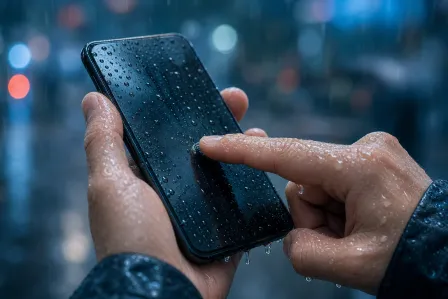
Your phone is acting like someone else is using it. Apps open on their own, text gets typed into fields, calls get made or ended without you touching anything. This is ghost touch, and it is a real hardware or software fault, not a glitch you imagined.
The touchscreen on your phone is actually two layers working together. The display panel produces the image you see. The digitizer, a transparent grid of electrodes sitting on top, detects the electrical change your finger causes and reports coordinates to the operating system. When the digitizer misreports coordinates, or when something else mimics those electrical signals, the phone acts on input that was never intentionally given.
Why It Matters
Ghost touch is not just annoying. Left unaddressed, it can:
- Send messages or emails without your knowledge
- Accept or dismiss security prompts
- Drain the battery by keeping the screen active and launching processes
- Worsen if the underlying cause is a cracked or delaminating digitizer, because the damage typically spreads
If ghost touch is happening on a device that holds business email, banking apps, or two-factor authentication codes, the risk is elevated. Accidental approvals on security prompts are a real concern.
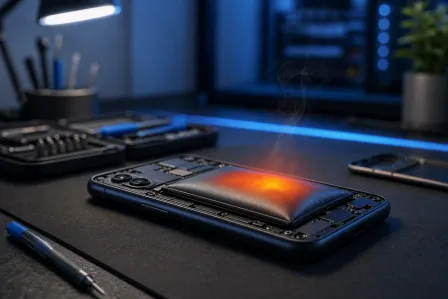
Cracked screen or a phone that won't hold a charge? Get a repair quote
What We Don't Know Yet
Without hands-on inspection, it is impossible to say definitively whether your specific case is software or hardware. A few things are genuinely uncertain until you work through the diagnostic steps below:
- Whether a recent OS or app update introduced the trigger
- Whether there is moisture inside the device that is not visible externally
- Whether the display connector is fully seated or has started to work loose (more common after a drop, even one that did not crack the glass)
- Whether a third-party screen replacement, if the phone has had one, used a digitizer that is incompatible or of lower quality
What to Do About It
Work through this sequence in order. Each step rules out a cause before moving to the next.
1. Remove the case and screen protector. A warped case can apply constant pressure to the frame, which flexes the digitizer. A poorly fitted screen protector, especially a thick tempered glass one, can interfere with touch registration. Remove both and test for 10 minutes.
2. Dry the device. Moisture, even humidity trapped under a screen protector, creates conductive paths that the digitizer reads as touches. Power the phone off, wipe the screen with a dry microfiber cloth, and let it sit in a dry room for 30 minutes before powering back on.
3. Restart the phone. A soft restart clears temporary OS states. If ghost touch disappears after a restart but returns over hours, a software process or background app is the more likely culprit.
4. Boot into safe mode. Both Android and iOS have ways to isolate third-party apps. On Android, hold the power button, then long-press "Power off" to reach safe mode. On iOS, there is no traditional safe mode, but you can delete recently installed apps one at a time. If ghost touch stops in safe mode on Android, a third-party app is responsible. Uninstall recently added apps in reverse order.
5. Check for a pending OS update. Manufacturers do issue patches for touch-related firmware bugs. Install any pending update, then retest.
6. Factory reset as a last software step. If safe mode stops the ghost touch but you cannot isolate the app, a factory reset eliminates software as a variable entirely. Back up first. If ghost touch continues after a factory reset, the cause is hardware.
Decision table: software vs. hardware indicators
| Observation | Points toward |
|---|---|
| Ghost touch stops in safe mode | Third-party app |
| Ghost touch stops after restart but returns | OS or background process |
| Ghost touch continues after factory reset | Hardware (digitizer, connector, or moisture) |
| Ghost touch only appears when charging | Charger or charging port interference |
| Ghost touch only appears in one screen region | Localized digitizer damage |
| Phone was recently dropped or repaired | Loose connector or cracked digitizer layer |
A note on charger interference: Cheap or counterfeit chargers can inject electrical noise through the charging cable that the digitizer interprets as touch events. If ghost touch only happens while plugged in, try a different, certified charger from a different outlet before assuming hardware failure.
When self-help ends and professional repair begins: If ghost touch persists after a factory reset, or if it only occurs while charging and swapping the charger does not help, the digitizer or display connector needs physical inspection. Screen connectors are not user-serviceable on modern phones. Attempting to reseat them without the right tools and experience risks damaging the display ribbon cables or the board itself.
If your phone is in this situation, the practical next step is an in-store diagnostic. Fix My PC Store offers free initial checks for most standard in-store repairs at the West Palm Beach location on Okeechobee Boulevard. Bring it in and get a clear answer before committing to a repair cost. You can book a time or get in touch at the contact page.
For reference, the shop is at 10140 Okeechobee Blvd, Suite B, West Palm Beach, FL 33411, reachable at 561-819-9999, Monday through Friday 9 a.m. to 6 p.m. and Saturday 9 a.m. to 5 p.m.
Cracked screen or a phone that won't hold a charge?
Bring it in. Most phone and tablet repairs are same-day, with parts that actually last.