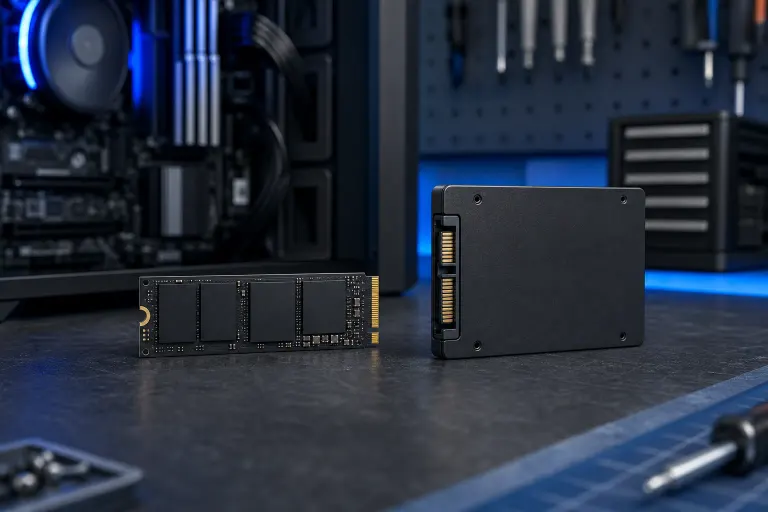
NVMe vs SATA SSD: Which One Should Go in Your Next Build?
TL;DR: NVMe drives are faster, plug straight into the motherboard, and should be your boot drive in almost any new build. SATA SSDs are slower but cheaper per terabyte and still miles better than a hard drive, so they're fine for bulk storage. For most home and gaming builds, get one NVMe for Windows and your main games, then add SATA (or a second NVMe if your board has slots) for everything else.
At a Glance
| Factor | NVMe SSD | SATA SSD |
|---|---|---|
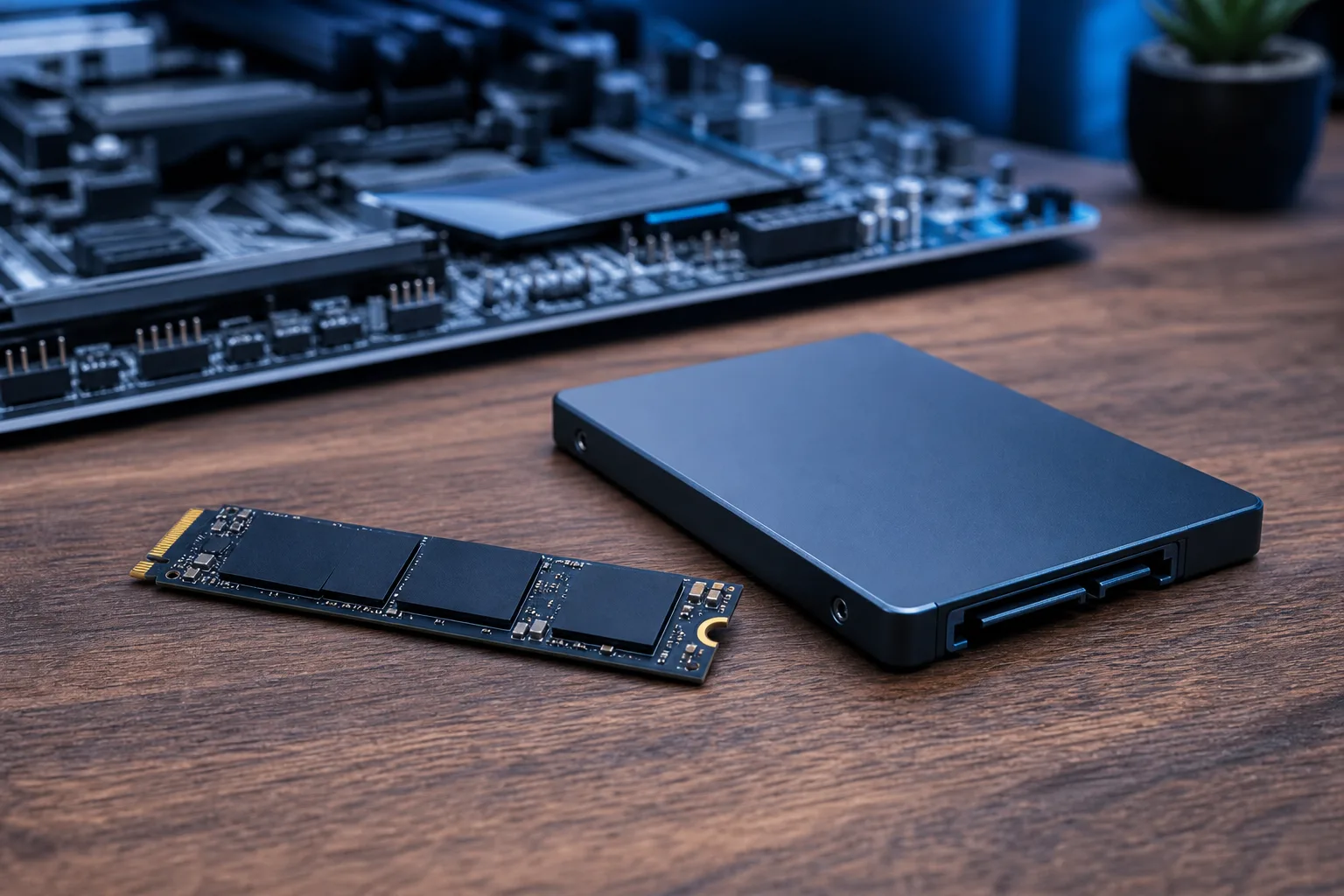
| Interface | Plugs into M.2 slot, uses PCIe lanes | Uses SATA cable, same as old hard drives |
| Real-world speed | Noticeably faster boot and load times | Fast compared to a hard drive, slower than NVMe |
| Price per GB | Higher, though the gap has narrowed | Usually cheaper |
| Best use | Boot drive, games you actually play, video editing scratch disk | Bulk storage, backups, older systems without M.2 slots |
| Compatibility | Needs an M.2 slot with enough PCIe lanes | Works in almost any desktop or laptop with a SATA port |
| Heat | Can run hot under sustained load, may need a heatsink | Runs cool, no heatsink nonsense |
What NVMe Actually Gives You
NVMe drives talk to your motherboard over PCIe lanes instead of the old SATA cable setup. That means more bandwidth, lower latency, and none of the bottleneck that SATA has had since forever (SATA III tops out around 600 MB/s, NVMe drives on PCIe 4.0 can push several thousand). You'll feel it most in boot time, game load screens, and anything that moves big files around, like video editing or loading a huge Unreal Engine project.
What you won't feel it in is day-to-day web browsing or opening a spreadsheet. The bottleneck there was never your drive. If someone's trying to sell you an NVMe upgrade to fix a sluggish browser, they're either confused or hoping you are.
Where SATA SSDs Still Earn Their Keep
SATA SSDs are not obsolete, despite what every forum post written by a 19-year-old with three NVMe drives wants you to believe. They're still a massive upgrade over spinning hard drives for anything that needs reasonably fast access, and they cost less per gigabyte in a lot of cases. If you're storing a media library, old project files, or backups you rarely touch, a SATA SSD does the job without you paying a premium for speed you'll never use on files that just sit there.
They're also your only option if you're working in an older case or motherboard that doesn't have an M.2 slot, or if you've already used up the M.2 slots your board gives you (check the manual, don't guess, some boards share bandwidth between M.2 and SATA ports and disable one when the other's in use).
Ready to build a rig that actually rips? Start your build
The Real Decision Points
Here's the checklist I actually use when someone asks me this across the counter:
- Is this your boot drive? Get NVMe if your board supports it. No real argument here anymore.
- Are you editing video or working with huge files? NVMe, especially if you're using it as a scratch disk.
- Is this just for storing documents, photos, or old games you rarely launch? SATA SSD is fine. Don't overpay.
- Does your motherboard have open M.2 slots? Check this before you buy anything. Running out of M.2 slots mid-build is a special kind of annoying.
- Are you on a tight budget? One NVMe boot drive plus a larger SATA SSD for everything else usually beats two smaller NVMe drives for the same money.
- Building a gaming rig? Game load times benefit from NVMe, but the difference between a good SATA SSD and NVMe in actual gameplay is often smaller than the marketing suggests, since your GPU and CPU do most of the heavy lifting once the level's loaded.
PCIe Generation Matters More Than People Admit
Not all NVMe is equal. PCIe 3.0, 4.0, and 5.0 NVMe drives all fit the same M.2 slot but perform very differently, and a PCIe 5.0 drive in a PCIe 3.0 slot just runs at PCIe 3.0 speeds (physics doesn't care about your receipt). Before buying the fastest drive on the shelf, confirm what your motherboard actually supports. Paying for PCIe 5.0 speed on a board that caps out at PCIe 3.0 is the kind of thing that keeps me up at night, mostly out of spite on your behalf.
Verdict
For a new build, NVMe as your primary boot and game drive is the right call almost every time, paired with a SATA SSD for bulk storage if you need the extra space without the extra cost. Skip NVMe entirely only if your board doesn't support it, your budget's razor thin, or you're building a machine that genuinely never touches large files. If you're mid-build and unsure what your motherboard can actually support, or you want someone to spec it out correctly the first time, run it through our custom gaming PC builder or have us take a look directly. If you're troubleshooting a drive issue on an existing machine instead of building new, that's more of a computer repair conversation.
If you're not building from scratch and just need help figuring out whether an upgrade makes sense for the machine you've already got, book a look at schedule-repair or reach out through contact.
Ready to build a rig that actually rips?
Custom gaming PCs built and tuned by people who game. Tell us your budget and target frame rate.