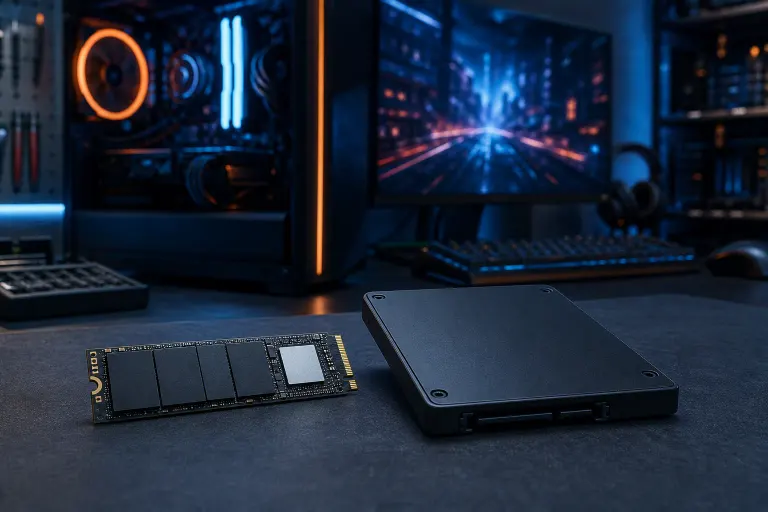
NVMe vs SATA SSD: Which Storage Wins for Gaming?
TL;DR: NVMe SSDs are faster at loading levels and booting your rig, but SATA SSDs still deliver near-identical in-game FPS for most titles. If your budget's tight, a SATA SSD as your main drive plus an NVMe for your most-played game is the sweet spot. If you're building high-end, go all NVMe and don't look back.
Let's squash a myth right out of the gate. Storage does NOT boost your frame rate the way a GPU upgrade does. Your graphics card and CPU are doing the heavy lifting for FPS. What storage actually controls is how fast textures stream in, how quick your levels load, and how snappy Windows feels booting up. That's still huge, nobody wants to stare at a loading screen while their squad pushes the objective without them.
So which drive type actually matters for the games you play? Let's gear up and break it down.
At a glance
| Factor | SATA SSD | NVMe SSD |
|---|---|---|
| Real-world speed | ~550 MB/s max | 3,000 to 7,000+ MB/s depending on gen |
| In-game FPS impact | Basically none | Basically none |
| Level load times | Fast | Faster, sometimes noticeably so in open-world titles |
| Windows boot time | Quick | Quicker |
| Price per GB | Cheaper | Pricier, gap is shrinking |
| Best use case | Budget builds, secondary storage | Boot drive, main game drive, high-end builds |
| Connection | SATA III cable/port | Direct to motherboard M.2 slot |
What's actually different under the hood
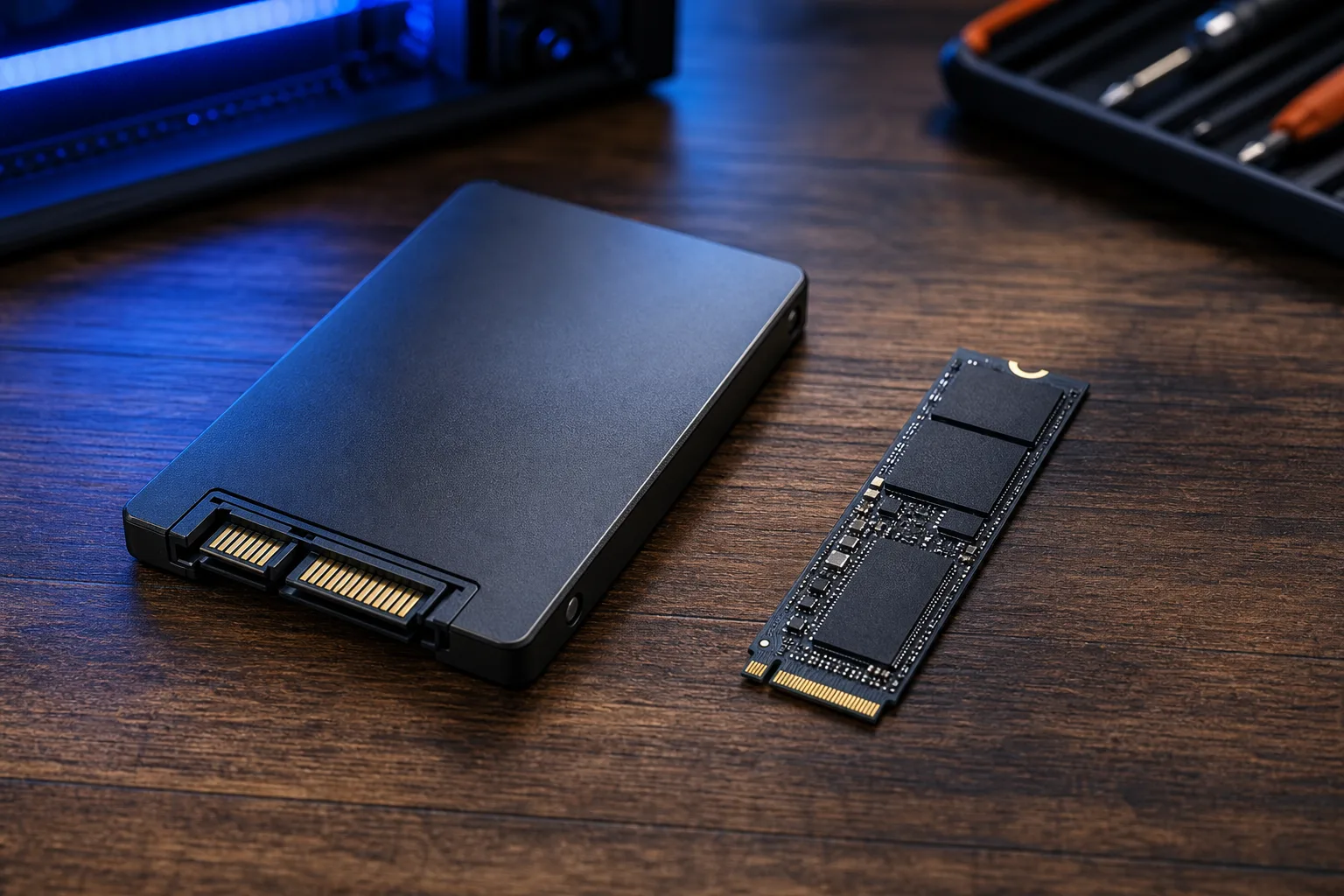
A SATA SSD still uses the same connector and cable your old hard drive used. It's capped at around 550 MB/s no matter how fancy the drive is, because that's the bandwidth ceiling of the SATA III interface. It's not the drive holding it back, it's the bus.
NVMe drives skip that entirely. They plug straight into an M.2 slot on your motherboard and talk to your CPU through the PCIe lanes, the same highway your GPU uses. That's why NVMe drives can hit numbers that make SATA look like it's crawling. A PCIe 4.0 NVMe drive can push past 5,000 MB/s. PCIe 5.0 drives are climbing even higher, though most games can't take full advantage of that ceiling yet.
Here's the thing though: raw sequential speed numbers on the box are marketing gold, but they don't tell the whole story for gaming.
Does NVMe actually make games load faster?
Yes, but the gap depends heavily on the game engine. Open-world titles with huge texture streaming demands (think massive open maps with tons of asset pop-in) benefit the most from NVMe's higher throughput. You'll notice shorter loading screens and less texture pop-in when you're sprinting across a map at full speed.
Linear or smaller-scope games? The difference between SATA and NVMe often comes down to a couple seconds on a loading screen, if that. Your eyes might not even catch it.
Competitive shooters and esports titles (CS2, Valorant, Overwatch) are usually lightweight enough that both drive types load maps quickly. You're not gaining a competitive edge from NVMe here, your FPS and input lag come from your GPU, CPU, RAM, and monitor refresh rate, not your storage.
Does storage type affect FPS at all?
Directly, no. Once a game is loaded into RAM and running, your storage drive isn't doing much work except occasional asset streaming and autosaves. Your FPS ceiling is set by your GPU and CPU pairing.
Indirectly, there's one scenario where it matters: games using DirectStorage, a newer API that lets data move from SSD to GPU memory with less CPU overhead. It's designed to work best with NVMe drives. Support is still rolling out title by title, so don't buy hardware today expecting a flood of DirectStorage games tomorrow, but it's worth knowing the tech favors NVMe long-term.
If you're chasing higher frame rates right now, your money is better spent on the graphics card or a properly built system than upgrading SATA to NVMe.
Price per GB: where the real decision gets made
SATA SSDs are cheaper per gigabyte, plain and simple. If you need a ton of storage for a huge game library (looking at you, folks with 40 games installed at once), a large SATA drive stretches your budget further than an equivalent NVMe drive.
But the price gap has been shrinking for a few years now. Entry-level NVMe drives aren't the premium purchase they used to be. For a lot of builds, it makes sense to put your OS and top two or three most-played games on a mid-size NVMe drive, then add a larger SATA SSD for the rest of your library. Best of both worlds: snappy loading where it counts, cheap bulk storage for everything else.
Ready to build a rig that actually rips? Start your build
When SATA SSD is still the smart pick
- You're building on a tight budget and every dollar needs to stretch toward the GPU or CPU
- Your motherboard has limited M.2 slots and you're prioritizing NVMe for your boot drive already
- You need a lot of storage capacity for a big game library without breaking the bank
- You're upgrading an older system that doesn't have great M.2 support to begin with
A SATA SSD is still miles better than a spinning hard drive. If you're still gaming off a mechanical drive, that's genuinely your biggest bottleneck, not your CPU or GPU. Fixing that alone can feel like a whole new machine.
When NVMe is worth the extra cost
- You're building a high-end rig and want everything to feel instant, from Windows boot to game launch
- You play open-world or texture-heavy titles where streaming speed shows up in the experience
- You want your build future-proofed for DirectStorage-enabled titles as that tech matures
- You've got the M.2 slots available and the price difference isn't going to force cuts elsewhere
Honestly, for most builds we put together, NVMe as the primary drive isn't even a hard call anymore. Prices have come down enough that it's the default choice unless you specifically need max capacity on a budget.
What about PCIe 4.0 vs PCIe 5.0 NVMe?
Since we're talking NVMe, worth a quick note: PCIe 4.0 drives are the sweet spot for gaming right now. They're fast enough that you won't bottleneck anything a current GPU needs, and they're priced reasonably. PCIe 5.0 drives run hotter, often need their own heatsinks, and cost more for speed gains that games mostly can't use yet. Unless you're doing heavy content creation or want bragging rights, PCIe 4.0 NVMe is the practical pick for a gaming-focused build.
The overclocker's honest take
Look, I get the temptation to max out every spec sheet number. Bigger number, better, right? But storage speed is one of those areas where diminishing returns hit fast for gaming specifically. Dropping cash on a top-tier PCIe 5.0 drive when your GPU is a couple generations behind is like putting racing slicks on a car with a weak engine. Balance your build. Put the money where the FPS payoff actually lives: GPU first, CPU and RAM second, storage type third.
That said, there is something deeply satisfying about watching a game boot in a couple seconds flat instead of staring at a spinning icon. If you've got the budget after your core components are sorted, NVMe earns its keep on the enjoyment factor alone.
Verdict
For most gamers, the winning setup is a mid-size NVMe drive for your OS and go-to titles, paired with a larger SATA SSD (or a second NVMe if your budget allows) for the rest of your library. You get the snappy loading where you'll actually notice it, plus affordable bulk storage.
If you're building on a strict budget, don't sweat going all-SATA. Your FPS won't suffer, you'll just wait a few extra seconds on loading screens. If you're building a no-compromise rig, NVMe across the board is the move, especially with PCIe 4.0 pricing where it's at now.
Not sure what your current rig is even running, or want a build configured around your actual game list instead of guesswork? Check out our custom gaming PC builder and we'll match the storage setup to what you actually play. And if your current machine feels sluggish and you're not sure if it's the drive, the RAM, or something else entirely, our computer repair team in West Palm Beach can diagnose it properly instead of you throwing money at guesses.
Still running a spinning hard drive as your main gaming drive? Seriously, that's step one before anything else on this list. Book a repair or upgrade and let's get you off the loading screen and into the game.
Ready to build a rig that actually rips?
Custom gaming PCs built and tuned by people who game. Tell us your budget and target frame rate.