NVIDIA RTX 5060 Ti vs RTX 4070: Worth the Upgrade in 2026?
Listen to this article
The RTX 5060 Ti vs RTX 4070 debate is one of the hottest topics in the mid-range GPU space right now, and honestly? I am HERE for it. With NVIDIA's Blackwell architecture finally hitting the mainstream price bracket, gamers everywhere are asking the million-dollar question: is it time to retire that trusty RTX 4070 and level up? Let's break it all down - benchmarks, value, compatibility, and the real-world difference you'll actually feel in your gameplay.
TL;DR: The RTX 5060 Ti delivers a meaningful generational leap over the RTX 4070 in rasterization, ray tracing, and AI-powered features. Whether the upgrade is worth it depends on your resolution, target frame rate, and budget. Stick around - I'm about to make this decision a whole lot easier for you.
RTX 5060 Ti Specs: What Makes This Blackwell GPU a Banger
Alright, let's geek out for a second because the spec sheet on this thing is genuinely exciting. The RTX 5060 Ti is built on NVIDIA's Blackwell architecture, which is a full generational leap from the Ada Lovelace architecture that powered the RTX 4070. We're talking new CUDA cores, next-gen RT cores, and upgraded Tensor cores that make DLSS even more cracked than before.
Here's why that matters for your gaming experience: Blackwell brings improvements to power efficiency, meaning you're getting more performance per watt. That's a clutch advantage, especially if your current PSU is already working hard. The RTX 5060 Ti also comes equipped with 16GB of VRAM, which is a massive deal for modern titles that are gobbling up video memory like it's nothing. Compare that to the RTX 4070's 12GB, and you can see why texture-heavy games at 1440p and above are going to breathe easier on the newer card.
For the full rundown on NVIDIA's latest Blackwell lineup, you can check out the NVIDIA GeForce official page for detailed specifications and feature breakdowns.
Key Spec Highlights at a Glance
- Architecture: Blackwell (RTX 5060 Ti) vs Ada Lovelace (RTX 4070)
- VRAM: 16GB on the 5060 Ti vs 12GB on the 4070 - that extra 4GB is a game-changer
- RT Cores: Next-gen ray tracing cores for significantly improved path tracing performance
- Tensor Cores: Enhanced AI processing for DLSS 4 and frame generation
- Power Efficiency: Improved perf-per-watt thanks to the new architecture
NVIDIA RTX 5060 Ti Gaming Benchmarks: Real-World Performance
Okay, specs are cool and all, but you know what REALLY matters? Frames. Raw, beautiful, butter-smooth frames. So let's talk about what the NVIDIA RTX 5060 Ti gaming benchmarks actually look like when you fire up your favorite titles.
In rasterization-heavy games - think competitive shooters and esports titles - the RTX 5060 Ti is pulling ahead of the RTX 4070 by roughly 20-30% at 1440p. That's not a marginal bump, folks. That's the difference between hovering around 100fps and pushing well past 130fps in demanding AAA titles. For competitive games? You're looking at frame rates that make 240Hz monitors actually worth the investment.
Ray Tracing and DLSS 4: Where Blackwell Really Shines
Now HERE is where things get absolutely poggers. Ray tracing performance on the RTX 5060 Ti is where the generational gap really opens up. Thanks to those upgraded RT cores, you're seeing 40-50% improvements in ray-traced workloads compared to the RTX 4070. Games with full path tracing that used to bring the 4070 to its knees? The 5060 Ti handles them with way more confidence.
And then there's DLSS 4. NVIDIA's latest AI upscaling and frame generation tech is a straight-up cheat code. Multi Frame Generation on the RTX 5060 Ti means the card can generate multiple AI frames for every traditionally rendered frame, and the result is insane. We're talking playable frame rates with full path tracing at 1440p in titles that support it. The RTX 4070 supports DLSS 3, which is still great, but DLSS 4's Multi Frame Generation is exclusive to the RTX 50 series. That's a significant feature gap.
For deeper benchmark analysis and methodology, Tom's Hardware consistently publishes thorough GPU reviews that are worth checking out.
1080p vs 1440p vs 4K: Where Each Card Sits
Let's break this down by resolution because your monitor choice matters a LOT here:
- 1080p: Both cards absolutely crush it at 1080p. The RTX 4070 is still a beast at this resolution, and the 5060 Ti's extra muscle is often bottlenecked by the CPU. If you're gaming at 1080p, the upgrade is less compelling unless you want those DLSS 4 features.
- 1440p: This is the sweet spot and where the RTX 5060 Ti really flexes. The extra VRAM and architectural improvements deliver noticeably smoother gameplay in modern titles. This is where I'd say the upgrade starts making serious sense.
- 4K: Neither card is a dedicated 4K powerhouse, but the 5060 Ti with DLSS 4 makes 4K gaming surprisingly viable in many titles. The 4070 struggles more here, especially with that 12GB VRAM limitation in texture-heavy games.
Is the RTX 5060 Ti Upgrade Worth It from an RTX 4070?
Alright, real talk time. I know you came here for a straight answer, so let me give it to you: the RTX 5060 Ti upgrade is worth it - but with some important context.
If you're gaming primarily at 1440p and you want to take advantage of ray tracing, DLSS 4 Multi Frame Generation, and that sweet 16GB VRAM buffer for future-proofing, this is a legit upgrade. The performance gains are real and meaningful. You're not just getting a few extra frames - you're getting access to next-gen features that fundamentally change how games look and feel.
HOWEVER - and this is important - if you're perfectly happy with your RTX 4070's performance at 1080p and you're not chasing ray tracing or the latest AI features, you can absolutely hold off. The RTX 4070 is still a fantastic card that runs modern games well. There's zero shame in riding it out for another generation. GG to everyone who bought a 4070 - that card was and still is a smart purchase.
Price-to-Performance: The Value Equation
The mid-range GPU market in 2026 is competitive, and that's great news for us gamers. When evaluating the mid-range GPU comparison in 2026, you need to factor in not just the purchase price of the RTX 5060 Ti, but also what you can recoup by selling your RTX 4070. Used RTX 4070 cards still hold decent value, which can significantly offset your upgrade cost.
Also consider what AMD is bringing to the table. Competition keeps prices honest, and the Blackwell mid-range cards are priced in a market where AMD's latest offerings are pushing hard. Always compare current street prices before pulling the trigger - the best deal changes week to week.
PSU and Compatibility: Will the RTX 5060 Ti Fit Your Current Build?
This is something a LOT of people overlook when planning a Blackwell GPU gaming PC upgrade, and it can totally trip you up if you're not careful. Let me save you the headache.
The good news: the RTX 5060 Ti is designed as a mid-range card with reasonable power requirements. If your PSU was handling an RTX 4070 without issues, you're likely in good shape for the 5060 Ti. NVIDIA has done a solid job keeping power consumption in check thanks to Blackwell's efficiency improvements. A quality 650W PSU should be sufficient for most builds, though I always recommend a bit of headroom - 700W or higher if you're running a power-hungry CPU alongside it.
Driver and Software Considerations
Make sure you're running Windows 11 with the latest updates for the best experience with the RTX 5060 Ti. NVIDIA's drivers for Blackwell GPUs are optimized for Windows 11, and you'll want the latest Game Ready drivers to take full advantage of DLSS 4 and all the new features. Windows 10 is still supported, but you may miss out on some optimizations.
Physical compatibility is another thing to check. Measure your case clearance before ordering! Some RTX 5060 Ti partner cards can be chunky, and if you're running a compact mid-tower, it's worth double-checking that everything fits. If you're not sure about any of this, our team at Fix My PC Store handles gaming PC builds and upgrades all the time - we'll make sure everything plays nice together.
Gaming PC Graphics Card Upgrade in Palm Beach: Getting It Done Right
Look, I get it - not everyone wants to crack open their case and start swapping components. And honestly? There's zero shame in that. A GPU upgrade involves more than just slotting in a new card. You've got driver cleanup, BIOS settings, thermal paste considerations if you're doing a full service, cable management, and making sure your whole system is optimized to actually USE that new GPU's potential.
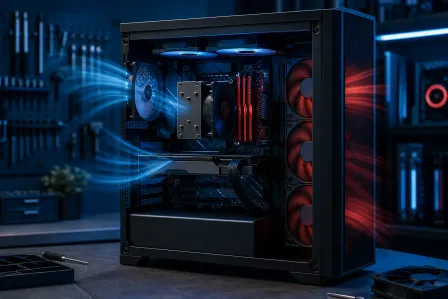
That's exactly why gamers across Palm Beach County, from West Palm Beach to Boca Raton to Jupiter, trust Fix My PC Store for their gaming PC graphics card upgrades. Our techs are enthusiasts themselves - we don't just install the card and call it a day. We optimize your entire system, manage your cables so the airflow is on point (and yes, we make sure the RGB looks CLEAN), and run benchmarks to verify you're getting every frame you paid for.
Whether you need a full custom gaming PC build, a straightforward GPU swap, or even gaming laptop diagnostics and repair, we've got you covered. And if you're out of the area or just want a quick consultation before pulling the trigger on an upgrade, our remote support team can help you assess your current build and plan the perfect upgrade path.
The Verdict: Should You Upgrade to the RTX 5060 Ti in 2026?
Let me break this down into the simplest terms possible:
UPGRADE if:
- You game at 1440p or higher and want noticeably better performance
- Ray tracing and path tracing are important to you
- You want access to DLSS 4 Multi Frame Generation (this is a game-changer, literally)
- You're hitting VRAM limits in modern titles with the 4070's 12GB
- You plan to keep your next GPU for 2-3+ years
HOLD if:
- You're happy with 1080p performance on the RTX 4070
- You primarily play esports titles that already run at high frame rates
- Budget is tight and the resale value of your 4070 doesn't offset enough cost
- You're waiting to see what the next generation brings
Either way, you're in a great spot. The RTX 4070 was a banger card, and the RTX 5060 Ti is shaping up to be another absolute beast in the mid-range space. The fact that we're debating between two genuinely excellent GPUs? That's a W for all of us.
Trust me - whether you upgrade now or hold, your gaming rig is going to keep delivering. But if you DO decide to make the jump, your future self is going to thank you every single time those frames hit butter-smooth territory. GG.
Ready to Upgrade Your Gaming Rig?
Get expert gaming PC builds, upgrades, and repairs from Palm Beach County's performance specialists. From GPU swaps to full custom builds, Fix My PC Store has your back.
Level Up Now