Liquid Cooling vs Air Cooling: Which Is Right for Your Gaming PC?
Listen to this article
TL;DR: Both liquid and air cooling can keep your gaming PC running at peak performance - but they are NOT the same. The right choice depends on your CPU, your case, your budget, and how hard you plan to push your rig. This guide breaks it all down so you can stop guessing and start gaming at max settings with zero thermal throttling.
Why Cooling Is the Most Underrated Decision in Your Gaming PC Build
Real talk - most gamers obsess over GPU specs, RAM speeds, and storage bandwidth, then slap whatever cooler came in the box onto their CPU and call it a day. Big mistake. HUGE. Your CPU is the brain of your entire gaming rig, and if it's running hot, it's going to throttle performance to protect itself. That means dropped frames, stutters, and the kind of lag that ends friendships in competitive lobbies.
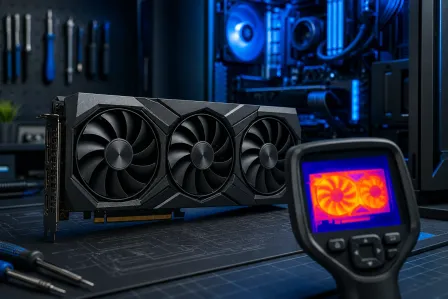
We're talking about the difference between a CPU sitting at 65 degrees Celsius under load versus one cooking at 95 degrees and begging for mercy. Proper gaming PC thermal management is what separates a rig that performs like a beast from one that performs like it's apologizing to you. Whether you're building fresh or upgrading an existing setup, getting your cooling solution right is absolutely clutch.
And hey, if your current build is already throttling or your fans sound like a jet engine, our team at Fix My PC Store's computer repair service can diagnose and fix cooling issues fast. But first, let's get you educated so you make the right call from the start.
AIO Liquid Cooler Performance: What You're Actually Getting
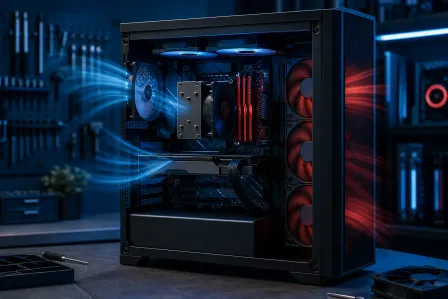
An AIO - All-In-One liquid cooler - is basically a self-contained cooling loop. You've got a pump head that sits on your CPU, tubing that runs coolant to a radiator, and fans mounted on that radiator to push heat out of the case. No mixing your own coolant, no custom loop maintenance. It's liquid cooling made accessible, and honestly? When it's dialed in, it looks INCREDIBLE in a windowed case with RGB lighting.
Where AIO Coolers Absolutely Crush It
- High TDP processors: Running a top-tier Intel Core i9 or AMD Ryzen 9 chip that pumps out 125W or more? A quality 240mm or 360mm AIO is going to keep those temps in check far better than most air coolers.
- Overclocking headroom: If you're pushing your CPU beyond stock clocks, liquid cooling gives you the thermal headroom to go further and sustain those clocks longer. This is where the magic happens for overclockers.
- Clean aesthetics: No giant tower blocking half your motherboard. RGB pump heads, sleek tubing, clean radiator mounting - your build looks like it belongs in a gaming setup tour video.
- Quieter under heavy load: A good AIO with quality fans can be significantly quieter than air coolers when your CPU is really working hard, because the radiator dissipates heat more efficiently.
The Real Risks of AIO Liquid Cooling You Need to Know
Okay, let's keep it 100 here because this is important. AIOs are not invincible. The pump is a mechanical component with a lifespan - typically 3 to 6 years depending on the brand and usage. When that pump fails, your CPU temps can spike to dangerous levels in minutes. We see this at our repair shop more than you'd think - a pump dies silently and the user doesn't notice until their system starts crashing or throttling hard.
AIOs can also develop micro-leaks over time, and installation errors - like improper radiator mounting or air trapped in the loop - can cause gurgling noises and reduced performance. Installation is also more involved than dropping a tower cooler onto a socket. More steps, more things that can go sideways.
Check out Tom's Hardware CPU Cooler Benchmarks for real-world thermal testing data that shows exactly how different AIOs perform across CPU generations.
Tower Air Cooler Gaming Performance: Underdog or Unsung Hero?
Let me tell you something about a quality tower air cooler - it is an ABSOLUTE BEAST that never gets enough credit. We're talking a chunk of machined aluminum and copper heat pipes with one or two high-quality fans attached. No pump. No tubing. No moving parts except the fans. Simple, reliable, and when you're looking at something like a premium dual-tower cooler with 140mm fans, the thermal performance is genuinely competitive with 240mm AIOs.
Why Tower Air Coolers Are Still Totally Viable in 2026
- Reliability is off the charts: There is no pump to fail. No coolant to leak. The only thing that can go wrong is a fan bearing eventually wearing out - and fans are cheap and easy to replace. A quality tower cooler can outlive multiple builds.
- Budget-friendly performance: You can get genuinely excellent cooling performance for significantly less money than a comparable AIO. That saved cash goes toward better GPU or more RAM.
- Dead simple installation: Mount the backplate, attach the brackets, lower the cooler onto the socket, tighten the screws. Done. Even first-time builders can nail this without stress.
- Consistent performance: No degradation over time from pump wear or coolant evaporation. What you get on day one is essentially what you get on day 1,000.
Where Tower Coolers Have Limitations
Size is the big one. A high-end dual tower cooler can be massive - we're talking 160mm or taller, and wide enough to potentially block RAM slots or conflict with case side panels. Always check your case clearance specs before buying. Smaller cases like ITX builds are often incompatible with the biggest tower coolers.
On extremely high-TDP processors running sustained workloads - think video rendering or long gaming sessions on flagship chips - a top-tier 360mm AIO will generally edge out even the best tower coolers in sustained temperature management. Not by a huge margin, but it's real.
AIO Cooler vs Air Cooler: The Head-to-Head Breakdown
Alright, let's trade some specs like cards and see what we're actually working with here.
Performance at Different Price Points
A mid-range tower cooler going head-to-head with a 240mm AIO at a similar price? Honestly, they're closer than most people expect - within 3 to 8 degrees Celsius on most mainstream CPUs. Step up to a 360mm AIO or a premium dual-tower air cooler and you're both in elite territory. The real gap opens up on flagship CPUs with very high thermal output where the larger liquid surface area of a 360mm radiator starts to pull ahead.
Noise Levels: Who's Actually Quieter?
This one surprises people. Under light to moderate loads, a quality tower cooler with large slow-spinning fans is whisper quiet. Under heavy load, AIOs can actually be quieter because the radiator handles heat so efficiently the fans don't need to spin as fast. But a cheap AIO with loud fans? Worse than almost any tower cooler. Fan quality matters enormously regardless of which route you go.
Installation Complexity and Risk
Tower cooler wins this category, no contest. AIOs require more steps, more potential failure points during installation, and heavier weight on the radiator mounting points. If you're not confident with hardware installation, our professional PC build and repair service can handle your cooling installation correctly the first time - including proper AIO mounting, fan direction configuration, and thermal paste application.
Long-Term Reliability and Cost of Ownership
Tower coolers win long-term reliability. AIOs are excellent for 3 to 5 years with quality brands, but plan for eventual replacement. Factor that into your total cost. Also worth noting - if you're monitoring your system's health and temperatures, Microsoft's guide to monitoring PC performance in Windows 11 covers built-in tools you can use to watch CPU temps and performance metrics in real time.
Which PC Cooling Solution Should YOU Choose in 2026?
Here's the honest breakdown based on your situation:
Go with an AIO Liquid Cooler if...
- You're running a high-end CPU with 125W+ TDP and plan to push it hard
- You're overclocking aggressively and want maximum thermal headroom
- Aesthetics matter and you want that clean windowed-case look with RGB
- Your case has excellent radiator mounting options and good airflow
- You're comfortable with more complex installation or have a professional handle it
Go with a Tower Air Cooler if...
- You want maximum reliability with zero pump-failure risk
- You're on a tighter budget and want to allocate more to GPU or RAM
- You're a first-time builder who wants a straightforward installation
- You're running a mid-range CPU where thermal differences are minimal
- Your case has height clearance for a large cooler but limited radiator mounting
Local Cooling Upgrades and Repairs in Palm Beach County
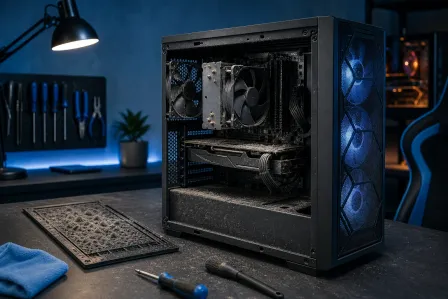
Here in West Palm Beach and across Palm Beach County, we see a ton of gaming PCs come through the door with cooling problems - thermal paste dried out after years of use, AIO pumps that have given up the ghost, or tower coolers installed with the fans blowing the wrong direction (yes, it happens more than you'd think). These issues tank performance and can cause real hardware damage over time.
Whether you need a full gaming PC cooling upgrade, an AIO replacement, or you're not sure why your system is running hot and crashing, our team at Fix My PC Store has you covered. We also offer remote support services for software-side thermal issues like misconfigured fan curves or power plan settings that are causing your CPU to run hotter than it should. And if you've got a gaming laptop that's thermal throttling, our laptop repair service handles repadding, repasting, and fan replacements to get your mobile gaming rig back to full performance.
GG to anyone who made it through this whole guide - you now know more about cooling than 90% of people building gaming PCs. Make the right call, keep those temps low, and go get those frames.
Ready to Upgrade Your Gaming Rig?
Get expert gaming PC builds, upgrades, and repairs from Palm Beach County's performance specialists.
Level Up Now