Top 5 Laptop Upgrades for 2025: Boost Your Performance
Listen to this article
The tech landscape in 2025 demands more from your laptop than ever before. Whether you’re a professional, student, or home user in Palm Beach County, maximizing your laptop’s efficiency is essential for productivity and security. At Fix My PC Store, we’re passionate about laptop upgrades that deliver a major performance boost. Here’s our guide to the top five laptop hardware upgrades for 2025 that will keep your system running faster, longer, and more securely this year and beyond.
1. Solid State Drive (SSD) Upgrades: The Fastest Performance Boost
Why SSDs Rule in 2025
If your laptop still runs on a traditional hard drive, an SSD upgrade is the fastest way to elevate speed and reliability. SSDs have virtually replaced mechanical hard drives, drastically reducing boot-up and file-access times. Upgrading to a modern NVMe or SATA SSD can make your laptop feel brand new—enabling smoother multitasking, faster Windows 10 or Windows 11 startups, and speedy app launches.
Recommended SSD Options
- NVMe SSD (preferred for latest laptops with M.2 slots)
- SATA SSD (great for older models needing an upgrade)
For guidance or installation in West Palm Beach, check out our laptop repair services.
2. RAM Upgrades: Expand Your Multitasking Power
How Much RAM Do You Need in 2025?
Modern applications and web browsers are more memory-intensive than ever. Upgrading your laptop’s RAM can unlock seamless multitasking, smoother video conferencing, and responsive photo editing. For most users in 2025:
- 8GB RAM = entry-level/basic productivity
- 16GB RAM = recommended for students, professionals, and multitaskers
- 32GB+ = ideal for creators, gamers, and specialists
If you’re unsure how much RAM your laptop supports, request remote support from our team.
3. Battery Replacement: Stay Productive Anywhere
Signs Your Laptop Needs a New Battery
Nothing disrupts workflow faster than running out of power. Over time, lithium-ion batteries degrade, losing their ability to hold a charge. If your laptop dies quickly or only works plugged in, a laptop battery replacement can restore true portability—critical for students, business travelers, and remote workers in West Palm Beach and beyond.
- Look for signs: rapid draining, sudden shutdowns, or swelling
- Always use OEM or high-quality compatible batteries for safety
Our computer repair technicians offer fast diagnostic and battery replacements for most major laptop brands.
4. Wi-Fi Card & Bluetooth Upgrades: Stay Connected in 2025
Why Upgrade Your Wireless Card?
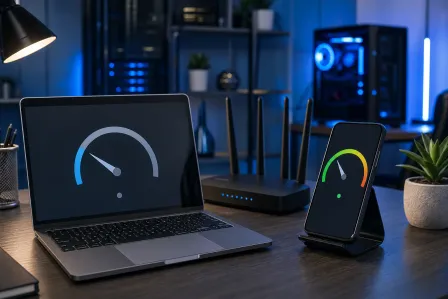
With the rollout of Wi-Fi 6 (802.11ax) compatibility in 2025, upgrading your laptop’s wireless card means faster speeds, greater range, and better connectivity—especially in dense environments like offices or campuses. Many newer Wi-Fi cards also offer improved Bluetooth support for wireless devices.
- Enjoy faster downloads and lower lag on video calls and cloud apps
- Improve wireless security and compatibility with the latest protocols
For a professional Wi-Fi or Bluetooth upgrade, ask about our hardware upgrade services.
5. Cooling System & Thermal Paste: Prolong Your Laptop’s Lifespan
Beat the Florida Heat
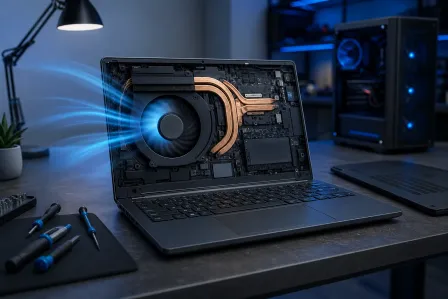
Laptop performance can suffer from Florida’s humid climate. Overheating leads to throttling, unexpected shutdowns, and long-term damage to your laptop’s CPU and motherboard. Upgrading your laptop’s cooling system—cleaning fans, replacing old thermal paste, or adding heat-dissipation pads—ensures optimal temperature management in 2025.
- Reduces lag and extends hardware lifespan
- Improves performance during gaming, streaming, or data processing
Learn more about laptop overheating solutions for Palm Beach County residents.
Laptop Upgrade Tips for Palm Beach County Users
Before upgrading, always:
- Check laptop manufacturer support documentation
- Update to the latest stable Windows 10 or Windows 11 release (official Microsoft Windows support)
- Backup your data before any hardware changes—see our data backup & recovery services
- Consult an expert for complex upgrades to avoid voiding warranty or causing damage
For more upgrade inspiration or troubleshooting tips, explore our comprehensive virus removal guide or check out resources like the Malwarebytes Tech Blog for the latest security insights.
Get Professional Laptop Upgrade Help in West Palm Beach
Fix My PC Store proudly serves the greater Palm Beach County area, including West Palm Beach, Palm Beach Gardens, Lake Worth, Boynton Beach, Jupiter, and surrounding communities. Our certified technicians provide in-store and remote upgrade consultation, from hardware installation to performance optimization and virus protection.
Need Expert Computer Support?
Get professional help from Palm Beach County's trusted computer repair specialists.
Get Help Today