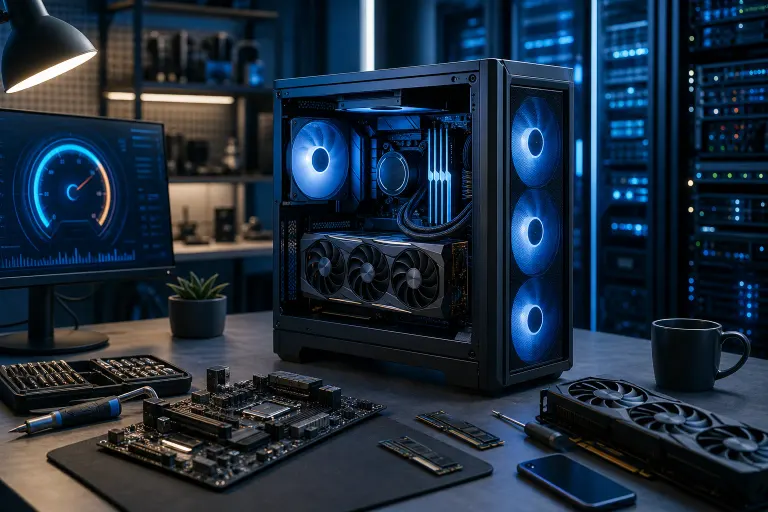
Is Overclocking Your Gaming PC Worth It in 2026?
TL;DR: Overclocking can still deliver real FPS gains in 2026, but modern CPUs and GPUs already boost so aggressively out of the box that the headroom is smaller than it used to be. Whether it is worth it depends almost entirely on your cooling setup, your specific chip, and how much risk you are comfortable with.
What Happened
For most of the 2010s, overclocking was the move. You bought a mid-range CPU, slapped a decent aftermarket cooler on it, dialed up the multiplier in BIOS, and got performance that rivaled chips two tiers up. It felt like free money. The community around it exploded, and tools like Intel Extreme Tuning Utility and AMD Ryzen Master made the process way more accessible than it ever used to be.
Then hardware manufacturers got aggressive. Really aggressive.
Modern processors, from Intel's 13th and 14th gen Core chips to AMD's Ryzen 7000 and 9000 series, ship with boost algorithms that are already pushing clock speeds to the ragged edge of what the silicon can safely sustain. AMD's Precision Boost Overdrive and Intel's Thermal Velocity Boost are not leaving much on the table. The chips are essentially auto-overclocking themselves, constantly, based on real-time temperature and power data.
GPUs tell a similar story. Nvidia's RTX 40 and 50 series cards and AMD's RDNA 3 and 4 cards use GPU Boost algorithms that adjust clocks hundreds of times per second. Out of the box, they are already running near their thermal and power limits.
So the question is not whether overclocking is possible in 2026. It still is. The question is whether the gains are worth the tradeoffs now that the easy fruit has already been picked by the manufacturer.
We put together a video diving into exactly this topic if you want to see it in action: watch our overclocking deep-dive.
Why It Matters
Let's talk real numbers, because vague promises are useless.
A manual all-core overclock can improve some CPU-limited tasks, but it can also lower lightly threaded boost performance. Gaming gains depend on the processor, cooling, graphics card, settings, and title; benchmark your own system before changing voltage.
GPU tuning may improve some games, but the gain is specific to the card, cooling, power limit, and workload. Compare measured frame rates and stability at your own settings instead of assuming a fixed FPS increase.
But here is the catch, and it is a big one. Those gains come with real thermal costs.
The Heat Problem Is Getting Worse, Not Better
Room temperature affects cooling headroom. Compare temperatures in the room where you actually play, since published benchmarks may use different test conditions.
A processor near its model-specific thermal limit has little cooling margin. Additional voltage can increase heat and may reduce sustained performance or stability; compare your readings with the manufacturer’s limits.
Degradation is the other thing nobody talks about enough. Intel 13th and 14th gen chips became a public cautionary tale. Reports of instability and silicon degradation from running high voltages over sustained periods surfaced across the enthusiast community, and Intel eventually had to push microcode updates and guidance dialing back the aggressive power limits that manufacturers had been using. Running your own manual overclock on top of hardware that is already walking a fine line is a calculated gamble.
Elevated voltage can increase heat, instability, and long-term wear on any platform; follow your specific CPU manufacturer’s specifications.
Where Overclocking Still Absolutely Slaps
Okay, not all doom and gloom. There are specific situations where overclocking in 2026 is genuinely worth doing.
RAM overclocking (EXPO and XMP) is the easiest win you can get. Most DDR5 kits ship with EXPO or XMP profiles that you simply enable in BIOS. That takes your RAM from its default JEDEC speeds to its rated speeds. On Ryzen platforms especially, faster RAM with tighter timings has a measurable impact on CPU performance because of how the Infinity Fabric is tied to memory speed. These profiles are still memory overclocking. Check compatibility, warranty terms, and stability before keeping one enabled.
Undervolting is arguably the smarter play than traditional overclocking in 2026. Finding the lowest voltage at which your CPU or GPU remains stable lets you hit the same or nearly the same clock speeds while running cooler and quieter. Cooler chips sustain boost clocks longer without throttling. You can end up with better average frame rates even though you technically reduced voltage. AMD's Curve Optimizer and Nvidia's GPU undervolting tools in MSI Afterburner make this accessible.
Budget and older hardware still benefits from traditional overclocking more than flagship gear does. If you are on a Ryzen 5 5600 or a six-year-old i7, there is often more legitimate headroom because those chips did not ship boosting as aggressively. A quality aftermarket cooler and some time in Ryzen Master can genuinely transform the experience.
We have built some machines that demonstrate exactly what dialed-in cooling and smart tuning can do. Check out our custom builds on video to see what that looks like in practice.
Ready to build a rig that actually rips? Start your build
What We Don't Know Yet
A few things are genuinely uncertain heading deeper into 2026.
The effect of a particular tuning profile on lifespan is difficult to predict. Monitor stability and temperature, stay within published limits, and consider warranty terms before tuning.
AI-assisted frame generation, like Nvidia's DLSS 4 Multi Frame Generation and AMD's equivalent technologies, is changing the FPS calculus in a meaningful way. If you can get 90 FPS natively and frame gen takes you to 150+ perceived FPS, the marginal value of squeezing out 10 more native frames through overclocking shrinks considerably. How widely adopted and how trusted these technologies become over the next year will affect whether native FPS gains from overclocking feel worth pursuing.
Intel's next architecture and AMD's continued Ryzen 9000 series refinements may shift the headroom picture again. New silicon sometimes has better unlocked potential than launch drivers revealed.
What to Do About It
Here is the practical gameplan, straight up.
Step one: Check whether your motherboard, CPU, and memory support XMP or EXPO. These profiles can improve memory performance, but they operate outside baseline memory specifications and can cause instability. Record current settings, enable a supported profile, and test stability; revert if problems appear.
Step two: Measure CPU and GPU temperatures under your normal workload before tuning. Compare readings with the limits published for your specific components; one universal temperature cutoff does not fit every model.
Step three: Consider undervolting before you overclock. Use AMD Curve Optimizer or Intel's equivalent tools, or Afterburner for your GPU. Get your thermals down, then see if performance actually improves. It very often does.
Step four: If you have adequate cooling and want to push further, do it incrementally. One small step at a time, stability test between each change, and log your temperatures. This is not a set-it-and-forget-it process.
Step five: Know when to call it. If you are chasing 5 FPS and your system is already stable and cool, the juice may not be worth the squeeze. Buy a better cooler, add more RGB (obviously), and game on.
If your system is struggling and you are not sure whether it is a cooling issue, a component issue, or a configuration issue, our team at Fix My PC Store in West Palm Beach can run diagnostics and give you a straight answer. We do this stuff every day. You can book a time with us or use our remote support if you want a quick consult without coming in.
And if you are thinking about building something from scratch that is already optimized from day one, our custom gaming PC builder is the place to start. We spec builds for South Florida's climate, not for a temperature-controlled lab in California.
Overclocking in 2026 is not dead. But it is more nuanced than it used to be. Know your hardware, know your temps, and make sure the gains are real before you chase them.
Ready to build a rig that actually rips?
Custom gaming PCs built and tuned by people who game. Tell us your budget and target frame rate.