How to Pick the Right Gaming Headset for Your Setup
TL;DR: The best gaming headset depends on your platform, connection preference, and how long your sessions run. Wired headsets deliver zero latency and never need charging. Wireless gives you freedom but adds cost and battery management. Surround sound is a legit competitive edge in the right game, useless in others.
At a Glance: Headset Type Comparison
| Feature | Wired (USB or 3.5mm) | 2.4 GHz Wireless | Bluetooth Wireless |
|---|---|---|---|
| Latency | Lowest (near zero) | Very low (~20ms) | Noticeable (40-200ms) |
| Battery life | N/A | 15-30 hours typical | 20-40 hours typical |
| Audio quality ceiling | High | High | Compressed, lower ceiling |
| Platform flexibility | USB: PC/console specific. 3.5mm: nearly universal | Dongle required, varies by platform | Wide compatibility |
| Price for same quality | Lower | Higher | Middle |
| Best for | Competitive PC gaming, budget builds | Console + PC couch gamers | Casual use, phone calls |
Wired Headsets: The Competitive Player's Default
Zero latency. No batteries. Lower price for equivalent audio hardware. If you are grinding ranked matches or building a custom gaming PC where every millisecond matters, wired is the baseline choice.
3.5mm analog connections work on nearly every device including phones, controllers, and older motherboards. USB connections hand off audio processing to the headset's own DAC/amp, which usually sounds better than your motherboard's onboard audio but locks you to PC or USB-equipped consoles.
The real downside is the cable. On a desk setup it is barely noticeable. On a living room couch it is a problem.
2.4 GHz Wireless: The Sweet Spot for Most Gamers
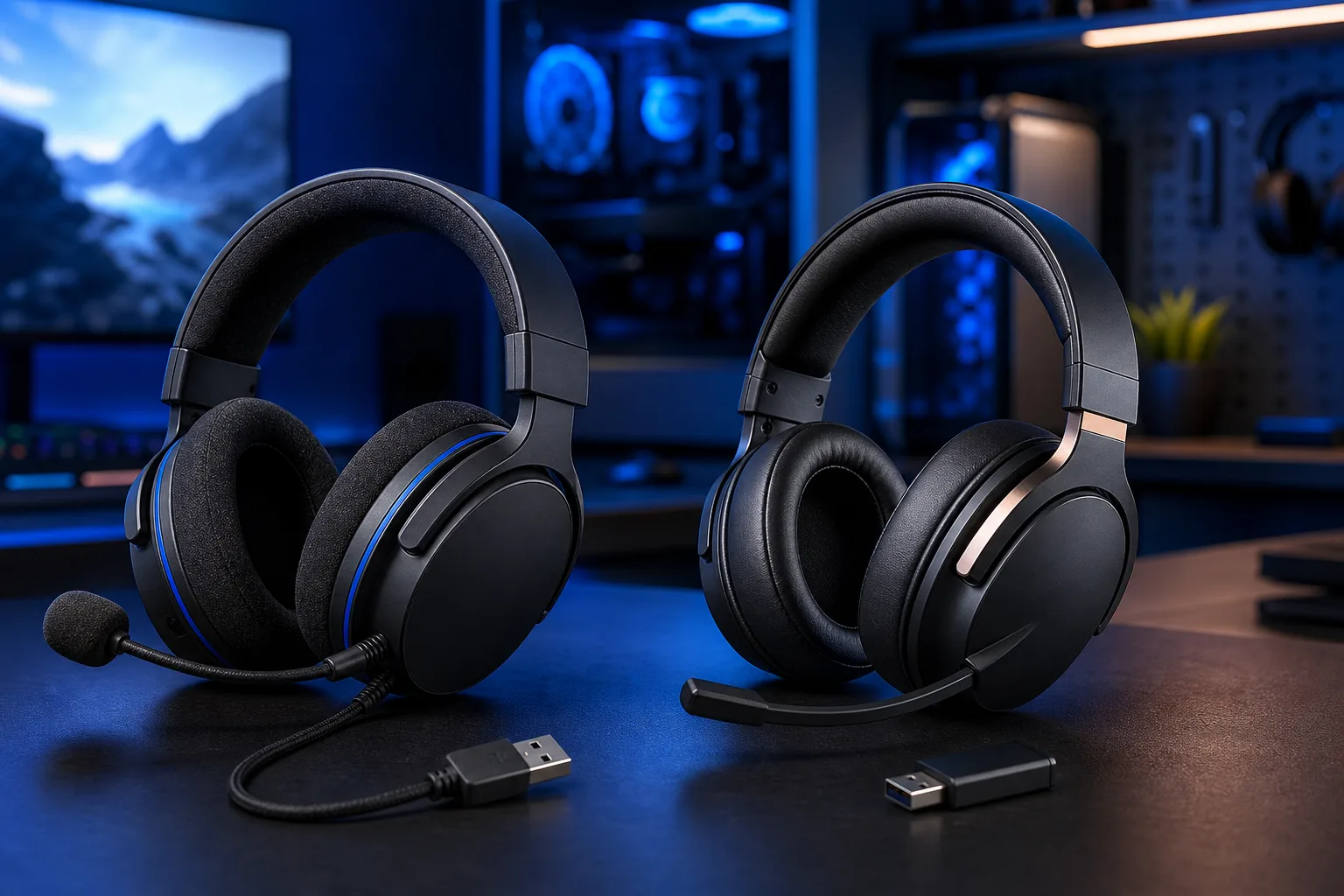
2.4 GHz wireless headsets use a USB dongle to create a dedicated connection. Latency drops to roughly 20ms or less on quality models, which is imperceptible during gameplay. You get the cord-free experience without the audio compression that Bluetooth introduces.
Battery life on current flagships runs 20 to 30 hours. That covers most gaming sessions before you need to plug in. The catch: you are paying a real premium for equivalent sound quality compared to wired. Expect to spend noticeably more to get the same driver quality.
Platform compatibility matters here. Many 2.4 GHz headsets work on PC and PlayStation but not Xbox natively, or vice versa. Check the box before you buy.
Bluetooth: Flexibility Over Performance
Bluetooth is the right answer if you want one headset that moves between your PC, phone, and TV without swapping dongles. It is NOT the right answer if competitive latency matters to you.
Bluetooth audio is compressed by default. The codecs have improved (aptX Low Latency, LC3), but you are still not getting the raw throughput of a dedicated 2.4 GHz link. For casual gaming, single-player story games, or Discord calls, the difference is minor. For fast-paced shooters where audio cues determine your next move, it is not ideal.
Some newer headsets combine 2.4 GHz and Bluetooth simultaneously, letting you game on 2.4 GHz and take a phone call through Bluetooth. That dual-mode feature is genuinely useful if you are frequently switching contexts.
Ready to build a rig that actually rips? Start your build
Stereo vs. Virtual Surround Sound
This is where marketing gets loud and reality gets complicated. Here is the honest breakdown.
True stereo (two channels) is what most headphone audio is. Done well with good drivers and mixing, it sounds excellent and places sounds accurately in games designed for it.
Virtual surround sound uses DSP processing to simulate a 5.1 or 7.1 speaker array inside two drivers. Results vary massively. In open-world games and battle royales where directional audio helps you locate footsteps, a good virtual surround implementation (Windows Sonic, Dolby Atmos for Headphones, DTS Headphone:X) can give you a real competitive edge. In music listening or story games it often makes things sound hollow and thin.
Do not pay extra for hardware surround marketing if the headset's software does it in drivers anyway. Many budget headsets advertise "7.1 surround" through free software that any headset can run. The driver hardware underneath is still stereo.
Fit and Comfort: The Spec Nobody Reviews Enough
A headset you can wear for four hours without pain is worth more than marginally better frequency response. Here is what to evaluate.
- Ear cup style. Over-ear (circumaural) surrounds your ear and passively blocks outside noise. On-ear (supra-aural) rests on the ear and causes more fatigue over long sessions.
- Clamp pressure. Tight clamp causes headaches. Too loose and the headset shifts and loses bass seal. Neither extreme is acceptable for long sessions.
- Weight. Wireless headsets add battery weight. Some premium models manage this well. Others are noticeably heavy by hour three.
- Glasses compatibility. If you wear glasses, look for memory foam or softer leatherette ear cushions with enough depth to avoid pressing the frame against your head.
If you can try a headset in-store before buying, do it. No spec sheet replaces twenty minutes on your head.
Microphone Quality: What Actually Matters
Built-in boom mics on gaming headsets range from "people can understand you" to "genuinely good Discord quality." For most gaming use cases the built-in mic is sufficient. A few things to check.
- Detachable vs. fixed. Detachable mics let you use the headset for music and commutes without looking awkward. Fixed mics with a flip-to-mute design are more convenient during gameplay.
- Noise cancellation on the mic. Real noise cancellation at the mic level (not just software post-processing) is useful if your room is not quiet.
- Sidetone. This lets you hear your own voice through the headset so you do not yell. A surprisingly important feature that budget models skip.
If you stream or content-create, a dedicated USB condenser microphone separate from your headset will always sound better than any built-in boom. But for gaming with friends, the built-in mic is fine.
Platform Compatibility Checklist
Before purchasing, run through this quick check.
- What is your primary platform? PC, PlayStation, Xbox, Nintendo Switch, or mixed?
- Does the headset explicitly list your platform? Xbox uses its own wireless protocol. Many PC/PS headsets do not work wirelessly on Xbox.
- Is USB-A or USB-C required? Newer builds and consoles increasingly use USB-C. Confirm your dongle matches your available ports.
- Will you use it on mobile? If yes, 3.5mm or Bluetooth is necessary since most wireless dongles do not work with phones.
- Does your motherboard have good onboard audio? If yes, a 3.5mm wired headset will sound excellent. If the onboard audio is weak, a USB DAC headset bypasses it entirely.
Verdict
For competitive PC gaming on a custom rig, wired USB or a quality 2.4 GHz wireless headset wins every time. Budget to mid-range? Go wired and spend the savings on better drivers. More budget available and you hate cables? 2.4 GHz is the move. Bluetooth is for casual and cross-device use only.
Virtual surround sound is worth enabling in battle royales and first-person shooters. Turn it off for music and single-player cinematic games and decide for yourself.
Comfort is non-negotiable. Do not buy a headset you cannot try based on specs alone if you can avoid it.
If you are building the rig that will power this setup, check out the custom gaming PC builder to spec out your hardware first. Getting the audio chain right starts with knowing your motherboard's audio output capability.
Ready to build a rig that actually rips?
Custom gaming PCs built and tuned by people who game. Tell us your budget and target frame rate.