Apple Intelligence Diagnostics: Remote Mac Troubleshooting in 2026
Listen to this article
TL;DR: Apple Intelligence is an incredible suite of AI features on macOS Sequoia, but it can sometimes cause sluggish performance, Siri integration hiccups, and unexpected resource drain. The great news? You don't need to haul your Mac anywhere to get it fixed. Remote diagnostics let a trained technician troubleshoot and resolve Apple Intelligence issues from wherever you are - and we're going to walk through exactly how that works.
If you've noticed your Mac running slower than usual, fans spinning louder, or Siri acting a little... confused since Apple Intelligence rolled out, you're definitely not alone. In 2026, apple intelligence remote diagnostics has become one of the most common reasons Mac users reach out for help. Apple's on-device AI layer is powerful, but it introduces a whole new category of issues that didn't exist a couple of years ago.
Let's break this down together so you understand what's happening under the hood - and how expert remote support can get your Mac back to feeling snappy without you ever leaving your couch.
What Is Apple Intelligence and Why Does It Cause Issues?
Apple Intelligence is Apple's suite of on-device AI features built into macOS Sequoia. It powers smarter Siri interactions, intelligent writing tools, image generation, notification summaries, and a whole lot more. These features run locally on your Mac using Apple Silicon - meaning the AI models live right on your machine instead of in the cloud.
That's actually a fantastic thing for privacy. But here's where it gets tricky: running AI models locally requires significant CPU, GPU, and memory resources. On Macs with Apple Silicon chips like the M1, M2, M3, or M4 families, Apple Intelligence generally runs smoothly. But "generally" isn't "always."
Common issues we see in 2026 include:
- Sluggish overall performance when Apple Intelligence background processes consume too many resources
- Siri integration failures where Siri can't access or leverage AI features properly
- On-device AI model conflicts after macOS updates or when multiple AI tasks run simultaneously
- Excessive battery drain on MacBooks due to persistent background AI processing
- Storage pressure from large AI model files taking up space
- Unexpected errors or crashes in apps that integrate with Apple Intelligence APIs
Sound familiar? Don't worry - every single one of these can be diagnosed and resolved remotely. You've got this, and we've got you.
How Remote Mac Troubleshooting Works for Apple Intelligence Issues
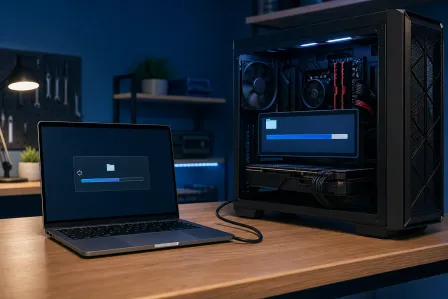
Here's something that surprises a lot of people: most Apple Intelligence problems don't require anyone to physically touch your Mac. A skilled technician can do everything they need through a secure remote session. Let me walk you through what that actually looks like.
Step 1: Secure Remote Connection
The process starts with establishing a secure screen-sharing session. At Fix My PC Store, our technicians use encrypted remote access tools that let us see your screen and interact with your system - with your permission and full visibility the entire time. You watch everything we do, and you stay in control.
This is the same approach used by professionals across Palm Beach County and beyond for remote IT support. It's fast, safe, and honestly? It's kind of cool to watch a pro work through your issue in real time.
Step 2: Reviewing Diagnostic Logs
macOS Sequoia has robust logging for Apple Intelligence processes. Our technicians pull up Console logs and filter for entries related to AI model loading, Siri intelligence services, and background processing daemons. These logs tell us exactly what's going wrong - whether it's a model that failed to load, a process that's stuck in a loop, or a resource conflict between AI tasks.
For reference, Apple's Activity Monitor user guide is a great starting point if you want to peek at what's running on your Mac yourself. But interpreting AI-specific processes? That's where expert eyes make all the difference.
Step 3: Identifying Resource-Hungry AI Processes
One of the first things we check is Activity Monitor. Apple Intelligence runs several background processes, and sometimes one of them goes rogue - consuming way more CPU or memory than it should. We identify the specific process, determine whether it's behaving abnormally, and take the right corrective action.
Sometimes it's as simple as restarting a specific service. Other times, we need to clear cached AI model data or reset certain Apple Intelligence components. Either way, you'll see the difference almost immediately.
Common Apple Intelligence Problems We Diagnose Remotely
Let's get specific. Here are the most frequent Apple Intelligence issues our team resolves through remote mac troubleshooting in 2026 - and what the fix usually looks like.
Siri Integration Failures
Siri is deeply tied into Apple Intelligence now. When the AI layer has a hiccup, Siri can become unresponsive, give generic answers instead of intelligent ones, or fail to process on-device requests entirely. Remotely, we can check Siri's connection to the local AI models, verify that the right services are running, and re-enable any that have stalled. Most Siri fixes take under 20 minutes remotely!
Excessive CPU and GPU Usage
If your Mac's fans are screaming and everything feels slow, there's a good chance an Apple Intelligence background task is chewing through resources. This often happens after a macOS update when AI models are being re-indexed or re-downloaded. We can manage these processes, prioritize them appropriately, or schedule them for times when you're not actively using your Mac.
AI Model Corruption or Conflicts
On-device AI models can occasionally become corrupted - especially if a system update was interrupted or if storage space ran critically low during a model download. Remotely, we can identify corrupted model files, safely remove them, and trigger a clean re-download. Your Mac handles the rest automatically.
Storage Issues from AI Model Files
Apple Intelligence models take up real storage space. If your Mac is running low on disk space, this can create a cascade of problems - not just for AI features, but for overall system performance. We help you understand what's taking up space, clean up unnecessary files, and ensure your Mac has the breathing room it needs. If your Mac needs deeper hardware-level attention, our computer repair services are always available too.
Why Remote Diagnostics Are Perfect for Apple Intelligence Issues
Here's the thing - Apple Intelligence problems are almost entirely software-based. The AI models, the background services, the integration points with Siri and other apps - all of this lives in software. That makes these issues ideal candidates for remote troubleshooting.
You get several big advantages with remote apple intelligence troubleshooting:
- Speed: No driving, no waiting rooms. Connect with a technician and start fixing the problem right away.
- Convenience: Get help from your home, office, or favorite coffee shop anywhere in Palm Beach County - or anywhere with an internet connection.
- Transparency: You see everything happening on your screen in real time. No mystery, no guesswork.
- Cost-effective: Remote sessions typically cost less than in-person visits because there's no travel time or overhead.
For Mac users in West Palm Beach, Boca Raton, Jupiter, Delray Beach, and throughout Palm Beach County, this means expert help is literally a click away. And for those outside our local area? Remote support works just as well from across the state or across the country.
When to Seek Professional Help for Apple Intelligence Issues
You might be wondering: "Can I fix this myself?" And honestly? Sometimes you can! Restarting your Mac, making sure macOS Sequoia is fully updated, and checking Apple's official Apple Intelligence support page for known issues are all great first steps.
But if you've tried the basics and your Mac is still sluggish, Siri still isn't cooperating, or you're seeing errors you don't understand - that's when it's time to call in the pros. There's absolutely no shame in that. These AI systems are complex, and the diagnostic logs aren't exactly light reading.
Here are some signs it's time to reach out:
- Your Mac has been noticeably slower for more than a few days
- Apple Intelligence features aren't working at all despite being enabled
- You're seeing repeated error messages related to AI or Siri
- Activity Monitor shows processes you don't recognize using high resources
- Your MacBook's battery life has dropped dramatically
Every one of these scenarios is something we handle regularly through remote sessions. And the fix is usually faster than you'd expect!
Proactive Apple Intelligence Management for Businesses
If you're managing multiple Macs in a business environment, Apple Intelligence issues can multiply quickly. One Mac with a rogue AI process is an inconvenience. Ten Macs with the same problem? That's a productivity crisis.
This is where managed IT services really shine. With proactive monitoring, we can catch Apple Intelligence issues before they impact your team - automatically flagging unusual resource consumption, failed AI model updates, and Siri service interruptions across your entire fleet of devices.
For businesses throughout Palm Beach County, having a managed IT partner who understands the nuances of Apple Intelligence in 2026 isn't just nice to have - it's becoming essential.
Your Mac Deserves to Run Like New
Apple Intelligence is genuinely amazing technology. It makes your Mac smarter, more helpful, and more capable than ever before. But when something goes sideways with the AI layer, it can make your whole experience frustrating.
The good news? These issues are fixable. They're diagnosable. And in most cases, they can be resolved in a single remote session without you leaving your chair. That's the beauty of macos sequoia remote support in 2026 - expert help, delivered directly to your screen.
Whether you're a creative professional in West Palm Beach whose Mac is lagging during AI-assisted editing, a student in Boca Raton whose Siri has stopped being smart, or a business owner in Jupiter whose team's Macs are all running hot - we're here for you. Let's get your Mac back to doing what it does best.
Need Help Right Now?
Get instant remote IT support from Palm Beach County's trusted technicians - no appointment needed.
Get Remote Help