
Managed IT
Help desk, monitoring options and technology planning, defined by your selected plan.
Managed ITHelp desk, cybersecurity, Microsoft 365, backups and networking for Palm Beach County offices, from one local team in West Palm Beach. Coverage, response targets and pricing are put in writing.
Directions to our West Palm Beach shopBusiness IT services
Remote and on-site support
Support windows and response targets are documented by plan.
Security and backup responsibilities are written down, not assumed.
A West Palm Beach team that can be in your office when remote help isn’t enough.
Is it time?
If a few of these sound familiar, a short call can sort out what to fix first.
What we do
Pick one service or combine them into a single support plan.
Help desk, monitoring options and technology planning, defined by your selected plan.
Managed ITEndpoint protection, email security, account controls and security reviews scoped to your office.
CybersecurityBusiness Wi-Fi, firewalls, VPN and cabling, designed, installed and maintained.
NetworkingSetup, migration, Teams, SharePoint and day-to-day support.
Microsoft 365Backups with restore testing and a recovery plan for critical data.
BackupsEmail setup, migration and management on Microsoft 365.
Business emailIndustries
Choose your industry to see what we set up and support.
Healthcare IT safeguards and support scoped to each practice's systems, policies, vendors, and compliance responsibilities
See how we helpSecure, confidential IT solutions designed for legal practices and attorneys
See how we helpTechnology solutions for real estate agencies and property management companies
See how we helpSecure IT solutions for accounting firms and financial service providers
See how we helpRugged IT solutions for construction companies and contractors
See how we helpIndustrial IT solutions for manufacturing and production facilities
See how we helpComplete IT solutions for retail stores and e-commerce businesses
See how we helpTechnology solutions for schools, training centers, and educational institutions
See how we helpFree resource
Managed services, cybersecurity, backups, costs and how to choose an IT partner, in plain language.
Read the guide
IT with a working plan
Recurring support works best when devices, users, vendors and risks are understood together. We begin with the current environment and prioritize changes around the work that cannot stop.
Service illustrations · No customer devices shown
Getting started
We talk through how your office runs and the software it depends on.
We review your systems, vendors and obligations before recommending changes.
Scope, compliance responsibilities and pricing, in writing.
Once you approve, we document your setup and start supporting your team.
Palm Beach County
We’re based on Okeechobee Blvd in West Palm Beach and support offices across the county, on-site when hands-on help is needed.
Google reviews
The newest 4- and 5-star Google reviews move continuously. Hover, focus, or use Pause whenever you want more time to read.
Good to know
Quick answers before your first call.
Talk to a real person at our West Palm Beach shop.
Mostly Palm Beach County offices with roughly 5 to 100 employees, from a single location to a few sites. We confirm fit after a short discovery call.
Yes. Most issues are handled remotely, and our West Palm Beach team comes on-site when hands-on help is needed. Availability and any on-site charge depend on the selected support agreement.
Support windows and response targets are defined by plan and written into your agreement, so you know what to expect before you sign.
We can implement and document technical safeguards, but compliance depends on your whole organization’s policies, training and vendors. Your proposal states which responsibilities our work covers.
Book a consultation or call us. We talk through how your office runs, review your current setup and send a written proposal, with no obligation to sign up.

Most small businesses don’t need “more IT.” They need a predictable system: standards, monitoring, patching, backups, cybersecurity baselines, and quarterly reviews...
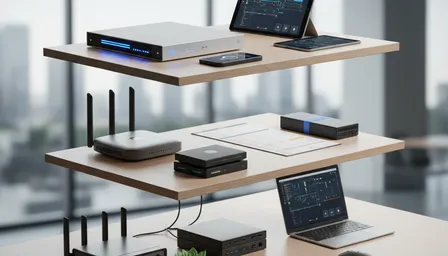
Use this reusable 3-tier IT budgeting plan for 2026 and beyond. Learn how to estimate per-user costs, compare break-fix vs managed services, budget cybersecurity and...

Choosing between managed IT and break-fix support is one of the most practical decisions a small business owner makes. This comparison breaks down costs, risks, and...