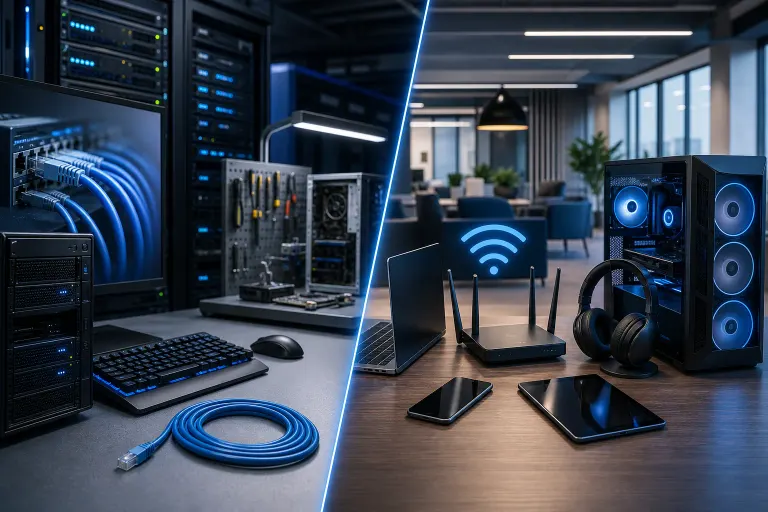
Wired vs. Wireless Office Network: Which Is Right for Your Team
TL;DR: Wired networks win on raw speed, stability, and security. Wireless wins on flexibility and easier scaling. Most offices need both, and the right split depends on what your team actually does all day.
At a Glance
| Factor | Wired (Ethernet) | Wireless (Wi-Fi) |
|---|---|---|
| Speed | Consistently fast | Variable, drops under load |
| Latency | Very low | Higher, especially on shared bands |
| Security | Harder to intercept | Requires strict configuration |
| Setup cost | Higher upfront (cabling) | Lower upfront |
| Flexibility | Fixed endpoints | Move anywhere in range |
| Reliability | Excellent | Good, degrades with interference |
| Scalability | Needs new runs | Add an access point |
Neither option is universally better. The honest answer is almost always a hybrid. But let's break down where each one shines and where it lets you down, because the details matter a lot.
The Case for Wired: Stability You Can Count On
If you have employees doing video calls all day, transferring large files, or running anything that touches a server, wired Ethernet is still the gold standard. There's no contest on consistency. A gigabit Ethernet connection delivers close to its rated speed every single time. Wi-Fi, even on the newest standards, fluctuates based on distance, interference, and how many devices are connected.
Latency is the other big one. Phone systems, VoIP calls, and anything real-time punishes high or inconsistent latency hard. Wired connections keep latency flat and predictable. That matters when a dropped or choppy call costs your team credibility with a client.
Security is where wired really separates itself. To intercept traffic on a wired network, someone has to physically tap a cable or get inside your building. Wireless signals broadcast through walls, into hallways, and sometimes into the parking lot. That's not a reason to avoid Wi-Fi, but it does mean your wireless setup needs proper configuration to not be a liability. If your team handles sensitive client data, financial records, or anything regulated, wired connections for those workstations is a solid baseline move.
The downside is the upfront cost and effort. Running ethernet cable through walls, ceilings, and conduit takes real labor. In an older South Florida building, that work can get complicated fast. You also give up flexibility. That desk is where that computer lives, period.
Where Wired Makes the Most Sense
- Workstations that don't move (reception, accounting, design workstations)
- Any machine that handles sensitive or regulated data
- VoIP desk phones
- On-premise servers and NAS devices
- Conference room A/V setups
The Case for Wireless: Flexibility That Actually Matters
Wi-Fi has gotten legitimately good. Wi-Fi 6 and Wi-Fi 6E handle more simultaneous devices better than older standards, with improved performance in crowded environments. If your team uses laptops, tablets, or moves around the office, wireless is not a compromise anymore. It's a reasonable primary network for a lot of use cases.
The flexibility argument is real. You can reconfigure your office layout without calling a contractor. New hire starts Monday? No cable run needed. That matters for growing teams or businesses that rearrange frequently.
Setup cost is lower on the surface. A few quality access points cost less than a full cabling job. But this math gets complicated quickly. If you cheap out on access points or try to cover too much area with too few units, performance degrades. Dead zones in a 3,000 square foot office are a productivity killer. Quality enterprise-grade access points from vendors like Ubiquiti or Cisco Meraki cost real money, and proper placement requires some planning.
The biggest wireless vulnerability is still configuration. A default router password, a guest network that isn't properly isolated, or WPA2 instead of WPA3 on a network storing client data. these are the kinds of things that turn a convenient wireless setup into a security problem. This is one of the reasons businesses in the Palm Beach area reach out to us for business networking support. The hardware is only as secure as the settings behind it.
Where Wireless Makes the Most Sense
- Laptops and mobile devices that move around
- Conference rooms where you want quick connectivity without hunting for cables
- Guest network access (isolated from your main business network)
- Warehouses or large open spaces where cabling is impractical
- Satellite offices or temporary setups
Tired of IT that breaks at the worst time? Talk to our business IT team
The Hybrid Approach: What Most Offices Actually Need
Here's the real answer: run ethernet to every fixed workstation, printer, phone, and server. Let wireless handle laptops, phones, tablets, and guests. Segment your networks so that the guest Wi-Fi cannot touch your business data. Use the same physical infrastructure where it makes sense.
This sounds obvious once you say it out loud, but plenty of offices end up on one extreme or the other. All-wireless because someone wanted to avoid the cabling cost. All-wired because someone old-school said Wi-Fi is insecure. Both of those are incomplete pictures.
A properly designed hybrid network gives you the stability of wired where it counts and the flexibility of wireless where it's actually useful. The key word there is "designed." A network that wasn't planned tends to get patched over time until it's a mess of consumer routers, mismatched gear, and no documentation. That's when things break at the worst possible moments.
If your current setup is a consumer router from a big-box store trying to cover an entire office floor, that's a conversation worth having before it becomes a problem. Our managed IT services help South Florida businesses get their infrastructure right from the start, not just put out fires after something fails.
Security Considerations for Both
Wired or wireless, your network security posture matters. Some basics that apply regardless of how your team connects:
Network segmentation. Your guest Wi-Fi should be on a separate VLAN from your business devices. If a client connects their laptop to your guest network and it's infected with something, you don't want that reaching your file server.
Encryption and authentication. WPA3 on wireless. Strong, unique passwords on everything. No default credentials left on any hardware.
Monitoring. Do you know what's connected to your network right now? Most small businesses don't. That's a genuine blind spot. The cybersecurity side of your network is worth taking seriously, especially if you handle any client data or operate in a regulated industry.
Firmware updates. Routers and switches with old firmware are a known attack vector. This is one of those things that gets skipped until it becomes a news story about a breach.
For a deeper look at keeping your business protected at the network level, our team covers this regularly, and you can book a consultation if you want someone to actually look at what you've got.
Cost Breakdown: What You're Actually Paying For
Wired cabling for a small office (under 20 workstations) can run anywhere from a few hundred to a few thousand dollars depending on building layout, number of runs, and labor. That cost is mostly upfront, and the infrastructure lasts for years.
Wireless access points range from consumer-grade units that cost under $100 to enterprise access points that run several hundred each. The difference is meaningful: enterprise units handle more concurrent devices, support proper VLAN segmentation, offer better coverage management, and are actually designed for business use.
Don't forget the switch. Every wired port needs to terminate somewhere. A managed switch lets you configure VLANs, monitor traffic, and prioritize certain types of data (like VoIP). An unmanaged switch is cheaper but gives you no control or visibility.
If budget is genuinely tight, prioritize wired connections for the workstations that handle the most critical work, and invest in one or two solid access points for wireless coverage. Trying to do everything on the cheap tends to cost more in troubleshooting hours later.
And if your team uses cloud services heavily, like Microsoft 365 for email, Teams, and file sharing, a stable, properly configured network becomes even more important. A flaky connection that causes sync issues or dropped calls affects your whole operation.
Verdict
Wired beats wireless on speed, latency, and security. Wireless beats wired on flexibility and easier scaling. The right answer for almost every real office is a hybrid setup, with wired connections to fixed workstations and a properly configured wireless network for mobile devices and guests.
What actually matters most is that whichever approach you choose, the network is designed intentionally, secured properly, and monitored over time. A network that just kind of grew over the years without a plan is a liability, not an asset.
If you're in West Palm Beach or anywhere on the Treasure Coast and you're not totally sure what you've got or what you should have, our business IT team is happy to take a look. No jargon, no upselling, just a straight answer about what your team actually needs.
Tired of IT that breaks at the worst time?
We run managed IT, backups, and security for South Florida businesses so you can stop thinking about it.