Why Your Phone Gets Hot During Calls (And What To Do)
TL;DR: A warm phone during a long call is usually normal, cell radios and screens both throw off heat. A phone that gets hot to the point of being uncomfortable, especially on short calls or with low signal, usually points to a battery going bad, a background app misbehaving, or a case trapping heat. Figure out which one it is before you assume the phone's dying.
I get this one a lot at the counter. Somebody hands me their phone like it's a live grenade and says "it gets HOT when I'm on the phone, is it gonna explode." No, it's probably not gonna explode (batteries that do that usually announce themselves first, with swelling or worse). But heat is your phone telling you something, and it's worth actually listening instead of just tossing it in the freezer, which, yes, people still do. Don't do that. Condensation inside a phone is its own disaster.
Let's go through why this happens and what you actually do about it.
What you need
- A few minutes to watch your phone's behavior during and after a call
- Access to Settings (battery usage screen, on both iPhone and Android)
- Your case removed, temporarily, for testing
- A charging cable you know is good (not a random one from a drawer)
- Patience, because half this job is elimination, not diagnosis by magic
Step 1: Figure out when it actually gets hot
This matters more than people think. Where the heat comes from tells you what's wrong.
Heat near the top of the phone, around the earpiece and camera, during a call usually means the cellular radio and screen are working hard, especially with a weak signal. Your phone cranks up transmit power when it's straining to reach a tower. That's normal-ish heat, annoying but not dangerous.
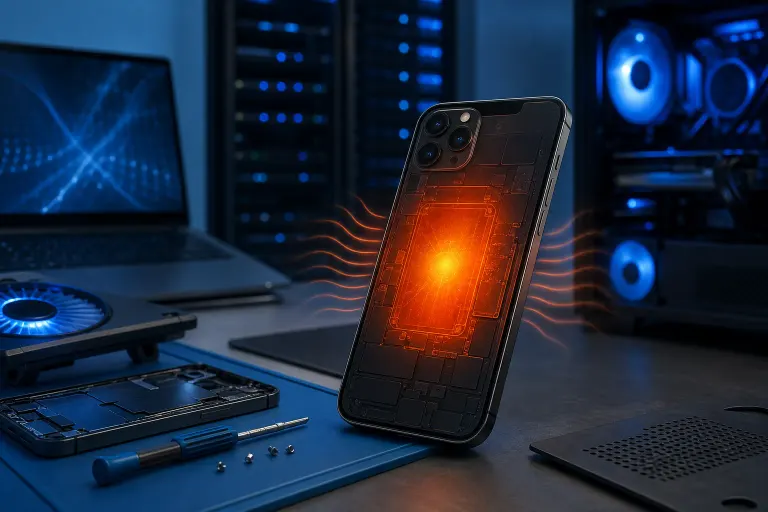
Heat that's more centered or toward the bottom/back of the phone, especially if it lingers after you hang up, points more toward the battery or a chip working overtime, not just the call itself.
Heat that shows up even on short calls, or calls where you have full bars, is the one that should get your attention. That's not "the phone doing its job," that's something misbehaving.
Step 2: Check your actual signal strength during calls
This is the most overlooked cause and it's not even close. South Florida has plenty of dead zones and marginal coverage spots depending on carrier, especially inside concrete buildings, parking garages, and some of the older condo towers along the coast. When your phone has weak signal, it doesn't just drop calls, it ramps up transmit power trying to maintain the connection. That generates heat, chews through battery, and makes the whole thing feel like it's working against you because it is.
Test it: make a call from somewhere with full bars and see if the heat is noticeably less. If yes, that's your answer, at least partly. No amount of repair fixes a weak cell signal. That's a carrier and location problem, not a phone problem.
Step 3: Check what's running in the background during your calls
A lot of "my phone gets hot on calls" complaints aren't actually about the call. They're about something else hogging the processor at the same time. Video calling apps, navigation running in the background, a podcast app still buffering, a social media app doing who-knows-what while you're not looking at it.
On iPhone, go to Settings, Battery, and look at the battery usage by app over the last 24 hours. On Android it's Settings, Battery, and there's usually a similar breakdown depending on the phone maker. Look for anything using more battery than it should relative to how much you actually use it. That's your culprit, or at least a suspect.
Close everything you're not using before a call and see if it makes a difference. If the phone runs noticeably cooler, you found your problem, and it's a software habit, not a hardware failure.
Step 4: Take the case off and test again
Thick cases, especially the rugged or wallet-style ones, trap heat against the back of the phone instead of letting it dissipate. Combine that with a phone sitting in direct sun on a car dashboard or a beach bag (we live where the sun actually tries to kill your electronics, remember that) and you've got a recipe for a phone that runs hot on everything, not just calls.
Take the case off, let the phone sit at room temperature for a bit, then make a test call. If it runs noticeably cooler without the case, that's a real factor, even if it's not the whole story. Doesn't mean ditch the case forever, just means don't leave the phone in the sun with it on, and consider a case with actual ventilation if this keeps being an issue.
Cracked screen or a phone that won't hold a charge? Get a repair quote
Step 5: Check the battery health directly
Batteries degrade. That's not a defect, that's chemistry, lithium-ion cells lose capacity and get less efficient over a couple years of daily charge cycles. A degraded battery has to work harder to deliver the same power, and that shows up as heat, especially under load like an active call with the screen on.
On iPhone: Settings, Battery, Battery Health & Charging. If it's showing significantly reduced maximum capacity, that's relevant. On most Android phones there isn't a built-in health percentage the way Apple does it, but if your phone is more than about two years old and struggling to hold a charge through the day, the battery is a legitimate suspect regardless of what any menu tells you.
A battery that's degraded enough to run hot on calls is also a battery that's more likely to swell eventually. Swollen batteries are a real safety issue, cracked screens, a phone that won't lay flat, in bad cases a fire risk. If your phone is old and running hot consistently, don't just live with it. Get the battery checked, and if it needs replacing, replace it before it becomes a bigger problem than a warm phone.
Step 6: Rule out a charging habit that's making it worse
If you're taking calls while the phone is plugged in, especially with a fast charger, you're stacking two heat sources at once: the call load and the charging load. This is common and it's often the actual reason a phone that's otherwise fine suddenly feels like a hand warmer.
Try taking an important call unplugged if you can. If the heat is dramatically less, that's your answer, and it's not a repair issue at all, it's just physics. Charge before or after calls when you can, not during, especially with cheap third-party chargers that don't manage power delivery cleanly. A bad cable or a knockoff charger can genuinely make heat problems worse, this isn't superstition, it's inconsistent voltage regulation doing exactly what you'd expect.
Step 7: If nothing above explains it, get it looked at
If you've ruled out signal, background apps, case heat, and charging, and the phone is still getting hot on ordinary calls with good signal, something inside is drawing more power than it should. That could be a failing battery that isn't showing obvious symptoms yet, a component issue, or in rarer cases water damage from months ago that's finally causing corrosion problems on a circuit.
This is where you stop guessing. A shop can actually measure what's drawing power and check the battery's real condition instead of you staring at a Settings menu hoping for an answer. If you're in the area, our iPhone and iPad repair team deals with this exact complaint regularly and can tell you in one visit whether it's the battery, a bad component, or something you can fix yourself with a settings change. Cheaper to find out now than after the phone won't hold a charge at all, or worse, starts swelling.
Common mistakes
Putting a hot phone in the fridge or freezer. Please don't. Rapid temperature swings cause condensation inside the phone, and moisture is worse for electronics than heat ever was. Let it cool at room temperature.
Assuming heat means "battery is exploding soon." Most hot-during-calls situations are boring: weak signal, a case, a background app. Panic isn't a diagnostic tool.
Ignoring it because "phones just get hot." Some do, but consistent heat on ordinary calls with good signal is a pattern worth checking, not something to shrug off for two years until the battery swells.
Using cheap chargers and cables and not considering them a variable. They matter more than people want to admit. A five dollar cable can genuinely cause charging and heat issues a name-brand one won't.
Never checking battery health at all. It takes ten seconds on iPhone. Do it once every few months so you catch degradation before it becomes a problem, not after.
Waiting until the phone won't turn on to get it looked at. Heat is an early warning sign. A swollen battery, a dead phone, a cracked screen from swelling, all more expensive and more annoying than catching it early.
Bottom line
A warm phone during a long call in a weak-signal spot is normal, your phone's working harder than usual and that costs heat. A phone that runs hot on short, ordinary calls with good signal is telling you something, usually a battery that's wearing out, a background app that's greedy, or a case that's trapping heat it should be shedding. Walk through the signal check, the background app check, and the case check before you assume the worst. If none of that explains it, get the battery actually tested instead of guessing. It's a quick check, and it's a lot cheaper than dealing with a swollen battery or a dead phone later. If you're local and want it looked at properly, book a repair or swing by, we'll tell you straight what's going on instead of just selling you a battery you might not need.
Cracked screen or a phone that won't hold a charge?
Bring it in. Most phone and tablet repairs are same-day, with parts that actually last.