Why Is My Phone Autocorrect Getting Worse Over Time?
TL;DR: Autocorrect degrades because your phone's learned word dictionary fills up with typos, slang, and corrections you overrode. A reset of your personal dictionary, a software update, and a storage check usually brings it back. If the keyboard app itself is corrupted or a hardware issue is affecting touch input, the fix goes deeper.
What Happened
Autocorrect is not a static spell-checker. It is a prediction engine that watches your typing habits and adjusts. Every time you accept a suggestion or tap away a correction, the phone logs that choice.
Over months of use, a few things pile up.
- Typo reinforcement. If you dismiss a correction and send a misspelled word, the phone treats that as your preference. Do it a few times and the misspelling becomes a suggestion.
- Slang and name accumulation. Words you added to the personal dictionary stick around forever unless you clear them.
- Keyboard app data bloat. The keyboard stores a cache of learned words. On older phones or devices low on storage, that cache can become fragmented or oversized.
- Software drift. OS updates sometimes reset or conflict with keyboard settings without warning.
Why It Matters
A misfiring autocorrect is not just annoying. It slows communication, creates embarrassing send-errors in professional messages, and quietly erodes confidence in your device.
It also signals something worth watching: if your phone is low on free storage (below roughly 10-15% of total capacity), every app that writes data, including your keyboard, starts behaving unreliably. That can show up as autocorrect weirdness before you notice other slowdowns.
Cracked screen or a phone that won't hold a charge? Get a repair quote
What We Don't Know Yet
Neither Apple nor Google publishes a detailed breakdown of exactly how many learned corrections trigger degraded performance, or at what cache size a keyboard app starts misfiring. The behavior varies by device age, available RAM, and which keyboard app you use.
Third-party keyboards like Gboard or SwiftKey have their own learning engines and their own reset paths, so the fix for one may not work the same way on another.
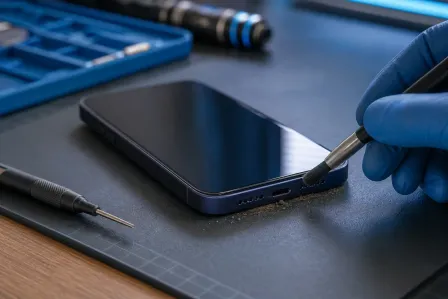
If your touch screen is registering taps slightly off-target due to a hardware issue, that can mimic autocorrect problems. The phone corrects what it thinks you typed, not what you meant to type. Worth ruling out before blaming the software.
What to Do About It
Work through this checklist in order. Stop when the problem resolves.
Step 1: Reset your personal dictionary
On iPhone: Settings > General > Transfer or Reset iPhone > Reset > Reset Keyboard Dictionary. This wipes all learned words. You start fresh.
On Android (stock): Settings > General Management > Language and Input > On-screen keyboard > your keyboard > Reset to default settings. The path varies slightly by manufacturer.
On Gboard specifically: Open Gboard settings > Dictionary > Delete learned words and data.
Step 2: Check available storage
If your device is under 10-15% free storage, autocorrect is probably the least of your problems, but it is a symptom. Free up space by offloading unused apps and clearing media before doing anything else.
Step 3: Update your OS and keyboard app
An outdated keyboard app can have bugs the developer already fixed. Check for updates in the App Store or Google Play, then check for an OS update in Settings > General > Software Update (iPhone) or Settings > Software update (Android).
Step 4: Clear the keyboard app cache
Android only: Settings > Apps > [your keyboard app] > Storage > Clear Cache. This does not delete your dictionary, just temporary files.
iPhone does not expose per-app cache clearing, but deleting and reinstalling a third-party keyboard app achieves the same result.
Step 5: Test touch accuracy
Open a notes app and type slowly and deliberately in a large font. If letters consistently register one key off from where you tapped, the issue may be a screen calibration or digitizer problem rather than autocorrect software. That is worth having checked in person.
If you are in West Palm Beach or South Florida and your phone's touch input feels off, the team at Fix My PC Store can take a look. Walk-ins are welcome at 10140 Okeechobee Blvd, Suite B, West Palm Beach, and initial checks for most standard repairs are free. You can also book a repair appointment ahead of time.
For software-only questions, remote support is available if you would rather not make the drive.
Cracked screen or a phone that won't hold a charge?
Bring it in. Most phone and tablet repairs are same-day, with parts that actually last.