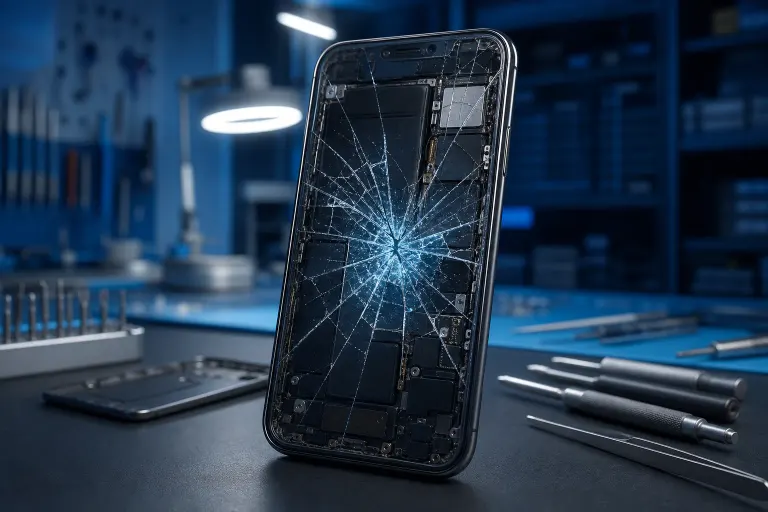
Why Is My Phone Screen Cracking From the Inside Out?
TL;DR: A crack spreading from inside the screen means the OLED or LCD panel beneath the outer glass is physically damaged. The outer glass may look intact. Common causes include localized pressure, thermal stress, and flex damage from drops. Most internal screen cracks require a full display replacement.
What You Need
- A bright flashlight or another phone
- A clean, well-lit surface to inspect the device
- Knowledge of where and how the damage appeared
- Patience: rushing a diagnosis leads to a more expensive repair
1. Confirm It Is Actually an Internal Crack
Run your fingertip slowly across the screen. If the surface is smooth and the crack appears to float under the glass, the break is in the display panel, not the outer glass. Signs of an internal crack include:
- Black blotches or ink-like spreading from one point
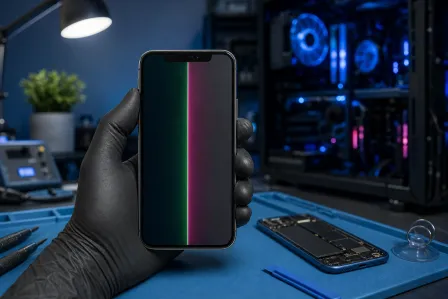
- Colored lines or dead pixel columns radiating outward
- Areas of the screen that stop responding to touch
- Visible crack pattern visible only when the screen is lit
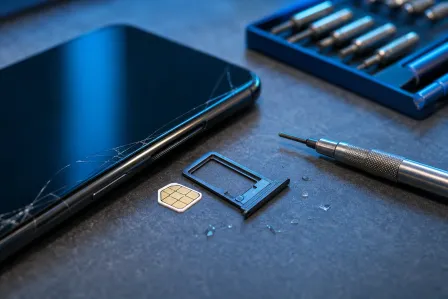
External glass cracks feel sharp or rough to the touch. Internal panel damage does not.

2. Identify the Most Likely Cause
Internal cracks have specific causes. Matching the cause to the symptom helps you understand whether this is a one-time event or an ongoing risk.
| Cause | What It Looks Like | Common Trigger |
|---|---|---|
| Pressure crack | Starburst or radial lines from one point | Sat on phone, bent in pocket, heavy object on screen |
| Drop impact | Crack near a corner or edge, spreading inward | Hard drop, even with a case |
| Thermal stress | Spreading fracture, sometimes discoloration | Left in a hot car, exposed to rapid temperature change |
| Manufacturing defect | Crack appears without any known event | Rare; usually shows within first weeks of use |
Pressure cracks from sitting on the phone or bending it in a back pocket are the most common cause technicians see on modern thin-frame devices.
3. Stop Using the Screen Immediately if You See Spreading Damage
OLED panels contain organic compounds. Once the panel layer cracks, the dark blotch will spread over hours or days, especially with continued use and heat from the battery. Every touch input that passes through a broken panel can accelerate the spread.
- Take a screenshot or photo of current damage for your own reference.
- Back up your data now, before the screen becomes unusable. Many phones still connect to a computer via USB even with a damaged screen.
- Reduce screen brightness and avoid charging to 100% repeatedly, which generates heat.
If the phone is still partially functional, treat that window as temporary.
Cracked screen or a phone that won't hold a charge? Get a repair quote
4. Check Whether a Case or Screen Protector Was a Factor
This matters more than most people expect. A poorly fitting case can create pressure points along the edges of the frame. Over time, or after a moderate drop, those pressure points transfer force directly to the panel rather than absorbing it.
Check your case for:
- Cracked or warped corners that no longer hold the phone flat
- Debris or grit trapped between the case and phone body, pressing against the screen
- A fit that has loosened, allowing the phone to shift inside the case on impact
A screen protector on top of a cracked outer glass can also trap moisture against the panel and accelerate internal damage.
5. Decide: Self-Repair, Professional Repair, or Replacement
Internal panel replacement is not a beginner DIY job. Modern phones, especially flagship models, use display assemblies bonded with adhesive and held by clips that break if removed without the right tools. Screen replacement also often requires heat guns, suction tools, and in some models, software calibration for the new display.
When self-repair makes sense: Older, low-value phones where you accept the risk of total loss. Parts kits exist for common models.
When professional repair makes sense: Any phone you rely on daily, phones still under warranty or insurance, or devices where data recovery is also needed. A professional can also determine whether the damage is covered under manufacturer warranty (rare but possible for proven defects).
When replacement makes sense: If repair cost exceeds roughly half the device's current market value, and the phone is several years old.
If you are in West Palm Beach or the surrounding area, Fix My PC Store at 10140 Okeechobee Blvd handles mobile screen repairs with a free initial check for most standard in-store repairs. You can schedule a repair visit or contact the shop directly to confirm parts availability for your specific model before you come in.
Common Mistakes
Waiting to see if it gets worse. Internal panel damage almost always spreads. Waiting reduces your repair window and can make data recovery harder if the display dies completely.
Assuming the case protected the phone. Cases absorb energy from drops but do not protect against pressure applied directly to the screen surface, such as sitting on the phone.
Buying a replacement screen from an unverified seller. Counterfeit or low-grade replacement panels are common online. They often have poor color accuracy, weak adhesive, and fail faster than the original.
Ignoring the repair while using the phone for payments or authentication. A compromised touch layer can misregister inputs, which matters when you are approving transactions.
Bottom Line
An internal screen crack means the display panel itself is broken, and it will not heal or stabilize on its own. Identify the cause, back up your data immediately, and decide quickly whether repair or replacement makes more sense for your device. For most everyday phones, professional screen replacement is faster and more reliable than a DIY attempt. Book a repair visit if you are local to West Palm Beach, or reach out online if you want a quick opinion on whether your model is worth repairing.
Cracked screen or a phone that won't hold a charge?
Bring it in. Most phone and tablet repairs are same-day, with parts that actually last.