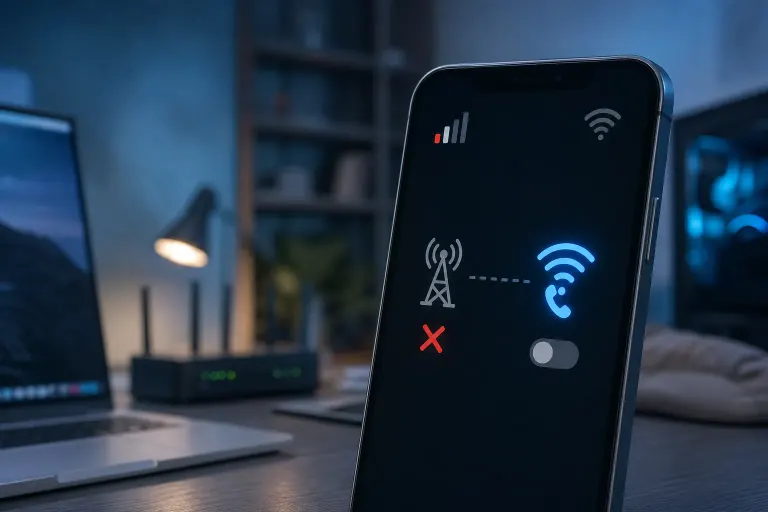
Why Your Phone Won't Use Wi-Fi Calling Even When the Signal Is Weak
TL;DR: Wi-Fi calling requires the feature to be enabled on both the phone and the carrier account, a stable enough Wi-Fi connection, and sometimes a carrier-specific setup step most people skip. Weak cell signal alone does not force the phone to switch. Check the feature toggle, the carrier account setting, and your Wi-Fi quality before anything else.
What Happened
Wi-Fi calling looks simple on paper. Cell signal drops, your phone notices, it routes calls over Wi-Fi instead. Done. Except that is not how it works under the hood, and the gap between expectation and reality trips people up constantly.
The feature is not automatic in the way most people assume. Your phone needs to know you want it active. Your carrier has to have it enabled on your account, not just on your phone. And your Wi-Fi connection has to be functional enough to carry voice traffic, which is a different bar than "connected to the network."
When any one of those three things is missing, the phone sits on a dying cell signal and does nothing. It is not broken. It just never had everything it needed to switch.
Why It Matters
This is not a rare edge case. Buildings in West Palm Beach, older neighborhoods, and anywhere with thick concrete or lots of competing signals can drop you to one bar routinely. Wi-Fi calling exists specifically for those situations. If it is not working, you are losing calls or getting choppy audio for no good reason.
The frustrating part is that the failure is usually silent. The phone does not say "hey, Wi-Fi calling is off." It just stays on cellular and struggles.
The three things that actually have to be true
| Requirement | Where to check | Common failure point |
|---|---|---|
| Wi-Fi calling toggle is on | Phone Settings, then Phone or Connections | Off by default on many devices after a reset |
| Carrier has it enabled on your account | Carrier app or customer support | Prepaid plans sometimes exclude it |
| Wi-Fi network is stable and authenticated | Settings, then Wi-Fi | Connected but behind a captive portal, or congested |
All three have to be true at the same time. One missing piece and the whole thing fails.
Cracked screen or a phone that won't hold a charge? Get a repair quote
What We Don't Know Yet
A few things are harder to diagnose from your couch.
VPN interference. If you run a VPN on your phone, it can block the specific ports Wi-Fi calling uses. The connection looks fine but the voice traffic gets dropped. Not all VPNs do this, and not all carriers are affected equally.
Router and firewall behavior. Some home routers block UDP traffic on certain ports. Business routers with strict firewall rules are worse. If Wi-Fi calling works on your home network but not at the office, that is likely why. (If your office network is blocking legitimate traffic in ways that hurt productivity, that is worth a conversation about business networking.)
Carrier provisioning lag. Sometimes a carrier enables Wi-Fi calling on the account side but the phone has not received the updated provisioning. Restarting the phone or cycling airplane mode can push a fresh profile download. Sometimes it takes longer than that.
E911 address requirement. The FCC requires carriers to have a registered address for Wi-Fi calling so emergency services can locate you. If you skipped that step during setup, some carriers quietly disable the feature until you complete it. Check your carrier app for a "Wi-Fi calling address" or "emergency address" setting.
What to Do About It
Work through this in order. Do not jump to a factory reset or a carrier call until you have ruled out the basics.
- Turn Wi-Fi calling off, then back on. Settings, then Phone (iPhone) or Connections, then More Connection Settings (Android). Toggle it off, wait ten seconds, toggle it back on.
- Check your carrier account. Log into the carrier app or website and look for a Wi-Fi calling setting. On prepaid plans especially, it may be listed as a feature you need to activate.
- Verify your E911 address. Same carrier app. If it is blank or shows an old address, fill it in. This alone fixes the issue for a surprising number of people.
- Test on a different Wi-Fi network. If it works at home but not elsewhere, the problem is the other network, not your phone.
- Disable your VPN temporarily. If Wi-Fi calling starts working, your VPN is the culprit. Check the VPN app for a "split tunneling" option to exclude phone calls.
- Cycle airplane mode. Flip it on for 30 seconds, then off. This forces the phone to re-register with both cellular and Wi-Fi calling services.
- Check for a carrier settings update. On iPhone: Settings, General, About. If an update is available, a prompt will appear. On Android, check the carrier app.
If you go through all of that and it still does not work, the problem may be a corrupted network profile or a hardware issue with the Wi-Fi radio. At that point it is worth having someone look at the device directly. For phone hardware questions, contact Fix My PC Store at 10140 Okeechobee Blvd, West Palm Beach, or call 561-819-9999 during shop hours (Monday through Friday 9 a.m. to 6 p.m., Saturday 9 a.m. to 5 p.m.). Initial checks are free for most standard in-store visits.
Cracked screen or a phone that won't hold a charge?
Bring it in. Most phone and tablet repairs are same-day, with parts that actually last.