Why Is My Phone GPS Jumping Around While Navigating?
TL;DR: GPS jumping around mid-navigation is almost always caused by weak satellite signal getting bounced around (tall buildings, bridges, dense tree cover), a phone case or mount blocking the antenna, or a software glitch mixing GPS data with cell-tower and Wi-Fi location guesses. Most of it clears up with a few settings changes. If it happens everywhere, every time, on a phone that's a few years old, the antenna hardware itself might be failing.
What happened
You're driving, the map's doing its thing, and then the little arrow just... teleports. Jumps three blocks ahead. Thinks you're in the next lane over. Or worse, decides you missed your turn when you didn't, and now you're getting rerouted through someone's backyard (figuratively, mostly).
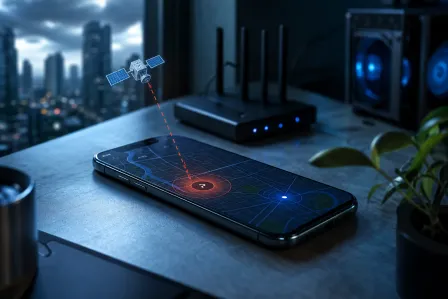
This isn't your phone being broken, usually. GPS position is calculated by triangulating signals from satellites that are, let's remember, orbiting the planet from roughly 12,000 miles up. Your phone is also constantly blending that with Wi-Fi network locations and cell tower triangulation to speed up the fix and fill gaps. When any of those inputs gets noisy or contradicts the others, the map has to guess, and sometimes it guesses wrong and snaps you somewhere you're not.
Around here that means a few specific local culprits. The bridges over the Intracoastal (steel causes signal reflection). Dense canopy roads in older neighborhoods. Parking garages downtown. Anywhere you've got concrete and steel stacked up close, like near CityPlace or along Flagler, satellite signals bounce off buildings before reaching your phone, a problem called multipath interference. Your phone gets a signal, alright, it's just arriving late and from the wrong direction mathematically.
Why it matters
A jumpy GPS isn't just annoying, it's actively dangerous when you're relying on it for turn timing on an unfamiliar road. Miss a merge because the app told you "turn now" a half mile early, that's a real problem on I-95 or the turnpike where you don't get a do-over easily.
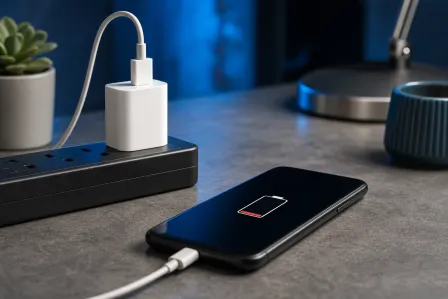
It also burns battery faster than it should, because when GPS signal is weak the chip works harder trying to reacquire a fix, and the phone leans more heavily on Wi-Fi and cellular scanning to compensate. If your phone's been hot in your hand during long drives, that's part of why.
And here's the thing nobody tells you (because explaining assisted-GPS is boring, apparently): your phone's location is never purely satellite-based anymore. It's a blend. GPS, GLONASS or Galileo satellites depending on your phone, Wi-Fi access point databases, Bluetooth beacons, and cell tower IDs all get fused together by the OS to generate a position faster than raw GPS alone could manage. Google and Apple both document this (it's how your phone locks on in two seconds instead of thirty). When one input is garbage, like outdated Wi-Fi location caching, the fused result can look like it's hallucinating.
Cracked screen or a phone that won't hold a charge? Get a repair quote
What we don't know yet
We can't diagnose your specific phone's hardware without it in front of us, so take the following as general troubleshooting logic, not a guaranteed fix for every case.
We also can't tell you whether it's a known bug in a specific app version (Google Maps and Waze occasionally ship updates that mess with location smoothing, then fix it in the next release) versus something actually wrong with your device. If the jumping started right after an app or OS update, that's worth checking against user reports before you assume hardware failure.
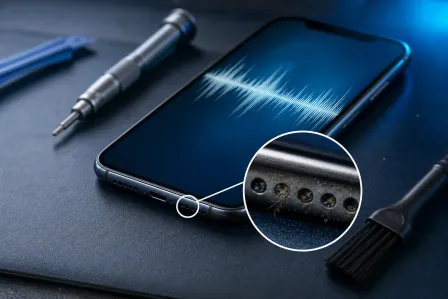
And we're not going to pretend every case is software. If you've dropped the phone, cracked the back glass, or the phone's a hand-me-down that's seen better days, the GPS antenna (often a thin trace near the camera module or top edge) can get damaged or lose contact. That's a hardware call, and it needs a bench, not a blog post.
What to do about it
Work through this in order, cheapest and fastest fixes first:
- Check the sky view. If you're under a parking structure, heavy tree cover, or between tall buildings, some jumpiness is just physics. Nothing to fix. Wait till you're in the open and see if it stabilizes.
- Remove thick cases or magnetic mounts. Some rugged cases and magnetic car mounts (especially ones with metal plates) interfere with antenna reception. Try a drive without the case.
- Toggle location mode to high accuracy. On Android, Settings > Location > make sure it's using GPS, Wi-Fi, and mobile networks together, not battery-saving mode. On iPhone, make sure Location Services and Precise Location are on for the maps app specifically.
- Clear the app's cache or reinstall it. Google Maps and Waze cache location and map tile data that can get stale or corrupted. Clearing cache (Android) or offloading and reinstalling (iPhone) often resets weird positioning behavior.
- Update the app and the OS. Sounds obvious, gets skipped constantly. Location-fusion bugs get patched regularly.
- Test with a different navigation app. If Waze jumps but Apple Maps or Google Maps tracks fine on the same drive, it's an app problem, not a phone problem.
- Check for consistent drift in one direction or location. If it's always wrong near one specific bridge or overpass, that's environmental (multipath interference) and no settings change fixes it. If it's wrong everywhere, every drive, regardless of app, that points toward hardware.
If you've gone through all of that and the GPS is still unreliable across different apps, different routes, and open sky, there's a real chance the antenna or a related component is damaged, especially if the phone's been dropped or exposed to water at some point. That's not a settings fix, that's a bench diagnostic. Bring it by for a look through mobile repair or get in touch through contact if you want someone to actually check the hardware instead of guessing from a forum post.
If the issue is really a laptop or in-car tablet navigation unit acting up rather than a phone, the same logic mostly applies, though the troubleshooting path differs. For laptop-specific hardware issues unrelated to GPS, laptop repair handles general diagnostics.
Cracked screen or a phone that won't hold a charge?
Bring it in. Most phone and tablet repairs are same-day, with parts that actually last.