MacBook Pro Battery Replacement: Cost, Time & What's Included
TL;DR: MacBook Pro battery replacement cost and turnaround depend on the model, part availability, coverage, and service provider. The key details, what it costs, how long it takes, what parts and diagnostics are included, depend heavily on your MacBook model. Here's the full breakdown.
What Happened: Why Your MacBook Battery Is Dying
Lithium-ion batteries have a finite number of charge cycles. Apple lists a maximum cycle count by model, commonly 1,000 for recent MacBook Pros; capacity declines gradually, though many MacBook Pros show noticeable capacity loss well before that, and heat can accelerate battery aging.
Unexpected shutdowns, short runtime, or “Service Recommended” justify checking battery health. A lower capacity or high cycle count is a reason to consider service, not an automatic replacement order.
Some models also develop swelling batteries. That's not cosmetic. A swollen battery can warp the trackpad, crack the display, or, in bad cases, become a genuine safety hazard. If your trackpad feels "springy" or won't click properly, get it looked at before you ignore it any longer.
Why It Matters: Apple MacBook Pro Battery Replacement Service Details You Should Know
When people search for apple macbook pro battery replacement service details, they usually want three things: a real price, a real time estimate, and an honest list of what's included. Here's that information without the runaround.
What Does It Cost?
Prices vary by model. The repair process and price vary by exact model and part; ask for a model-specific quote.
Compare a written local quote with Apple’s current estimate for your specific model and coverage. The exact quote depends on your specific model year, whether you're in or out of AppleCare coverage, and parts availability at the time.
Call or book an appointment first. Ask whether the initial check is free for your case; advanced diagnostics may have a disclosed fee. Request a repair estimate before approving work.
How Long Does It Take?
Turnaround depends on the exact model, available part, workload, and any additional damage. Ask for a current estimate. A good shop will tell you upfront, not after they've already started.
Our Mac repair service includes a diagnostic check before any work begins. That means you know what you're getting into before you commit.
What's Included in a Quality Battery Replacement?
This is where shops differ. A cut-rate repair might swap the battery and hand the machine back. A thorough service should include:
- A battery-health and charging check appropriate to the model
- Inspection of the battery connector and logic board for corrosion or prior damage
- Confirmation that the new battery charges correctly and is recognized by macOS
- A check of the trackpad and keyboard, since both sit near the battery and can be affected
- A post-installation test to confirm system stability
If someone just pops in a battery and doesn't run any of those checks, they're skipping steps that matter.
OEM vs. Third-Party Batteries
This is a real conversation worth having. Apple uses OEM (original equipment manufacturer) batteries. Third-party batteries vary widely in quality. Safety and reliability depend on the part and installation. Ask whether the part is genuine Apple or third-party and what warranty applies.
Ask your repair shop what brand of battery they use and whether it comes with a warranty. A reputable shop will answer that question directly and stand behind the part. Ask Fix My PC Store which battery is available for your model and request the warranty terms in writing.
Cracked screen or a phone that won't hold a charge? Get a repair quote
What We Don't Know Yet: M-Series Battery Complexity
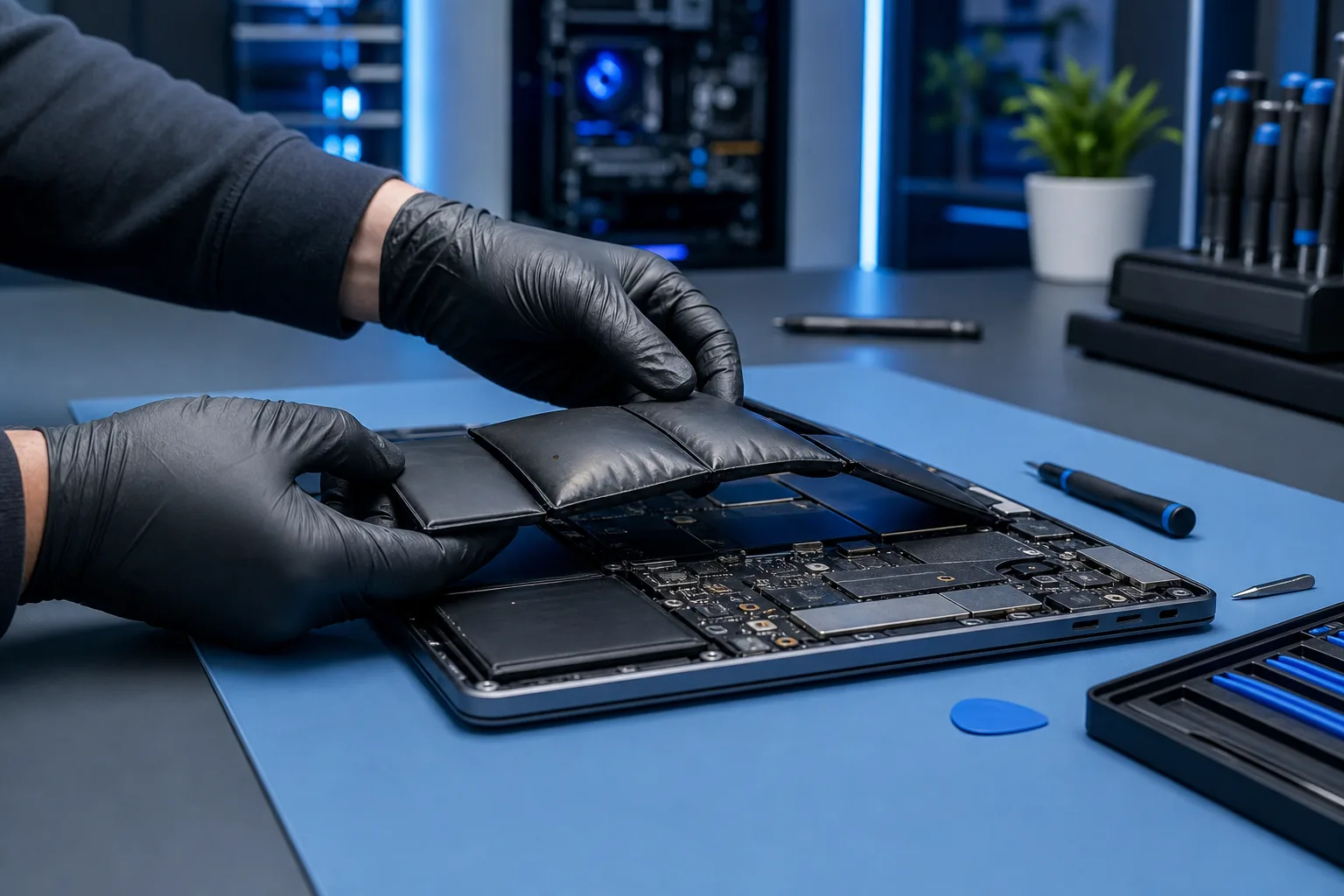
Battery service procedures differ by MacBook Pro model. Before repair, ask which part will be used, whether any post-repair software steps are needed, and what macOS may report.
This is a real concern and the repair industry is still navigating it. The short version: on newer M-series MacBook Pros, battery replacement is technically feasible, but you want a shop that has done it before, uses quality parts, and knows what macOS might report afterward.
Do not assume an Intel model is simpler; the exact model and condition determine the service procedure. If you're not sure which category your machine falls into, bring it in and we'll tell you.
Part availability and official repair options change. Check Apple’s current repair page and ask the shop what it can source for your model.
What to Do About It: Your Next Steps
If your MacBook Pro is running out of juice faster than it used to, here's a practical sequence:
Step 1: Check your battery health. Go to Apple menu > System Settings > Battery > Battery Health (on newer macOS) or hold Option and click the battery icon in older versions. If you see “Service Recommended” or reduced capacity, consider service if battery life is affecting you.
Step 2: Check your cycle count. Hold Option, choose Apple menu > System Information, then select Power. You'll see "Cycle Count" listed. Compare the number with Apple’s maximum cycle count for your exact model and assess actual battery condition.
Step 3: Back up your data first. Before any repair, back up. Time Machine to an external drive is fine. A cloud backup adds another layer. This isn't paranoia. It's just smart. You can learn more about solid backup strategies through our laptop repair resources.
Step 4: Get a local diagnostic. Don't just order a battery online and hand it to someone who found a YouTube video. Bring it to a shop that works on Macs regularly. A proper diagnostic tells you whether the battery is actually the problem or whether something else, like a runaway process draining power, is the real culprit.
Step 5: Ask the right questions. When you bring it in, ask: What brand battery do you use? Does it come with a warranty? Will macOS report any warnings after installation? How long will it take? Clear answers help you compare repair options and written terms.
Need remote help checking your battery stats or diagnosing whether the battery is actually the problem before you make the trip? Our remote support service can walk you through it live.
A Note for Business Users
If you're a business owner in West Palm Beach or across Palm Beach County running a team on MacBooks, a dead battery on a key machine is a productivity problem, not just a personal inconvenience. If you don't have a plan for managing device health across your fleet, that's worth addressing. Ask our managed IT team what device monitoring and repair coordination its current plan includes.
The Bottom Line
A MacBook Pro battery replacement doesn't have to be expensive, slow, or mysterious. The apple macbook pro battery replacement service details that actually matter are: a real upfront price, honest turnaround times, quality parts with a warranty, and a tech who checks the work before handing the machine back.
That's what a local shop like Fix My PC Store is built to provide. Ask for a model-specific estimate and expected completion date before approving the repair.
Schedule your repair or stop by the West Palm Beach location. We'll take a look.
Cracked screen or a phone that won't hold a charge?
Bring it in. Ask for the current time estimate and part warranty for your device.