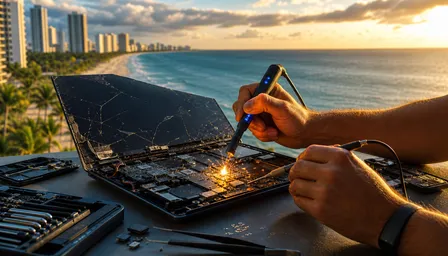
M4 iMac Logic Board Failure Signs in 2026
Listen to this article
TL;DR: If your M4 iMac logic board failure starts showing up as random shutdowns, black screens, distorted graphics, or an iMac not turning on, you can do a safe basic check in about 20 to 40 minutes. Do not start opening the machine like it is an old beige tower from back in my day. Apple Silicon iMac problems need careful diagnosis, backups if the machine still boots, and a real repair plan before the board gives up completely.
Look, I am not going to sugarcoat this. In 2026, M4 iMacs are no longer brand-new desk jewelry, and repair shops are seeing more hardware failures that owners mistake for macOS tantrums. Sometimes it is software. Sometimes it is a power adapter or outlet. And sometimes the logic board is waving a white flag while you keep rebooting it like that will magically fix solder joints, unified memory, or a failing power rail. That is not troubleshooting. That is hoping.
What you'll need before diagnosing M4 iMac logic board failure
Before you start poking around, gather the boring stuff. Boring keeps you from turning a repairable iMac into a fancy paperweight. You will need your M4 iMac, the original power cable and adapter if applicable, a known-good wall outlet, a second display if you have one, a USB-C or Thunderbolt cable you trust, your Apple ID password, and an external drive if the iMac still boots long enough to back up.
Skill level? Basic to moderate. You are checking symptoms, isolating simple causes, and deciding whether this is an Apple iMac repair and computer repair job, not performing surgery on the logic board. If you are comfortable changing printer ink without starting a family argument, you can handle the first steps. If you are thinking about heat guns, freezer tricks, or watching a guy on a video platform reflow a board with a toaster oven, stop right there. That is how we got half the repair horror stories I tell at the counter.
You should also know this: Apple Silicon is not like the old Intel iMacs. Back in my day, you could swap RAM, pull a drive, and sometimes limp the thing along like an old pickup with a bad alternator. On M4 iMacs, the system-on-chip, unified memory, storage security, and board-level power management are tightly integrated. That makes DIY iMac repair in 2026 much more limited.
1. Confirm the symptom pattern before blaming macOS
What to do: Write down exactly what the iMac does and when it does it. Does it shut down during video calls? Does the screen go black after waking from sleep? Does it chime or show any sign of life? Does the fan noise change? Does the power button do nothing at all? Make notes before you start changing settings.
Why it matters: A failing logic board often looks like a software problem at first. That is the cruel part. Random restarts, kernel panics, frozen startup screens, and iMac black screen fix searches can all point in different directions. But patterns matter. Shutdowns under load can mean heat or power delivery trouble. Black screen with keyboard response can mean display path trouble. No power at all can mean board-level failure, power supply trouble, or an external power issue.
What success looks like
You want a clean symptom list, not a vague complaint like my computer is acting weird. That kind of description is about as useful as telling a mechanic your car makes a noise sometimes. If your notes show the problem happens under the same conditions, you have already saved diagnostic time and maybe money.
2. Rule out power, outlet, and surge damage first
What to do: Unplug the iMac from power for at least 60 seconds. Try a different outlet on a different circuit. Remove power strips, cheap surge bars, extension cords, and that mystery adapter you found in a drawer. If you use a UPS battery backup, test without it once. Then reconnect only the iMac and keyboard.
Why it matters: Palm Beach County has heat, humidity, and lightning that treat electronics like a chew toy. A quick surge event can damage an iMac logic board without leaving dramatic scorch marks. I have seen machines behave perfectly fine one evening, then wake up deader than a VCR with a peanut butter sandwich inside it. Florida power is not gentle, especially during stormy seasons, and cheap surge protectors are not magic shields.
Apple has basic startup guidance for Macs, and it is worth checking the simple stuff before assuming the worst. You can review Apple's Mac startup troubleshooting guidance if your iMac does not turn on or start up properly.
What success looks like
If the iMac starts normally from a different outlet, you may have a power source problem, not a logic board failure. If it still shows no signs of life, clicks off, or power cycles, the odds of hardware failure go up.
3. Watch for M4 iMac logic board failure warning signs
What to do: Look for the big warning signs: random shutdowns, sudden restarts, black screen with power still present, distorted graphics, flickering colors, USB-C or Thunderbolt ports dropping devices, no-POST behavior, repeated startup loops, or failure to wake from sleep. If the iMac boots, open Console only if you know what you are looking at. Otherwise, do not drown yourself in logs like it is Windows XP event viewer at 2 a.m.
Why it matters: On an M4 iMac, the logic board is not just a board. It carries the Apple Silicon chip, unified memory, storage components tied to the system security model, display connections, port controllers, and power circuitry. When one section starts failing, the symptoms can look scattered. Distorted graphics may not mean a separate graphics card is bad, because there is no old-style removable GPU like the tower days. Unified memory issues can show up as crashes, weird graphics, app failures, or boot trouble.
What success looks like
You are trying to separate a one-off glitch from a repeatable hardware pattern. If symptoms repeat after basic power checks and safe boot testing, especially across different apps and user accounts, you are likely past the easy iMac black screen fix nonsense.
4. Back up immediately if the iMac still boots
What to do: If the M4 iMac starts and stays on long enough, back up your data right now. Not after lunch. Not after one more reboot. Use Time Machine, copy critical folders to an external SSD, or move essential files to trusted cloud storage. Prioritize documents, photos, business files, accounting data, schoolwork, and anything you would be angry to lose.
Why it matters: If you do not have a backup, you do not have data. You are just borrowing it. Apple Silicon changed the data recovery game. On older iMacs, a tech could often remove the storage drive and recover files separately. On M4 iMacs, storage is soldered to the logic board and tied into the system's security architecture. If the board dies hard, recovery can become extremely difficult or impossible depending on the failure. That is not scare talk. That is the new refrigerator with the door welded shut.
If you are already dealing with a failing machine, talk to us about Mac data recovery options before the iMac stops booting. Also, Apple explains backup basics in its Time Machine backup guide, which is dry reading but useful. Dry can be good. Dry keeps your files alive.
What success looks like
You should have at least one confirmed backup that opens on another device. Do not assume the backup worked. Check it. I know, tedious. So is losing ten years of family photos.
5. Test external devices and ports without turning diagnosis into chaos
What to do: Disconnect every accessory except the essentials. Remove docks, hubs, printers, external drives, audio gear, card readers, and monitor adapters. Then test the iMac alone. After that, reconnect one device at a time. If a specific USB-C or Thunderbolt port fails, test the same device on another port with a known-good cable.
Why it matters: Bad hubs and cheap cables cause symptoms that look like Apple Silicon iMac problems. I see this exact mess all the time. Somebody buys a no-name dock with more ports than a cruise ship, plugs in three drives, a camera, a microphone, and a charger, then blames the iMac when it starts acting like a microwave during a brownout. That said, dead or intermittent ports can also be a real sign of logic board trouble because port controllers and power delivery circuits live on the board.
If your issue is freezing during heavy graphics or gaming-style workloads on another machine, our guide on diagnosing a computer that freezes under load explains the same basic idea: isolate load, heat, power, and hardware one piece at a time.
What success looks like
If removing a dock makes the iMac stable, replace the dock or cable. If ports fail even with simple trusted devices, especially after reboots and clean testing, you may be looking at iMac hardware failure signs.
6. Separate display failure from board failure
What to do: If your iMac shows a black screen, listen and look. Does it make startup sounds? Does the keyboard light respond? Can you hear alerts? If available, connect an external display using a proper adapter and cable. Try adjusting brightness. Shine a light at the screen edge to see whether there is a faint image, though modern displays do not always make this trick as useful as old LCDs did.
Why it matters: An iMac black screen fix depends on what actually failed. A display path problem, backlight problem, power problem, or logic board problem can all look similar to a normal person. This is why guessing repairs gets expensive. It is like replacing a car battery when the alternator is the problem. Sure, you bought something shiny. The car still will not run.
On M4 iMacs, graphics processing is part of Apple Silicon. There is no separate graphics card to reseat like the old desktop days. Distorted graphics, checkerboard artifacts, color bands, or black screen after load may point toward unified memory, display circuitry, or the SoC area. None of those are good candidates for kitchen-table repair.
What success looks like
If the external display works while the built-in screen does not, the display assembly or display connection may be suspect. If both displays fail while the iMac seems unstable, the logic board moves higher on the suspect list.
7. Compare repair options and iMac logic board replacement cost in 2026
What to do: Get a proper diagnosis before approving major repairs. Ask whether the shop is testing power input, startup behavior, thermal behavior, port function, display output, and data access. Ask for a written estimate. If the iMac is under AppleCare+, check coverage first. If it is out of warranty, compare local diagnosis and repair against Apple Store appointment time, mail-in depot turnaround, and replacement cost.
Why it matters: In 2026, typical independent diagnostic fees in Florida often land around $89 to $149 depending on the issue and urgency. Out-of-warranty logic board replacement on an M4 iMac can vary widely based on configuration, parts availability, and whether data concerns are involved. You may see repair totals from several hundred dollars to well over $800. Apple pricing can also vary by model and coverage status, and mail-in service may leave you without the machine longer. Nobody likes that, especially small business owners in West Palm Beach, Palm Beach Gardens, Lake Worth Beach, Wellington, Boynton Beach, or Delray Beach.
At Fix My PC Store, we focus on practical local iMac repair in Palm Beach County. We are not here to sell you a new machine if repair makes sense. We are also not going to pretend a destroyed board is cheap to fix just to make you feel warm and fuzzy.
What success looks like
You should leave with a clear answer: repair, recover data, replace, or monitor. Not vague mystical nonsense about optimization. Computers are not incense burners.
Common pitfalls / troubleshooting for Apple Silicon iMac problems
The first pitfall is reinstalling macOS over and over. If the M4 iMac has hardware trouble, reinstalling macOS Sequoia or wiping the system will not repair a failing power circuit or unified memory fault. It may also waste the last stable minutes you had for backing up files. Lovely.
The second pitfall is assuming malware because the iMac is slow or crashing. Macs can get unwanted software, browser hijackers, and junk extensions, but malware does not usually cause no-power symptoms or repeated no-POST behavior. If your issue is suspicious pop-ups, redirects, or fake security alerts, that is a different job, and we handle Mac virus removal and malware cleanup. If the iMac is dead silent, do not blame a browser extension.
The third pitfall is using heat as a diagnostic tool. Do not bake the board. Do not aim a heat gun at it. Do not stick it near an air conditioner and call that troubleshooting. Back in my day, people smacked CRT TVs to make the picture come back. Sometimes it worked for five minutes. It was still not a repair.
The fourth pitfall is delaying data recovery. If the iMac boots once after three failures, that is not a victory lap. That is your warning. Copy the files. Then get it checked.
The fifth pitfall is remote-only diagnosis for a machine that will not power on. Remote Mac support is handy when the computer runs and the issue is settings, software, email, or network trouble. It cannot magically reach through the internet and repair a dead logic board. I wish it could. I would have fewer gray hairs.
When to call a pro for Apple iMac repair in Palm Beach
Call a professional when the iMac will not turn on, shows a black screen after multiple power tests, shuts down during normal use, has distorted graphics, loses ports, loops during startup, or cannot stay alive long enough for a backup. Call sooner if the files matter. A failing M4 iMac is not the place to practice bravery.
You should also call if you smell burning, hear popping, notice liquid exposure, or had a recent storm-related power event. Florida humidity and surge damage are sneaky. Corrosion can start small and grow like mildew in a boat cabin. The outside may look clean while the board is quietly corroding under shields and connectors.
Fix My PC Store helps Mac owners across West Palm Beach, Palm Beach Gardens, Lake Worth Beach, Wellington, Boynton Beach, Delray Beach, Riviera Beach, Royal Palm Beach, and nearby Palm Beach County communities. We can help you decide whether the smart move is repair, data recovery, or replacement. You do not need the newest thing. You need the thing that works.
If you like learning why DIY repairs go sideways, our post on DIY repair risks versus professional repair results makes the same point with iPads. Different device, same lesson: tiny parts, expensive mistakes, and somebody eventually has to clean up the mess.
Need Expert Computer Support?
Get professional help from Palm Beach County's trusted computer repair specialists.
Get Help Today