Windows installation
Clean installs, reinstalls and upgrades, with drivers and updates applied before pickup.
Windows installs and reinstalls, Microsoft 365, security software, printer drivers and the apps you rely on, installed, updated and configured for your computer. You keep your licenses; we install and activate them properly.
Directions to our West Palm Beach shopSoftware we set up
Licensed software only
Installed, updated and configured for your hardware, with the trial clutter removed.
We install software you own or buy, and help you activate it on the right account.
We confirm what needs backing up or moving before a reinstall or new setup.
Symptoms
Most software problems are easier to fix than they look. Tell us what’s happening.
What we install
Operating systems, productivity apps and the drivers that make your hardware work.
Clean installs, reinstalls and upgrades, with drivers and updates applied before pickup.
Install, sign in and activate Office apps, and set up Outlook with your email.
Antivirus and security tools set up to protect without slowing the computer down.
Printer, scanner and hardware drivers installed so your devices work as expected.
Licensed apps like QuickBooks and industry software installed to the vendor’s requirements.
Files, browser bookmarks and supported settings moved to your new computer.

Inside the diagnosis
Power, heat, memory and storage problems can feel identical from the outside. A focused inspection helps narrow the likely cause before we explain the practical options.
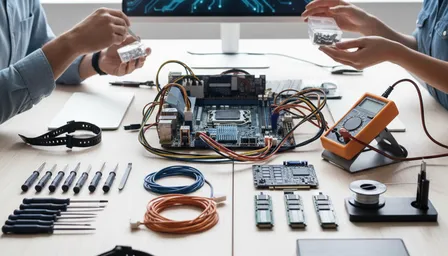
Service illustrations · No customer devices shown
From intake to pickup
Bring the computer, its charger and any license keys, account logins or install media you have.
We confirm the software, licenses and files involved, and what needs backing up first.
You receive the proposed work, applicable charges and expected timing.
We install, update and test the software, then walk you through anything new.
Palm Beach County
Our three primary local markets, plus nearby Palm Beach County communities, are served from one Okeechobee Boulevard shop.
Google reviews
The newest 4- and 5-star Google reviews move continuously. Hover, focus, or use Pause whenever you want more time to read.
Good to know
Common questions about installing and setting up software.
Talk to a real person at our West Palm Beach shop.
Yes. We install and activate Microsoft 365 and standalone Office versions on your account, and can set up Outlook with your email.
Yes. We do clean installs, reinstalls and supported upgrades, install drivers and apply updates. We confirm what needs backing up before we start.
We reinstall most software on the new computer and move files and supported settings. Some programs need a new license or vendor deactivation first; we’ll tell you which.
Yes. We install and configure security software and remove expired trials or duplicate tools that can slow a computer down.
Yes. We troubleshoot crashes, compatibility and configuration problems, and can often repair an installation without starting from scratch.
RemoteCare · For your home PC
For $29.95 a month, our local team keeps your PC running smoothly, helps protect against viruses and handles the updates. Something odd pops up? Just call us.
Explore RemoteCare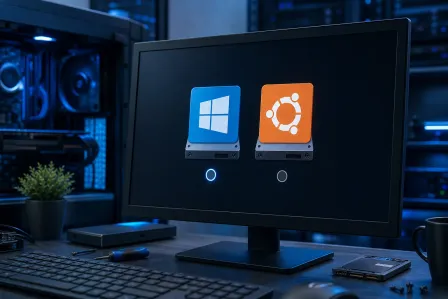
If your PC is showing two operating systems at boot, it usually means Windows added a second boot entry during an upgrade or repair install. Most of the time you can...
If your Windows 11 Wi-Fi keeps disconnecting after a driver update, you are not alone. This 2026 checklist walks you through driver rollback or clean install, power...
Windows 11 25H2 crashes after an update can look scary, but you have multiple repair options before reinstalling. Here’s a calm, step-by-step checklist to break boot...