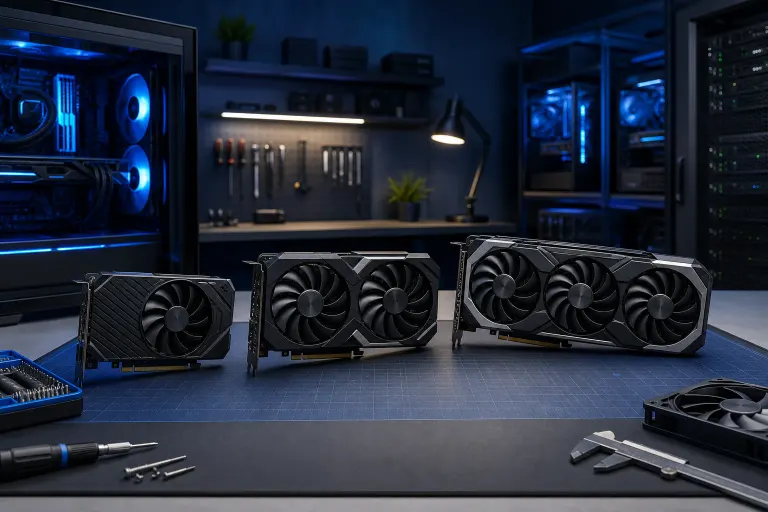
How to Choose a Graphics Card for the Games You Play
TL;DR: Match your GPU to your target resolution, the games you actually play, and your CPU so you're not bottlenecked or overspending. Know your monitor first, then your budget, then shop backward from there. If you get stuck, the custom gaming PC builder at Fix My PC Store can spec the whole thing out for you.
What You Need
Before you start comparing spec sheets, get these details written down.
- Your current monitor's resolution and refresh rate. 1080p/60Hz, 1440p/144Hz, or 4K/60Hz. This is the single biggest factor in GPU pricing.
- Your CPU model and generation. A weak CPU will bottleneck even the most powerful GPU.
- Your PC case and power supply specs. GPU length, PCIe slot version, and wattage rating all matter.
- Your game library list. Seriously, write it down. We'll use it.
- Your budget. Be honest with yourself here.
- A PCIe 4.0 or 5.0 slot on your motherboard if you're buying a current-gen card and want full bandwidth. PCIe 3.0 still works but may throttle top-end GPUs slightly.
1. Identify What You're Actually Playing (Be Honest)
This sounds obvious, but most people skip it and that's how they end up with an RTX 4090 for Stardew Valley.
Split your games into rough categories:
Competitive shooters and esports titles. Games like Valorant, CS2, Rocket League, and Fortnite at lower settings are CPU-bound and resolution-insensitive. They prioritize HIGH frame rates, often 144 FPS or above. You don't need the most expensive GPU for these. You need a fast CPU and a GPU that can push frames without choking.
AAA open-world and story games. Titles like Cyberpunk 2077, Elden Ring, Hogwarts Legacy, and Alan Wake 2 are GPU-hungry, especially at 1440p and 4K. Ray tracing in these games will absolutely hammer your card.
Simulation and strategy games. Cities: Skylines 2, Microsoft Flight Simulator, and similar titles often bottleneck the CPU more than the GPU. Spending top dollar on a GPU here won't always deliver the FPS you expect.
Indie and retro titles. Almost any modern GPU handles these fine. Don't overbuy for a library that's 90% pixel-art roguelikes.
Once you know your category, you know your tier.
2. Lock In Your Target Resolution First
Resolution is the multiplier on everything. Moving from 1080p to 1440p increases pixel count by about 78 percent. Moving to 4K is roughly 4x the pixels of 1080p. Each jump demands proportionally more GPU muscle.
1080p gaming. A mid-range card is more than enough for competitive titles at high refresh rates. For AAA games at 1080p/High settings, you don't need flagship hardware. Cards in this tier are the sweet spot for budget-conscious builds.
1440p gaming. Check the games and graphics settings you actually use, then compare independent benchmarks for candidate GPUs at your target frame rate. Intel notes that VRAM needs depend on game, resolution, and settings; no single capacity guarantees 60 FPS.
4K gaming. Higher resolution increases graphics work, but there is no universal 16GB VRAM minimum or flagship requirement. Check each game’s requirements and benchmarks at your chosen quality, ray tracing, and upscaling settings.
If your monitor is 1080p/60Hz and you mainly play competitive shooters, please don't buy a 4K-capable card. Spend that money on a better monitor upgrade and a mid-range GPU instead. The FPS payoff is real.
3. Check Your CPU Before You Buy Anything
A CPU bottleneck kills FPS just as hard as an underpowered GPU. If you're pairing a current-gen high-end graphics card with an aging processor, you're leaving massive performance on the table.
General rule: match the tier of your CPU to your GPU. A flagship GPU with a mid-tier CPU from four or five generations ago will bottleneck in CPU-bound games, especially at lower resolutions where frame rates are high and the CPU has to work harder to feed the GPU.
For esports titles at 1080p/high refresh, the CPU matters MORE than the GPU in many scenarios. The GPU finishes its work quickly and then waits on the CPU to submit the next frame.
If you're not sure whether your current CPU is up to the task, check out our custom gaming PC builder or contact us and we'll tell you straight.
Ready to build a rig that actually rips? Start your build
4. Understand VRAM Requirements by Game Type
VRAM is video memory, the GPU's local workspace for storing textures, frame buffers, and shader data. Running out of VRAM is BRUTAL. Frame times spike, stuttering gets ugly, and no driver update fixes it.
Here's a practical breakdown as of current-gen games:
- VRAM capacity: Compare the games, texture settings, resolution, and mods you plan to use. Eight, twelve, or sixteen gigabytes may suit different workloads; capacity alone does not determine GPU speed or future support. Intel’s guidance treats VRAM as workload-dependent.
Before rejecting a card by VRAM alone, compare benchmarks for your games and settings. High-resolution textures and mods can increase memory use, but there is no fixed capacity that fits every 4K or modded game.
5. Set Your Frame Rate Target and Work Backward
This is where everything comes together. FPS targets determine how hard your GPU actually has to work.
60 FPS target. Totally valid for story games and single-player experiences. Easier to hit, especially at higher resolutions. Gives you more GPU headroom per dollar.
144 FPS target. The competitive standard. Requires a card with more headroom, especially if you're running at 1440p. At 1080p, mid-range cards can often hit this in esports titles.
240 FPS+ target. Almost exclusively for competitive shooters at 1080p. At this level, you're CPU-bound more often than GPU-bound. Don't overspend on a top-tier GPU for a 240Hz esports rig.
Decide your target, check benchmark databases like Tom's Hardware GPU benchmarks for your specific games, and find the cheapest card that consistently hits that target at your resolution. That's your card.
6. Factor In Power, Thermals, and Physical Fit
The spec sheet doesn't tell you everything.
Power supply. Follow the exact card maker’s recommended total-system wattage and connector requirements, then check your PSU model, condition, and CPU power. A fixed extra 100W is not a universal rule. NVIDIA advises checking the card and PSU specifications.
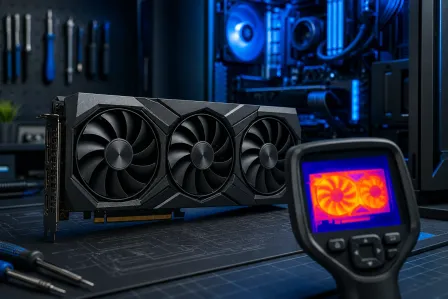
Physical length. Triple-fan flagship GPUs can hit 340mm or longer. Check your case's stated maximum GPU clearance before buying. Nothing worse than a card that doesn't physically fit.
Thermal headroom. If your case has poor airflow, even a great GPU will throttle under sustained load. Especially relevant here in South Florida. Ambient temperatures in a home with limited AC during summer can genuinely affect sustained GPU performance. Good airflow isn't optional.
PCIe connector requirements. Current high-end GPUs use a 16-pin 12VHPWR connector. Older PSUs may need an adapter. Use the correct cables from your PSU manufacturer, not random adapters from unknown brands.
If you want to see real-world build decisions on premium hardware, check out our RTX 4090 upgrade video and the Ryzen 9 9950X RGB monster build we put together. Those breakdowns show exactly how these components interact in a real system.
Common Mistakes
Buying for specs instead of games. Teraflops and CUDA core counts don't tell you how a card performs in your specific titles. Check game-specific benchmarks.
Ignoring the CPU. Spending $700 on a GPU and running it on a 7-year-old quad-core processor is money thrown away. Balance the build.
Chasing ray tracing on a mid-range budget. Ray tracing is gorgeous but expensive. At 1080p on a mid-range card, enabling ray tracing can cut your FPS nearly in half. Know when to turn it off.
Skipping workload checks. A lower-capacity card may be fine for some games and restrictive for others. Compare actual frame-time and texture-setting results rather than assuming a fixed price or lifespan.
Not checking PSU wattage. A PSU that can't reliably deliver power under GPU load will cause random crashes and can damage components. This is not a corner to cut.
Overlooking used market pricing. Previous-gen cards at the right price can be excellent value. Just verify the GPU hasn't been used for crypto mining, check for physical damage, and buy from a reputable seller.
If you end up with a build that needs a second opinion or something goes sideways during installation, our computer repair team is right here in West Palm Beach and we also offer remote support if you just need a quick consult.
Bottom Line
Choosing a GPU isn't about buying the most powerful card you can afford. It's about matching hardware to your actual game library, your target resolution, your refresh rate goals, and your CPU. A perfectly matched mid-range GPU in a balanced build will DESTROY a flagship card dropped into a bottlenecked system.
Start with your monitor. Write down your games. Set your FPS target. Check benchmarks for those specific titles at your resolution. Choose a compatible card that meets your measured target and budget; future game requirements cannot be guaranteed.
If you want a fully specced custom build that's dialed in for your exact needs, hit up our custom gaming PC builder or come see us in West Palm Beach. We build these things all day and we will tell you exactly what you need and what you don't.
The best GPU is the one that maxes out your actual games without wasting money on headroom you'll never use. Full stop.
Ready to build a rig that actually rips?
Custom gaming PCs built and tuned by people who game. Tell us your budget and target frame rate.