What Happens to Your Data When a Phone Screen Cracks?
TL;DR: A cracked screen is not always just a cracked screen. Depending on the damage, it can compromise the digitizer, the display IC, and in serious cases the logic board, all of which sit between you and your data. Back up your phone before the cracks spread, and get it assessed before a partial failure becomes a total one.
What Happened
You dropped your phone. The screen cracked. Maybe it still works fine, or maybe the touch response is gone, or maybe the display is showing colors it has no business showing. The physical damage is obvious. What's happening underneath it is not.
Modern smartphones are not built the way desktop computers are. The screen, the digitizer (the layer that reads your touch input), the display controller, and in many cases the front-facing sensors are all stacked in a thin assembly, millimeters apart. Damage to the outer glass does not always stay in the outer glass.
Here's what can go wrong depending on the type and severity of the crack:
Glass only, digitizer intact. The most common outcome for a minor drop. The screen looks bad but functions normally. Your data is not at risk from the crack itself, though a jagged edge can snag a charging cable and cause other problems over time.
Glass and digitizer damaged. Touch response becomes erratic or stops working entirely in parts of the screen. If you use a PIN, pattern lock, or need to tap through a verification prompt, you may find yourself locked out of your own device. Locked out with no backup? That is a data access problem.
LCD or OLED layer damaged. The display goes dark, shows lines, or blacks out completely. The phone may still be on and functioning, you just cannot see or interact with it. Again, if you have not backed up recently, everything on that device is trapped behind a screen you cannot use.
Impact damage reaching the logic board. This is the worst case. A hard enough impact can crack solder joints, damage the storage chip, or compromise the display IC that sits on the main board. At this point, data recovery becomes a specialized, expensive process with no guaranteed outcome.
None of this means a cracked screen will always escalate. Many do not. But the escalation path is real, and it tends to move faster when you keep using a compromised device.
Why It Matters
The data risk from a cracked screen is mostly about access, not deletion. The files themselves are typically still there after a crack. The problem is that a smartphone is a locked device by design, and the screen is the primary way you unlock it.
Biometric authentication (Face ID, fingerprint) requires a functioning sensor and sometimes a functioning display to operate properly. If your Touch ID sensor sits under a shattered lens assembly, the reads become unreliable. If Face ID's flood illuminator or dot projector is disturbed by the crack, the system may fall back to PIN entry. And if your screen will not register touch at all, you cannot enter that PIN.
That creates a specific, frustrating scenario: the phone works, the data exists, and you cannot get to any of it.
There is also a secondary concern that does not get enough attention. A cracked screen creates a physical entry point for moisture and debris. South Florida humidity is not a minor variable. Palm Beach and Treasure Coast air carries salt, humidity, and fine dust. A hairline crack in the screen assembly is an open door for all of it. Corrosion on the logic board moves slowly, but it moves.
If you run a business and your employees store work files, emails, or credentials on company phones, a cracked screen that goes unaddressed is a quiet liability. A solid business IT and cybersecurity setup should include a mobile device policy that addresses exactly this kind of scenario, including what to do when a device is damaged and how to ensure work data is covered under your backup and disaster recovery plan.
For individual users, the lesson is simpler: your phone's data is only as accessible as your screen.
Cracked screen or a phone that won't hold a charge? Get a repair quote

What We Don't Know Yet
Every cracked screen situation is different, and there are a few things that are genuinely hard to predict without a hands-on assessment.
How far the damage has spread internally. A screen can look catastrophic on the outside and have a fully functional digitizer underneath. It can also look like a single hairline crack and have already damaged the display IC from the flex of the impact. You cannot determine this visually from the outside.
Whether the damage is progressing. Cracks spread under mechanical stress. Every time you flex the phone slightly, press on the screen, or put it in a tight pocket, the crack network can extend. What is a cosmetic issue today may compromise the digitizer tomorrow.
The condition of the storage itself. If the impact was hard enough to cause visible damage to multiple layers, it may have stressed the storage chip or its solder connections. This does not always manifest immediately. It can appear weeks later as random app crashes, corrupted files, or an unexpected boot loop.
What a third-party repair did. If the phone has been repaired before with a non-OEM screen, the tolerances inside the device may not be exactly what the manufacturer designed for. That affects how subsequent impacts behave and whether replacement parts will perform reliably.
These unknowns are not reasons to panic. They are reasons to get an accurate diagnosis before assuming the situation is stable.
What to Do About It
This is a straightforward sequence. Follow it in order.
1. Back up immediately, while you still can.
If your screen is cracked but still responsive, your first move is a backup. Do not wait. Connect to iCloud, Google Photos, or plug into a computer for a local backup right now.
If your screen is unresponsive but the phone still powers on, there are a few options depending on the device. Some Android phones support USB debugging or can be mirrored to a PC. iPhones paired with a trusted computer may still sync via cable even without screen interaction. Neither is guaranteed to work, and neither is easy for someone without experience.
2. Stop using the phone as your primary device until it is assessed.
Every tap on a compromised digitizer puts mechanical stress on an already-stressed assembly. Every vibration, every pocket flex, every notification that makes the phone buzz is a small additional risk. If the crack is already near the edges of the display or running through the center, the device is fragile in ways that are not visible.
3. Get a professional assessment, not just a quote.
A price estimate over the phone tells you what the repair will cost if it is what you described. A physical assessment tells you what is actually broken. These are different things. A qualified technician will check digitizer response, display layer integrity, and look for signs of board-level stress or moisture ingress.
For iPhone or iPad damage specifically, you can see what our repair process looks like at our iPhone and iPad repair page. For Android devices and other mobile hardware, the same diagnostic-first approach applies. If you need to discuss options before coming in, remote support can help you understand your situation and plan next steps.
4. If the screen is already gone, do not assume the data is.
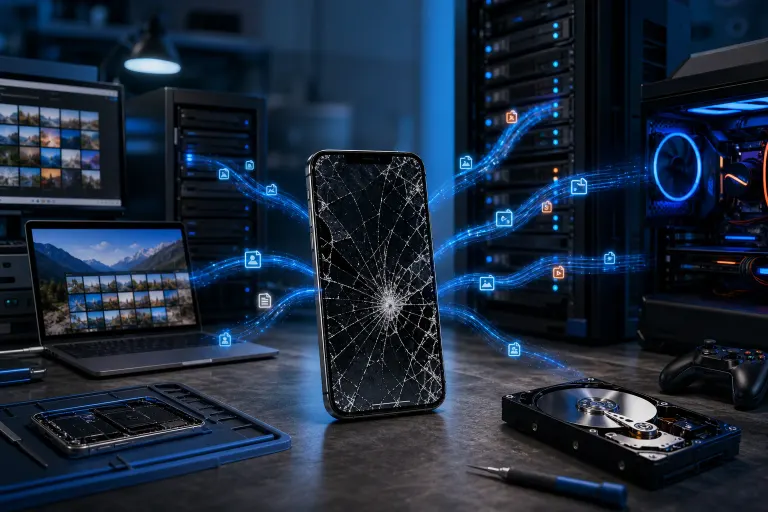
A fully black screen does not mean data loss. It means you need the right tools and the right hands. Board-level data recovery is possible in many cases, though it is not cheap and it is not always successful. The earlier you act, the better the odds.
5. Build a habit that makes this less catastrophic next time.
Automatic cloud backup should be on by default. For iPhones, iCloud backup on Wi-Fi is simple to enable. For Android, Google One backup covers most of what matters. For anything work-related, your IT setup should already account for mobile data through a managed policy. If it does not, that is worth fixing now, not after the next dropped phone.
For businesses thinking about this more broadly, managed IT services can include mobile device management as part of a comprehensive plan, which means damaged hardware becomes a device problem, not a data problem.
A cracked screen is fixable. Lost data often is not. The window between those two outcomes is usually still open. Get it assessed while it is.
If you are in West Palm Beach or anywhere on the Treasure Coast and need a hands-on look at a damaged device, you can schedule a repair visit or reach out through our contact page.
Cracked screen or a phone that won't hold a charge?
Bring it in. Most phone and tablet repairs are same-day, with parts that actually last.