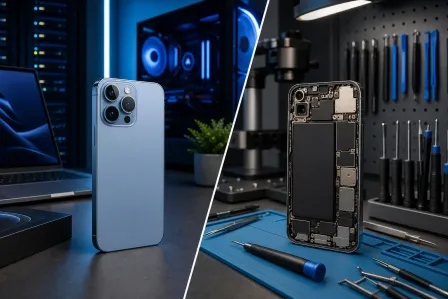
iPhone & iPad repair guide · 2026 iPhone & iPad repair guide. Screens to batteries.
Cracked screens, batteries, charging ports, water damage and repair costs, explained so you can decide what to do next. From our Palm Beach County repair counter.
Call 561-819-9999Before you read
- Model checked before any quote
- Same-day options for eligible repairs
- 90-day limited warranty on qualifying repairs
Updated for 2026
Jump in
Quick Links to Our Services
Explore our iPhone & iPad repair services and find the solution you need
Browse all mobile device repair services, featured blog posts, and service areas
View Repair HubBook an appointment and receive a model-specific estimate; eligible repairs may have a same-day option when parts and capacity allow
Schedule NowProfessional screen replacement for all iPhone and iPad models
Learn MoreFast battery replacement service to restore your device's battery life
Learn MoreMost Common iPhone & iPad Repairs
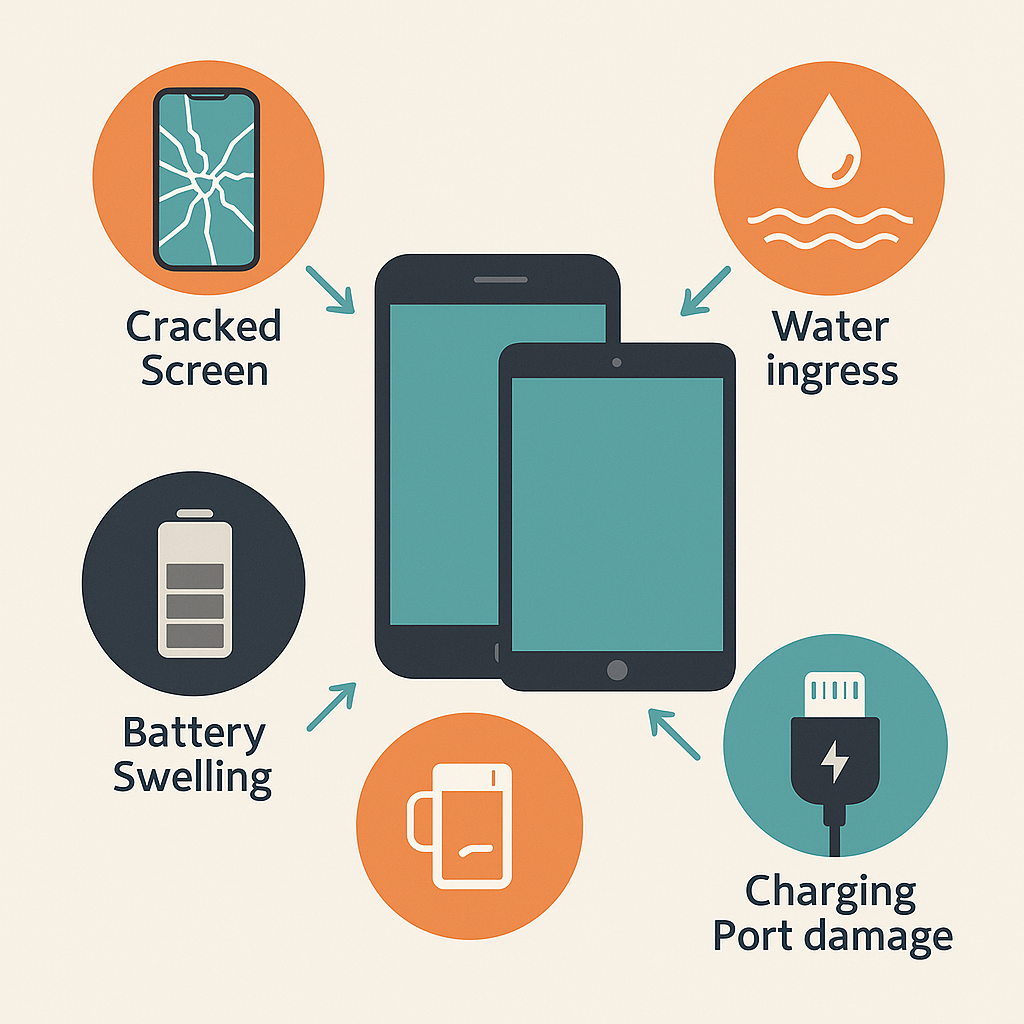
The most common repair. Even small cracks can worsen and affect touch sensitivity.
Quote factors: model, display type, part source, frame damage, and availability
Timing is confirmed after the correct screen and damage scope are identified.
Batteries degrade over time. Consider service when battery health, runtime, shutdowns, or swelling indicate a problem.
Quote factors: model, battery source, adhesive or frame condition, and availability
Timing is confirmed after compatibility and stock are checked.
Liquid exposure can cause various issues. Immediate professional cleaning is critical.
Quote factors: liquid type, corrosion, affected components, data priority, and testing scope
Timing and feasibility are case-specific after evaluation.
Lint buildup or damage prevents charging. Can often be cleaned professionally.
Quote factors: cleaning versus replacement, port type, flex-cable design, and related damage
Timing is confirmed after inspection and part availability are checked.
Screen Repair & Replacement

When to Repair Your Screen
Even minor screen damage should be addressed promptly. Small cracks can spread, and compromised screens are more susceptible to water damage.
Safety Warning: Severely cracked screens can cut your fingers. Cover with clear tape until repaired, and avoid using the device if glass is shedding.
Screen Repair Options
Manufacturer or Original-Equipment Options
Availability and condition vary by model and supply channel. Confirm whether the quoted part is manufacturer-supplied, original-equipment, refurbished, or pulled stock.
• Ask how calibration and device messages may be affected
• Confirm part condition and warranty in writing
• Do not infer provenance from “OEM-quality” wording
Compatible Aftermarket Screens
Third-party screens vary in panel technology, brightness, color, touch response, durability, and compatibility.
• Compare the exact specification and supplier tier
• Ask about calibration, warnings, and warranty coverage
• Approve the identified part, not a generic quality label
Used or Refurbished Assemblies
These can be appropriate in some cases, but condition, prior repair history, cosmetic grade, and remaining service life vary.
• Inspect the quoted condition and cosmetic grade
• Confirm testing and return terms
• Compare the written warranty with other options
Screen Repair by Model
| Device Detail | Why It Matters | What to Confirm |
|---|---|---|
| Exact model and model number | Screen assemblies that look similar may use different connectors, sensors, or dimensions. | The model number listed in Settings or on the device. |
| Display and touch technology | OLED, LCD, laminated iPad assemblies, refresh rate, and sensor pairing affect parts and labor. | The proposed part type, condition, source, and any feature limitations. |
| Frame, housing, and sensor damage | A bent frame or damaged sensor assembly can change the repair scope beyond the visible glass. | Whether related damage is included or requires separate authorization. |
| Parts availability and work queue | Stock changes by model and supplier, so timing cannot be inferred from the model name alone. | A written price and timing estimate before authorizing work. |
Battery Replacement Guide
Signs You Need Battery Replacement
- The device reports significantly reduced battery health
- Device shuts down randomly, especially in cold weather
- Runtime has fallen noticeably under the same normal use
- Device only works when plugged in
- Battery physically swollen or bulging
- Device feels hot during normal use
Swollen Battery Warning
A swollen battery is dangerous and can rupture, causing fire or chemical burns. If your device's screen is lifting or back is bulging, stop using it immediately and seek professional repair. Do not try to puncture or remove a swollen battery yourself.
Battery Replacement Process
- Diagnostic Testing: We verify battery health and check for other issues
- Device Disassembly: Careful opening using specialized tools
- Battery Removal: Safe removal of old battery and adhesive
- New Battery Installation: High-quality replacement battery installed
- Testing: Full charge/discharge cycle and functionality test
- Calibration: Battery meter calibration for accurate readings
Extending Battery Life
Daily Best Practices
- • Use adaptive brightness or the lowest comfortable setting
- • Enable Auto-Brightness
- • Use WiFi instead of cellular when possible
- • Close unused background apps
- • Enable Low Power Mode when needed
Charging Tips
- • Avoid extreme temperatures
- • Use quality chargers and cables
- • Follow the device maker's current charging and storage guidance
- • Remove case when charging if device gets hot
- • Optimize battery charging (Settings)
Water Damage Repair
IMMEDIATE STEPS IF YOUR DEVICE GETS WET
- Power Off Immediately: Don't try to turn it on or charge it
- Remove Case & SIM: Help air circulation and dry exposed areas
- Wipe Exterior: Gently dry with soft cloth, don't shake
- Don't Use Rice: It doesn't work and can cause more damage
- Seek Professional Help: Arrange an evaluation promptly; continued power or charging can worsen damage
Water Damage Myths
MYTH: Rice fixes water damage
Reality: Rice can introduce dust and doesn't absorb internal moisture effectively. Professional drying is necessary.
MYTH: If it turns on, it's fine
Reality: Corrosion damage progresses over days/weeks. Device may work initially but fail later without professional cleaning.
MYTH: Newer iPhones are waterproof
Reality: They're water-resistant, not waterproof. Seals degrade over time, and water damage isn't covered by warranty.
Professional Water Damage Repair Process
- Initial Assessment: Determine extent of liquid intrusion
- Complete Disassembly: Full device teardown to access all components
- Ultrasonic Cleaning: Professional cleaning bath removes corrosion
- Component Inspection: Check all parts for damage
- Replacement of Damaged Parts: Replace any corroded components
- Reassembly & Testing: Full functionality test before return
What Affects Water-Damage Recovery
No responsible shop can promise a recovery outcome before inspection. Feasibility depends on the liquid, exposure path, corrosion, power state, damaged components, and whether data recovery is the priority.
- Liquid type: Salt water and sugary or acidic liquids can leave more conductive or corrosive residue.
- Power state: Turning on or charging a wet device can create additional electrical damage.
- Elapsed time: Corrosion can continue after the exterior appears dry, so prompt evaluation matters.
- Goal: Restoring the device and recovering its data can require different approaches and authorizations.
Other Common Repairs
Charging Port Repair
Charging issues are often caused by lint buildup in the Lightning or USB-C port. Professional cleaning with specialized tools can restore functionality. If port is damaged, replacement is necessary.
Quote factors: Cleaning versus replacement, port design, part source, and related board or battery damage. Request a written price and timing estimate.
Camera Repair/Replacement
Blurry photos, focus issues, or cracked camera glass can be repaired. Both front (Face ID/selfie) and rear cameras can be replaced individually.
Quote factors: Front versus rear module, sensor pairing, glass or housing damage, and part availability. Request a written price and timing estimate.
Speaker/Microphone Repair
No sound during calls, muffled audio, or speaker distortion can indicate speaker or microphone failure. Often caused by debris, water damage, or component wear.
Quote factors: Debris versus component failure, liquid exposure, affected module, and disassembly. Request a written price and timing estimate.
Back Glass Replacement
Cracked back glass (iPhone 8 and newer) is common from drops. Repair requires full disassembly as back glass is fused to frame on most models.
Quote factors: Model, housing design, frame damage, finish, part source, and required disassembly. Request a written price and timing estimate.
Button Repairs
Home button, volume buttons, or power button issues can often be repaired. Note: Touch ID/Face ID may not work after home button replacement on newer models.
Quote factors: Button type, paired security features, flex-cable design, and related damage. Request a written price and timing estimate.
Apple vs Third-Party Repair
Advantages:
- ✓ Manufacturer service documents its approved part and service options
- ✓ Appropriate place to review service under active Apple or AppleCare coverage
- ✓ Access to proprietary tools/diagnostics
Disadvantages:
- ✗ Pricing and timing depend on Apple's current terms and appointment availability
- ✗ May require device replacement
- ✗ No data recovery if device fails
Advantages:
- ✓ Multiple part and repair approaches may be available for out-of-coverage devices
- ✓ Eligible repairs may have a same-day option when parts and capacity allow
- ✓ Component-level repair possible
- ✓ Data recovery services available
Disadvantages:
- ✗ May void Apple warranty
- ✗ Part quality varies by shop
- ✗ No Apple diagnostic access
Our Recommendation
- Device Under Warranty or AppleCare+: Use Apple's service to preserve coverage
- Out of Warranty: Compare written quotes, part provenance, feature limitations, timing, and warranty terms
- Older Devices: Compare repair cost and expected useful life with a suitable replacement
- Water Damage/Data Recovery: Choose a provider that explains evaluation limits, data handling, and specialist escalation
iPhone & iPad Repair Cost Guide
Mobile-repair pricing depends on the exact model, part choice, damage, and current availability. Compare written estimates using these quote factors rather than an undated generic price range.
| Repair Type | What Changes the Quote | What to Confirm |
|---|---|---|
| iPhone Screen (Newer Models) | Model, OLED or LCD specification, frame damage, sensor work, and part source | Part provenance, feature limitations, warranty, stock, and timing |
| iPhone Screen (Older Models) | Exact model, available screen grades, condition, and related housing damage | Whether the proposed part supports the device's required features |
| iPhone Battery Replacement | Model, battery source, adhesive or frame condition, and availability | Battery provenance, health reporting, warranty terms, and timing |
| iPad Screen Replacement | Model, laminated assembly, display size, digitizer, frame, and parts market | Exact assembly, included components, stock, warranty, and timing |
| Water Damage Repair | Liquid type, corrosion, affected components, and data-recovery priority | Evaluation limits, likely outcomes, authorization stages, and data handling |
| Charging Port Repair | Cleaning versus replacement, port design, flex cable, and related damage | Diagnosis, part source, work included, warranty, and timing |
| Camera Replacement | Front or rear module, sensor pairing, glass or housing damage, and stock | Feature compatibility, module source, warranty, and timing |
| Back Glass Replacement | Model, housing construction, frame damage, finish, and part source | Repair method, cosmetic expectations, warranty, and timing |
Why Choose Fix My PC Store?
- ✓ Same-Day Options: Available for eligible repairs when parts and capacity allow
- ✓ Documented Parts: Part type, condition, and source category identified before approval
- ✓ Limited Warranty: 90-day coverage on qualifying repairs
- ✓ Experienced Technicians: Local device-repair specialists
- ✓ Written Estimates: Know the approved scope and price before work begins
Prevention & Protection Tips
- • Use quality case with raised edges
- • Apply tempered glass screen protector
- • Avoid keeping in back pocket
- • Use pop socket or grip for secure holding
- • Keep away from edges and hard surfaces
- • Avoid extreme heat and cold
- • Use reputable chargers that meet the device maker's current compatibility guidance
- • Don't let battery fully drain often
- • Enable optimized battery charging
- • Remove case if device gets hot
- • Don't rely on water resistance
- • Use waterproof case for beach/pool
- • Keep away from sinks and toilets
- • Check port covers before water exposure
- • Dry immediately if exposed to moisture
- • Keep iOS updated
- • Regular iCloud backups
- • Clear storage when nearly full
- • Restart device weekly
- • Monitor battery health monthly
Choosing a Mobile Repair Shop

What to Look For
- Established business with physical storefront (avoid mail-in-only services)
- Experienced technicians who provide a model-specific quote
- Written warranty terms that identify covered parts, labor, exclusions, and duration
- Transparent pricing and evaluation fees disclosed before chargeable work
- Positive reviews with photos of actual repairs
- A written turnaround estimate based on parts availability and the shop's current capacity
Questions to Ask
- What type of parts do you use (OEM vs aftermarket)?
- How long is the warranty on this repair?
- What's your estimated turnaround time?
- What evaluation fees can apply, and when are they authorized?
- What happens if my device can't be repaired?
- Can I watch the repair being done?
- Do you have experience with my specific device model?
Frequently Asked Questions
How much does iPhone screen repair cost?
iPhone screen repair costs vary by model, part choice, and current availability. We provide a written estimate before repair work and confirm whether the job qualifies for a same-day option.
How long does iPhone repair take?
Eligible screen and battery repairs may qualify for same-day service when parts and technician capacity allow. Water damage, board work, and special-order parts can take longer; we provide a case-specific estimate.
Will third-party repair void my Apple warranty?
Third-party repair may affect manufacturer or AppleCare coverage. Review Apple's current terms before authorizing outside work. For an out-of-coverage device, compare written quotes, part provenance, feature limitations, timing, and repair warranty terms.
Can you fix a water-damaged iPhone?
Many water-damaged iPhones can be repaired through professional cleaning and component replacement. Success depends on the liquid, exposure path, corrosion, power state, damaged components, and the recovery goal. Power the device off, do not charge it, and arrange an evaluation promptly; no outcome can be promised before inspection.
Do you use genuine Apple parts?
Part options vary by model and availability. We explain whether the proposed part is manufacturer, original-equipment, refurbished, or compatible aftermarket stock and identify it on the work order.
What warranty do you offer on repairs?
Qualifying repairs include a 90-day limited warranty on the covered parts and labor. Coverage varies by service and part, and the written work order controls the terms for the approved repair.
When should I replace my iPhone battery?
Consider service when the device reports significantly reduced battery health, shuts down unexpectedly, drains unusually quickly, swells, or only works when connected to power. A diagnostic can distinguish battery wear from charging-port, software, or board issues.
Is iPad repair more expensive than iPhone repair?
iPad screen quotes can differ from iPhone quotes because display size, laminated assemblies, digitizers, frame condition, and part availability vary by model. Compare a model-specific written repair quote with the cost and remaining useful life of a suitable replacement.
Expert iPhone & iPad Repair in Palm Beach County
Same-day options and 90-day limited-warranty coverage are available on qualifying repairs. We confirm the estimate, parts, timing, and coverage before work begins.
PHONES & TABLETS · LOCAL HELP
Cracked? Let’s fix that.
A bad drop, a tired battery or a phone that won’t charge. Tell us your model and what’s going wrong. Our West Palm Beach team will walk you through the options.
Explore phone & tablet repair