What Remote IT Support Can and Can't Fix
Listen to this article
Quick summary: Remote IT support is incredibly powerful in 2026 - technicians can fix software crashes, remove malware, speed up sluggish systems, and so much more without ever being in the same room as your computer. But some problems, like hardware failures, broken ports, and swollen batteries, absolutely require hands-on repair. Knowing the difference saves you time, money, and a whole lot of frustration.
Have you ever called tech support and wondered, "Can they really fix this without being here?" You're definitely not alone. Most people in Palm Beach County and beyond aren't quite sure where remote IT support ends and in-person repair begins. And honestly? That's a totally fair question.
Here's the good news: remote technicians can solve a huge range of problems virtually. But there are real remote IT support limitations that are important to understand. Let's break this down together so you always know exactly what to expect - and when it's time to bring your device in.
How Remote IT Support Actually Works
Before we dive into the "can" and "can't" lists, let's quickly talk about how remote support works. It's simpler than you might think!
When you connect with a remote technician, they use secure screen-sharing software to access your computer. Think of it like handing someone the steering wheel while you sit in the passenger seat and watch everything they do. They can see your screen, move your mouse, type commands, and run diagnostic tools - all in real time.
The key thing to understand? Your remote tech can interact with anything software-related on your machine. They can open programs, adjust settings, install updates, and run scans. What they can't do is physically open your computer, swap out a part, or plug in a cable. That distinction is really the heart of understanding remote computer repair capabilities.
What Remote Tech Support Can Fix
Okay, this is the exciting part. The list of things a skilled remote technician can handle is honestly impressive. Let's walk through the big ones!
Software Crashes and Freezes
Is your computer randomly freezing? Are programs crashing the moment you open them? A remote tech can dig into error logs, identify conflicting software, repair corrupted system files, and get things running smoothly again. Windows 10 and Windows 11 both have excellent built-in diagnostic tools that a technician can run remotely to pinpoint exactly what's going wrong.
Malware and Virus Removal
This is one of the most common reasons people reach out for remote help - and it's something remote techs are really good at. They can scan your system, identify threats, quarantine malicious files, and clean up the mess that malware leaves behind. According to the Malwarebytes cybersecurity blog, new threats emerge constantly, and having a professional remotely clean your system is often faster and more thorough than trying to do it yourself.
Pop-ups everywhere? Browser hijacked? Suspicious programs you didn't install? A remote session can usually knock all of that out.
Slow Computer Performance
If your PC feels like it's wading through molasses, a remote technician can work wonders. They'll check for resource-hogging programs running in the background, clean up startup items, optimize your storage, update drivers, and fine-tune your system settings. You'd be amazed how much faster your computer can feel after a remote tune-up!
Driver Conflicts and Updates
Drivers are the little pieces of software that help your operating system communicate with your hardware - things like your printer, graphics card, or Wi-Fi adapter. When drivers get outdated or conflict with each other, weird things happen. Your printer stops working. Your display looks off. Your audio disappears. A remote tech can identify the problem driver, update it or roll it back, and get everything talking to each other again.
Network and Wi-Fi Configuration
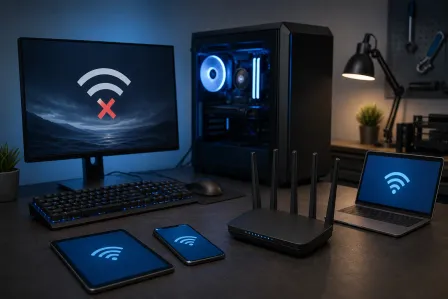
Can't connect to Wi-Fi? Internet painfully slow? Network printer not showing up? Remote technicians can adjust your network settings, reset network adapters, configure DNS settings, and troubleshoot connectivity issues. As long as they can establish a remote connection (even temporarily through a mobile hotspot), they can usually sort out your networking headaches.
Email Setup and Software Installation
Setting up a new email client, configuring Microsoft 365, installing business software, or migrating data between applications - these are all perfectly suited for remote support. Your tech can walk through the entire process while you watch and learn.
Operating System Updates and Errors
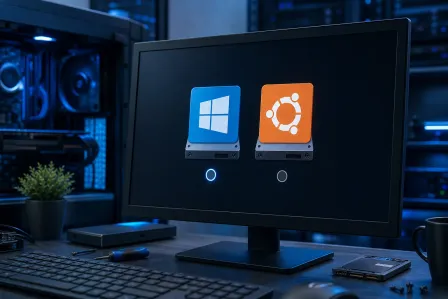
Windows updates failing? Getting mysterious error codes? Microsoft's official support resources are helpful, but sometimes you need a real person to troubleshoot the specifics of your system. Remote techs can force stuck updates, repair system files using command-line tools, and fix boot configuration issues - all without being physically present.
Security and Privacy Settings
Want to tighten up your firewall, enable encryption, set up two-factor authentication, or review your privacy settings? A remote technician can walk through all of this with you. For small businesses in West Palm Beach and throughout Palm Beach County, this is especially valuable - our managed IT services team handles security configurations remotely for businesses every single day.
Data Backup Configuration
Setting up automatic backups to cloud storage or an external drive? Totally doable remotely. Your tech can configure backup schedules, verify that backups are working correctly, and even help you restore files from a previous backup.
What Remote IT Support Cannot Fix
Alright, here's where we need to set some honest expectations. No matter how talented your remote technician is, there are problems that require someone to physically touch your machine. Understanding these remote IT support limitations will save you a lot of time.
Hardware Failures
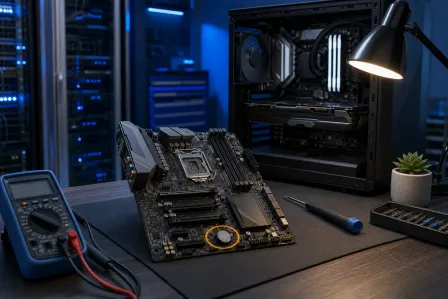
If your hard drive has failed, your RAM stick is bad, your motherboard has a fried component, or your power supply is dead - no amount of remote wizardry can fix that. Hardware failures require physical diagnosis, part replacement, and hands-on repair. If your computer won't turn on at all, that's a pretty clear sign you need in-person computer repair.
Broken Screens, Ports, and Physical Damage
Cracked laptop screen? USB port that's loose or not recognizing devices? Keyboard keys that stopped working? Charging port that only works at a certain angle? These are all physical problems that need physical solutions. A remote tech might be able to confirm that the issue isn't software-related, but the actual fix has to happen in a repair shop.
Swollen or Failing Batteries
This one is important. If your laptop battery is swelling (you might notice the trackpad lifting up, the case bulging, or the laptop not sitting flat anymore), that's a safety issue that needs immediate in-person attention. Please don't ignore a swollen battery - bring your device in right away.
Internal Cleaning and Overheating
Is your computer overheating and shutting down? Sometimes that's a software issue (a runaway process eating up CPU), and a remote tech can fix that. But if the problem is dust buildup clogging your fans and heat sinks, or dried-out thermal paste on your processor, that requires physically opening the machine and cleaning it out. Your remote tech can help you figure out which scenario you're dealing with, though!
Computers That Won't Boot
Here's a tricky one. If your computer won't start up at all - no lights, no sounds, nothing - a remote technician obviously can't connect to it. Even if it partially boots but can't reach a network connection, remote support is off the table. In these cases, you'll need to bring it in for hands-on diagnostics.
Component Upgrades
Want to add more RAM, upgrade to a solid-state drive, or install a new graphics card? Those are all physical upgrades that need to be done in person. However, a remote tech can help you figure out what upgrades your system supports and recommend the right parts before you come in. That's actually a great use of a quick remote session!
The Gray Area: When Remote Troubleshooting Helps Even If It Can't Fully Fix It
Here's something people don't always realize - even when the final fix requires hands-on work, a remote session can still be incredibly valuable. Think of it as a head start.
A remote technician can:
- Diagnose the problem before you bring your device in, so the in-shop repair is faster
- Rule out software issues to confirm it's truly a hardware problem
- Back up your data before a hardware repair, protecting your files
- Document error codes and symptoms so the in-person tech knows exactly what they're dealing with
This is especially helpful for businesses in Boca Raton, Jupiter, Wellington, and across Palm Beach County who rely on our managed IT services. Remote diagnostics mean less downtime because the repair team already knows what's wrong before they start.
How to Decide: Remote Support or In-Person Repair?
Still not sure which route to take? Here's a quick decision guide. Ask yourself these questions:
Choose Remote Support If:
- Your computer turns on and connects to the internet
- The problem is with software, settings, or performance
- You're seeing error messages, pop-ups, or strange behavior
- You need help setting up, configuring, or updating something
- Your issue started after installing new software or an update
Choose In-Person Repair If:
- Your computer won't turn on or won't stay on
- There's visible physical damage (cracked screen, broken ports, bulging battery)
- The computer is overheating despite software fixes
- You hear unusual sounds like clicking, grinding, or loud fan noise
- You need a hardware upgrade or component replacement
And remember - if you're not sure, just reach out! Our team at Fix My PC Store is happy to help you figure out the right path. A quick conversation can save you a trip if remote support can handle it, or get you scheduled for in-person computer repair right away if that's what you need.
Setting Smart Remote Troubleshooting Expectations
Here are a few tips to make your remote support session as smooth and productive as possible:
- Have a stable internet connection. The remote tech needs to connect to your machine, so make sure your Wi-Fi or ethernet is working. If your internet is the problem, a mobile hotspot can sometimes work as a temporary bridge.
- Be ready to describe the issue. When did it start? What were you doing when it happened? Any error messages? The more detail you can share, the faster your tech can zero in on the fix.
- Close sensitive information. While remote sessions are secure, it's totally fine to close any personal documents, banking tabs, or private files before your tech connects. Good technicians will always respect your privacy.
- Stay nearby. You might need to approve a permission prompt, enter a password, or restart your computer during the session. Being close to your machine helps things move along quickly.
- Don't be afraid to ask questions! A good remote tech will explain what they're doing as they go. If something doesn't make sense, speak up. This is a learning opportunity, and you've got this.
Remote IT Support Is More Powerful Than Ever in 2026
The virtual IT support scope has expanded dramatically over the past few years. With faster internet connections, better remote access tools, and more sophisticated diagnostic software, remote technicians can handle the vast majority of everyday computer problems. For many people in West Palm Beach and throughout South Florida, a remote session is all it takes to get back up and running.
But knowing when a problem crosses that line into hands-on territory? That's the kind of knowledge that saves you time, money, and headaches. And now you have it!
Whether your computer needs a remote tune-up or a full hardware repair, the most important thing is getting help from someone you trust. And honestly? Just reaching out is already a win. You're taking care of your tech, and that's something to feel good about.
Need Help Right Now?
Get instant remote IT support from Palm Beach County's trusted technicians - no appointment needed.
Get Remote Help