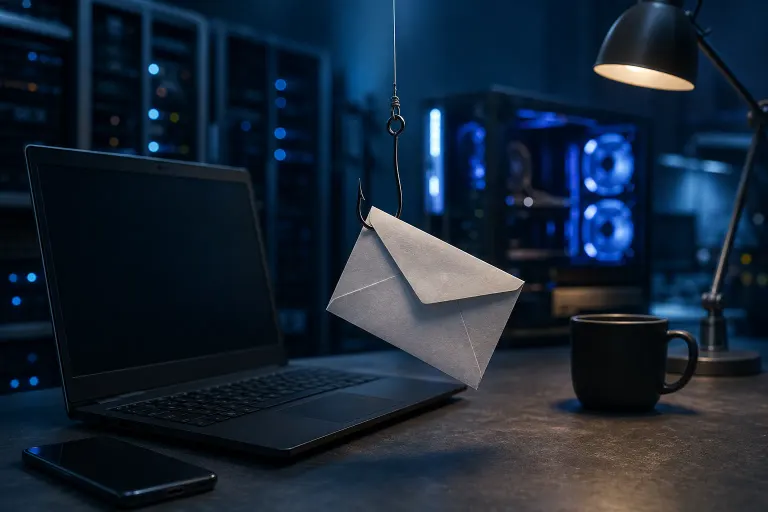
What Phishing Emails Actually Look Like in 2025
TL;DR: Phishing emails in 2025 are cleaner, smarter, and way harder to spot than the janky ones from a few years back. AI writing tools stripped out the typos and awkward phrasing, and attackers are now cloning real vendor emails, spoofing internal execs, and hijacking legit conversation threads. If your team is still trained to spot "bad grammar and sketchy links," you're already behind.
What Happened
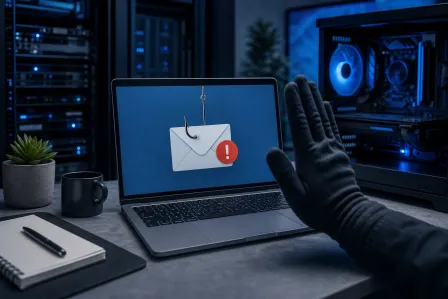
Phishing used to be almost a punchline. Misspelled words, a Nigerian prince, a logo that looked like it was drawn in MS Paint. Your grandma could spot those from a mile away.
That era is over. What's landing in South Florida inboxes right now looks like this:
Perfectly written vendor invoices. No typos, correct formatting, real company logos pulled straight from the actual website. The email references a project or PO number that sounds plausible for your industry. It asks for payment details to be "updated" before the next invoice goes out.
Hijacked email threads. Attackers who've already compromised one mailbox (a vendor, a client, a contractor) reply directly inside an existing, real conversation. Because it's a reply to a thread you actually had, the context checks out. Then somewhere in that reply, a malicious link or attachment shows up asking you to "review the updated file."
Exec impersonation texts and emails. "Hey, are you at your desk? I need you to handle something quick, can't talk right now." It looks like it's from your CEO or office manager. It's designed to catch someone in a rush who won't stop to verify.
Fake Microsoft 365 and Google security alerts. "Unusual sign-in detected" or "Your password expires in 24 hours." These land in inboxes looking nearly identical to the real thing, complete with matching color schemes and footer text, and they push you to a fake login page that steals your credentials the moment you type them in.
QR code phishing ("quishing"). Instead of a clickable link that email security tools scan, the email has an embedded QR code. You scan it with your phone, which usually isn't protected by the same filters as your work computer, and land on a credential-harvesting page.
The common thread? AI writing tools cleaned up the grammar, and attackers did their homework on real company names, real employee names, and real ongoing business relationships. The old advice, "look for bad English," doesn't hold up anymore. The FBI's Internet Crime Complaint Center (IC3) has consistently flagged business email compromise and phishing as among the top cybercrime threats facing businesses, a pattern that has continued into 2025. (FBI IC3, 2024 Internet Crime Report)
Why It Matters
A single successful phishing click can lead to a wire transfer to the wrong account, a ransomware infection that locks up every file on your network, or a compromised email account that then phishes your own clients using your good name.
For small and mid-sized businesses in Palm Beach and the Treasure Coast, the math is brutal. Most businesses this size don't have a dedicated security team watching for this stuff 24/7. One employee clicking one link on a Friday afternoon can mean a weekend spent trying to recover instead of relaxing.
And it's not just money. It's client trust. If your company email gets compromised and starts sending phishing messages to your customer list, that's a reputation hit that outlasts the actual financial damage.
This is exactly why business cybersecurity has stopped being an "IT department problem" and become a company-wide risk issue. The finance person who approves invoices, the front desk person who forwards emails, the owner who checks messages from their phone between meetings, they're all targets now, not just the tech-savvy folks.
Worried your business is one click from a breach? Get a security review
What We Don't Know Yet
A few things are still shaking out as this threat evolves:
How good AI-generated phishing will get at mimicking specific writing styles. Right now most attacks are generic-but-polished. Some security researchers warn that attackers could eventually train tools on a real executive's actual writing style scraped from public posts or leaked emails, making impersonation even harder to catch by tone alone. We haven't seen this become widespread yet, but it's a realistic next step.
Whether email providers can keep pace with AI-written phishing. Spam filters have historically relied partly on flagging awkward phrasing and known bad patterns. As phishing emails read more naturally, filter accuracy may dip until detection methods catch up. We don't have hard numbers on how much this is currently affecting catch rates for typical business email systems.
How deepfake voice and video will factor into these scams going forward. There have been reported cases of voice cloning used in scam calls asking for urgent wire transfers, but exactly how common this will become for typical small businesses (versus large enterprises) is still an open question.
We're not going to pretend we can predict the next twelve months of attacker tactics. Nobody can with certainty. What we do know is that the trend line is clearly toward more convincing, more targeted, and more automated attacks.
What to Do About It
You can't train your way to catching every single one of these by eyeballing emails harder. The good ones are built specifically to pass that test. Here's what actually helps:
Verify payment and account changes out of band. If an email asks to change a bank account, wire instructions, or vendor payment details, call the person using a known phone number, not one listed in the email itself. This single habit stops most business email compromise losses.
Turn on multi-factor authentication everywhere it's offered. Even if a password gets phished, MFA usually stops the attacker from actually logging in. If your team is on Microsoft 365, make sure MFA is enforced account-wide, not just optional.
Slow down on urgency. Real emergencies rarely arrive exclusively by text message from an unfamiliar number claiming to be your boss. Urgency plus a request for money, gift cards, or credentials is the single biggest red flag left standing.
Hover before you click, and check where links actually go. Even well-written phishing emails often have a mismatched destination URL if you hover over the link or long-press it on mobile.
Have a real backup and recovery plan. If someone does click, and eventually someone will, backups and disaster recovery determine whether that's a bad afternoon or a bad year. Ransomware delivered through phishing is still one of the most common ways businesses lose everything.
Get your network segmented and monitored. A solid business networking setup limits how far an attacker can move if one machine or account does get compromised. One infected laptop shouldn't mean your entire file server is exposed.
Consider managed monitoring instead of hoping everyone remembers their training. Managed IT services can flag suspicious login attempts, unusual email forwarding rules, and other early warning signs long before an employee even notices something's wrong.
If you've already clicked something you shouldn't have, don't wait around hoping it's fine. Disconnect the device from the network, change the relevant passwords from a different device, and reach out. Our remote support team can walk through what happened and lock things down fast, and if a machine needs a deeper look or a full wipe and rebuild, book it through computer repair or contact us directly.
Phishing in 2025 isn't about being gullible. It's about facing genuinely well-built fakes with limited time and a lot going on. The fix isn't paranoia, it's process. Build habits that don't rely on catching the fake in the moment, and you'll be fine even when the email looks perfect.
Worried your business is one click from a breach?
Get a straight-talk security review from a local team that has cleaned up the aftermath more times than we'd like.