Phone Water Damage: What to Do Immediately (and What Not to Do)
Listen to this article
Alright, friend. If you’re reading this with a dripping phone in your hand, welcome to the club nobody wants to join. Phone water damage is one of the most common “my life is over” moments I see at the bench, right up there with “I sat on it” and “it fell out of my pocket into the pool.” (Look, I’m not judging your screen time report. Okay, maybe a little. But I am judging the lack of a phone case.)
Here’s the good news: the first 30 to 60 minutes often decide whether your phone lives a long, happy life or becomes an expensive paperweight. Let me save you a headache with a practical, step-by-step plan, plus the myths that make things worse. Android vs iOS? I’ll fix ’em both. But we can debate later.
Phone Water Damage in the First 5 Minutes: Do This, Not That
Speed matters because water (and especially dirty water) can create short circuits and kick off corrosion fast. Your goal is to stop power, limit spread, and start safe drying.
Step 1: Power it off immediately
- If it’s on: hold the power button and shut it down.
- If it’s off: keep it off. Do not “just check” if it still works.
Why? Electricity + moisture = shorts. Shorts can burn tiny components and traces on the board. That’s when a simple cleanup turns into board-level repair. I see this all the time.
Step 2: Get it out of the liquid and remove what you can
- Remove the case (yes, even the fancy one).
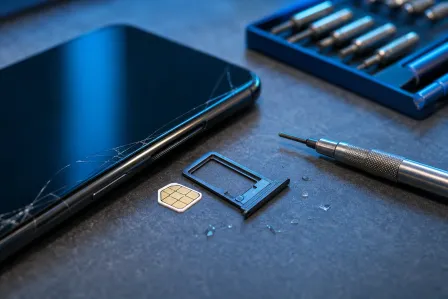
- Eject the SIM tray and remove SIM card.
- If you have a phone with a removable battery (rare in 2026, but my retro flip phone collection is judging you right now), remove it.
Why? Cases trap moisture. SIM trays can hold water right against internal seals and contacts. We want airflow and less trapped liquid.
Step 3: Blot, don’t shake
- Use a lint-free cloth or paper towel to blot the outside.
- Do not shake it like a maraca.
Shaking pushes water deeper into speaker chambers, microphones, and internal gaps. You’re basically helping the water explore new neighborhoods.
Step 4: Position it to drain
Set the phone so gravity helps. A good default is port-down (charging port facing down) on a dry cloth. If the phone took water through the top, tilt accordingly. The idea is simple: give liquid an exit path.
How to Dry a Phone Safely (Without Cooking It)
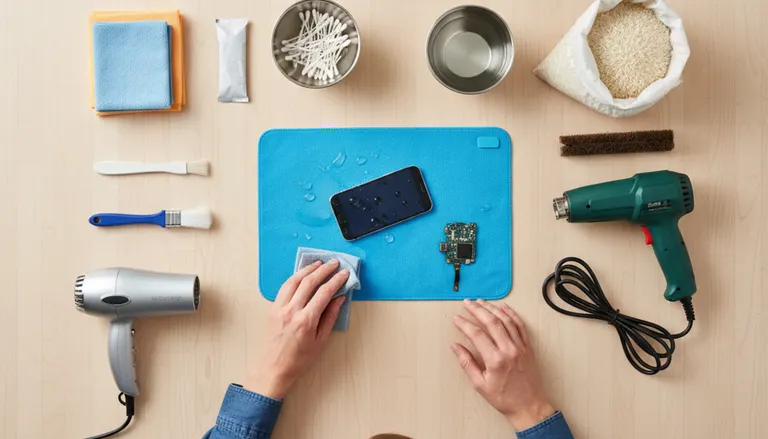
Let’s talk about how to dry a phone safely without turning it into a warped, overheated science experiment.
Use airflow, not heat
- Place the phone in a dry room with gentle airflow (a fan across the room is fine).
- Aim for cool air, not hot.
Why? Heat can soften adhesives, warp seals, and in some cases push moisture deeper by speeding evaporation in the wrong places. Also, hair dryers are basically “dust cannons” for ports and grills. Let me save you a headache: skip it.
Do not charge it “to test”
If you take one thing from Mobile Max today, take this: don’t plug it in after it got wet. A phone that seems fine can still have moisture bridging pins inside the charging port or on the board. That’s how you go from “maybe it’s okay” to “why does it smell like burnt electronics?”
Do not press every button repeatedly
Buttons can act like tiny pumps. Repeated pressing can move water around internally. Yes, it’s satisfying to mash buttons when you’re stressed. No, it’s not helpful.
Water Damaged Phone Repair Myths That Make It Worse
Time for some friendly myth-busting. I’ve rescued phones from rice bags, toilet bowls, and one memorable washing machine incident. The pattern is always the same: the myth delayed real help.
Myth 1: “Put it in rice”
Rice is not a magical moisture vacuum. It’s a pantry item. It can also leave dust and starch in ports and speaker grills. The real danger is that rice gives people false confidence, so they wait days while corrosion grows like it pays rent.
Myth 2: “Use a hair dryer or oven”
Hard no. Excess heat can damage screens, loosen adhesive seals, and deform plastics. Also, ovens are for pizza, not iPhones or Androids.
Myth 3: “It’s water-resistant, so I’m fine”
Water resistance is not waterproofing. Ratings like IP67/IP68 are tested under controlled conditions with fresh water, limited time, and a device in good condition. Real life includes drops, worn seals, soap, pool chemicals, and saltwater. Water resistance decreases over time. That’s not opinion. That’s physics and aging materials.
Liquid Damage Indicators and What They Actually Mean
Many phones include liquid damage indicators (LDIs/LCIs) inside the device, often near the SIM tray or internal points. They typically change color when exposed to liquid.
Apple explains how LCIs work here: Apple guidance on liquid contact indicators (LCI). The big takeaway: indicators help confirm exposure, but they don’t tell the whole story about severity. I’ve seen phones with a tripped indicator that cleaned up fine, and phones with no obvious indicator change that still had corrosion in the charging circuit.
Common symptoms that hint at internal moisture
- Phone speaker muffled after water exposure
- Random restarts or boot loops
- Face ID / fingerprint sensor not working
- Fogging under the camera lens
- Phone won’t charge after water (very common)
Why Water Damage Spreads: Corrosion, Shorts, and “It Worked Yesterday”
Water damage isn’t always instant. The real villain is often corrosion. When liquid gets inside, it can leave behind minerals and contaminants. Those residues can eat at connectors and tiny solder joints. Even if the phone powers on at first, corrosion can slowly increase resistance, cause intermittent failures, and eventually kill critical lines on the board.
Fresh water vs pool water vs saltwater damage phone scenarios
- Fresh water: still dangerous, but usually the easiest to recover if handled quickly.
- Pool water phone drop: chlorine and chemicals leave conductive residue and accelerate corrosion.
- Saltwater damage phone: the worst. Salt is highly conductive and corrosive. If your phone took an ocean swim, treat it like an emergency.
Translation: the “same amount of wet” is not the same level of damage.
What to Do If Your Phone Won’t Charge After Water
This is one of the most common panic messages I get: “My phone won’t charge after water.” Here’s the safe approach.
Do not force a cable in and keep trying
Repeated attempts can create tiny arcs if moisture is present. Also, you can trap debris deeper in the port.
Check for visible moisture and debris
- Look into the charging port with a flashlight.
- If you see water droplets, stop and continue airflow drying.
- If you see sand or grit (beach days, am I right?), do not scrape aggressively.
Let it dry longer, then test once
After several hours of cool airflow drying, try charging once. If it still fails, stop. At that point, you’re likely dealing with residue, corrosion, or a damaged charging daughterboard/port assembly.
iPhone Water Damage Repair vs Android Water Damage Repair: What’s Different?
Both platforms can be saved, and both can be stubborn in different ways.
iPhone water damage repair: common failure points
- Charging port flex and surrounding circuitry
- Display backlight issues after moisture intrusion
- Face ID components (sensitive and security-paired)
Apple devices are tightly integrated, which is great for performance and security, but it can make certain part swaps more complex.
Android water damage repair: common failure points
- USB-C port contamination and corrosion
- Speaker modules and microphone mesh clogging
- Battery and sub-board connectors oxidizing
Android phones vary a lot by brand and model. Some are very repair-friendly, some are glued together like they’re trying to hide secrets. Either way, liquid damage cleanup principles stay the same.
When Professional Phone Corrosion Cleanup Is the Best Move
If the phone was submerged, exposed to pool or saltwater, or is showing symptoms (muffled audio, charging issues, random shutdowns), professional cleaning is usually the smartest play. Proper phone corrosion cleanup involves controlled disassembly, inspection, and cleaning of affected areas to remove residues before they keep eating components.
What a real water damaged phone repair process typically includes
- Device disassembly and internal moisture check
- Inspection of connectors, shields, and board areas for corrosion
- Cleaning residues using appropriate electronics-safe methods
- Testing charging, audio, cameras, and wireless functions
- Replacing damaged parts when needed (battery, port, speakers, display)
If your phone is part of your work life (and let’s be honest, it probably is), getting it assessed quickly can reduce the total repair cost.
Water Damage Data Recovery: Getting Photos and Files Back
Sometimes the goal isn’t saving the phone. Sometimes it’s saving your stuff. If the device is dead or unstable, water damage data recovery may still be possible, especially if we can stabilize power or repair enough of the device to access storage.
If you need help recovering critical files, check our data recovery service. And if you’re thinking, “But my photos are in the cloud,” I love your optimism. Let’s verify that backup before we celebrate.
Don’t forget the basics (yes, I’m saying it)
- If you can access your account from a computer, check your cloud backups.
- If a laptop also got splashed in the chaos, our computer repair services can help keep the whole situation from snowballing.
Palm Beach County Water Damage Reality Check (Yes, It Happens Daily)
Living in Palm Beach County means water is basically a lifestyle. Pools, beaches, boating, surprise storms, and that one friend who thinks the phone belongs on the edge of the hot tub. We help customers across West Palm Beach, Palm Beach Gardens, Lake Worth Beach, Boynton Beach, Jupiter, Royal Palm Beach, Wellington, and nearby areas.
If your phone took a swim, don’t wait for it to “maybe dry out.” Corrosion doesn’t take days off.
Quick “Do This Now” Checklist
- Power off immediately
- Remove case and SIM tray
- Blot exterior, do not shake
- Port-down position on a dry cloth
- Cool airflow, no heat
- Do not charge until you’re confident it’s dry
- If pool or saltwater: prioritize professional cleaning ASAP
One More Insider Tip (Because I Like You)
If you dropped your phone in anything other than clean fresh water, assume there’s residue inside. Residue is what turns “it works” into “it worked.” That’s why quick action and proper cleaning matter more than wishful thinking.
Want more repair reality checks and myth-busting? iFixit’s teardown-based articles are a solid read: iFixit repair guides and teardown-based repair insights.
Need Expert Mobile Device Repair?
Get professional iPhone, iPad, and Samsung repair from Palm Beach County's trusted mobile device specialists.
Get Device HelpP.S. If your phone is the one that got wet but your laptop is now acting weird because you downloaded “a drying app” (please don’t), we can also help with cleanup and remote troubleshooting via remote support. Let’s keep this rescue mission efficient.