NVIDIA App Auto-Update Risks: Stop Fake Driver Pop-Ups
Listen to this article
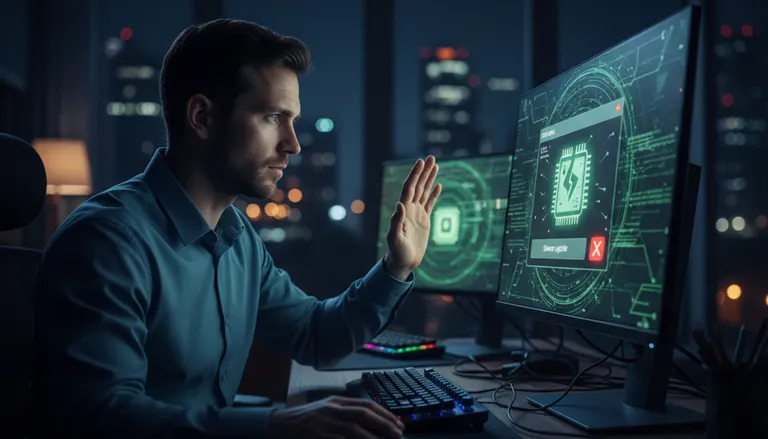
January 2026 often brings a spike in “update required” messages—especially after holiday PC upgrades, fresh Windows 11 installs, and new gaming rigs. Unfortunately, scammers take advantage of that timing with an NVIDIA App update scam: a fake GPU driver pop-up or browser alert that claims your NVIDIA driver is outdated and pushes you to click “Update Now.” The goal is rarely a real driver update—it’s typically malware, adware, or credential theft delivered through lookalike download pages or abusive browser notifications.
This guide explains how these scams work, how to verify a legitimate NVIDIA driver update, and what to do if you clicked. It’s written for home users and small offices across Palm Beach County (West Palm Beach, Palm Beach Gardens, Lake Worth Beach, Boynton Beach, Wellington, Royal Palm Beach, Jupiter, and Delray Beach) who rely on NVIDIA-equipped PCs for work, school, and gaming.
NVIDIA App update scam: what it looks like in Windows 11
Most fake driver prompts fall into two patterns: a web page that impersonates NVIDIA, or a Windows 11-style alert that’s actually a browser notification. Either way, the message tries to create urgency: “Driver update required,” “Critical security update,” or “Your GPU is at risk.”
Common red flags of a fake GPU driver pop-up
- The alert appears inside a browser (Chrome, Edge, Firefox) rather than inside a trusted NVIDIA window.
- It asks you to allow notifications before it “downloads” anything—this is a classic browser notification scam tactic.
- The website address is slightly off (extra words, hyphens, misspellings, or unusual domains).
- It bundles “driver installers” with extra “PC cleaner” tools or requires you to install a “download manager.”
- It claims you’re infected or that your “graphics card will stop working” if you don’t act immediately.
Why January is prime time for update scams
After the holidays, many users install new games, swap GPUs, or set up new PCs—then search for “NVIDIA driver update” or “NVIDIA App update.” Attackers buy ads, poison search results, and push pop-ups that mimic legitimate update flows. The result: more GeForce driver phishing attempts and more malware from driver downloads.
Fake GPU driver pop-up vs. real NVIDIA updates: how to tell
Legitimate NVIDIA driver updates come from official NVIDIA channels or Windows Update (in some cases). Scams try to intercept you before you reach those sources.
Safe, official ways to verify graphics driver download
Use one of these trusted paths instead of clicking pop-ups:
- NVIDIA’s official driver download pages (manual search by GPU model and operating system).
- The NVIDIA app installed on your PC (if present) checking for updates from within the app—not from a browser redirect.
- Windows Security and Windows Update for system updates (not for “random driver pop-ups”). For official Windows update guidance, see Microsoft’s Windows Update FAQ.
Tip: If an “update” page requires you to enable browser notifications, install an extension, or call a phone number, treat it as malicious.
What legitimate driver update prompts usually do (and don’t do)
- Do: show a standard installer, list driver version details, and install without asking for browser permissions.
- Don’t: demand immediate action with scare tactics, open multiple tabs, or route you through unrelated “security checks.”
GeForce driver phishing and Windows 11 fake update alert tactics
Many victims report a “Windows 11 fake update alert” that looks like a system toast notification. In reality, it’s often generated by a website you previously allowed to send notifications.
How browser notification scams create “system-like” alerts
When a site gets notification permission, it can push messages even when the browser is minimized. The alerts can imitate Windows-style banners and say things like:
- “NVIDIA driver outdated—click to update.”
- “GPU performance degraded—install patch.”
- “Security warning—download driver fix.”
Clicking may lead to a lookalike download page, a phishing form, or a bundled installer that drops adware, password stealers, or remote-access tools.
Why malware from driver downloads is so common
Drivers are a perfect lure because users expect them to be technical and “official.” A malicious installer can:
- Install adware that hijacks your browser and search results
- Steal saved passwords or session cookies
- Add persistence (auto-start entries) so pop-ups return after reboots
- Pull additional payloads later (second-stage malware)
If you suspect an infection, our malware and virus removal service can safely clean the system and confirm your browser, startup items, and scheduled tasks are not compromised.
How to stop fake driver pop-ups: step-by-step cleanup (Windows 11)
Use the steps below if you’re seeing repeated NVIDIA “update” prompts, especially when they appear as browser notifications.
1) Remove malicious browser notification permissions
In Google Chrome / Microsoft Edge (Chromium-based):
- Open your browser settings.
- Go to Privacy and security → Site settings → Notifications.
- Under Allowed, remove or block any suspicious sites you don’t recognize.
In Firefox: Settings → Privacy & Security → Permissions → Notifications → Settings… then remove suspicious entries.
This single change often stops the “Windows 11-style” fake update alerts immediately.
2) Uninstall suspicious programs and browser extensions
- Windows 11: Settings → Apps → Installed apps and remove unknown “driver updaters,” “PC optimizers,” toolbars, or recently installed items you didn’t request.
- Check browser extensions and remove anything unfamiliar—especially “coupon,” “search,” “security,” or “download” add-ons.
3) Run a reputable malware scan (and don’t rely on pop-up tools)
Run Windows Security (built-in) and consider an additional on-demand scanner from a trusted security vendor. For general guidance on spotting and avoiding malicious software, Malwarebytes publishes practical resources—see Malwarebytes’ threat research and scam articles.
If scans detect threats you can’t remove, or pop-ups return after reboot, it’s time for professional remediation.
4) Reset browser settings if hijacking persists
If your homepage/search engine keeps changing or new tabs open to “driver update” pages, a browser reset can help. Be sure to back up bookmarks first.
5) Confirm you’re downloading drivers from the right place
When you’re ready to update, avoid search ads and random “driver download” portals. Instead, go directly to NVIDIA’s official site by typing the address yourself or using a trusted bookmark. Then match your GPU model and Windows 10/Windows 11 version before downloading.
What to do if you clicked “Update Now” (or entered passwords)
If you clicked a fake prompt, downloaded a file, or entered credentials, act quickly:
Immediate containment steps
- Disconnect from the internet (Wi‑Fi off or unplug Ethernet) if you suspect an active infection.
- Do not keep running the downloaded installer. Close it if possible.
- Change passwords from a clean device if you typed credentials into a suspicious page.
- Check financial and email accounts for unauthorized logins.
When to seek professional cleanup in Palm Beach County
Consider help if:
- Pop-ups continue after removing notification permissions
- Your browser is hijacked, or performance suddenly tanks
- You see unknown remote-access tools installed
- Windows Security is disabled or won’t open
Fix My PC Store provides in-shop and on-site support across Palm Beach County. Start with computer repair and troubleshooting for system instability, or book secure remote support if the PC is still safe to access and you need faster triage.
Preventing future NVIDIA update scams (home and small office)
A few simple controls can dramatically reduce fake driver pop-ups and GeForce driver phishing attempts.
Browser hardening tips
- Block notification requests entirely unless you truly need them.
- Avoid “Allow” prompts on streaming, download, or “verification” pages.
- Use a standard user account for daily work; reserve admin accounts for installs.
Download hygiene for drivers and utilities
- Prefer official vendor sites and built-in update mechanisms.
- Avoid third-party “driver updater” tools; they’re a common source of unwanted software.
- Be cautious with search ads that imitate official download buttons.
Backups matter if malware strikes
Some infections lead to corrupted profiles or encrypted data. If you’re missing files after a suspicious “driver update,” stop using the PC and seek help—continued use can overwrite recoverable data. Our data recovery service can evaluate the safest path to retrieve documents, photos, and business files.
Palm Beach County tech support: fast help for driver pop-ups and malware
If you’re in West Palm Beach or nearby areas and you’re dealing with persistent NVIDIA “update” alerts, don’t waste hours chasing fake download buttons. We can identify whether it’s a browser notification scam, adware, or a deeper infection, then verify your graphics driver download path and restore safe settings.
Ready to Upgrade Your Gaming Rig?
Get expert gaming PC builds, upgrades, and repairs from Palm Beach County's performance specialists.
Level Up Now